Solved

Serial Numbers on Move Transaction

  • Jul 29, 2024 8:31 PM UTC
  • 8 replies
  • 224 views
  • Translate All

ngerst
Freshman II
Forum|alt.badge.img

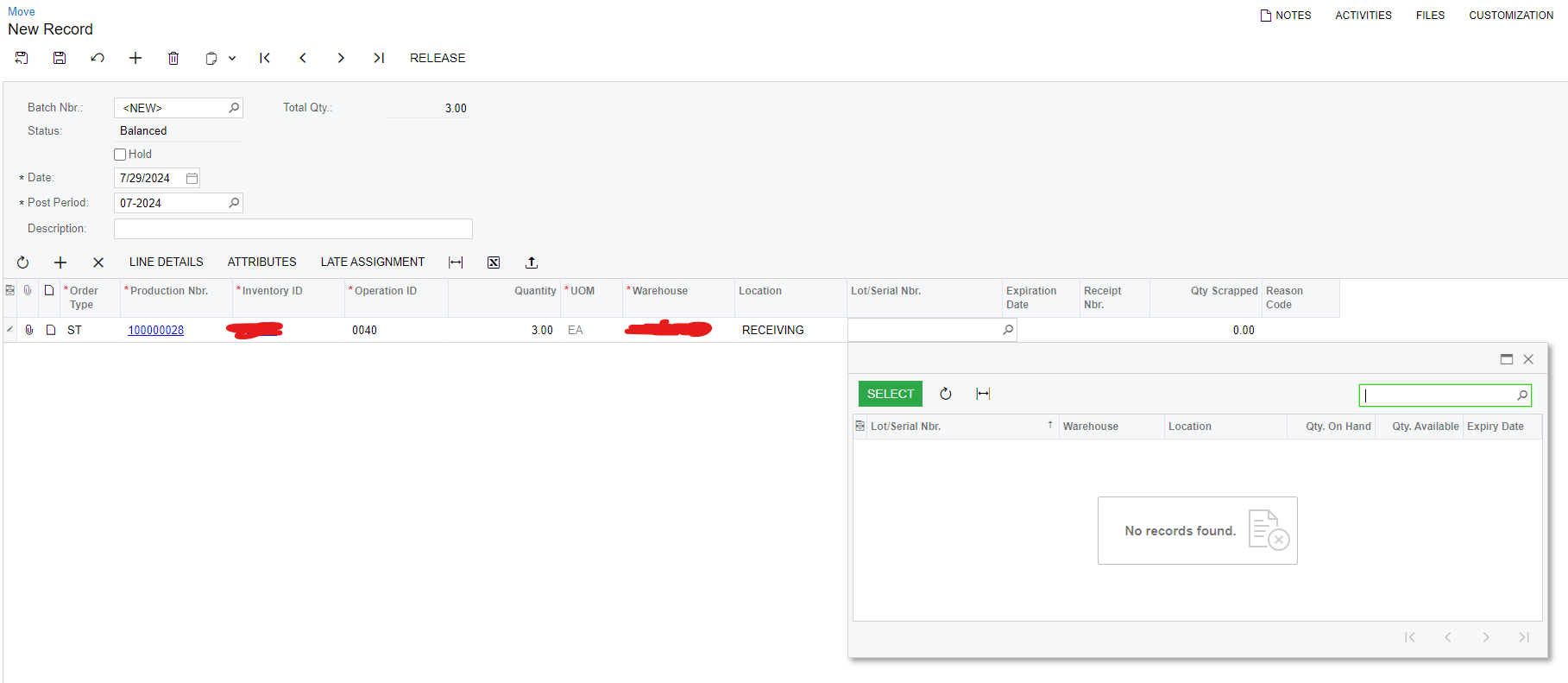
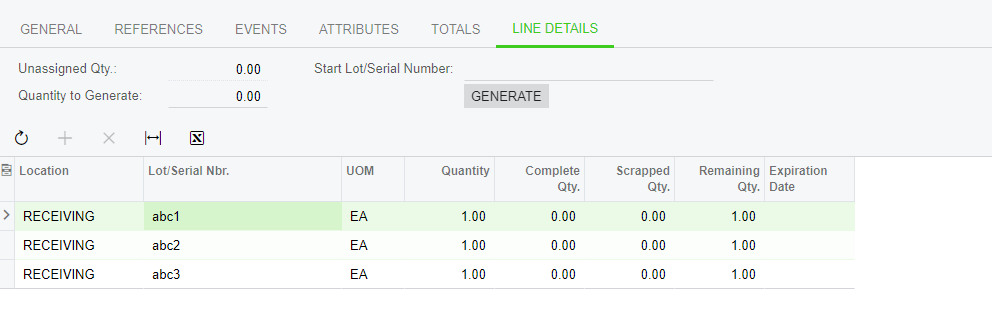
I need some help with managing serial numbers in Production Orders. I've generated serial numbers for a Production Order (see Line Details in screenshot 1). As I perform moves or labor transactions, I want to move these serial numbers to the next operation. However, I can't seem to select these serial numbers during a move transaction.

For example, we might have three serial numbers for a job, but only two of them move on to the next operation while one remains for further processing.

Can anyone guide me on how to track and move these serial numbers, assigned at the Production Order level, through different operations? These serial numbers are for the finished goods, not the materials.

Thank you in advance for your help!


Best answer by angierowley75

Then please work with Support to triage - thanks.

View original

8 replies

Kandy Beatty
Captain II
Forum|alt.badge.img+18

Hi @ngerst 

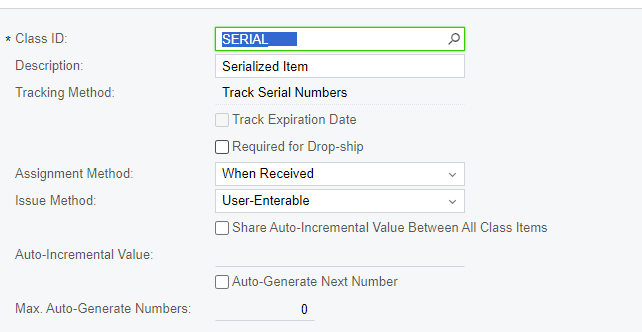
Are you using User Enterable Serial Numbers?

Translate

ngerst
Freshman II
Forum|alt.badge.img
  • Author
  • Freshman II
  • Jul 30, 2024 11:59 AM UTC


I have tried to use the When Used assignment method as well and still seeing challenges with that and unable to enter or select serial numbers that are assigned on the Production Order during the move. 
 

Translate

Kandy Beatty
Captain II
Forum|alt.badge.img+18
  • Captain II
  • Jul 30, 2024 12:52 PM UTC

HI @ngerst 

What version are you using? I believe in 24R1 this was fixed. @angierowley75, can you confirm?

Translate

ngerst
Freshman II
Forum|alt.badge.img
  • Author
  • Freshman II
  • Jul 30, 2024 12:59 PM UTC

24R1 is our current version for testing. 

Translate

Kandy Beatty
Captain II
Forum|alt.badge.img+18

You may need to enter a support ticket or have your VAR do it as I am almost certain this was a fix they made. 

Translate

angierowley75
Acumatica Moderator
Forum|alt.badge.img+3
  • Acumatica Moderator
  • Jul 31, 2024 12:59 PM UTC

Make sure you are on build 108 as the fix was for 2024R108

Translate

ngerst
Freshman II
Forum|alt.badge.img
  • Author
  • Freshman II
  • Jul 31, 2024 1:50 PM UTC

Make sure you are on build 108 as the fix was for 2024R108


I have confirmed we are on Build 24.108.0034. Unless there is an incorrect setup somewhere the bug seems to be in this build as well. 

Translate

angierowley75
Acumatica Moderator
Forum|alt.badge.img+3
  • Acumatica Moderator
  • Answer
  • Jul 31, 2024 2:05 PM UTC

Then please work with Support to triage - thanks.

Translate