Solved

Production Schedule Board Export

  • February 3, 2026
  • 8 replies
  • 115 views

Hello, group,

Long time listener, first time caller… We’re just getting started using the Rough Cut Planning and Production Schedule Board Modules and we’re wondering if there is a way to easily export the Production Schedule Boards. It’s old-school, but while we’re learning the tool, I would like each plant to print the Production Schedule Boards out for their Production Teams to review until we are fully comfortable with the tool and can display on a large monitor. We’re on release 2025 R1.  Thanks...
Best answer by ranjithduraisamy72

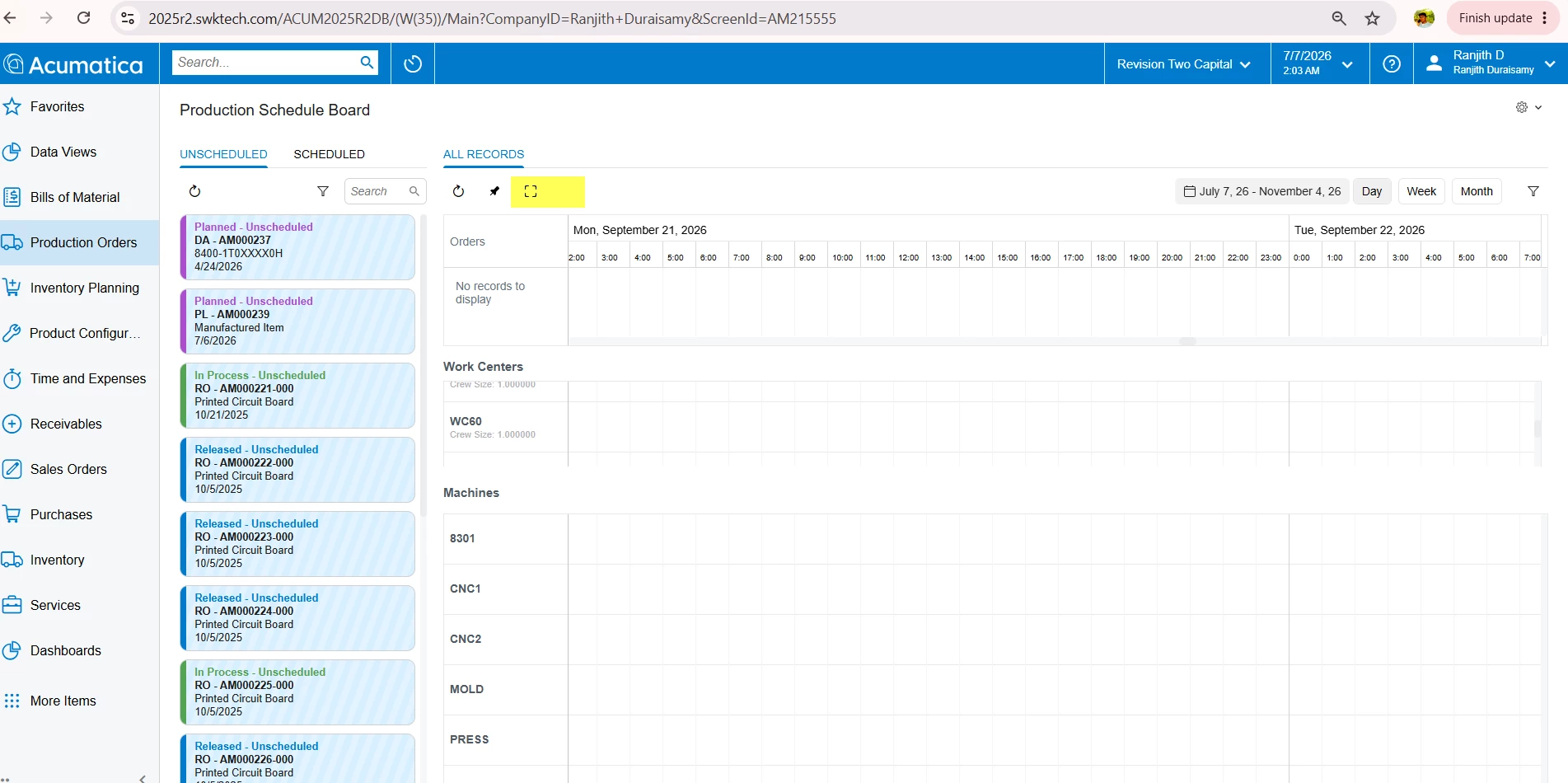
@jmcfalda Unfortunately, I couldn't find an option to export the Production Schedule Board information directly from the system. However, you can use the following workaround by printing it using your computer's print functionality.

  1. Maximize the Production Schedule Board to full-screen mode using the highlighted button below.


  1. Now use function + Print screen to print the schedule board for a Day, Week and Month filters.


Please let me know if this workaround helps.

8 replies

Forum|alt.badge.img+3

@jmcfalda I would like to understand what information you want to see in the export file. Basically you want to create that info as report or GI.


  • Author
  • Freshman I
  • February 4, 2026

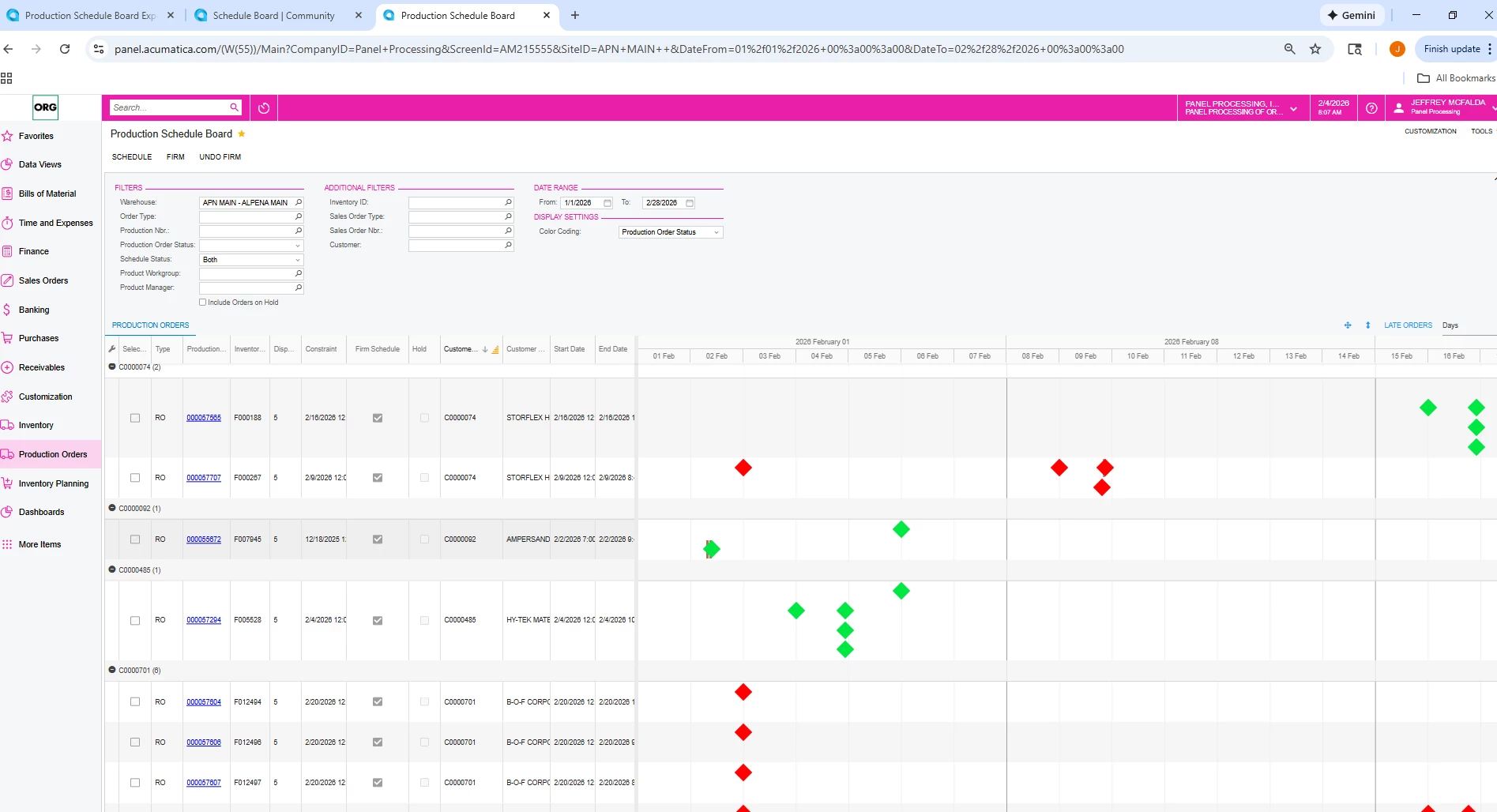
Thanks for your response. We’re looking to generate an output (to Excel, Word or Powerpoint) of the Production Schedule Board. See Screenshot below. 


Chris Hackett
Community Manager
Forum|alt.badge.img
  • Acumatica Community Manager
  • July 1, 2026

Hi ​@jmcfalda were you able to find a solution? Thank you!


  • Author
  • Freshman I
  • July 2, 2026

No. I have not found a solution.


Forum|alt.badge.img+3

@jmcfalda Unfortunately, I couldn't find an option to export the Production Schedule Board information directly from the system. However, you can use the following workaround by printing it using your computer's print functionality.

  1. Maximize the Production Schedule Board to full-screen mode using the highlighted button below.


  1. Now use function + Print screen to print the schedule board for a Day, Week and Month filters.


Please let me know if this workaround helps.


  • Author
  • Freshman I
  • July 7, 2026

ranjithduraisamy72, thank you for the response and details. This solution will work. Appreciate the follow-up.


  • Author
  • Freshman I
  • July 7, 2026

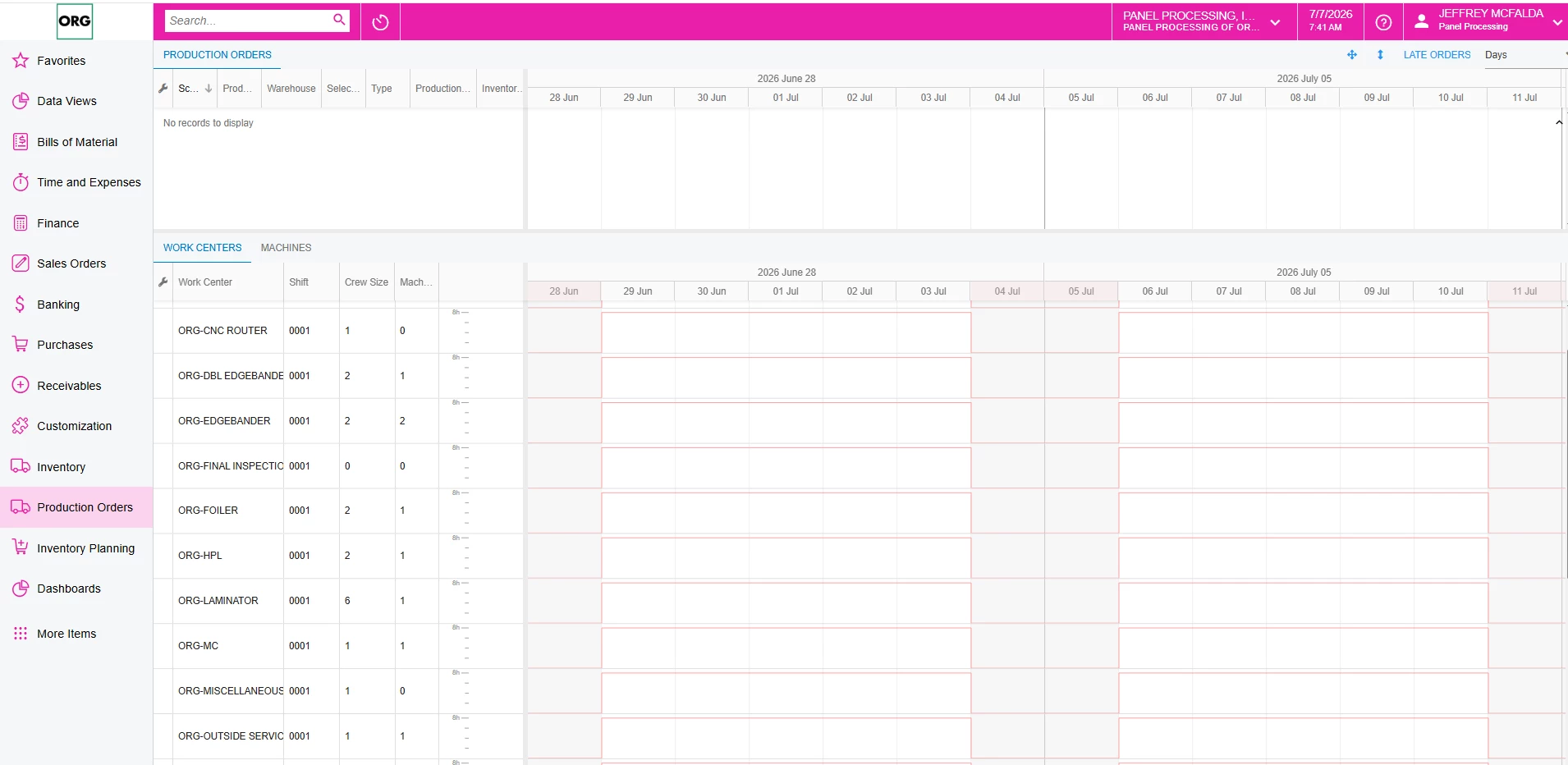
Thank you. We are on Acumatica Manufacturing Edition 2025 R1, and my Production Schedule Board does not appear to match the screen shown in your example. It looks like there may be a version, UI, or configuration difference. Is there a specific setting, customization, or screen preference that enables the layout shown in your screenshot?


Forum|alt.badge.img+3

@jmcfalda That screenshot was made in 2025R2 version. You may need to upgrade to 25R2 to get that schedule board full screen function.