Question

Production Order Materials Scanning

  • October 17, 2022
  • 11 replies
  • 447 views

Michaelh
Pro I
Forum|alt.badge.img+2

Am I missing something when I’m scanning materials to a production order?


The workflow for using a scanner has been (in other modules) you scan your location, item, then you get this fun kind of conditional branch:


You can set the qty, scan a different item, or scan a new location.

When scanning in a production order, once I’ve scanned an item, I am forced into one of two paths:
 

Set Qty or Scan Production ID.

Why am I not allowed to scan another item, or another location for another item in the same Operation in the same Production ID?

Instead of making nice loops, I’m forced to scan:

  1. Production ID
  2. OP ID
  3. Location
  4. Item
  5. Set Qty
  6. Confirm Form or repeat from Step 1.

I want to repeat from Step 4 (or 3 as needed). Is this something I need to configure? Seems weird to keep feeding the system “header info” when it already has it. Sure, I can see issuing material to multiple Production Orders, but that shouldn’t be a forced thing on the end-users. In the system I’m using they will NEVER issue to multiple production orders. 

 

11 replies

Debbie Baldwin
Acumatica Moderator
Forum|alt.badge.img+2
  • Acumatica Product Manager
  • 513 replies
  • October 17, 2022

@Michael Hansen please log a support case for this issue. 


Michaelh
Pro I
Forum|alt.badge.img+2
  • Author
  • Pro I
  • 207 replies
  • October 17, 2022

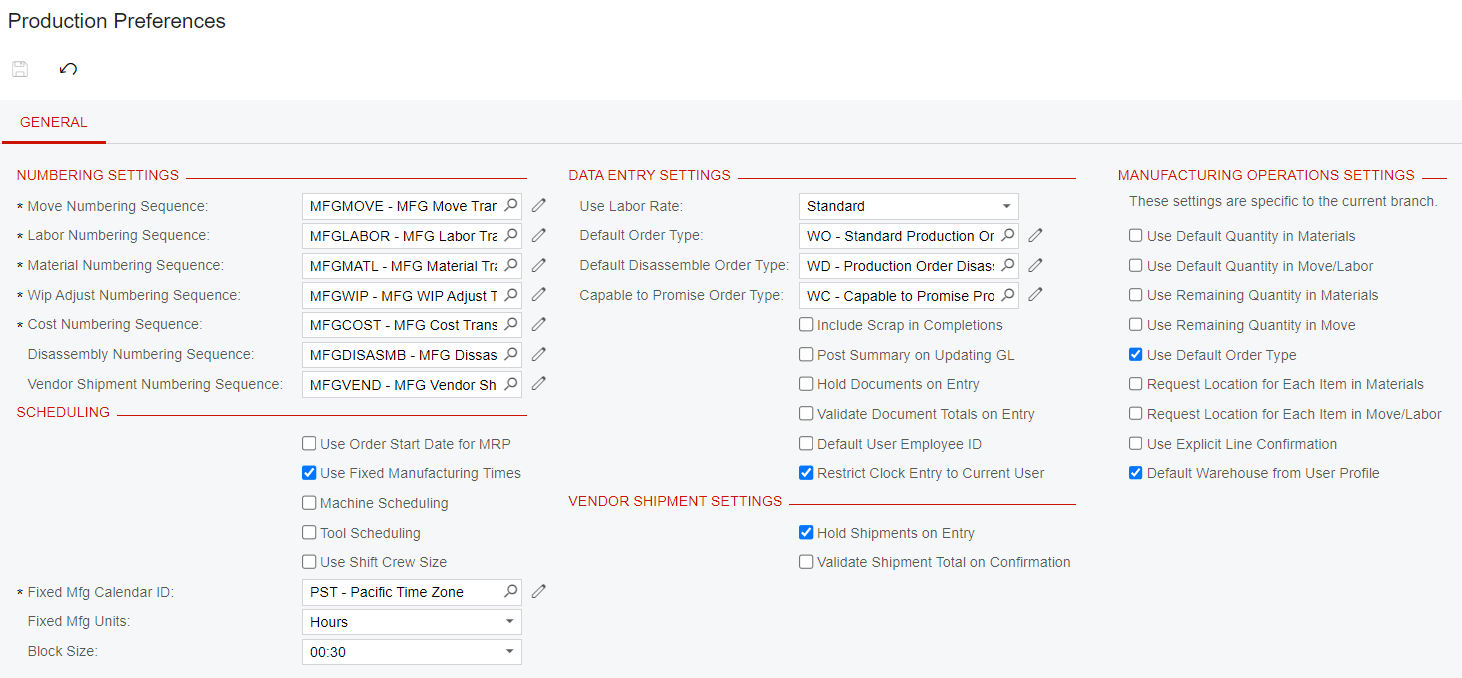
Here are the production preferences.


Chris Hackett
Community Manager
Forum|alt.badge.img
  • Acumatica Community Manager
  • 3296 replies
  • December 1, 2022

Hi @Michael Hansen have you been able to find a resolution? Thank you!


Michaelh
Pro I
Forum|alt.badge.img+2
  • Author
  • Pro I
  • 207 replies
  • December 1, 2022

@Chris Hackett - Not yet unfortunately. So far it’s just a much longer process than expected for scanning, but at least it functions! Hopefully someone knows how to get this in order though. Telling everyone “Here’s how to use a scanner, EXCEPT for this screen” is a bit painful.


  • Jr Varsity II
  • 12 replies
  • April 3, 2023

@Michael Hansen  - were you able to get this sorted out or did you hear back from Support ? I am running into the same issue on 2022R2. Thanks. 


Michaelh
Pro I
Forum|alt.badge.img+2
  • Author
  • Pro I
  • 207 replies
  • April 3, 2023

I was told that this is being worked on, the mobile app leaves a bit to be desired and Acumatica is working to add new features etc. I’m guessing this is more of a “next year” solution that will come out of the box.


  • Jr Varsity II
  • 12 replies
  • April 3, 2023

@Michael Hansen  - ah, that’s a bummer. But thank you for letting me know!


Forum|alt.badge.img+1
  • Semi-Pro II
  • 194 replies
  • April 10, 2023

I was told that this is being worked on, the mobile app leaves a bit to be desired and Acumatica is working to add new features etc. I’m guessing this is more of a “next year” solution that will come out of the box.

Running into the same issue with a client that is now refusing to use the Mobile App because of it.
Hopefully, this will be resolved soon.


Did Support give you an ETA?


Michaelh
Pro I
Forum|alt.badge.img+2
  • Author
  • Pro I
  • 207 replies
  • April 10, 2023

No, just that it was “down the road”. I should have pressed for more info, but I didn’t.


nathantrauscht
Semi-Pro II
Forum|alt.badge.img
  • Semi-Pro II
  • 177 replies
  • April 21, 2023

@Michael Hansen we are disappointed with this workflow as well, our pickers never pull (pick/issue) parts to multiple production orders at a time.


I hope this is resolved soon


nathantrauscht
Semi-Pro II
Forum|alt.badge.img
  • Semi-Pro II
  • 177 replies
  • April 22, 2023

@Michael Hansen we are disappointed with this workflow as well, our pickers never pull (pick/issue) parts to multiple production orders at a time.


I hope this is resolved soon

I was testing scan material today and this is working, doesn’t make me scan header info for each line item. We are on the latest 22 R2 version.


Been looking for a setting to have it default the BIN location to use the items default issue from so users don’t need to scan that for each item. Most of our items only have one BIN