I have two configuration- related questions regarding Production Order behavior
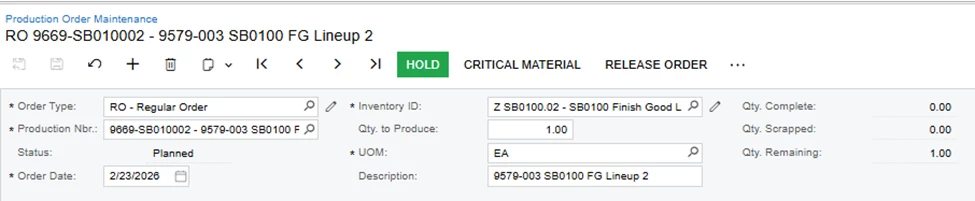
1.Default Status when creating a New Production Order: when creating a new Production Order, it automatically goes to Planned Status. Is there a way to make it default to Hold status first?
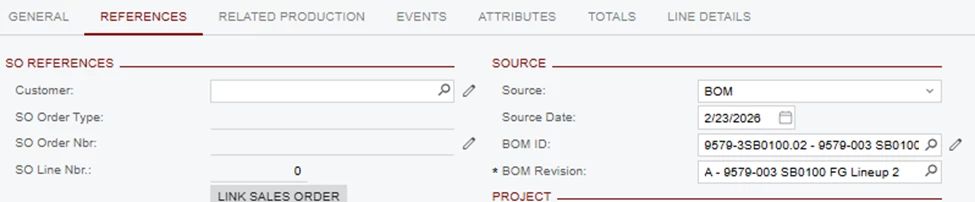
2. In the Production Order Maintenance – Reference tab- when using an Inventory ID that already has a BOM assigned, should the system automatically pull the BOM ID and Revision?
Is there any way both BOM ID and BOM Revision can be left blank by default?
I’m trying to understand if this is standard system behavior or controlled by configuration.
Best answer by ranjithduraisamy72
@PrasadNaidu06
1.Default Status when creating a New Production Order: when creating a new Production Order, it automatically goes to Planned Status. Is there a way to make it default to Hold status first?
This one we dont have an direct option, but you can make a workflow change.
2) In the Production Order Maintenance – Reference tab- when using an Inventory ID that already has a BOM assigned, should the system automatically pull the BOM ID and Revision?
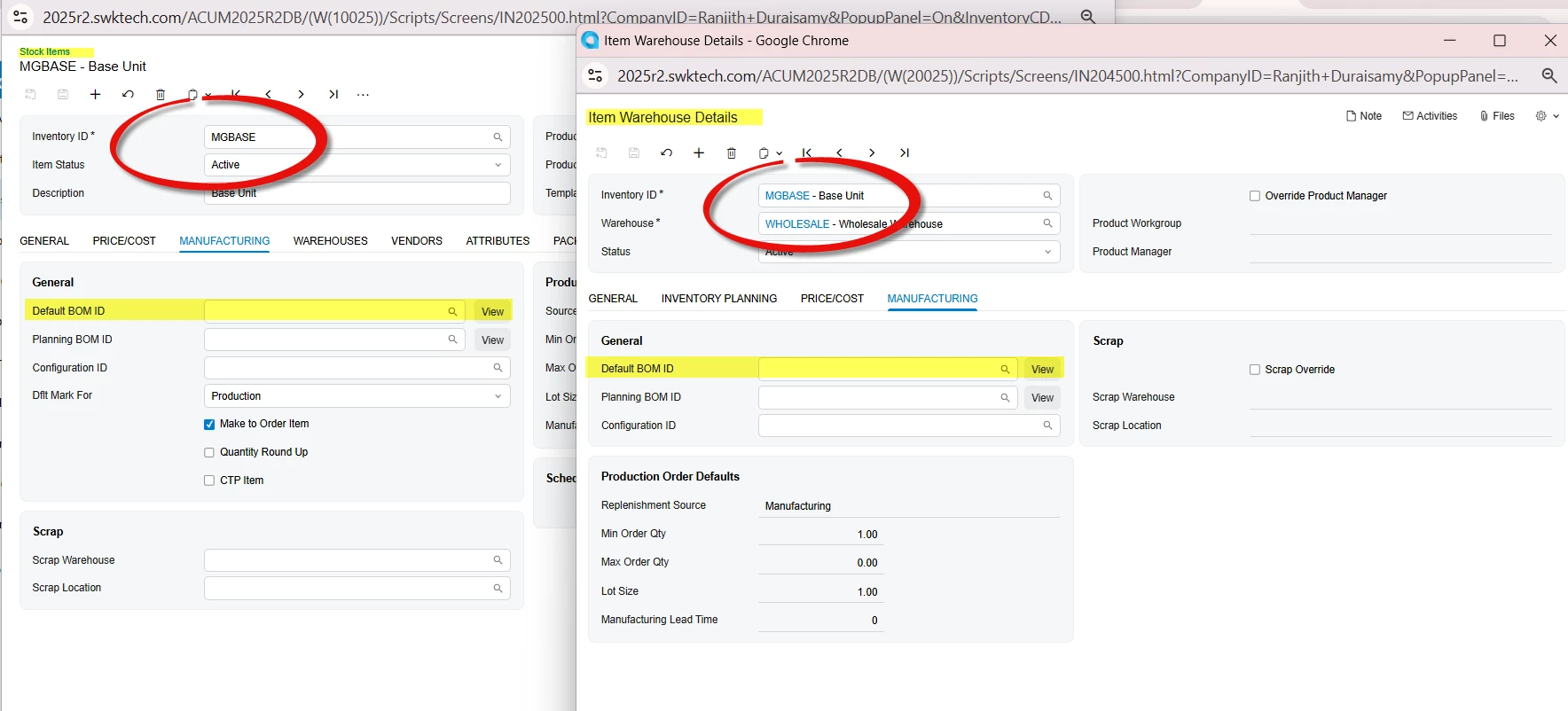
For the above question, you should remove the default BOM from manufacturing tab from Stock Item and item warehouse details screen.
1.Default Status when creating a New Production Order: when creating a new Production Order, it automatically goes to Planned Status. Is there a way to make it default to Hold status first?
This one we dont have an direct option, but you can make a workflow change.
2) In the Production Order Maintenance – Reference tab- when using an Inventory ID that already has a BOM assigned, should the system automatically pull the BOM ID and Revision?
For the above question, you should remove the default BOM from manufacturing tab from Stock Item and item warehouse details screen.
You can create a Business Event and configure an Import Scenario as the subscriber. When the first BOM is created for a stock item, the system can automatically update both the Stock Item and the Item Warehouse Details with the default BOM ID.
Similarly, you can set up another Business Event with an Import Scenario as the subscriber.to clear or remove the values from those two screens.
These business events should work automatically for this scenario.