Question

MRP SO's not consuming the forecasted demand

  • January 27, 2026
  • 12 replies
  • 166 views
  • Translate All

We just recently updated to version 2024R2 and since then have found our MRP generation is not consuming the forecasted demand.  For instance our forecast for January 2025 has already been consumed by SO that exceed our forecast.  However, MRP is planning to the original forecasted demand.

12 replies

angierowley75
Acumatica Moderator
Forum|alt.badge.img+3

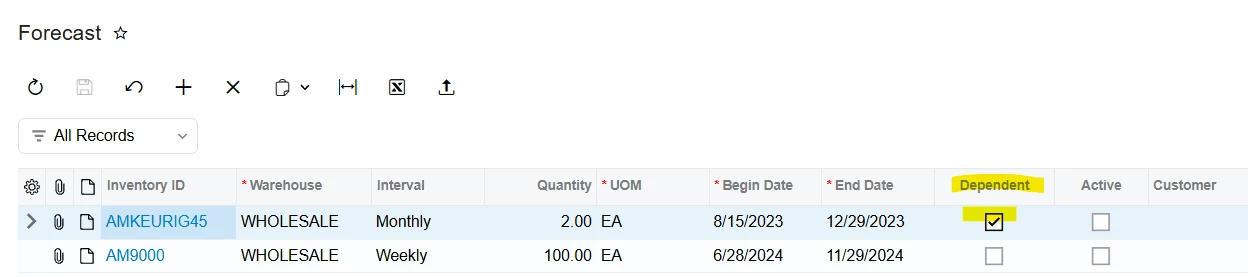
Do you have your forecast set as ‘dependent’?

If not - you will need to select the check-box to achieve the desired behavior.
If so - please log a support case so they can investigate.


Translate

Forum|alt.badge.img+5

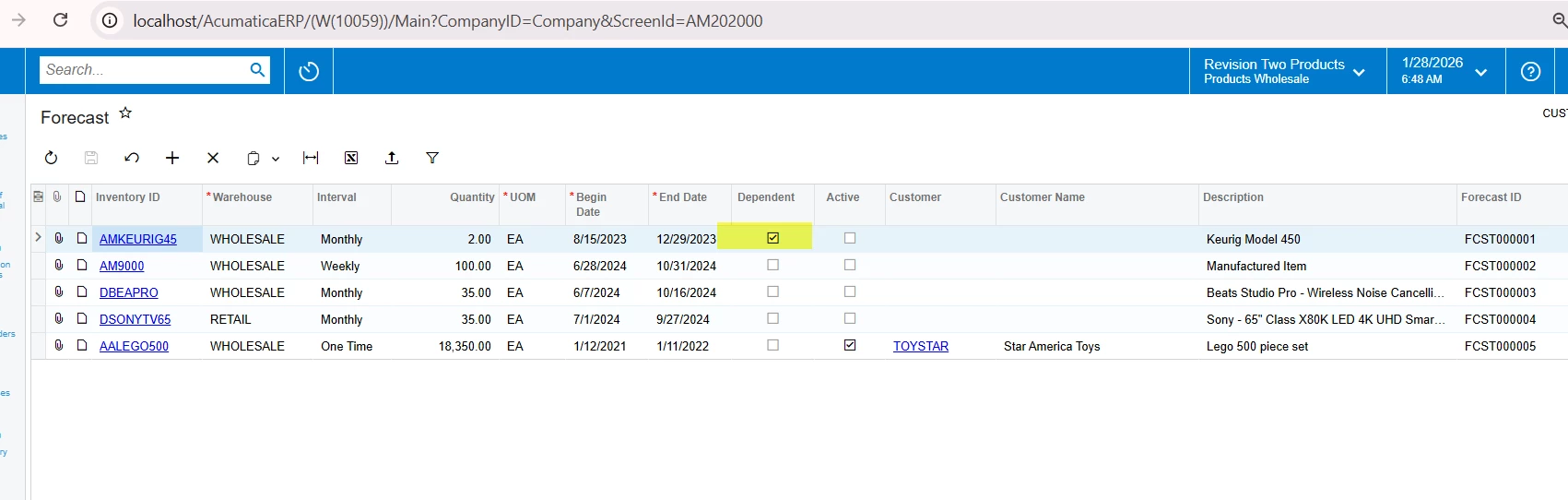
​@Jdavis64 Is the dependent Checkbox is checked for the forecast demand lines. If this checkbox is enabled then system will consume the other demands for that particular period.

Translate

  • Author
  • Freshman I
  • January 28, 2026

Yes the dependent and active check boxes are checked.


Translate

  • Author
  • Freshman I
  • January 28, 2026

Also, since the update our MRP generation run time has dropped from 45 minutes to a little over 3 minutes which seems very odd.


Translate

dgodsill97
Varsity I
Forum|alt.badge.img+6

Your forecast is not active. If the forecast end date is less than the MRP Run date + the demand time fence, MRP makes the forecast inactive.

Translate

Forum|alt.badge.img+5

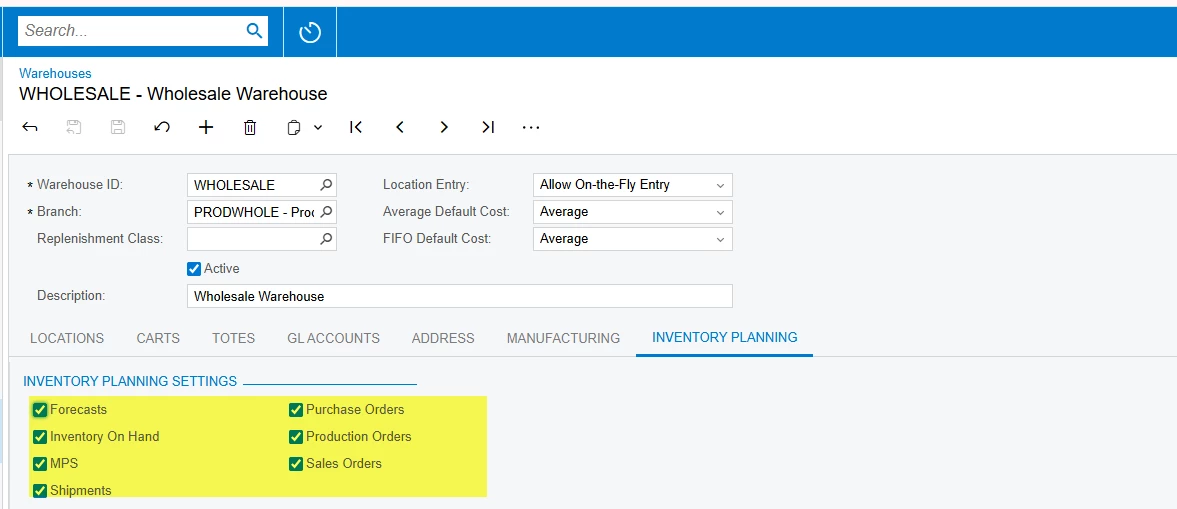
​@Jdavis64 Can you please check your preferences

Inventory Planning is enabled at the location level as well as on the Manufacturing tab, and all the required settings are enabled.

As you mentioned processing happening very quicker, please also verify that Inventory Planning is selected in the Planning Method field for all relevant stock items.


Translate

  • Author
  • Freshman I
  • February 2, 2026

Now we’re seeing that our MRP doesn’t see production orders that are either in a planned or released state.  It plans new ones as if the existing ones aren’t there.  This started with the update.  Any suggestions?  


Translate

dgodsill97
Varsity I
Forum|alt.badge.img+6

What build of Acumatica are you on?

Translate

  • Author
  • Freshman I
  • February 2, 2026

I think 24.209.0013

Translate

dgodsill97
Varsity I
Forum|alt.badge.img+6

If the production orders appear in the Inventory Planning Results by Item, then the issue could be the Grace Days setting in MRP Preferences.  Basically, if a supply order promise/end date is beyond the MRP Date + Grace Days, a new planned order is created to cover demand and an exception message genearated telling you to cancel the supply order.  If the supply order promise/end date is less then the MRP run date + Grace Days, it will generate an expedite message to move the supply order in to meet the demand date.  The setting for Grace days is typically set to the longest cumulative lead item of all items.

Translate

  • Author
  • Freshman I
  • February 18, 2026

The only way we’ve been able to achieve this is by using a -30 as the demand time fence.  Anyone ever experienced this?


Translate

Chris Hackett
Community Manager
Forum|alt.badge.img
  • Acumatica Community Manager
  • July 2, 2026

Hi ​@Jdavis64 were you able to find a solution? Thank you!

Translate