Question

Materials Issue Process Flow

  • September 14, 2026
  • 4 replies
  • 81 views

Hi,

We recently implemented Acumatica and have identified a gap in our materials control process. We understand the transactional steps involved in PO receipts and issuing materials to production orders, but we're unclear on what should trigger the material issue/release process.

Specifically, we're trying to understand how a Materials Controller would know when newly received materials need to be issued to active production orders.

Is there a standard screen, inquiry, report, or Generic Inquiry that can be reviewed daily to identify:

  • Materials that have been received into stock
  • Open production orders requiring those materials
  • Any material shortages or items awaiting issue

We're looking for a practical way for the Materials Controller to manage and prioritise material releases to production on a day-to-day basis.

Any guidance on the recommended Acumatica process would be greatly appreciated.

Thanks.

4 replies

Forum|alt.badge.img+6
  • Jr Varsity II
  • September 14, 2026

Hi ​@awaywell ,

Acumatica provides several standard screens to monitor production demands and shortages:

Hope it helps!!

Screen / Inquiry Screen ID What It Does & How to Use It
Material Shortage AM402000 Lists production order materials where required quantities exceed current inventory availability. It shows what is holding up production.
Critical Materials AM401000 Displays materials needed across production orders within a chosen date range, showing required quantity, available quantity, and purchase/transfer orders in pipeline.
Release Material / Create Issue AM502000 / AM300010 The mass-processing screen to generate and release Material Issues to open production orders based on order status, warehouse, and date.
Production Order Details AM209000 In the Totals / Materials tab of each order, you can review line-by-line what is AllocatedRemaining, and Issued.

  • Author
  • Freshman I
  • September 15, 2026

Hi ​@Rakshanda,

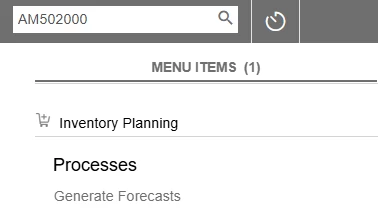
Thanks for the reply. I found ‘Release Materials’ as an option in my initial research (AM502000) but when I search the document code I get ‘Generate Forecasts’. Is this right or something in our settings?

Thanks,

Allison


valentynbeznosiuk
Jr Varsity II
Forum|alt.badge.img+4

Hi ​@awaywell 

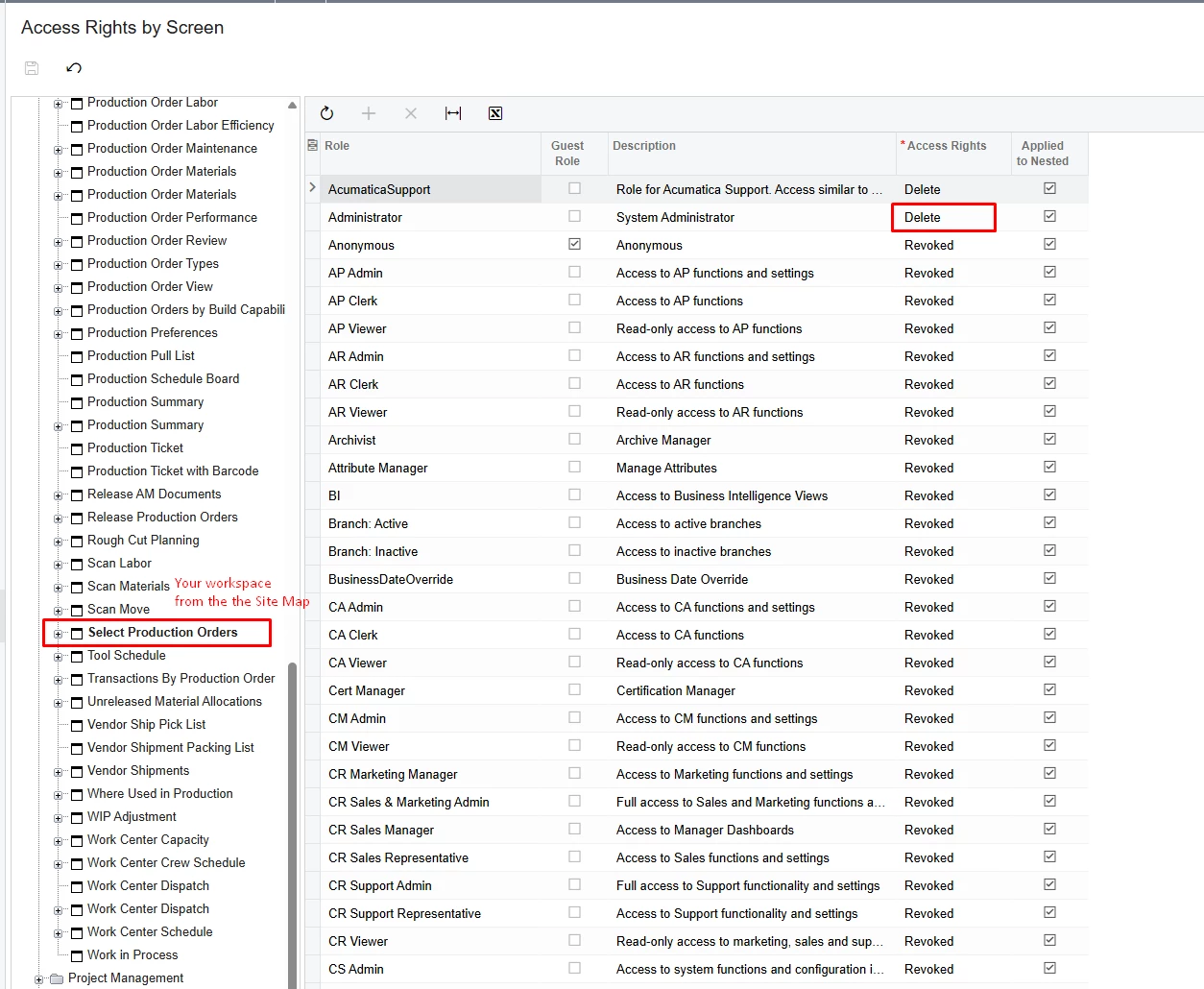
The Release Materials process is available to you either from the Production Order Maintenance screen → Release Materials button, which opens the Select Materials to Release screen [AM300020], or starting from the Select Production Orders screen [AM300010], where selecting the needed production orders redirects you to the Select Materials to Release screen [AM300020].

If either of these screens is not available to you, find them on the Site Map [SM200520] and make sure the Workspaces and Category columns have at least one value (refresh the screen before searching for them again after making changes).

If you have values there but the screens are still not available to you, go to Access Rights by Screen [SM201020], find the folder for your selected Workspace, locate your screen name inside it, and make sure your role has access to it.


Forum|alt.badge.img+3

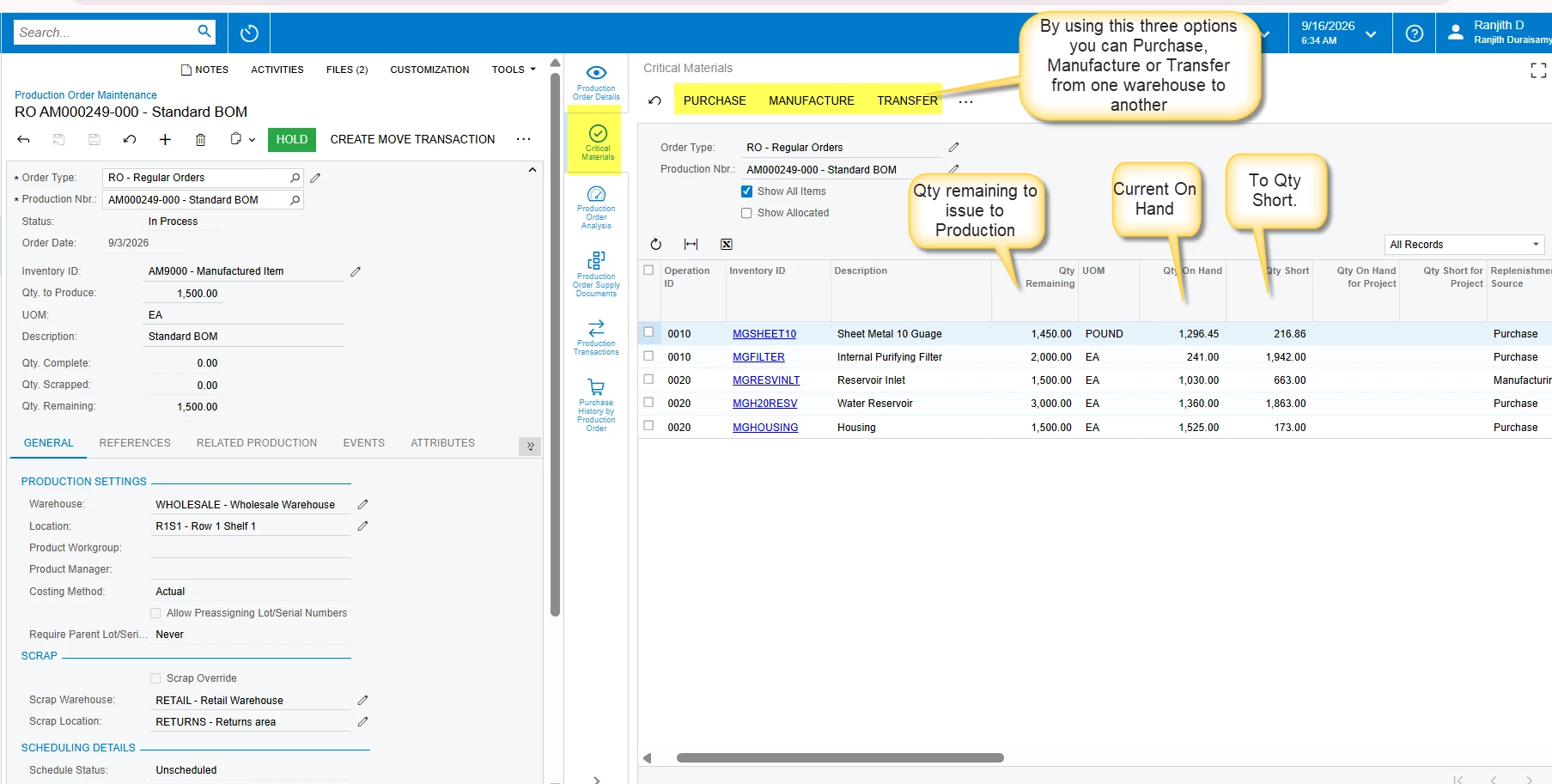
@awaywell, You can use the Critical Material Analysis screen to review material requirements for a specific production order. This screen is available as a Side Panel, so you can open it directly from the relevant production order.

The Critical Material Analysis screen can help you identify whether the required materials are available and review the material requirements associated with that particular production order. Please refer to the screenshot below for a detailed explanation of how the screen can be used.

However, there is one limitation: Critical Material Analysis is focused on a single production order. If you need to analyze material requirements across multiple production orders or perform broader material planning, this screen may not provide the complete picture.

If you have access to the MRP (Material Requirements Planning) module, you can use the Inventory Planning display screen for more comprehensive material planning. The Inventory Planning display screen can be used to review overall inventory requirements, planned demand, supply, and material availability across multiple requirements.

Please refer to the attached screenshot for the Critical Material Analysis example.