

Solved

How can I get a pick ticket to not split locations?

  • Mar 21, 2023 5:12 PM UTC
  • 3 replies
  • 226 views
  • Translate All

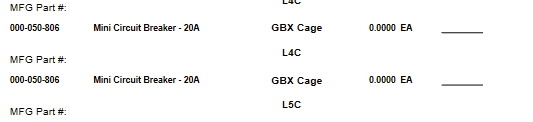
My production ticket seems too be splitting locations of the same items and I’m trying to find ways to correct that. I also would like help to find a way to sort locations as well so I can have people pick from the same general area of where the items are by and not have them going all over the place when the sheet doesn’t have it in order.

 

Best answer by lauraj46

Hi @garcimig09 ,

Are you using the standard Production Ticket report?  I don’t believe that the standard report groups or sorts on location.  You can customize the grouping and sorting using the Report Designer. 

Laura


View original

3 replies

lauraj46
Captain II
Forum|alt.badge.img+9
  • Captain II
  • Answer
  • Mar 22, 2023 3:39 PM UTC

Hi @garcimig09 ,

Are you using the standard Production Ticket report?  I don’t believe that the standard report groups or sorts on location.  You can customize the grouping and sorting using the Report Designer. 

Laura


Translate

debbiereed72
Varsity II
Forum|alt.badge.img

This is driving us nuts!  I have spent a lot of time trying to figure out how to change the grouping in the pick list (SO644000) but no such luck.. still getting the split.

Translate

Forum|alt.badge.img
  • Jr Varsity II
  • Aug 16, 2024 9:24 PM UTC

is it really splitting them across locations, or just showing all locations where it is available?


one thing we added to our pick list report is the quantity of items in that location; this allows us to notice inconsistencies easier (e.g. system thinks there are 87 and guy picks 5 and notices there are only 10 left, etc; we also use project-specific, so we actually modified the report to show qty by location/project/task). Informal process, but improves situational awareness.

Translate

