Solved

Help with batch size settings for a manufacturing order

  • Jan 3, 2025 8:29 PM UTC
  • 6 replies
  • 264 views
  • Translate All

Forum|alt.badge.img

My client has a manufacturing order that use batch sizes for materials. i.e.  200 items per box, 1 box tag per box and 2400 items per pallet, 1 pallet tag per pallet.  They are all set to backflush.  The MO looks correct, but the client states that it keeps backflushing too many pallets etc and they have to continually add additional and count the inventory.

In digging into this, it looks as if every line of a labor entry for a date creates the backflush issue of the pallet, tag, etc.  If there are 3 lines on a labor/clock transaction with quantities, it backflushes 3 times -3 pallets and 3 boxes -so too many pallets and not enough boxes.

I am getting confused in reading through the help menu on how batch sizes are used.  It seems that the finished good should perhaps have data populated on the stock item IN202500 manufacturing tab for min/max order qty and lot size?  I have been brought in recently on this client and am not familiar with this.

How do I get this set up correctly to recognize the batch sizes when backflushing instead of backflushing every time goods are marked complete?



Best answer by dgodsill97

If you uncheck quantity round up on the Stock Item Manufacturing tab, you will get fractional quantities.  My suggestion is to only report the labor without reporting a quantity until you have a full pallet and then do the Move to report the quantity, An additional transaction but avoids fractional quantities or the round up issue. 

Yes, backflush can be used with batch size,

View original

6 replies

Debbie Baldwin
Community Manager
Forum|alt.badge.img+2
  • Acumatica Product Manager
  • Jan 3, 2025 9:56 PM UTC

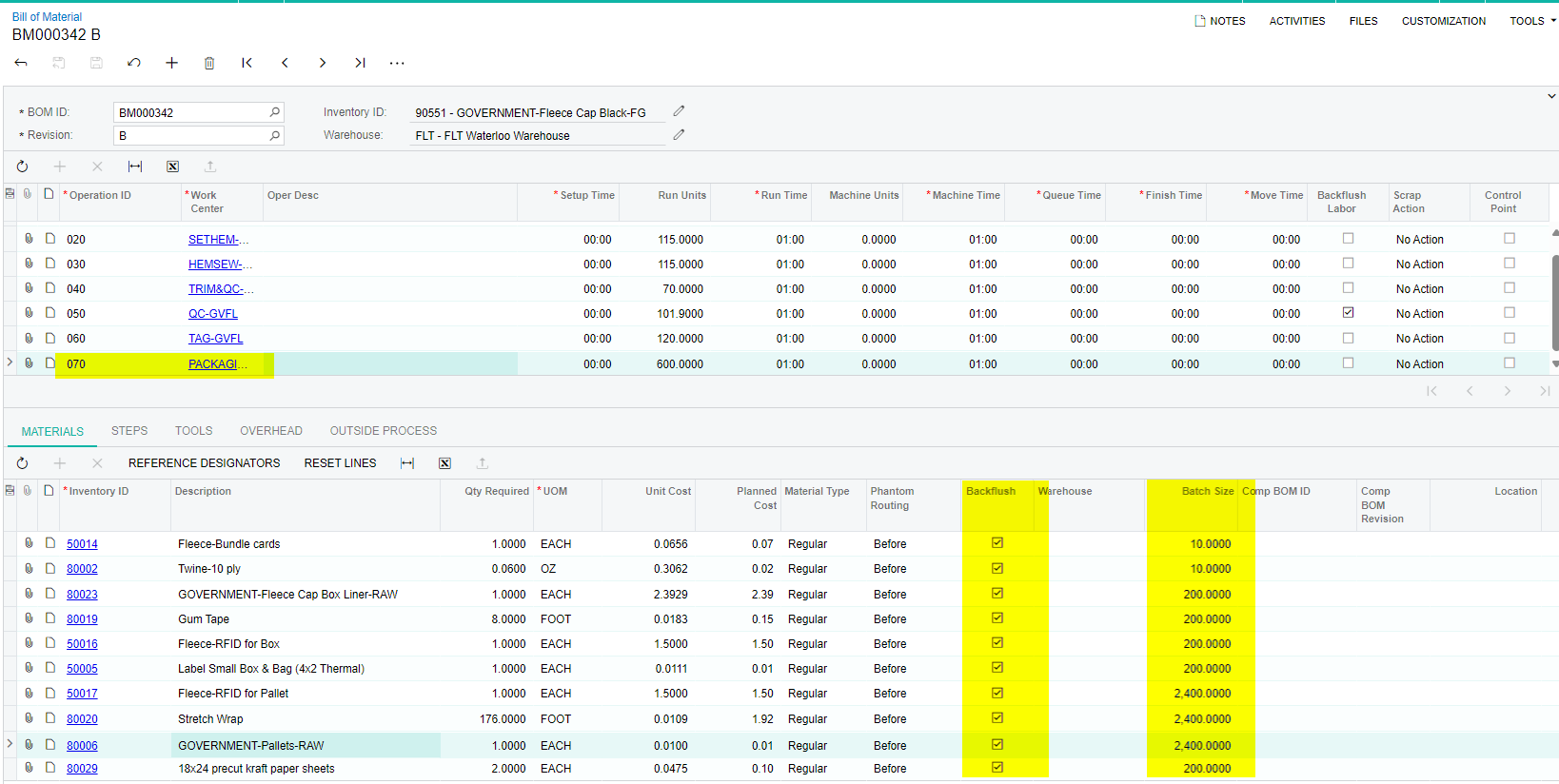
​@bethgrant20 - can you take a picture of how you have this set up on the Bill of Material? 

Translate

dgodsill97
Varsity I
Forum|alt.badge.img+6
  • Varsity I
  • Jan 6, 2025 8:39 PM UTC

Think of it this way. The batch size is the number of stock items (the item you are building) that fit in the box.  The box and box tag would have a batch size of 200 and the pallet and pallet tag a batch size of 2400.  Another factor is the quantity round up, when check for the box, pallet, or pallet tag, a quantity reporting of less than the batch size would round up to the next integer.  For example, you report a quantity of 150 you will get 1 box, 1 box tag,, 1 pallet, and 1 pallet tag.

Translate

Forum|alt.badge.img
  • Author
  • Jr Varsity II
  • Jan 7, 2025 2:38 PM UTC

​@Debbie Baldwin Here is the requested BOM.

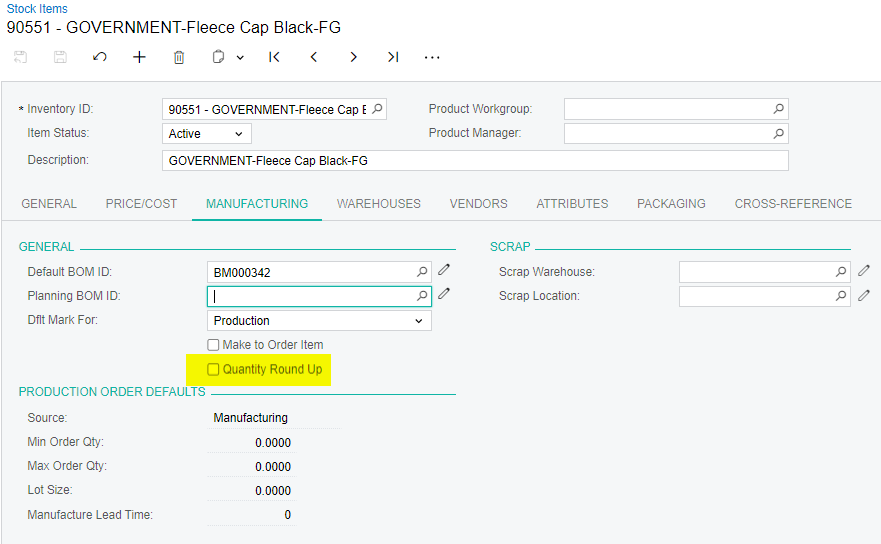
The finished good has a manufacturing tab setting of:

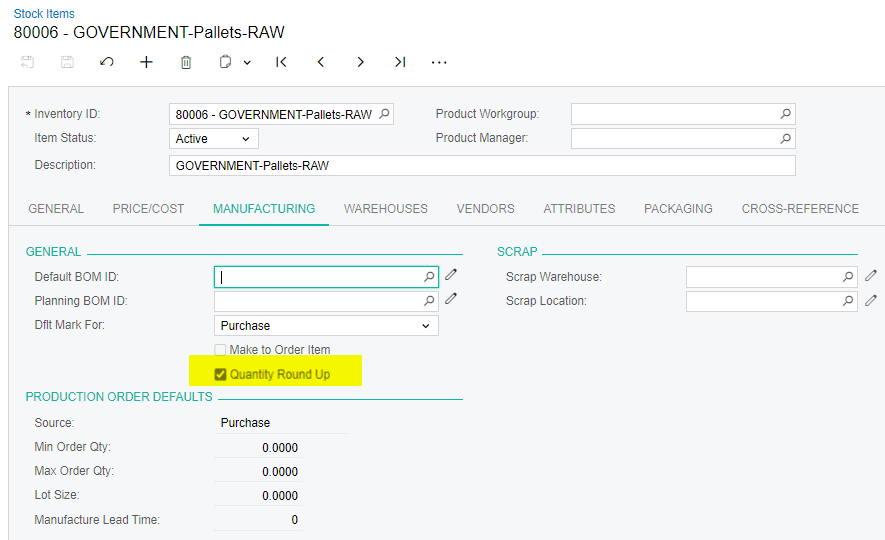
The Pallets have a manufacturing tab settings of:


Translate

Forum|alt.badge.img
  • Author
  • Jr Varsity II
  • Jan 7, 2025 2:45 PM UTC

​@dgodsill97 Thank you for your response.  On reading through and reviewing the settings, the bom is currently set to round up, and is pulling the 1 box, 1 box tag, 1 pallet and one pallet tag for each labor entry in a day with a quantity.

Is there an example of how this can be used to pull the batch sizes set up instead of rounding?  Is it as simple as unchecking the box or do they need production order default values?  The other question is can this bom use the batch size feature with backflush?  The client keeps the pallet and boxes ‘open’ and fills them to the required batch size.

Thank you for your assistance with this.

Translate

dgodsill97
Varsity I
Forum|alt.badge.img+6
  • Varsity I
  • Answer
  • Jan 7, 2025 3:24 PM UTC

If you uncheck quantity round up on the Stock Item Manufacturing tab, you will get fractional quantities.  My suggestion is to only report the labor without reporting a quantity until you have a full pallet and then do the Move to report the quantity, An additional transaction but avoids fractional quantities or the round up issue. 

Yes, backflush can be used with batch size,

Translate

dgodsill97
Varsity I
Forum|alt.badge.img+6
  • Varsity I
  • Jan 7, 2025 3:35 PM UTC

Another thought: I might have made my stocking UOM for the FG item box since it would unlikely to produce less than a box - think beer. 

Translate