

Answer

Cannot create ECO when selecting Outside Process

  • January 3, 2023
  • 3 replies
  • 55 views

Hi all,

I am using Sales Demo data to test Engineering Change Request, and I am facing the error “Error: An error occurred during processing of the field Vendor value AASERVICES Error: Vendor 'AASERVICES' cannot be found in the system. Please verify whether you have proper access rights to this object” when checking on checkbox Outside Process and selecting any Vendor.
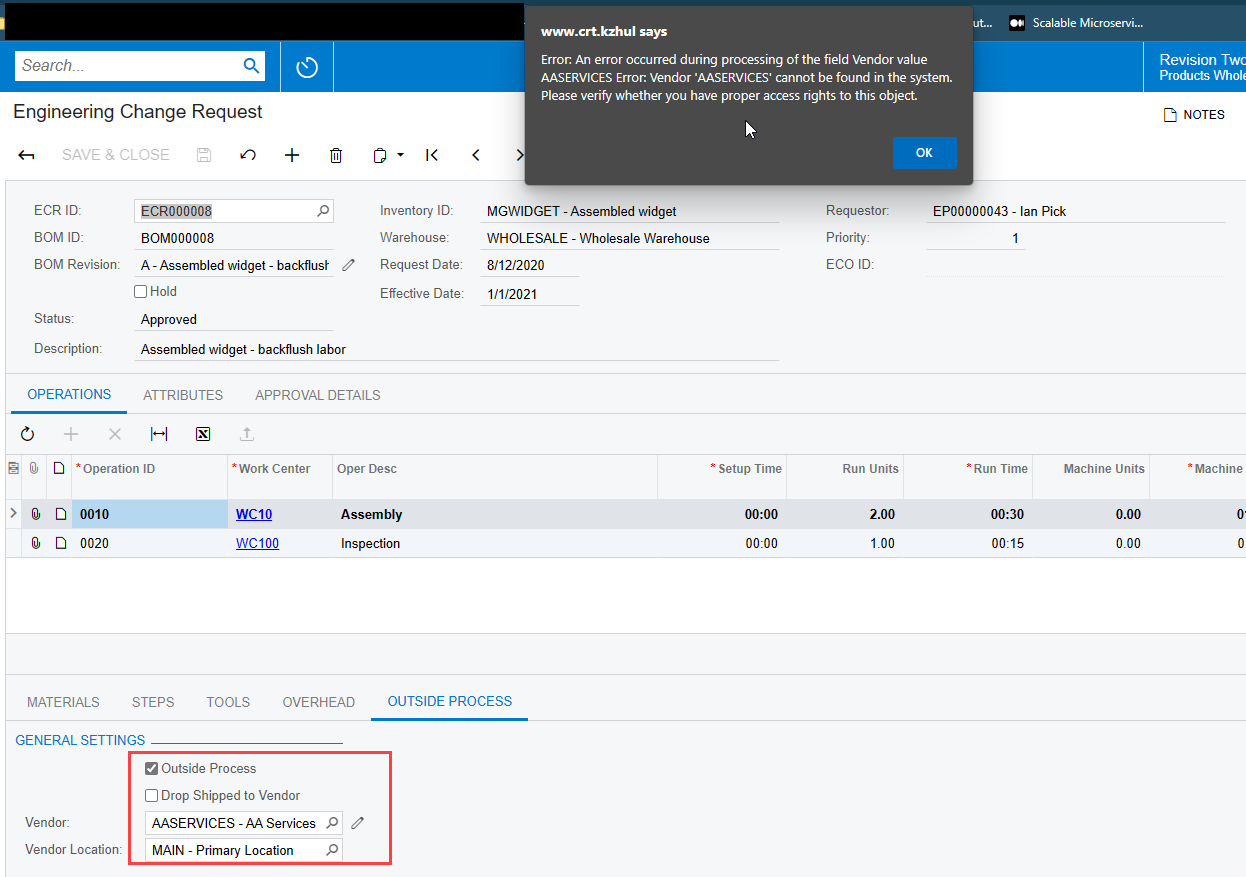
 

Currently, I am using Acumatica ERP 2020 R2 Build 20.222.0017.

Have you any idea about the error or I missed any configuration?

Thanks, in advance.

Best answer by Debbie Baldwin

@larry88 - I just sent you an email with a few PPTs - this was introduced in 2022 R2. 

3 replies

Debbie Baldwin
Acumatica Moderator
Forum|alt.badge.img+2
  • Acumatica Product Manager
  • January 3, 2023

@larry88 - it may be that Vendor restrictions are turned on and this Vendor is not allowed in the branch you are in.


  • Author
  • Freshman I
  • January 3, 2023

@larry88 - it may be that Vendor restrictions are turned on and this Vendor is not allowed in the branch you are in.

Hi Debbie, thanks for taking a look.

I am not sure restrictions is the problem, you can see image below that show GroupMask data

User

Vendor

“Vendor is not allowed in the branch you are in” could you please explain more about that, I cannot get your point.

Thanks


Debbie Baldwin
Acumatica Moderator
Forum|alt.badge.img+2
  • Acumatica Product Manager
  • Answer
  • January 3, 2023

@larry88 - I just sent you an email with a few PPTs - this was introduced in 2022 R2.

