Answer

BOM Material Description Update from Stock Item via Import Scenario

  • November 6, 2025
  • 17 replies
  • 103 views

Forum|alt.badge.img
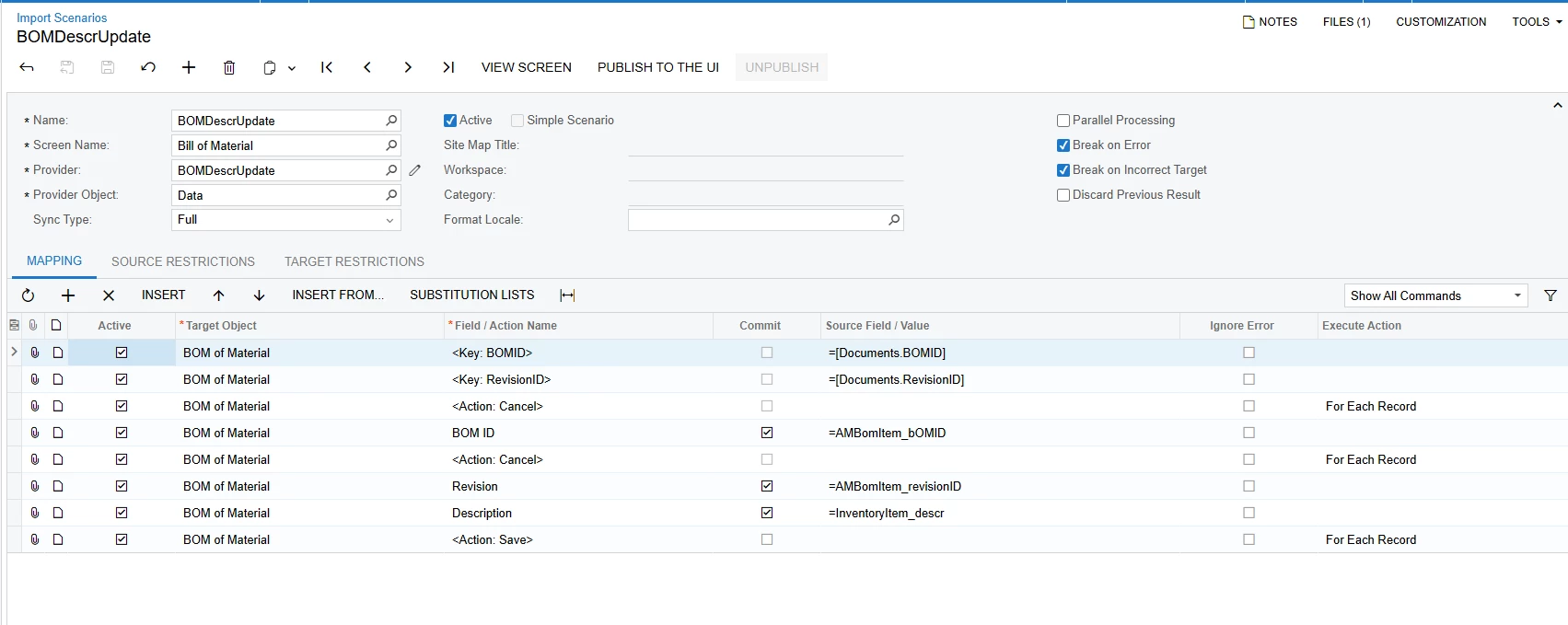
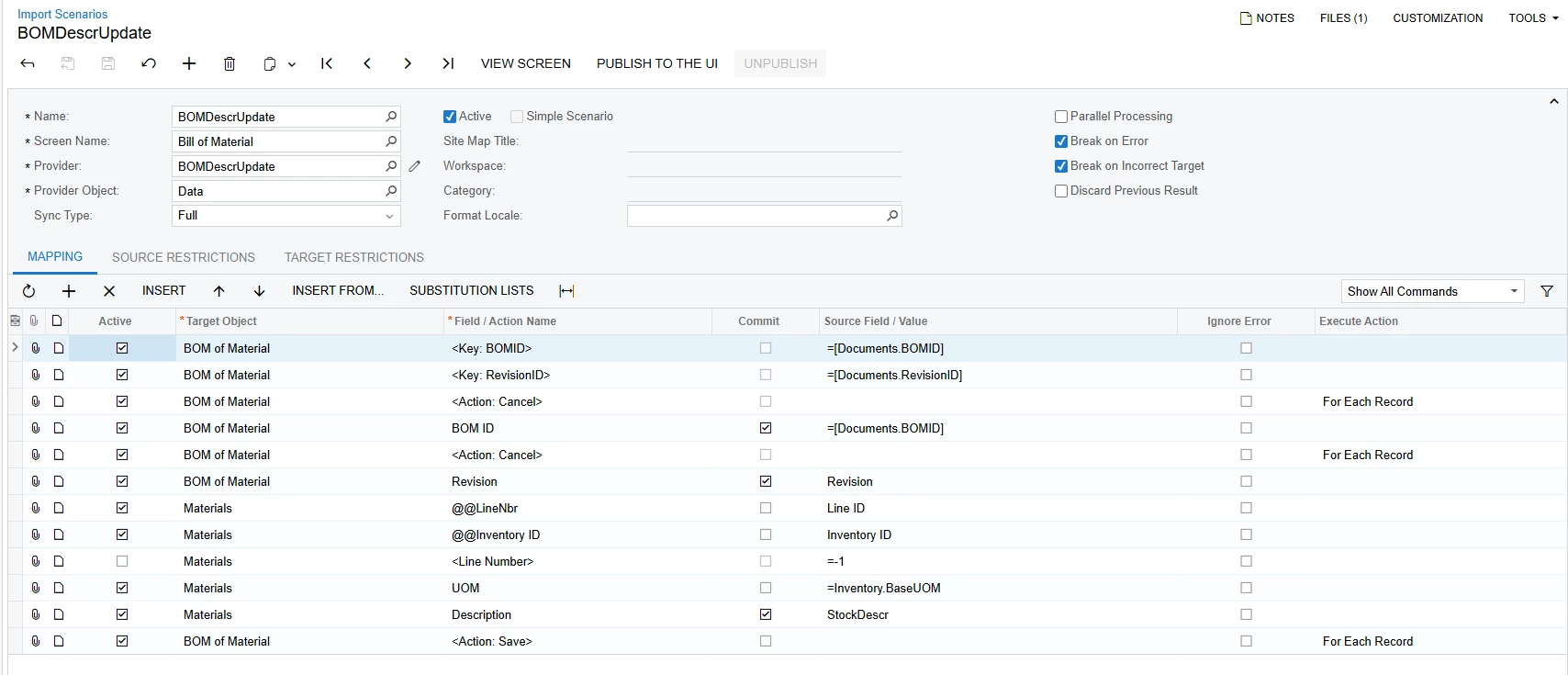
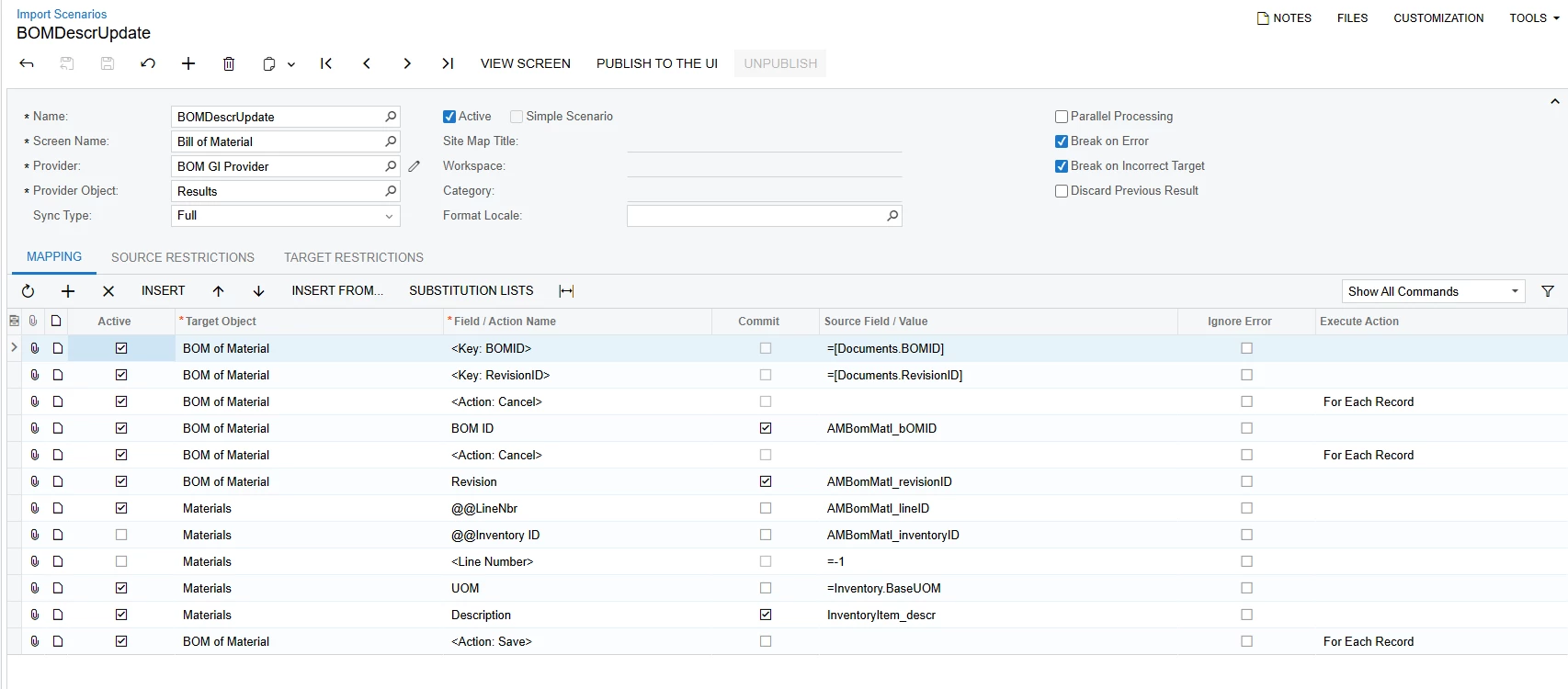
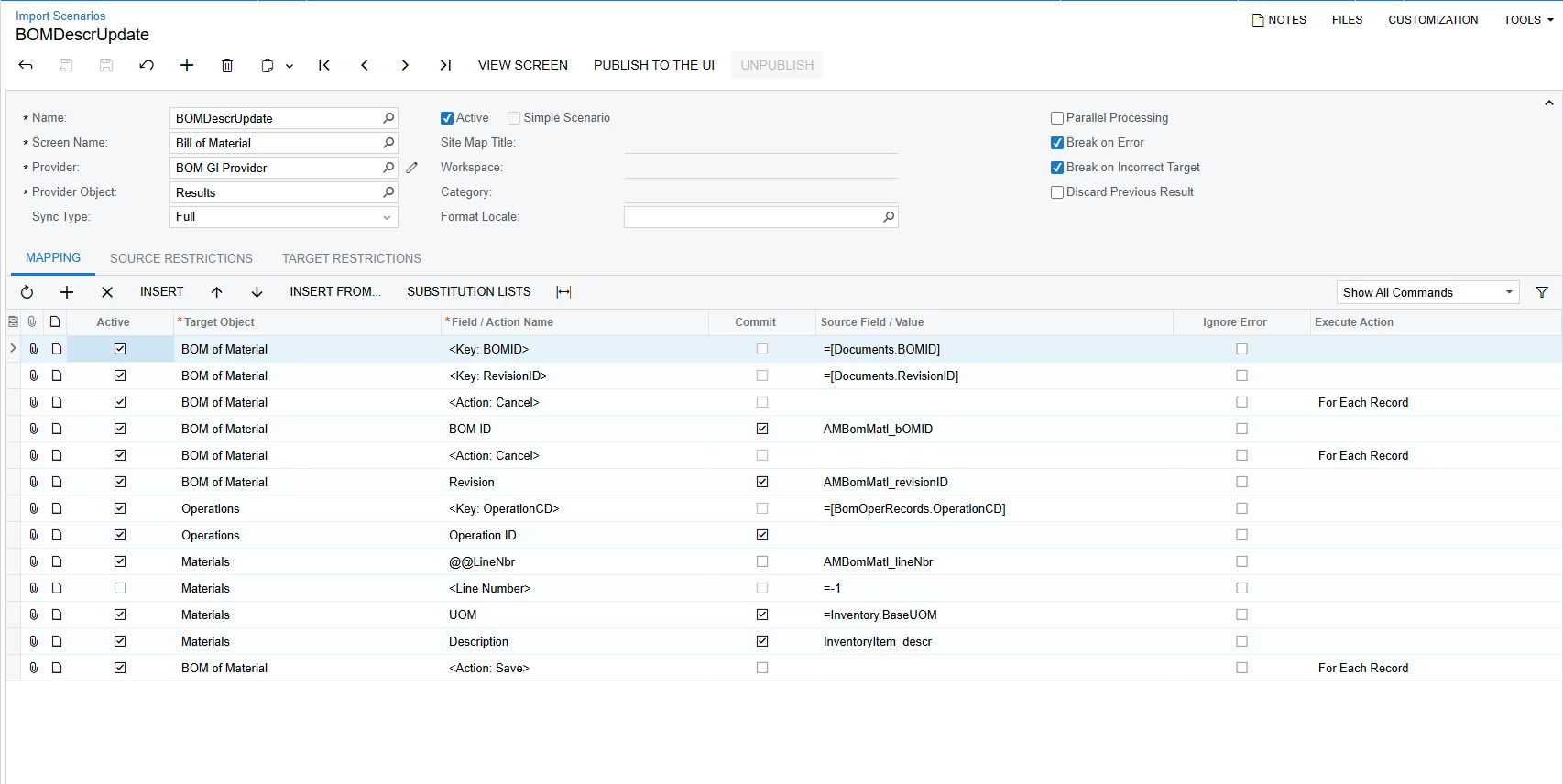
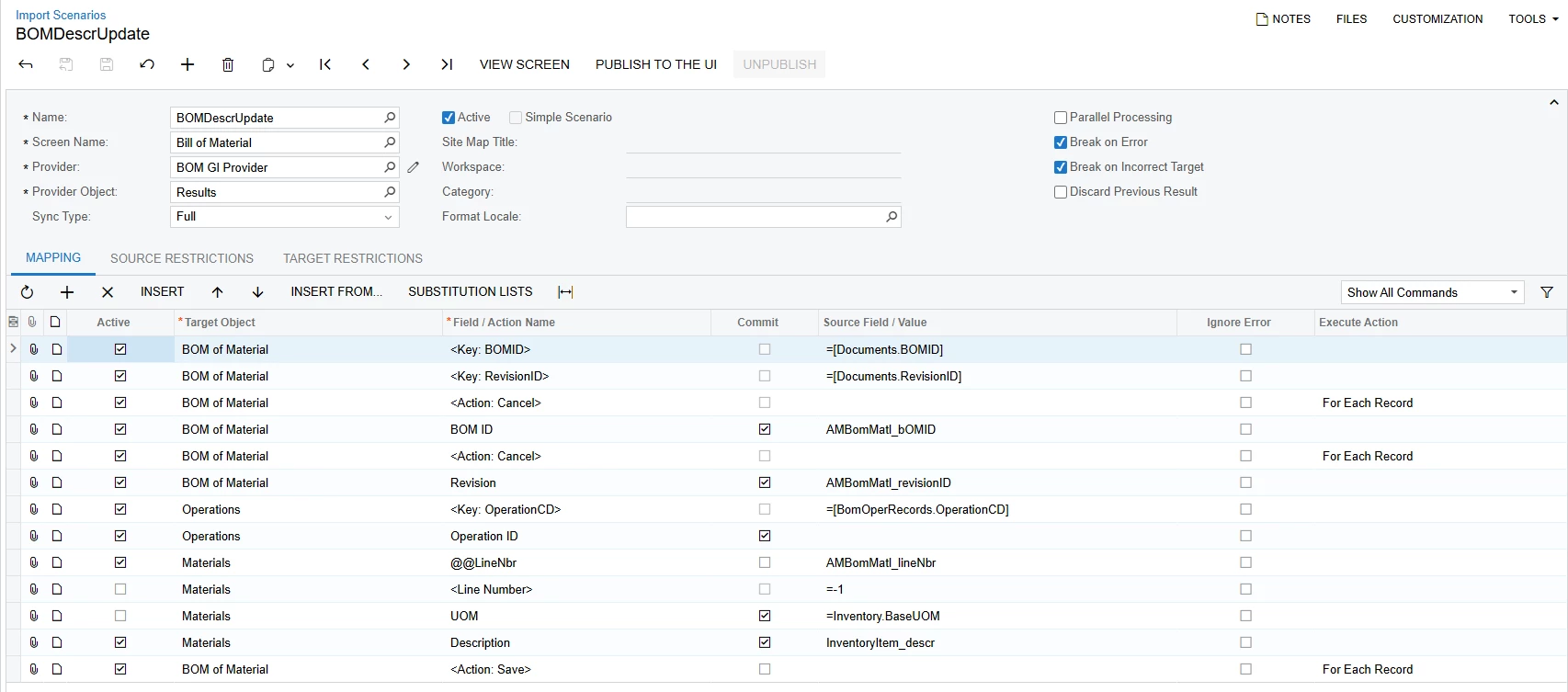
This is my mapping
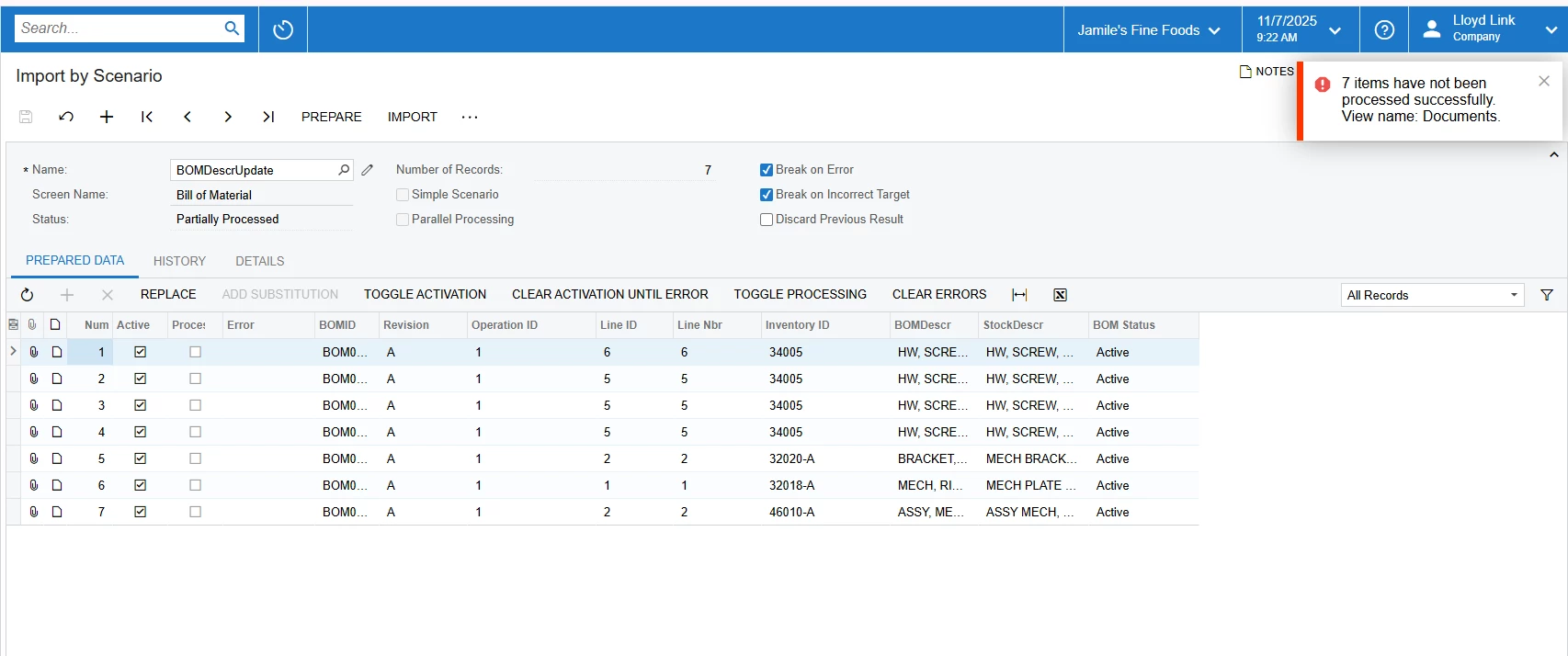
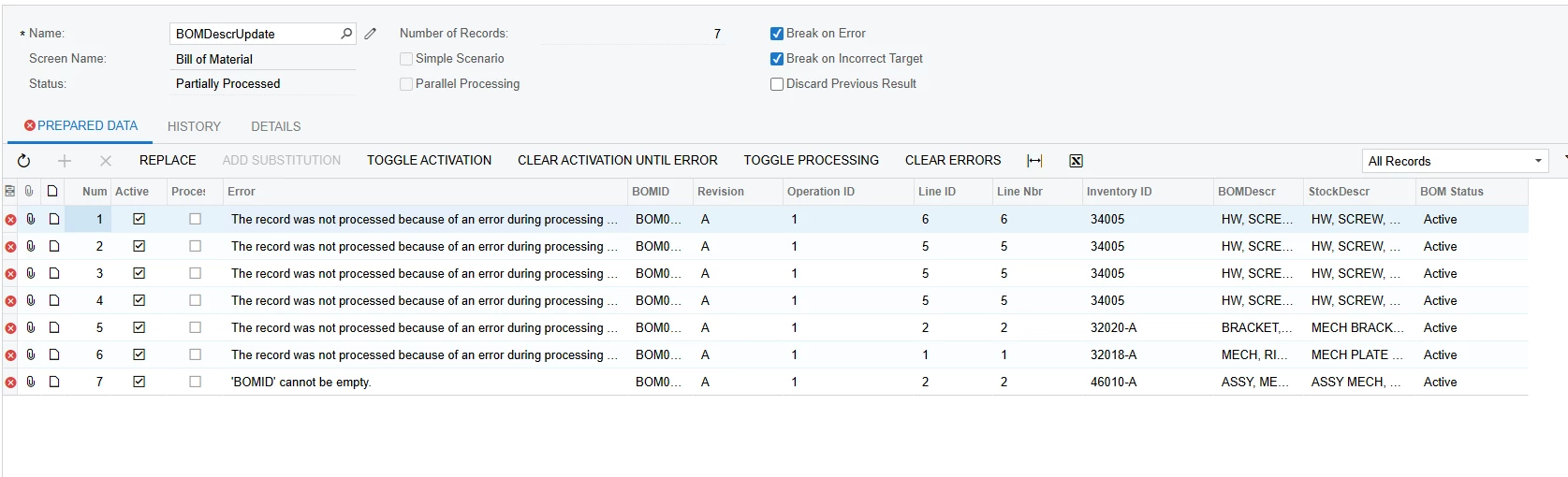
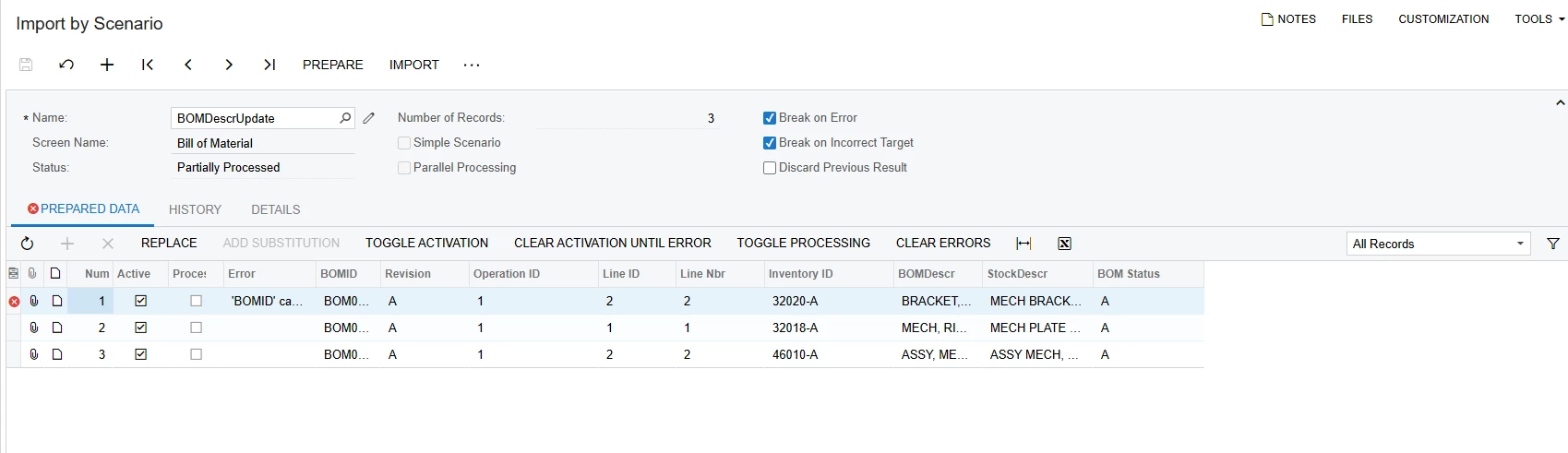
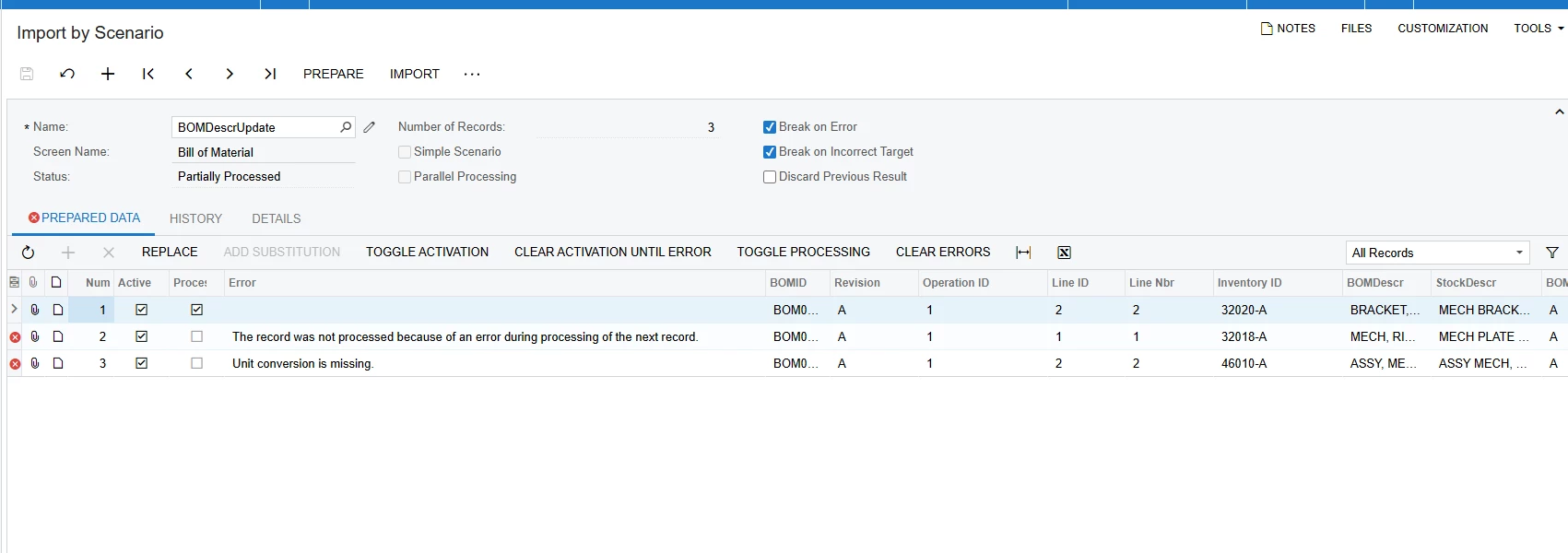
This is the error
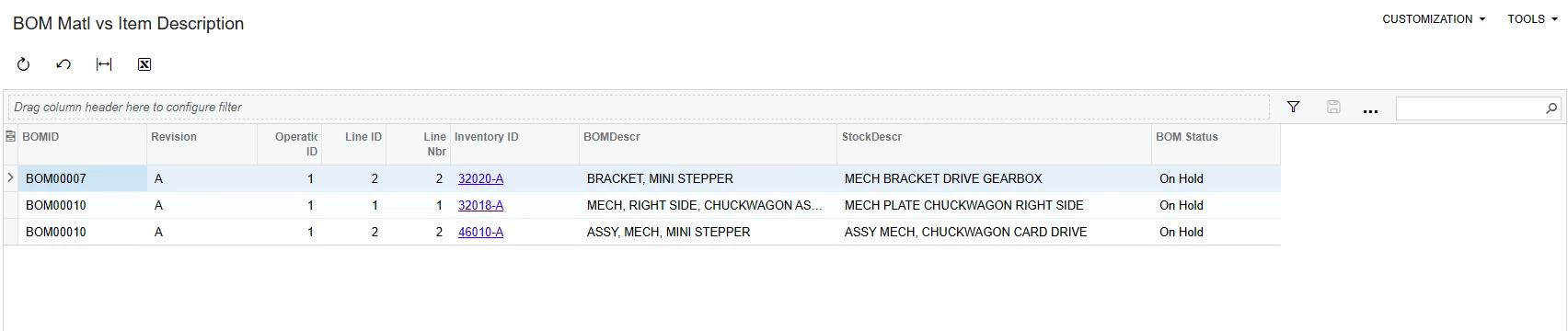
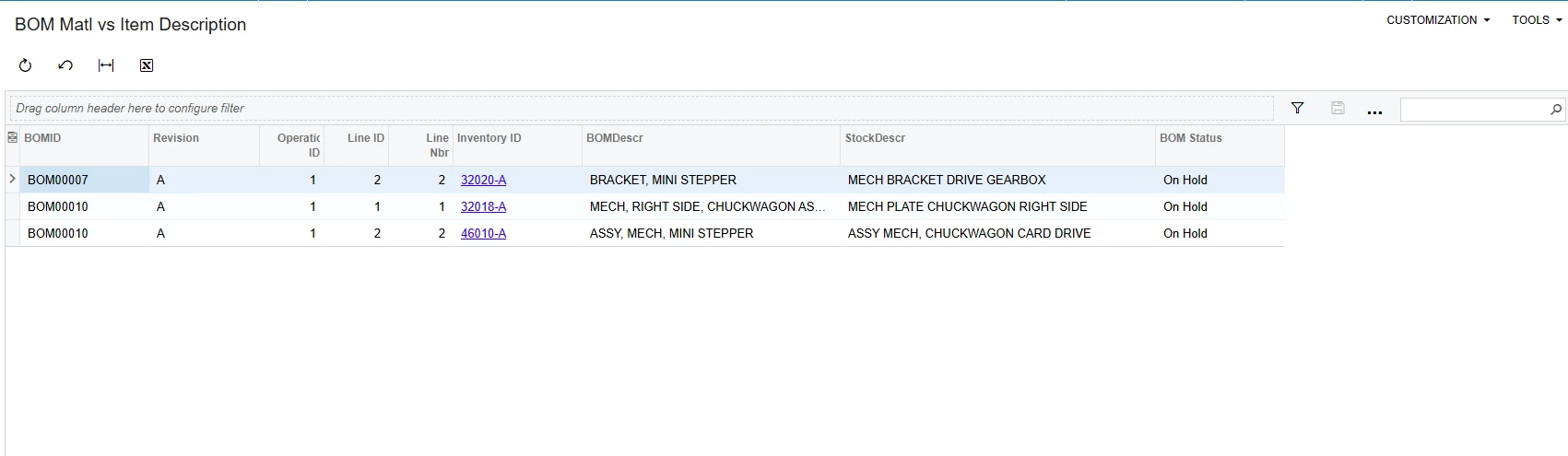
Here is the GI

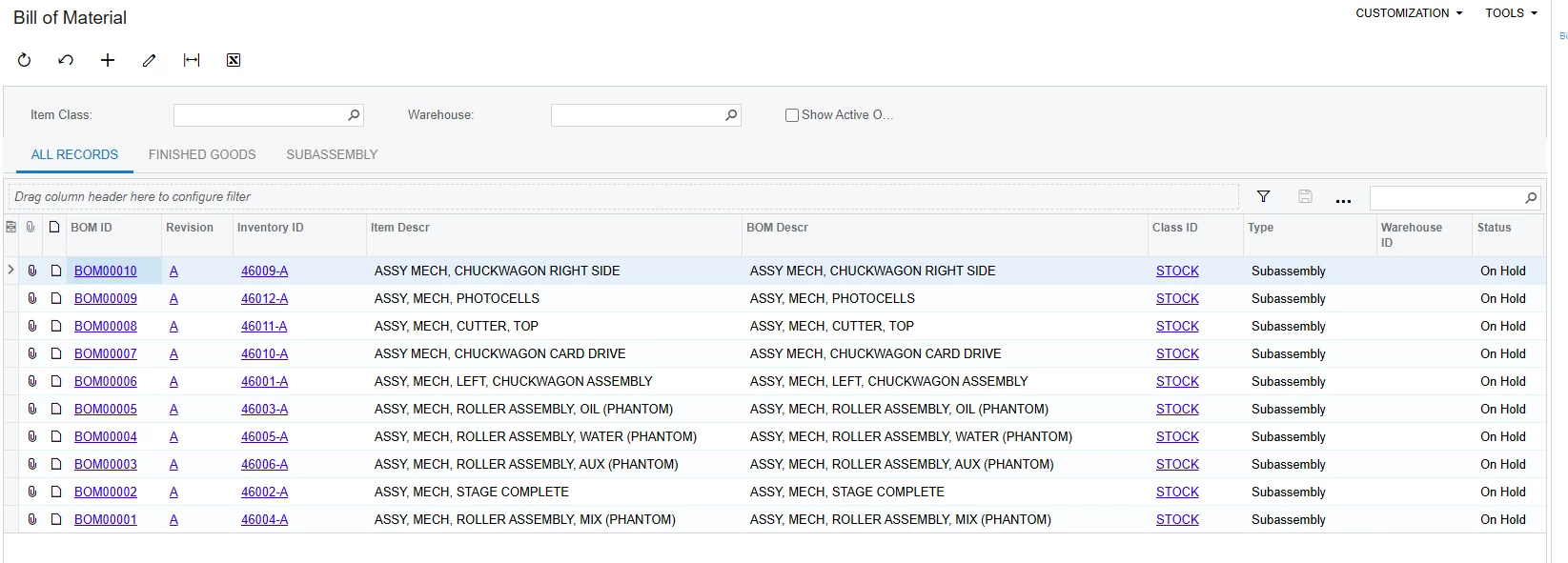
Can anyone look at this and tell me what these ultimately means? Feels like I am close to something but need help. Do I need to map more for validation? 

Best answer by lloydlink12

finally GOT IT. Just unchecked the UOM and imported just like it was supposed to
 

17 replies

jdobish
Pro III
Forum|alt.badge.img+2
  • Pro III
  • November 6, 2025

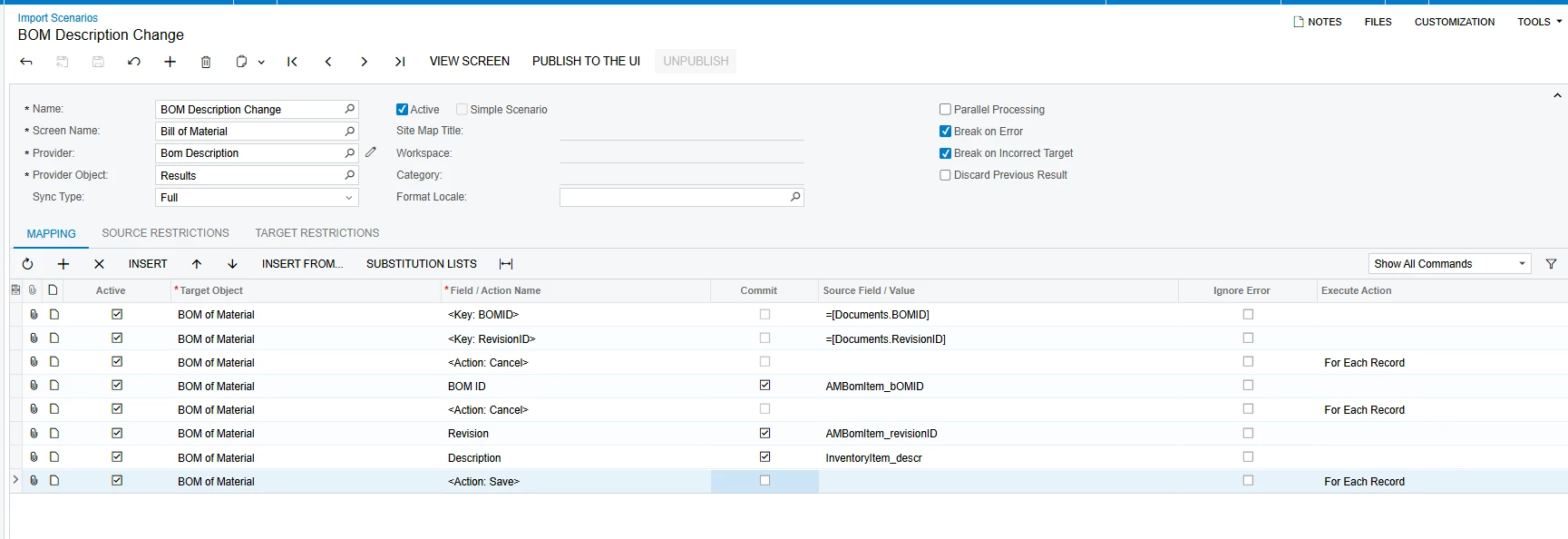
So you are trying to put the BOM Description to be the same as the Stock Item? If you are looking to do that, then your import scenario needs to be modified. Are you trying to do it using an excel file, or would you like to use the Inventory ID description from the system?

I have also included the XML that you can import into your system. 

If you are trying to use it from the system, you can do this:


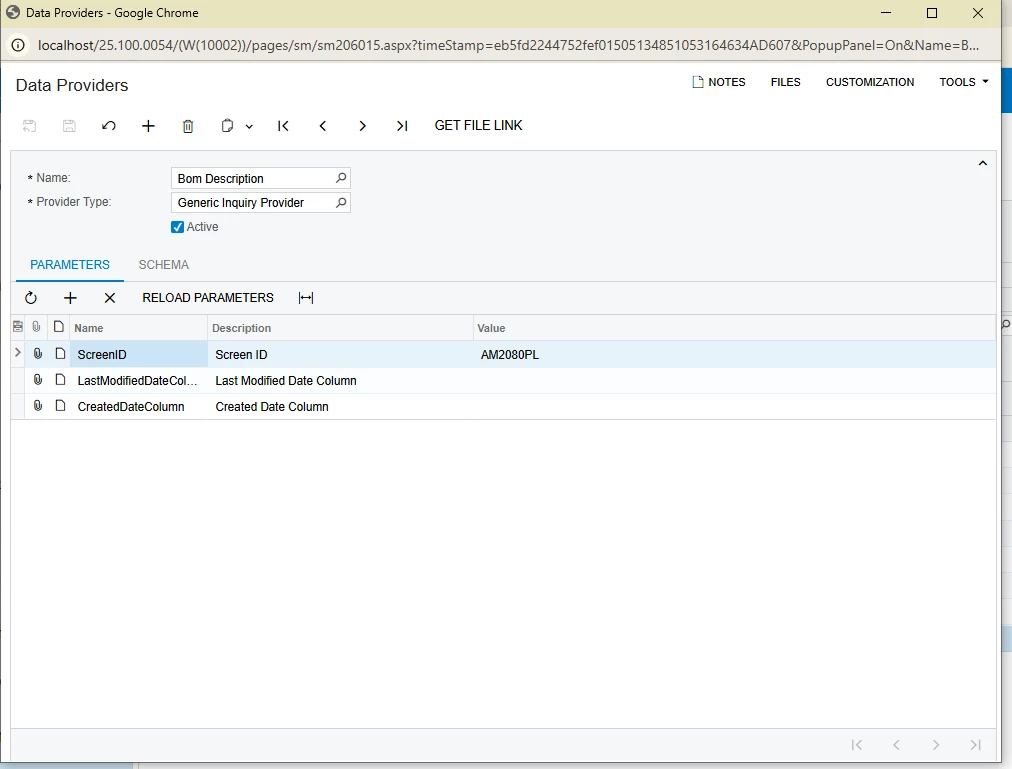
for your Data Provider, you can use the following:


Forum|alt.badge.img
  • Author
  • Freshman I
  • November 7, 2025

I need to ensure the Stock Item description is the single source of truth for the Bill of Materials (BOM).

My goal is to create an Import Scenario that automatically updates the stock item description within the BOM whenever the original Stock Item description is changed.

Once the Import Scenario is validated, I plan to convert this logic into a Business Event that will fire upon a change to the Stock Item description.
 

I have had a really hard time with this and I thank you for your help in trying to solve this! I will use your mapping and see what happens.
Also not sure what to do with the Xml data. 


Forum|alt.badge.img
  • Author
  • Freshman I
  • November 7, 2025
Getting this error

I dont know where you see the full error message but sometime it shows up in the import scenario table but this time the error didnt have a readable message on this screen


Forum|alt.badge.img
  • Author
  • Freshman I
  • November 7, 2025

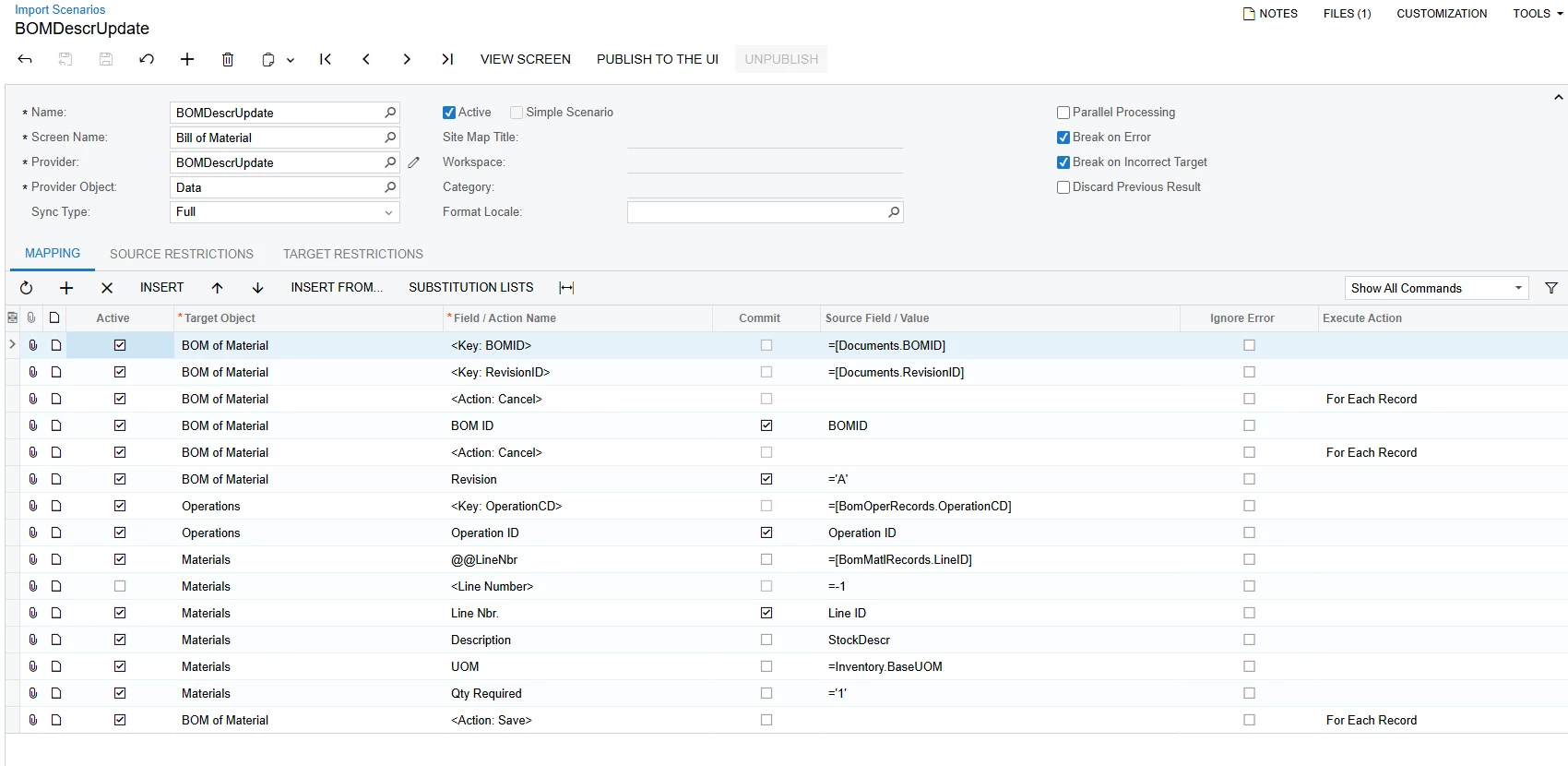
I tried this mapping.
 

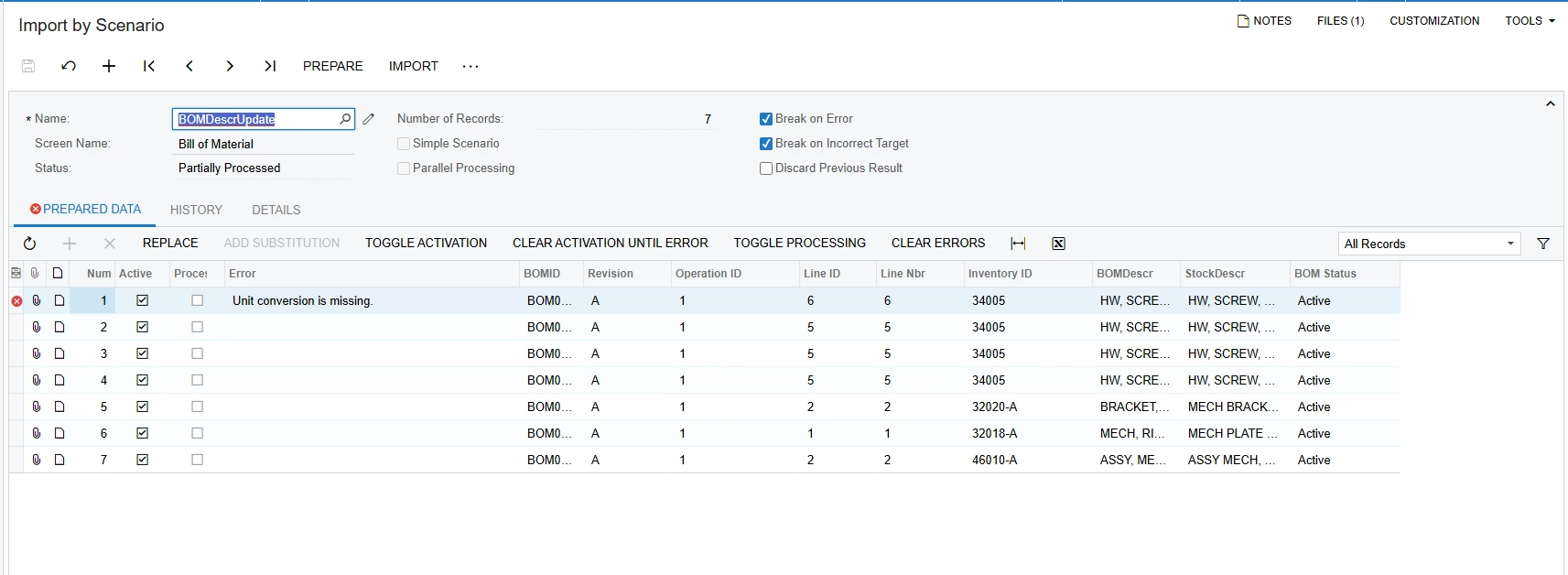
and got this error


darylbowman
Captain II
Forum|alt.badge.img+15

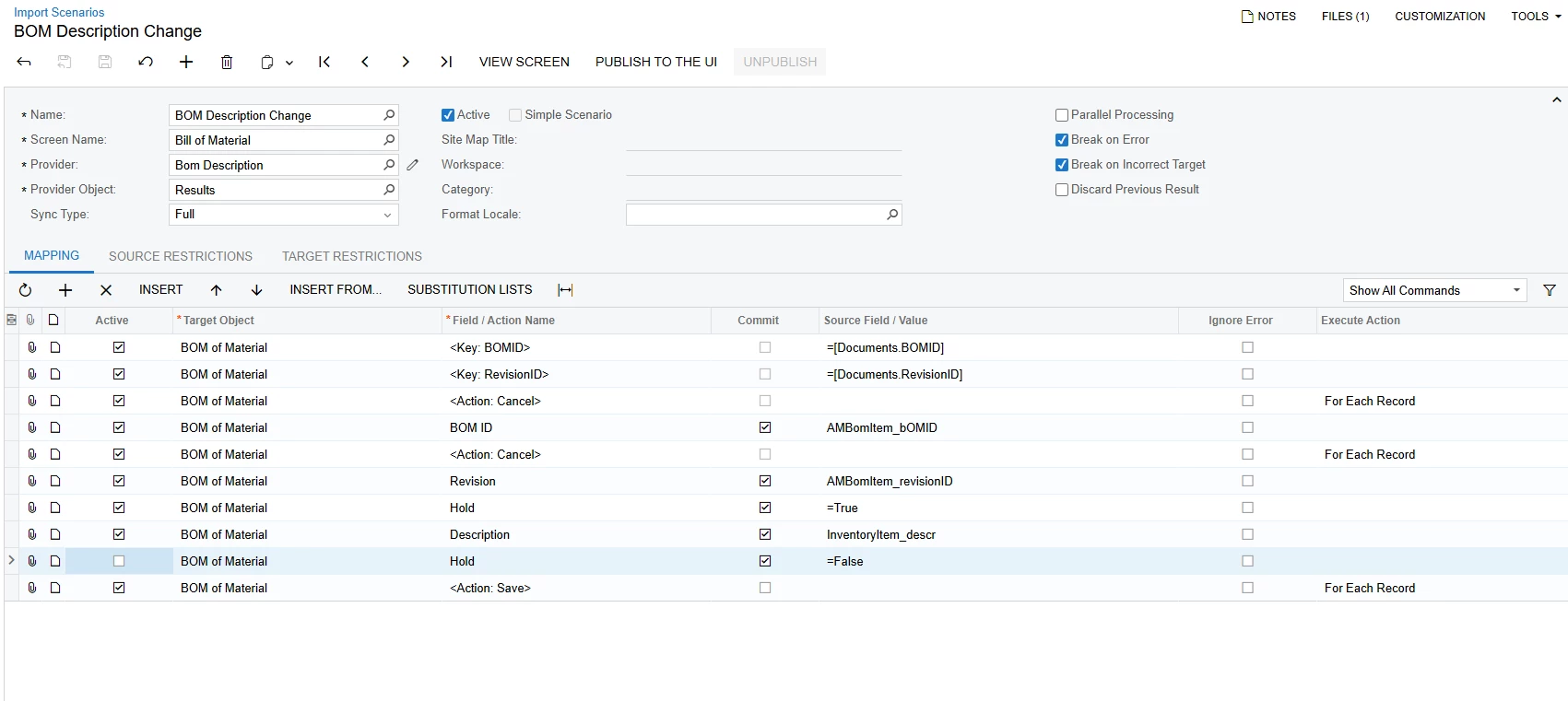
@jdobish’s version was very close but made an assumption about the Status of your BOMs. A BOM description can only be edited if the BOM is ‘On Hold’. This version will put the BOM on hold temporarily while the description is updated and then remove it again.


Forum|alt.badge.img
  • Author
  • Freshman I
  • November 7, 2025

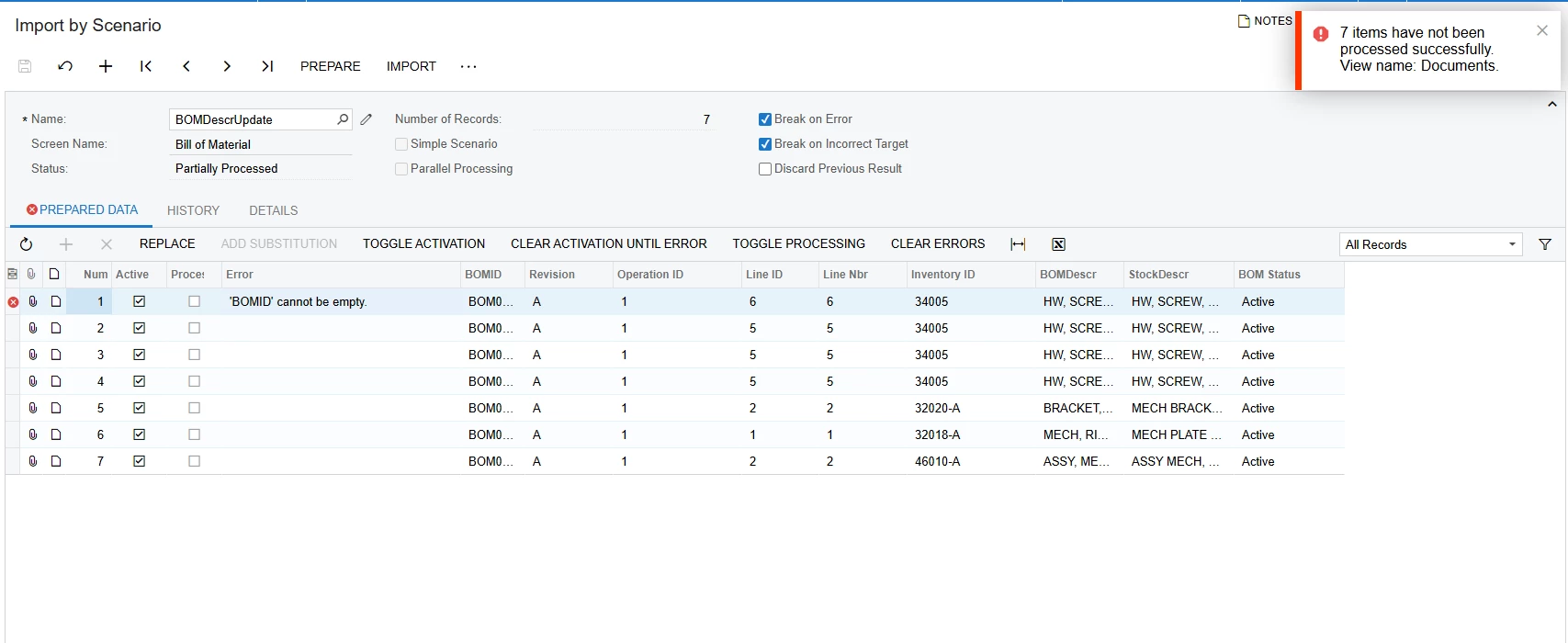
Thanks guys! I uploaded that XML. I think its close. I am getting this error


darylbowman
Captain II
Forum|alt.badge.img+15

I have verified that my instance gives the same error when processing multiple lines. (I only tested with one initially.) I have also discovered that the issue arises from trying to set ‘Hold’ to ‘False’. If I disable that line, mine import correctly, however, the BOMs are left on ‘Hold’.

I haven’t found a way around that.


Forum|alt.badge.img
  • Author
  • Freshman I
  • November 7, 2025

I am going to disable the line and try.


Forum|alt.badge.img
  • Author
  • Freshman I
  • November 7, 2025

The import successfully updated the Inventory ID corresponding to the Bill of Materials (BOM), but the component items within the BOM remain unmodified. We are very close to a complete solution!
 

My mismatch description GI is still pulling these values


jdobish
Pro III
Forum|alt.badge.img+2
  • Pro III
  • November 7, 2025

I didn’t realize you wanted to change the component items as well. that is different from just updating the item at the stock header. You may have to delete the item and add it back in. 

Also, as a note, you don’t need to have the BOM on hold when using imports. 


Forum|alt.badge.img
  • Author
  • Freshman I
  • November 7, 2025

So I have to actually create a delete action in this map dont I? This mapping I know is already a mess but I do have it linked to my GI now and not an excel file.
 

This mapping keeps throwing ‘BOMID’ cannot be empty


jdobish
Pro III
Forum|alt.badge.img+2
  • Pro III
  • November 7, 2025

you may need to look at the inventory id, and then delete it, then add it back in with the same information. The BOMID cannot be empty error is sort of a catch all and not the most helpful. There is most likely something happening in the import scenario that it is trying to do and that is the first error that it throws. 

your import doesn’t have look at for the operationID which is needed to identify the material line number. That is where the error is being thrown.  Also, there should not be a space between the @@InventoryID (Not @@Inventory ID)

i’m a bit tied up today so i can’t mess around with it. 


jdobish
Pro III
Forum|alt.badge.img+2
  • Pro III
  • November 7, 2025

  try looking here too


jdobish
Pro III
Forum|alt.badge.img+2
  • Pro III
  • November 7, 2025

Check this one out. You may need to change the name, but also look at the BOM Details itself to make sure that there is not something odd with the GI that you have. 


Forum|alt.badge.img
  • Author
  • Freshman I
  • November 7, 2025

This mapping actually got one line to process! The operations ID point you made checked out for sure

Working on these errors now


Forum|alt.badge.img
  • Author
  • Freshman I
  • Answer
  • November 7, 2025

finally GOT IT. Just unchecked the UOM and imported just like it was supposed to


jdobish
Pro III
Forum|alt.badge.img+2
  • Pro III
  • November 7, 2025

Glad you got it!