I’m working in Acumatica Manufacturing and I need two custom fields from AM.20.90.00 to be copied into the Purchase Order line that is created from AM401000 (Critical Materials Inquiry) when clicking the Purchase button.
What I have
-
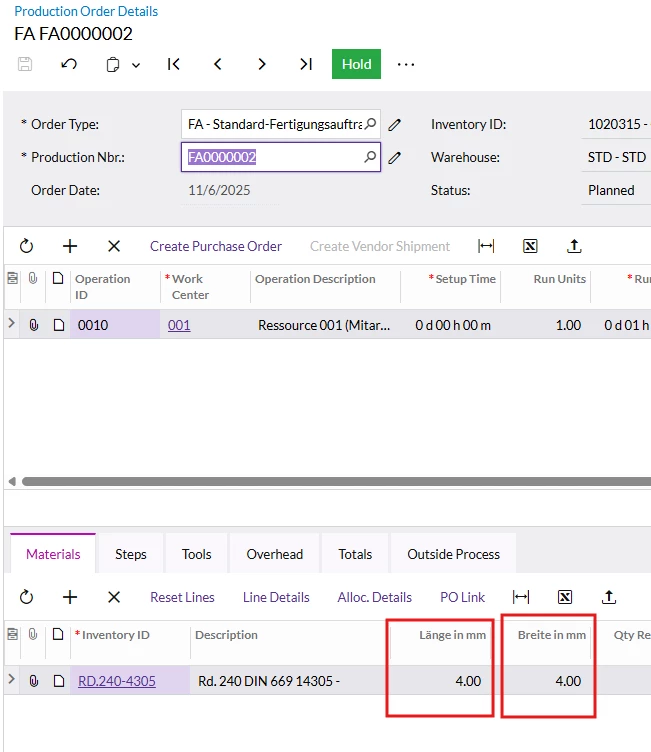
In AM.20.90.00 (Production Material) I added 2 custom fields (examples):
-
UsrStucklisteBreiteProd(width / “Breite in mm”) -
UsrStucklisteLangeProd(length / “Länge in mm”)
-
-
These fields are already filled during production order creation:
-
I override
ProdMaint.CopyBomToProductionDetails()and copy values fromAMBomMatlExt→AMProdMatlExt.
-
-
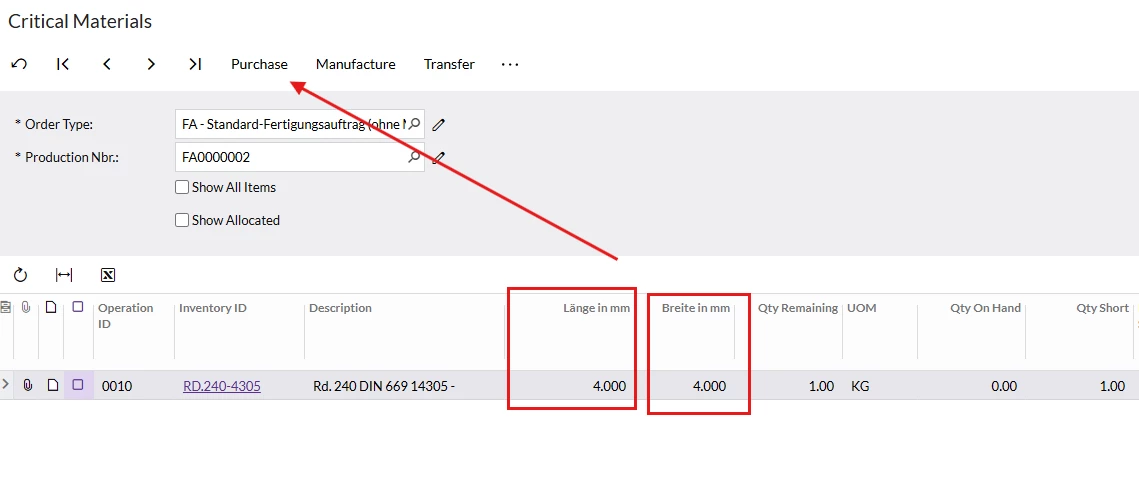
In AM401000, the inquiry dataset uses
SelectedProdMatl.-
I created
PXCacheExtension<SelectedProdMatl>so the fields appear there. -
I override
CriticalMaterialsInq.BuildSelectedProdMatl()to populate the fields intoSelectedProdMatlUsrExtension. -
Result: the values show correctly in AM401000 (so the fields are “inherited”/available in the inquiry results).
-
The problem
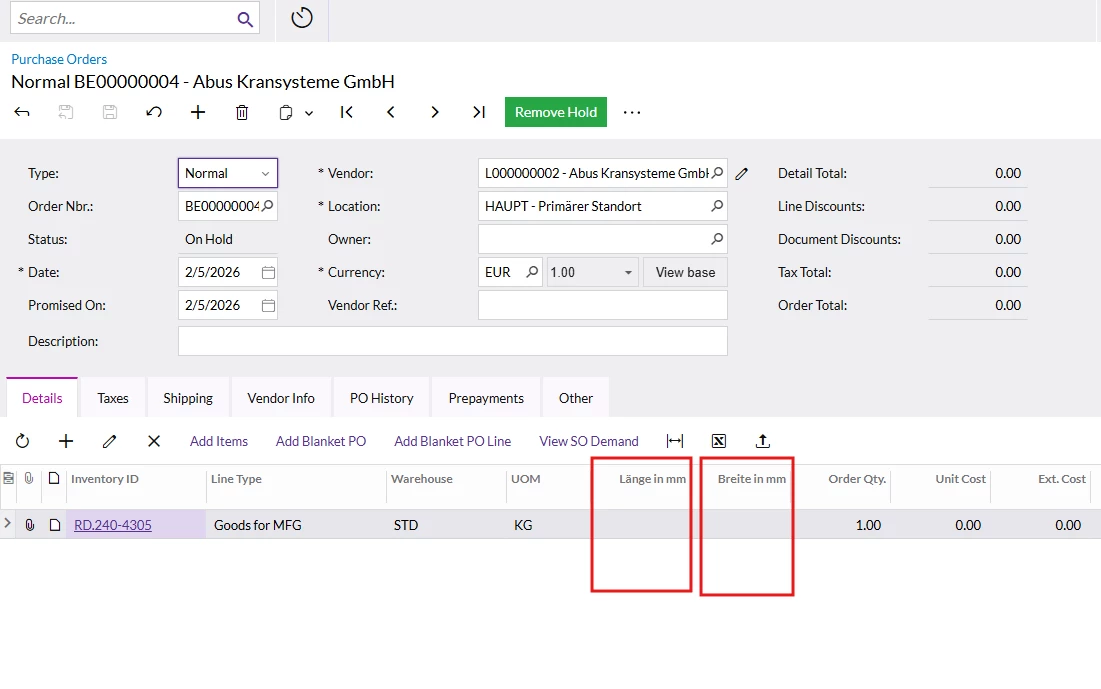
When I click the Purchase button in AM401000, Acumatica creates the Purchase Order, but the PO line custom fields are empty.
My goal is:
✅ The created PO line (Custom fields) should receive the same values:
-
UsrStucklisteBreiteProd -
UsrStucklisteLangeProd
Which logic/extension point should I target to populate the created fields when the PO is created from AM401000 via the Purchase button?