Solved

Adding a second Lot number to Production Maintenance

  • Aug 21, 2023 2:23 PM UTC
  • 4 replies
  • 55 views
  • Translate All

Kandy Beatty
Captain II
Forum|alt.badge.img+18

Hi All,

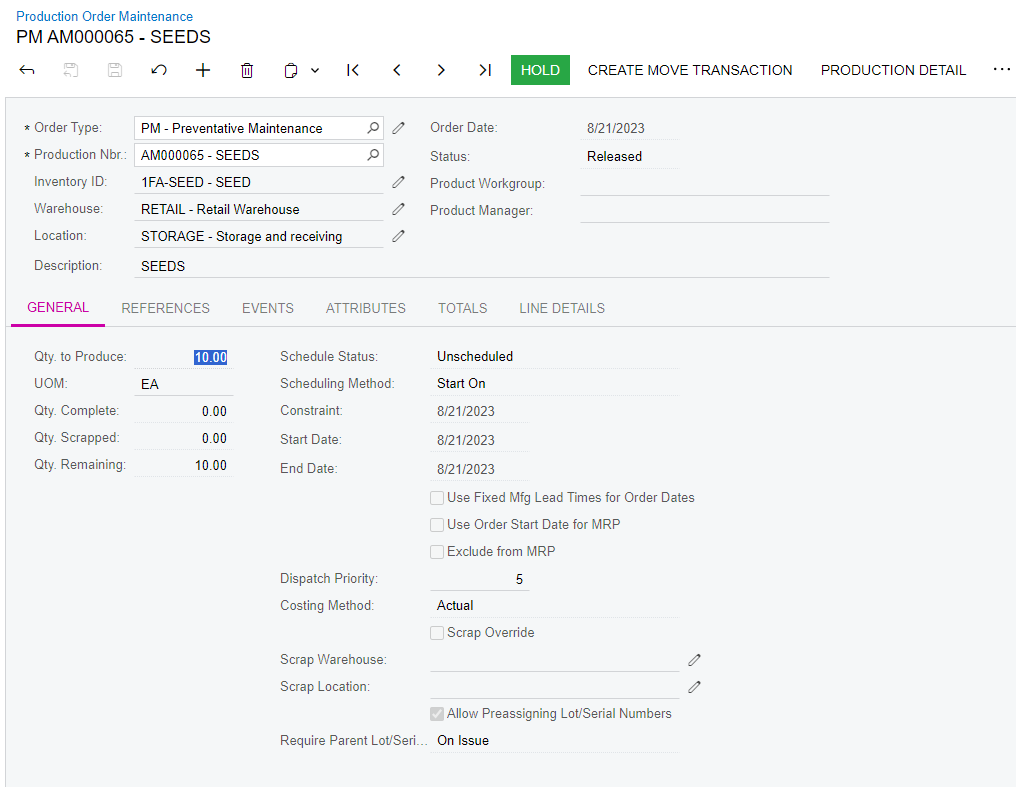
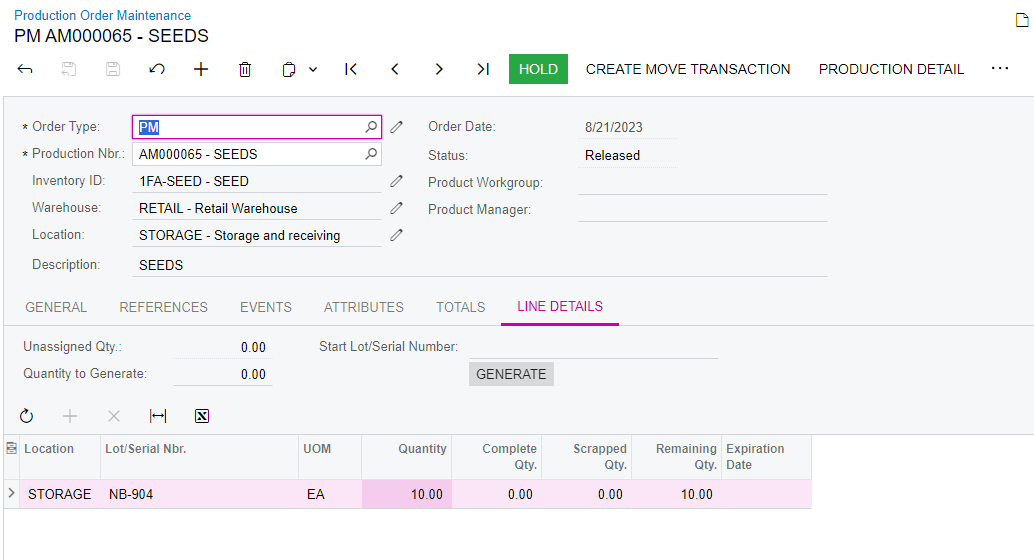
I am pretty sure I am just missing something but does anyone know how I can add a second lot number to Production maintenance? When I add a second line and save, it moves all the qty to the first lot number. 
 

Best answer by Debbie Baldwin

@kandybeatty49  - this is a known issue that has been fixed. Please log a case with support. Sorry for the inconvenience!


Debbie

View original

4 replies

angierowley75
Acumatica Moderator
Forum|alt.badge.img+3
  • Acumatica Moderator
  • Aug 21, 2023 2:30 PM UTC

What is your quantity to produce on the production order?

You should be able to add a lot / second line and adjust quantities to total the quantity to produce

Translate

Kandy Beatty
Captain II
Forum|alt.badge.img+18
  • Author
  • Captain II
  • Aug 21, 2023 2:33 PM UTC

What is your quantity to produce on the production order?

You should be able to add a lot / second line and adjust quantities to total the quantity to produce

Hi @angierowley75 It’s 10. 


Translate

Debbie Baldwin
Community Manager
Forum|alt.badge.img+2
  • Acumatica Product Manager
  • Answer
  • Aug 21, 2023 4:00 PM UTC

@kandybeatty49  - this is a known issue that has been fixed. Please log a case with support. Sorry for the inconvenience!


Debbie

Translate

Kandy Beatty
Captain II
Forum|alt.badge.img+18
  • Author
  • Captain II
  • Aug 21, 2023 4:02 PM UTC

@kandybeatty49  - this is a known issue that has been fixed. Please log a case with support. Sorry for the inconvenience!


Debbie

Thanks @Debbie Baldwin! Wil do! 😁

Translate