Question

Vendor Import error

  • Nov 19, 2026 1:48 AM UTC
  • 3 replies
  • 14 views
  • Translate All

Hello,

Acumatica newbie here but I have used integration tools quite a bit, particularly with Dynamics GP.

I am working on building a set of imports for migration from Dynamics GP. I imported the chart of accounts and Customers and Locations.

I am not able to import vendors.  Can you help me figure ths out, please?

Sceenshots attached here.

-------------------------------------

I am getting this error:  “Value cannot be null.  Parameter name: key”
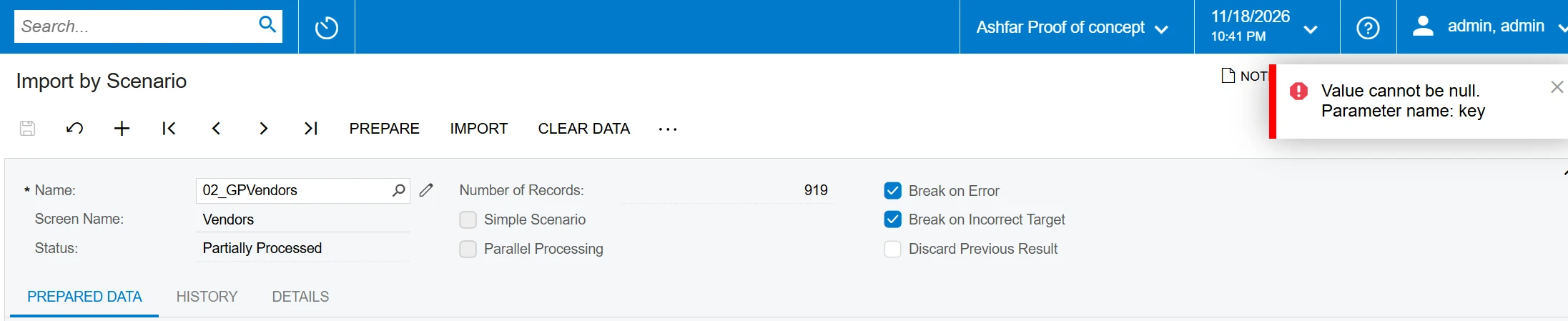
Import By Scenario


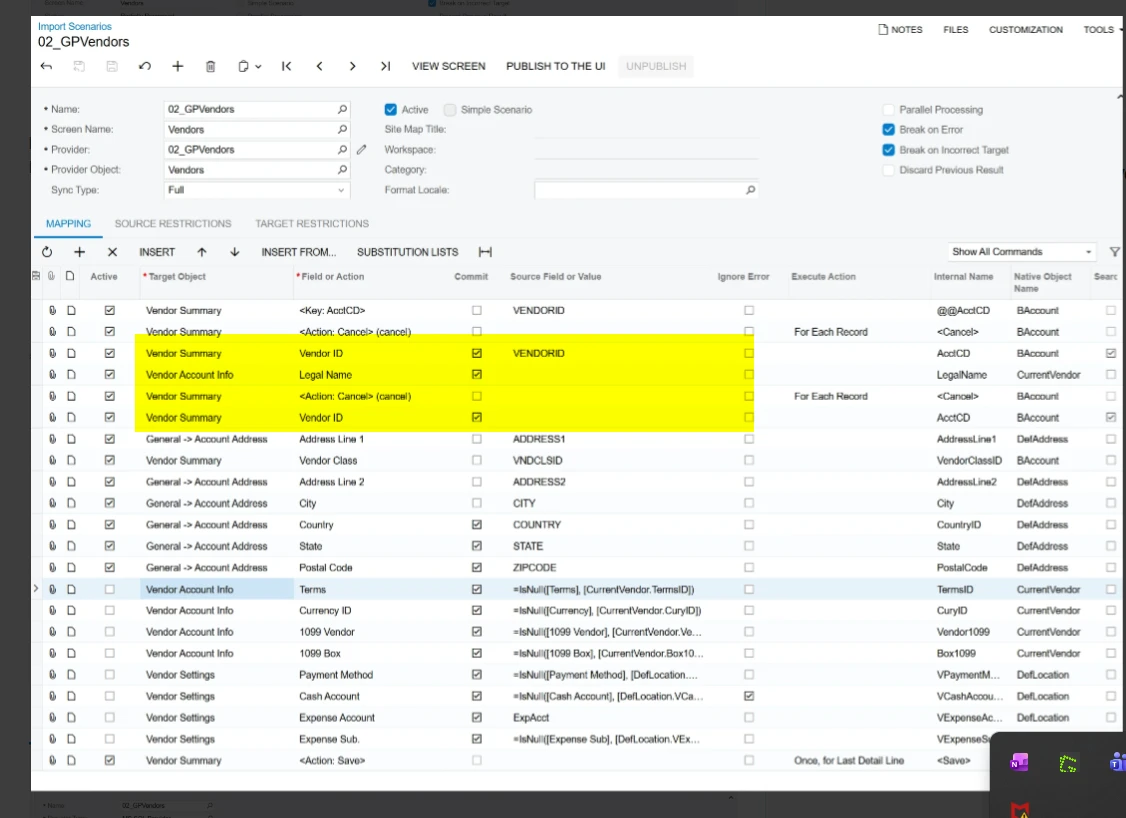
here is the Import Scenario.  it might be worth mentioning that I could not find a mapping for Vendor Name, so I used Legal Name instead.
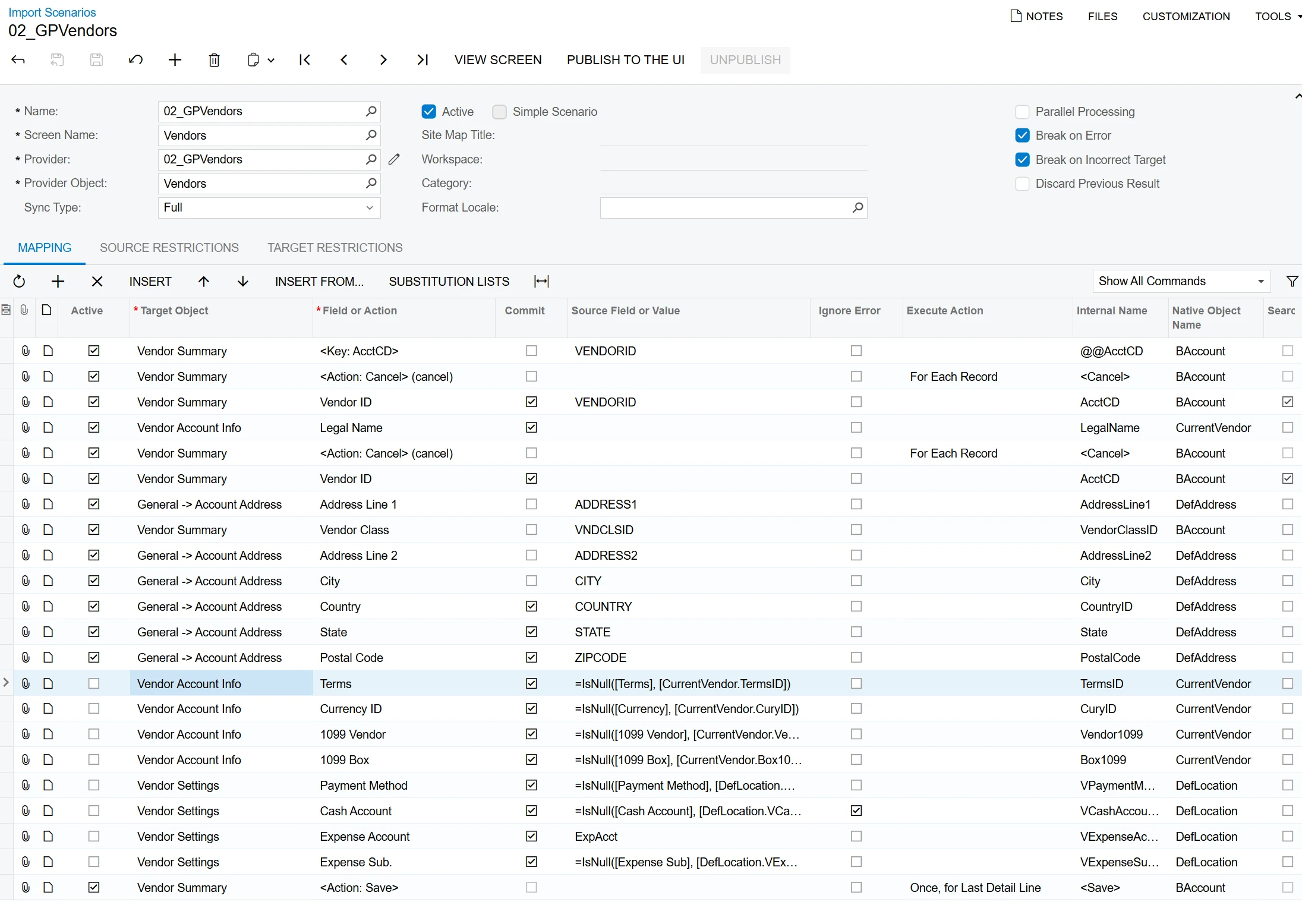
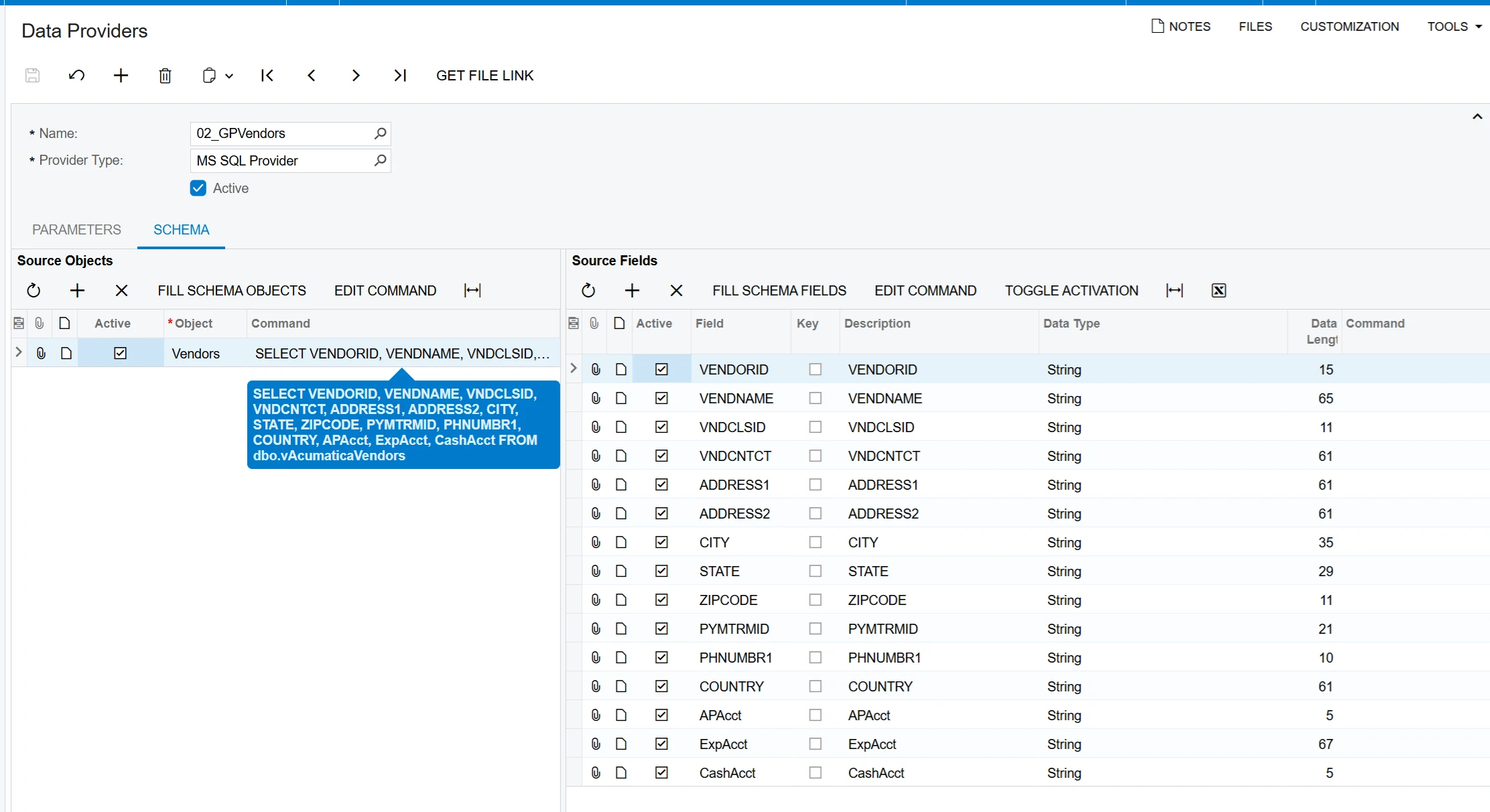
Import Scenario
Data Provider


3 replies

mohammadnawaz51
Varsity I
Forum|alt.badge.img+8

​@hsalim 

Please review this mapping once


Here is a Vendor sample Acumatica Import Scenario with Installation Instructions.


Sample Acumatica Import Scenario (Vendors)

Click here for a listing of other Sample Acumatica Import Scenarios

Screen: FINANCE -> Accounts Payable -> Work Area -> MANAGE -> Vendors (AP303000)

Fields Imported

  1. Vendor ID
  2. Vendor Name
  3. General Info -> FINANCIAL SETTINGS -> Vendor Class
  4. General Info -> MAIN CONTACT -> Company Name
  5. General Info -> MAIN CONTACT -> Attention
  6. General Info -> MAIN CONTACT -> Email
  7. General Info -> MAIN CONTACT -> Web
  8. General Info -> MAIN CONTACT -> Phone 1
  9. General Info -> MAIN CONTACT -> Phone 2
  10. General Info -> MAIN CONTACT -> Fax
  11. General Info -> MAIN CONTACT -> Account Ref. #
  12. General Info -> MAIN CONTACT -> Parent Account
  13. General Info -> MAIN ADDRESS -> Address Line 1
  14. General Info -> MAIN ADDRESS -> Address Line 2
  15. General Info -> MAIN ADDRESS -> City
  16. General Info -> MAIN ADDRESS -> Country
  17. General Info -> MAIN ADDRESS -> State
  18. General Info -> MAIN ADDRESS -> Postal Code
  19. Payment Settings -> DEFAULT PAYMENT SETTINGS -> Payment Method
  20. GL Accounts -> AP Account
  21. GL Accounts -> AP Sub
  22. GL Accounts -> Expense Account
  23. GL Accounts -> Expense Sub
  24. GL Accounts -> Cash Discount Account
  25. GL Accounts -> Cash Discount Sub
Translate

KrunalDoshi
Pro II
Forum|alt.badge.img+9
  • Pro II
  • Nov 19, 2026 12:35 PM UTC

Hi ​@hsalim,

Remove duplicate VendorID and Action Cancel.


Move Vendor Class above Address Line 1. Make sure all the mandatory fields are set.This should resolve your issue.

You can also review out-of-box Vendor import scenario “ACU Import Vendors” for reference. 

Hope this is helpful!

Translate

Steve Milner
Varsity III
Forum|alt.badge.img+7

My replies are created in part with the help of proprietary AI, built with my AI skills, curated and maintained myself. Most replies are tested on local instances before they go up, and all are reviewed before posted.

@hsalim, Vendor Name is there. It lives on Vendor Account Info, the same object as your Legal Name row. Change row 4’s Field or Action from Legal Name to Vendor Name and put VENDNAME in Source Field or Value. The Internal Name column will show AcctName.

Vendor Name is a required field, and nothing in your mapping fills it right now. The Legal Name row has an empty Source Field or Value, so VENDNAME never reaches Acumatica. Krunal’s point about mandatory fields applies here, and Vendor Name is item 2 in Mohammad’s sample.

Krunal is right about rows 5 and 6 too. The second Cancel and the second Vendor ID with no source aren’t in ACU Import Vendors, so delete both. Rows 1 to 3 (Key, Cancel, Vendor ID with VENDORID) are the pattern to keep.

Translate