Question

Vendor Import error

  • Nov 19, 2026 1:48 AM UTC
  • 1 reply
  • 4 views
  • Translate All

Hello,

Acumatica newbie here but I have used integration tools quite a bit, particularly with Dynamics GP.

I am working on building a set of imports for migration from Dynamics GP. I imported the chart of accounts and Customers and Locations.

I am not able to import vendors.  Can you help me figure ths out, please?

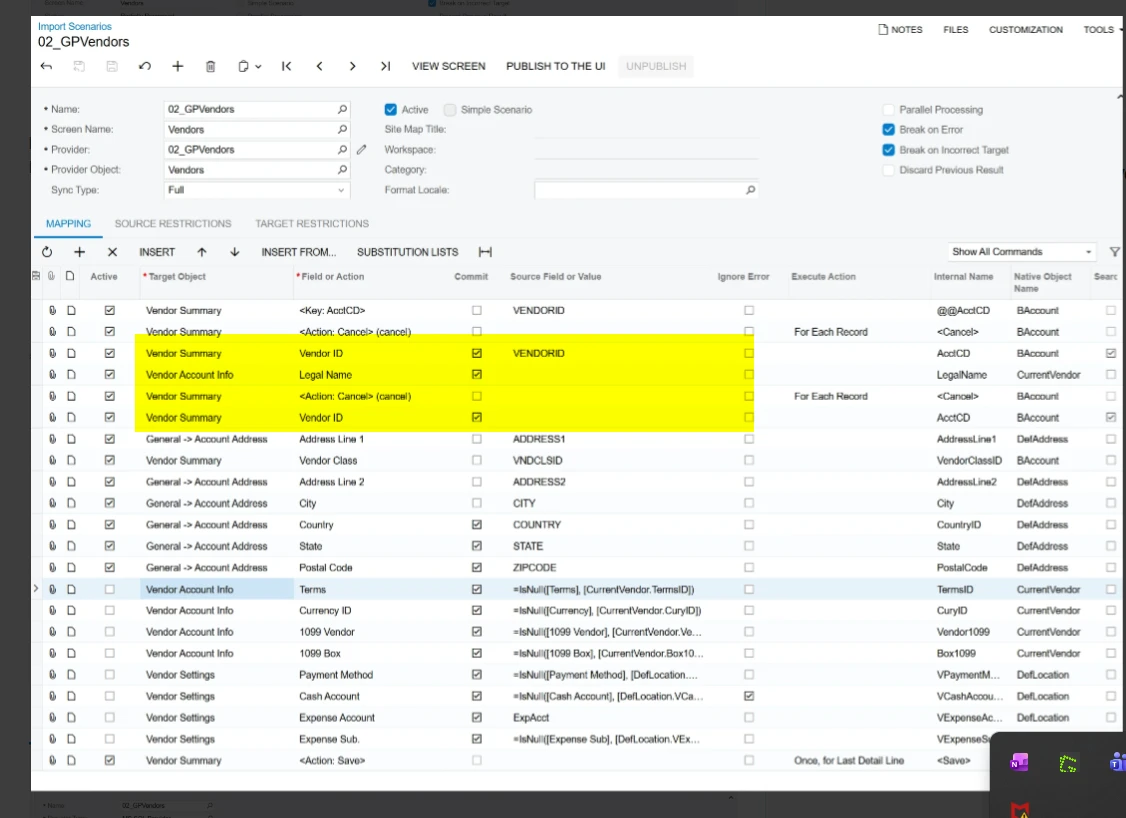
Sceenshots attached here.

-------------------------------------

I am getting this error:  “Value cannot be null.  Parameter name: key”
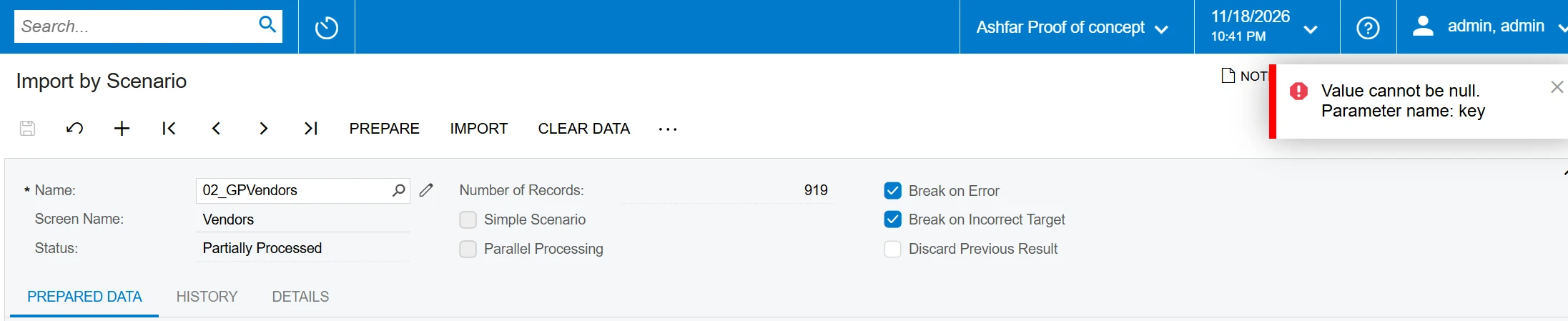
Import By Scenario


here is the Import Scenario.  it might be worth mentioning that I could not find a mapping for Vendor Name, so I used Legal Name instead.
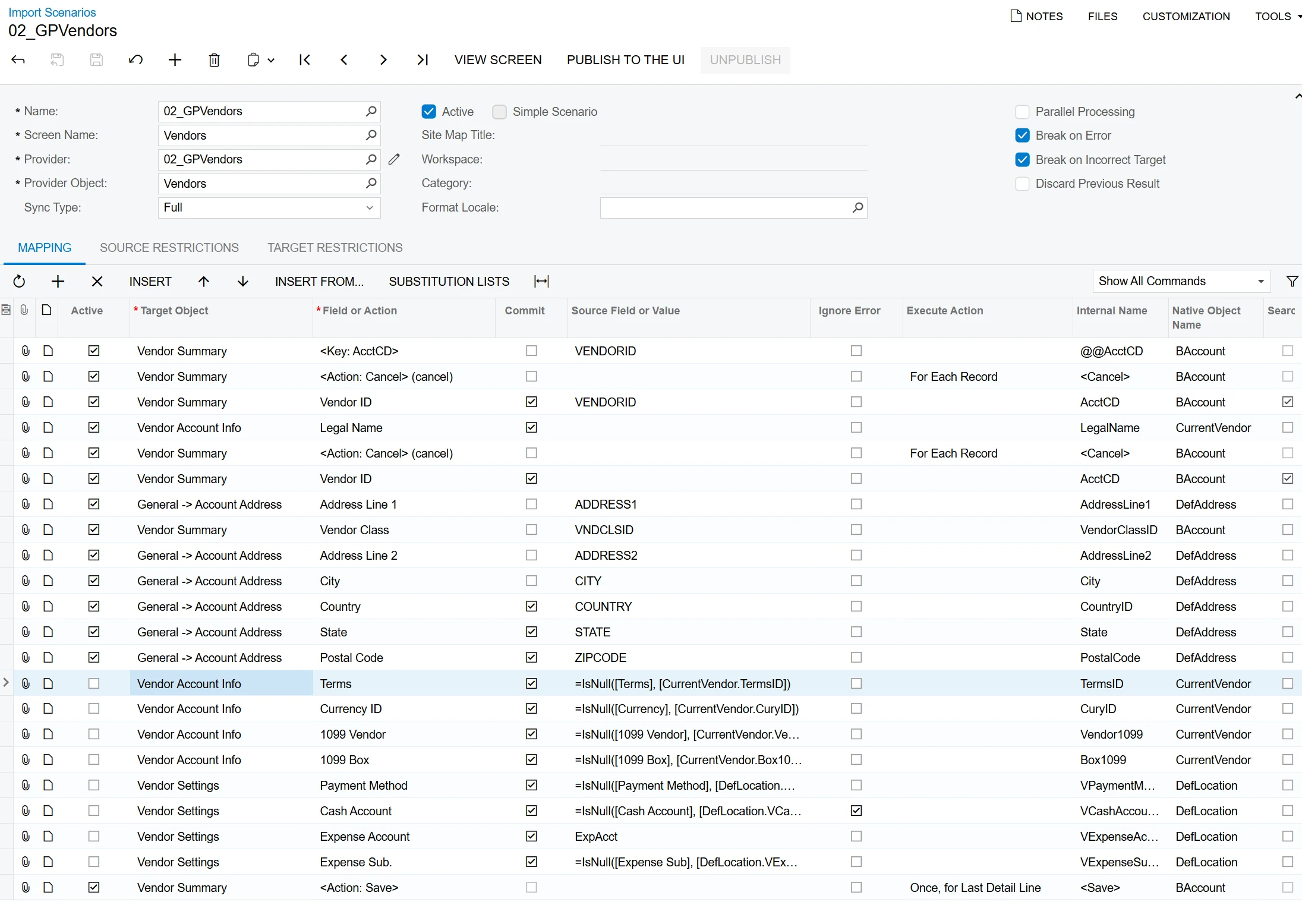
Import Scenario
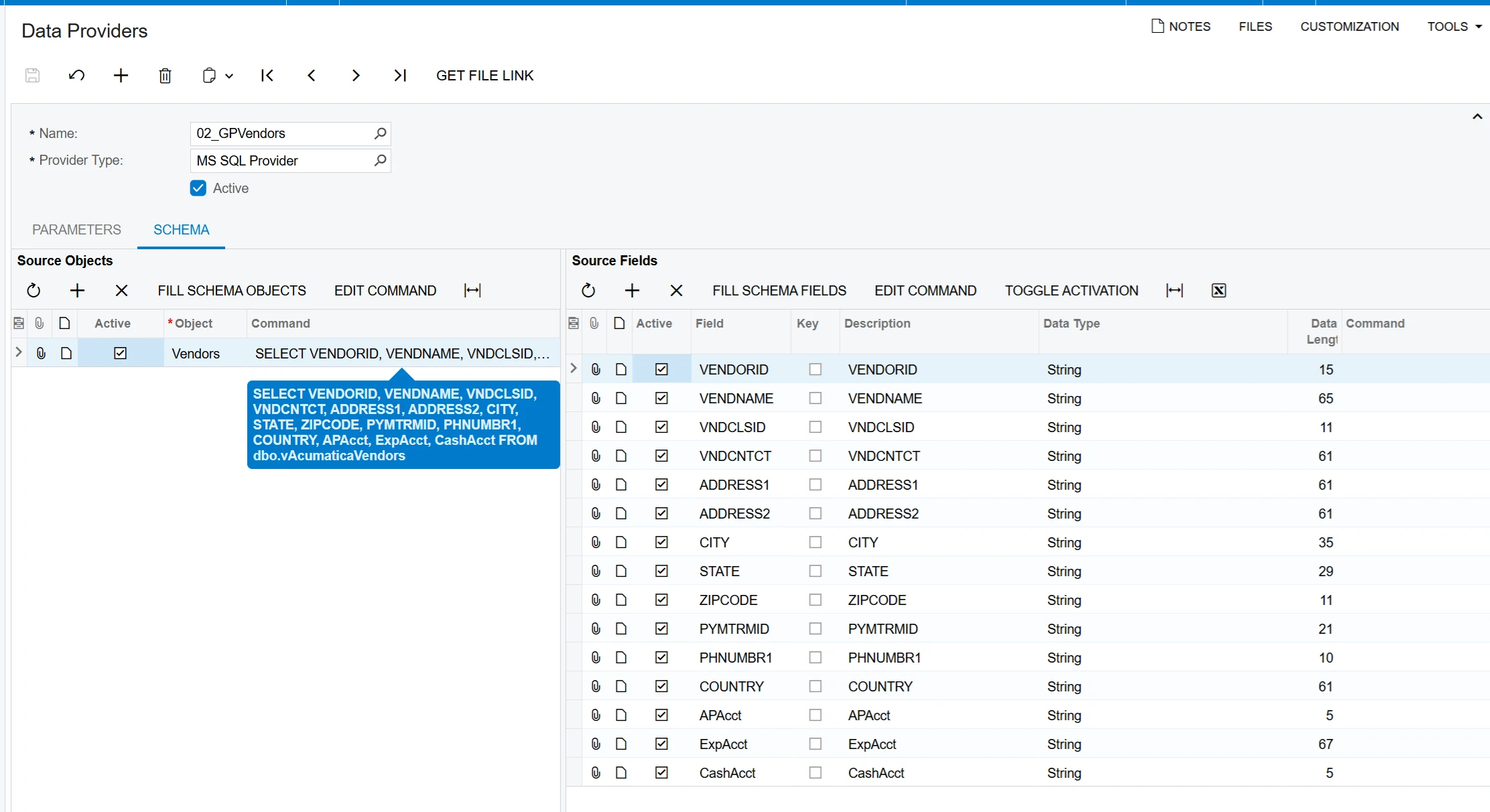
Data Provider


1 reply

mohammadnawaz51
Varsity I
Forum|alt.badge.img+8

​@hsalim 

Please review this mapping once


Here is a Vendor sample Acumatica Import Scenario with Installation Instructions.


Sample Acumatica Import Scenario (Vendors)

Click here for a listing of other Sample Acumatica Import Scenarios

Screen: FINANCE -> Accounts Payable -> Work Area -> MANAGE -> Vendors (AP303000)

Fields Imported

  1. Vendor ID
  2. Vendor Name
  3. General Info -> FINANCIAL SETTINGS -> Vendor Class
  4. General Info -> MAIN CONTACT -> Company Name
  5. General Info -> MAIN CONTACT -> Attention
  6. General Info -> MAIN CONTACT -> Email
  7. General Info -> MAIN CONTACT -> Web
  8. General Info -> MAIN CONTACT -> Phone 1
  9. General Info -> MAIN CONTACT -> Phone 2
  10. General Info -> MAIN CONTACT -> Fax
  11. General Info -> MAIN CONTACT -> Account Ref. #
  12. General Info -> MAIN CONTACT -> Parent Account
  13. General Info -> MAIN ADDRESS -> Address Line 1
  14. General Info -> MAIN ADDRESS -> Address Line 2
  15. General Info -> MAIN ADDRESS -> City
  16. General Info -> MAIN ADDRESS -> Country
  17. General Info -> MAIN ADDRESS -> State
  18. General Info -> MAIN ADDRESS -> Postal Code
  19. Payment Settings -> DEFAULT PAYMENT SETTINGS -> Payment Method
  20. GL Accounts -> AP Account
  21. GL Accounts -> AP Sub
  22. GL Accounts -> Expense Account
  23. GL Accounts -> Expense Sub
  24. GL Accounts -> Cash Discount Account
  25. GL Accounts -> Cash Discount Sub
Translate