Solved

PO DAC transaction data - Order type codes

  • February 18, 2026
  • 3 replies
  • 29 views

Forum|alt.badge.img

Does any one have a list or tell me where I can find the 2 letter abbreviations for the POorder.Ordertype field?  I have searched the online help but was only able to find the list of the docType for AR and AP. 

Best answer by abhimanyuprajapati52

Hi ​@eucciferri35,

The POOrder.OrderType values are defined in the POOrderType class (PX.Objects.PO). They are not stored in a table like AR/AP DocTypes.

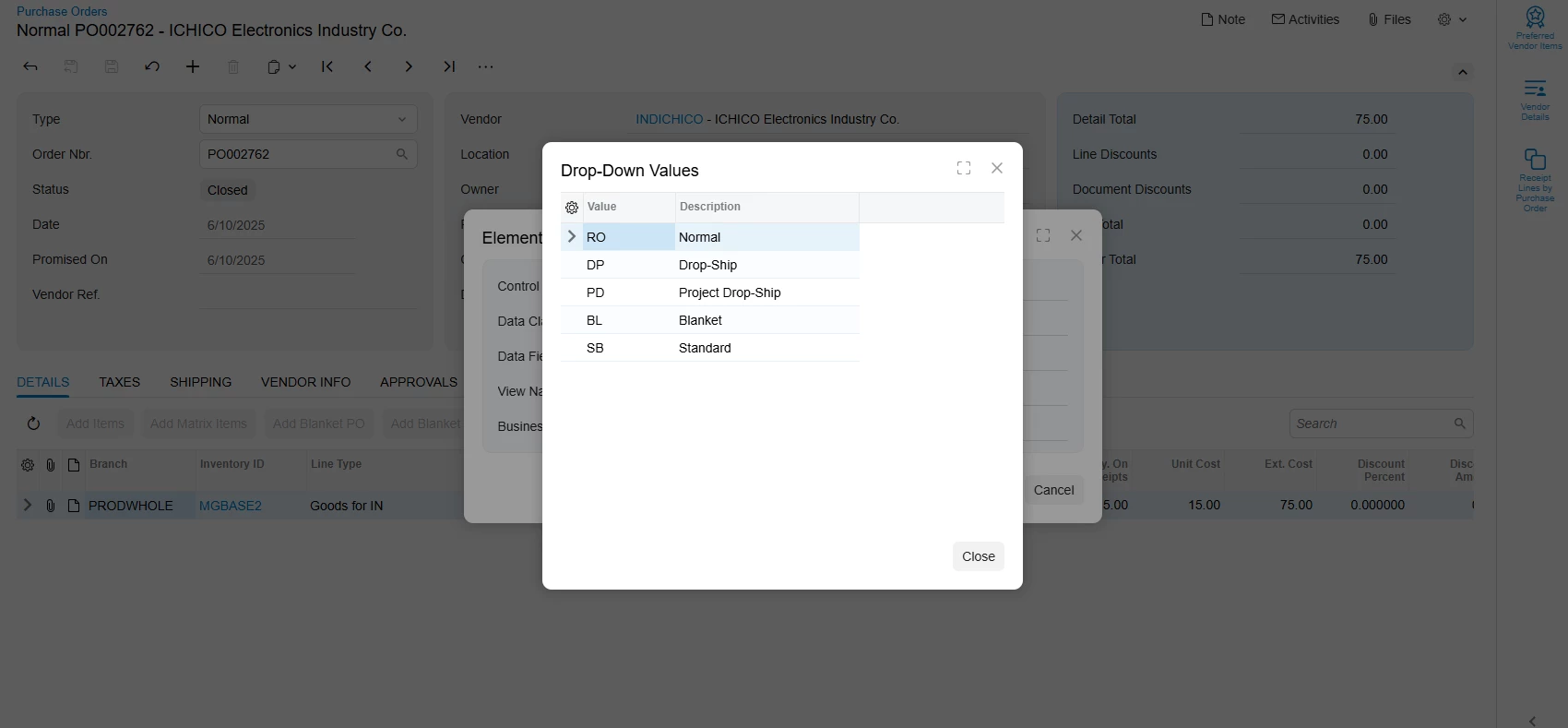
In 25R2, the values are:
RO – Normal
DP – Drop-Ship
PD – Project Drop-Ship
BL – Blanket
SB – Standard

You can confirm them by inspecting the Order Type dropdown on PO301000 or reviewing the POOrderType class in source code.


3 replies

abhimanyuprajapati52
Jr Varsity I
Forum|alt.badge.img

Hi ​@eucciferri35,

The POOrder.OrderType values are defined in the POOrderType class (PX.Objects.PO). They are not stored in a table like AR/AP DocTypes.

In 25R2, the values are:
RO – Normal
DP – Drop-Ship
PD – Project Drop-Ship
BL – Blanket
SB – Standard

You can confirm them by inspecting the Order Type dropdown on PO301000 or reviewing the POOrderType class in source code.


Forum|alt.badge.img+1

Hey ​@eucciferri35 ,

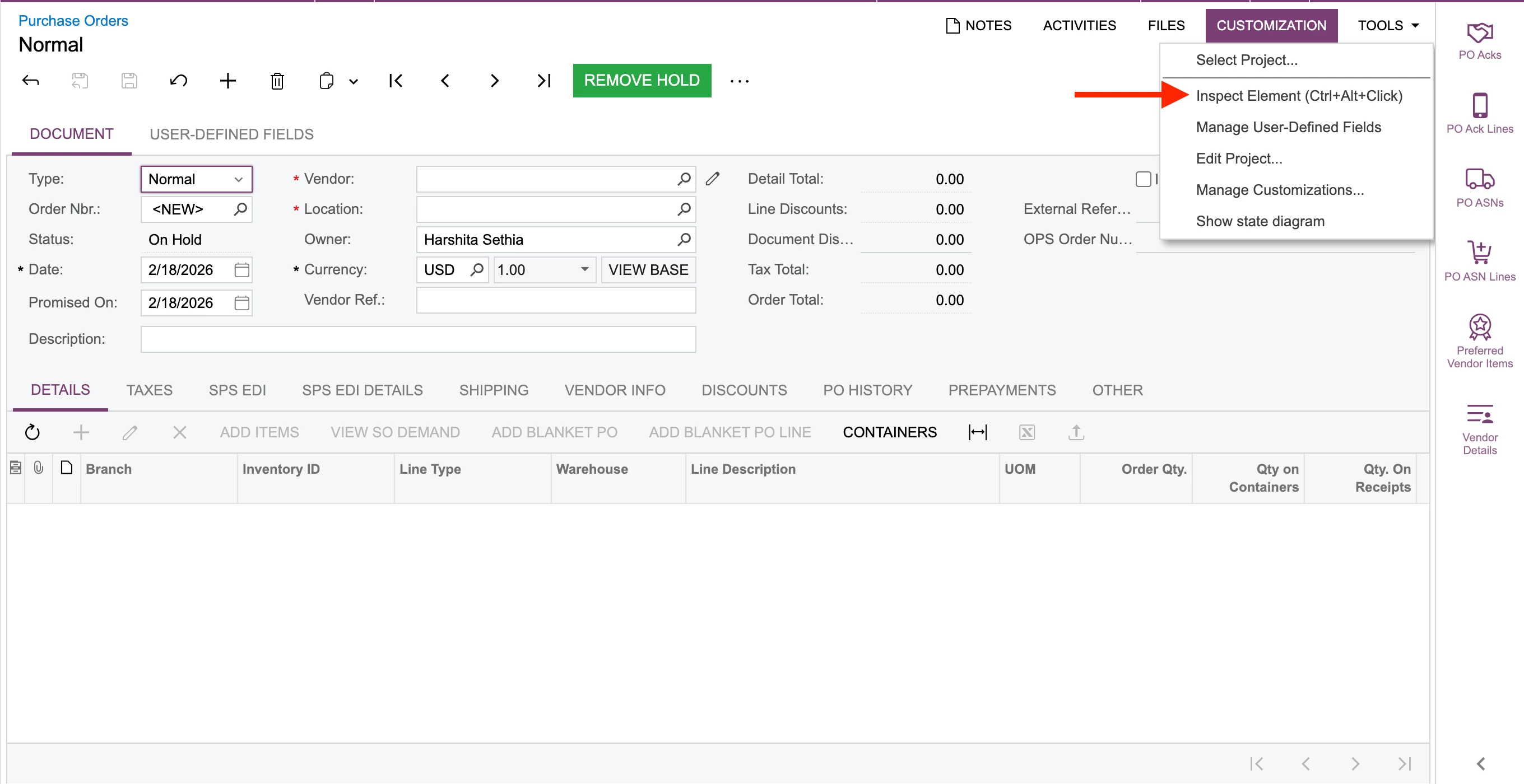
Did you make use of Inspect element (Ctrl+Alt+Left Click)?


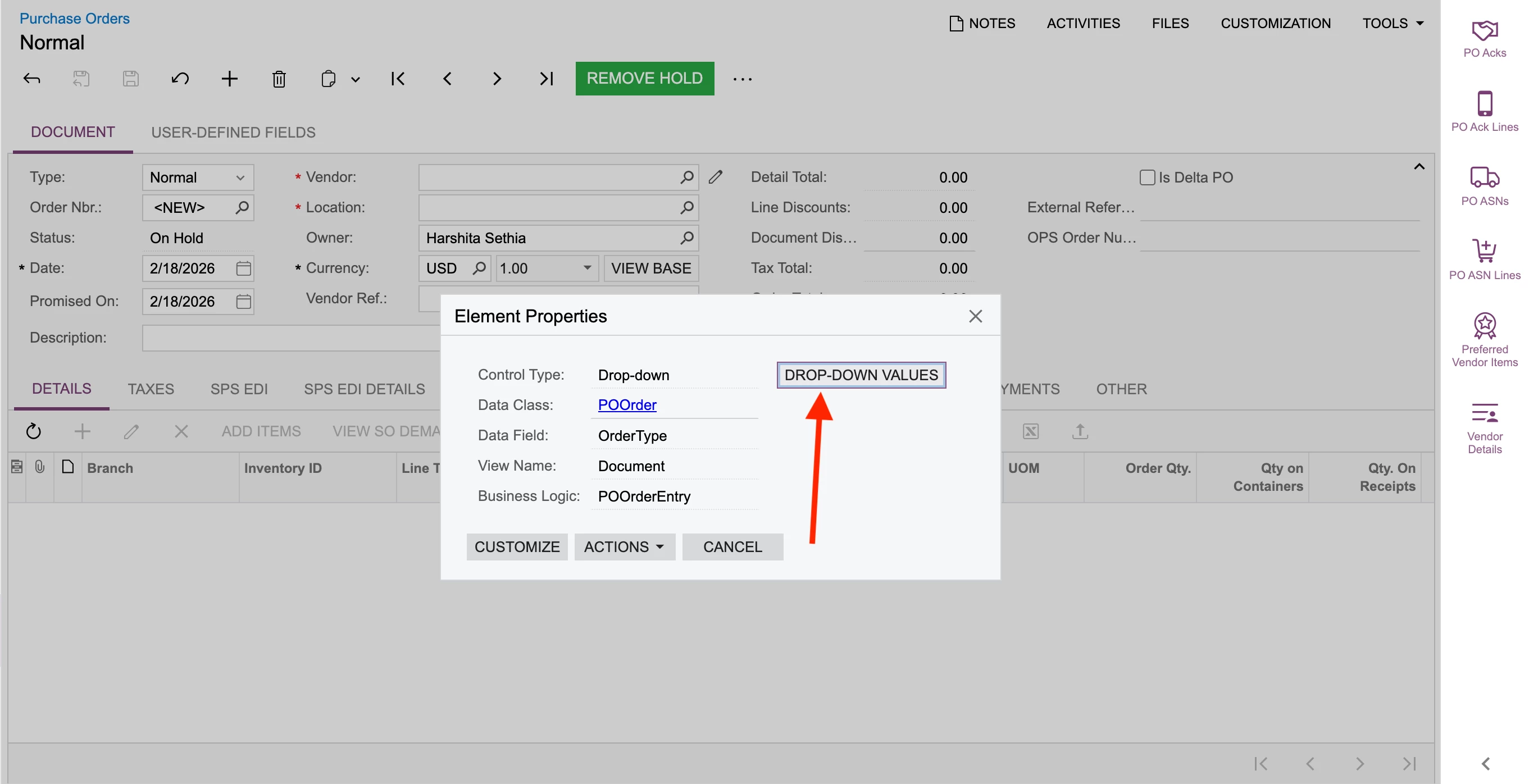
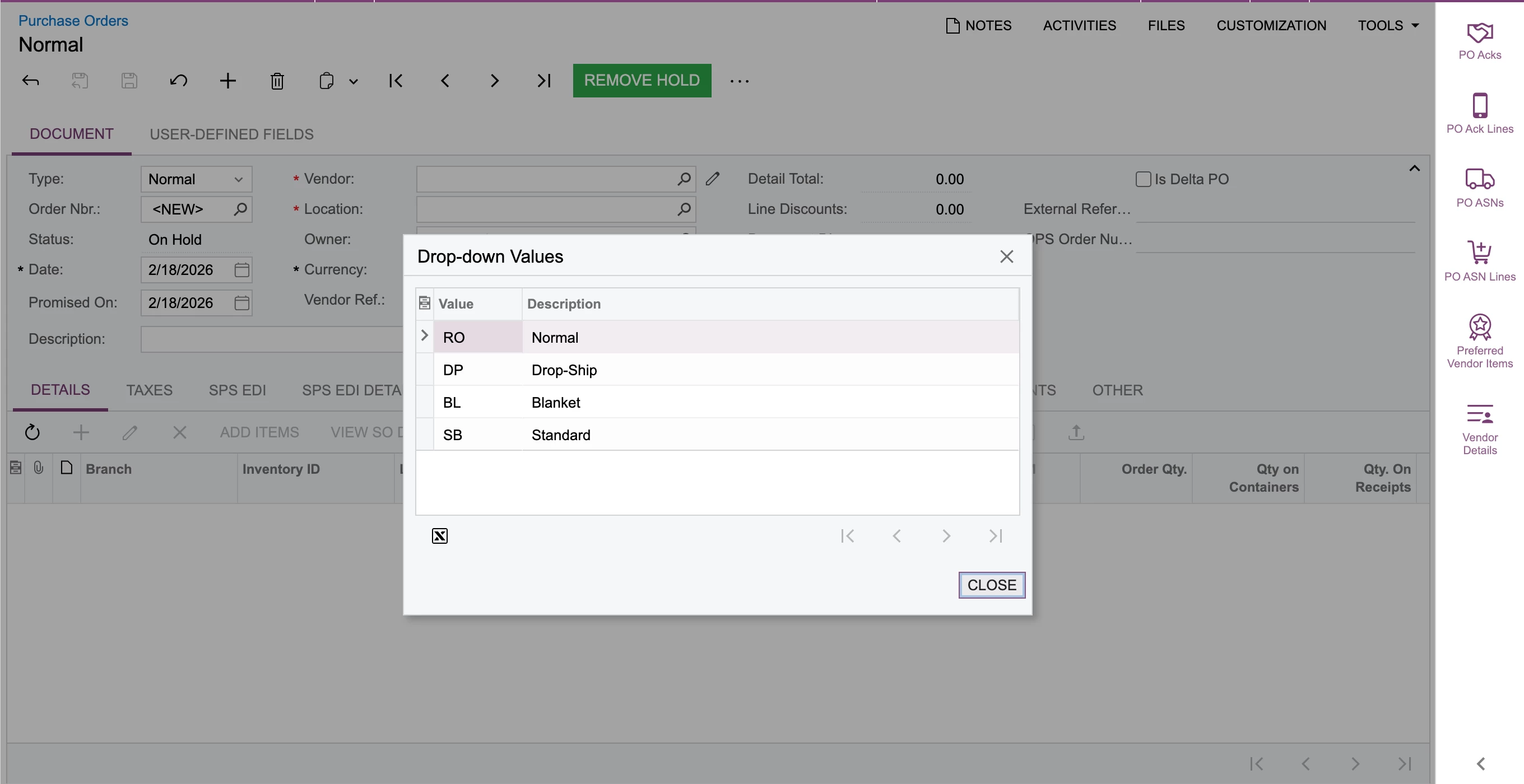
upon inspecting element the above pop up box would open up. You would need to click on Drop Down Value button


Hope this helps!!


Forum|alt.badge.img
  • Author
  • Varsity I
  • February 18, 2026

Thank you both!  I use Inspect Element all the time but for as long as I have been doing GI I didn’t even realize that drop down value button was there.  I had searched the help for the values.  The button is so much easier.