Solved

link sent email to lead

  • June 30, 2025
  • 6 replies
  • 71 views

Forum|alt.badge.img

Hi @all,

when a new lead is added to Acumatica, an email should be sent to the lead’s email-address.

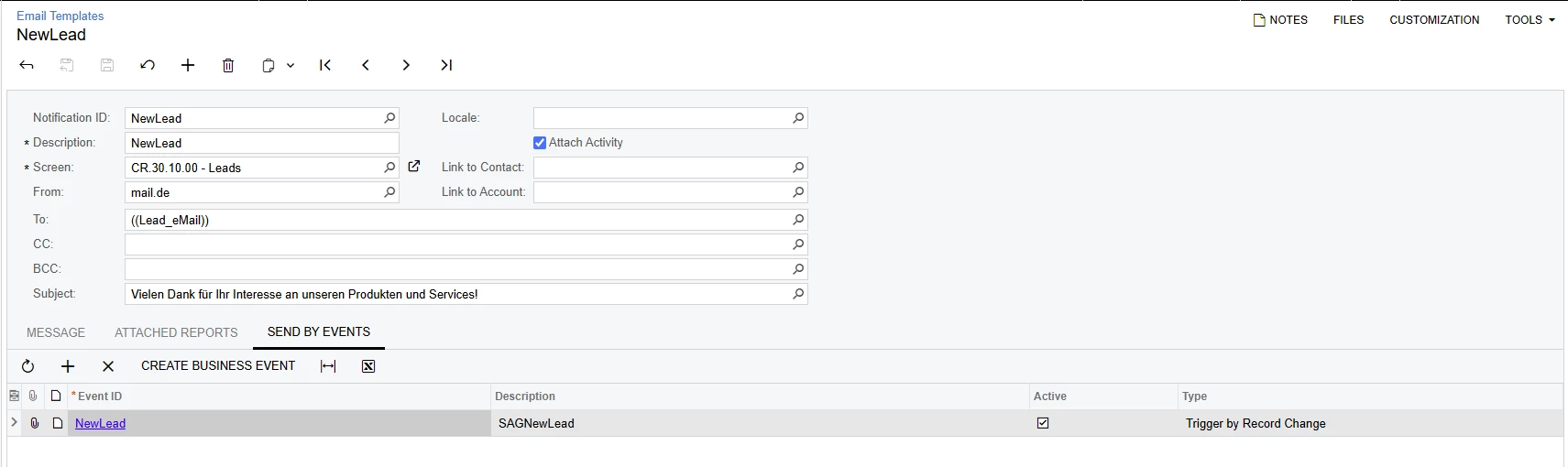
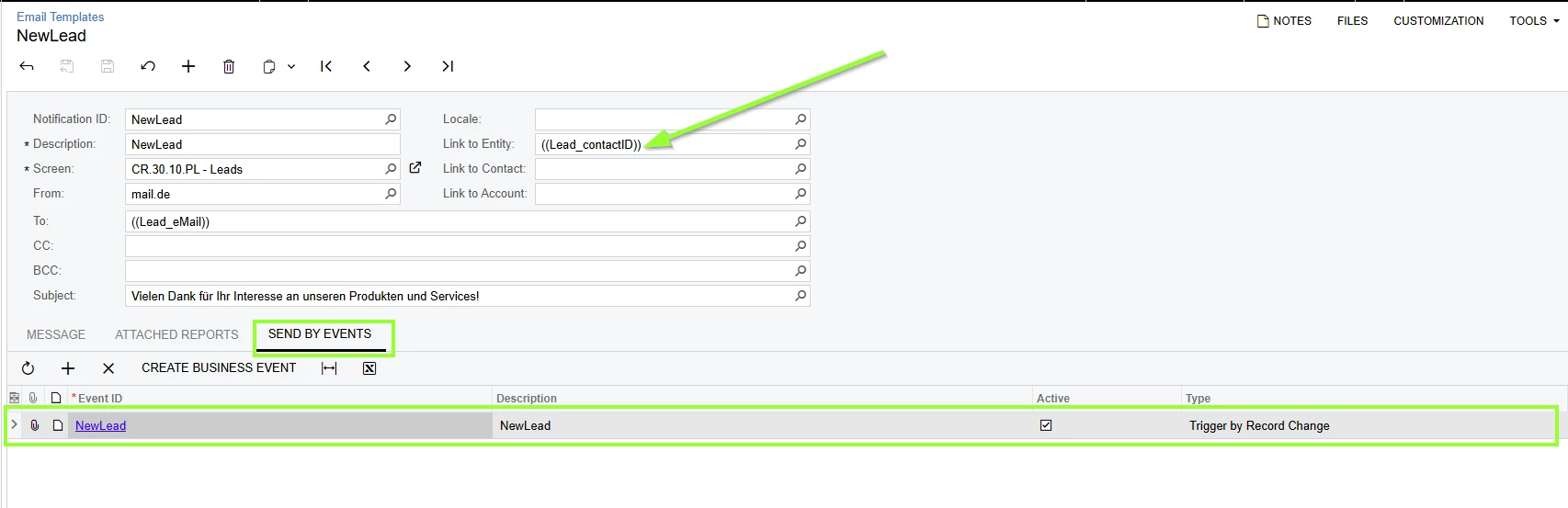
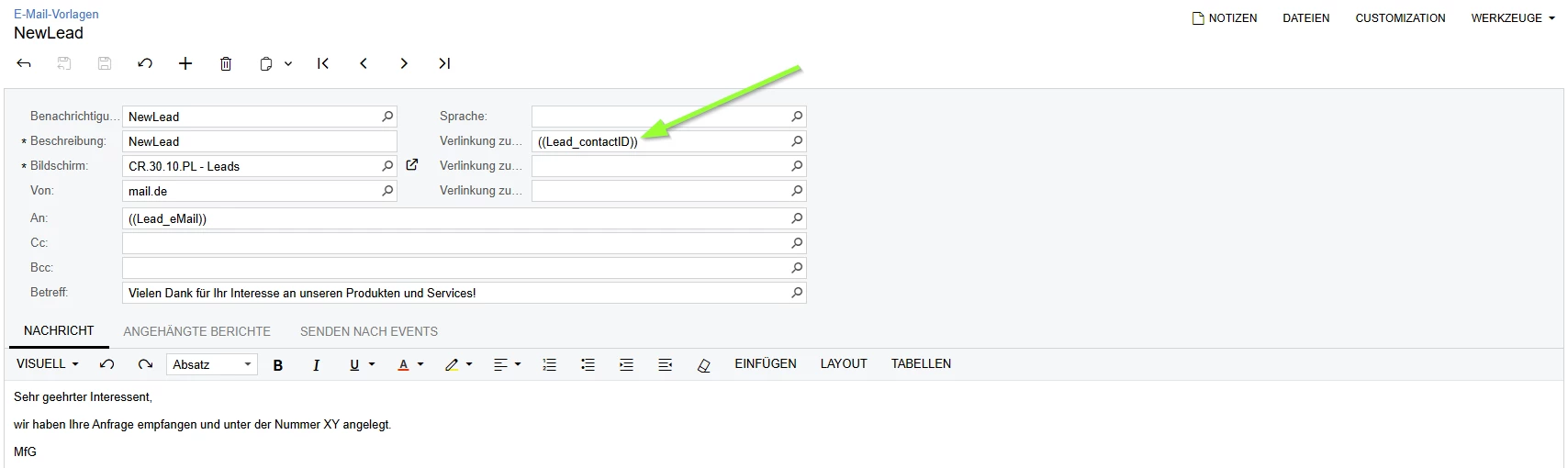
This works well for me with the following settings. See Screenshot below.

But the email isn’t linked to the lead I added.

There’s a field to link an object like a lead. See green arrow in Screenshot below.

What is the right syntax for this field to add a link to the lead?

I’d appreciate your tips/ hints.

Kind regards

Michael
 

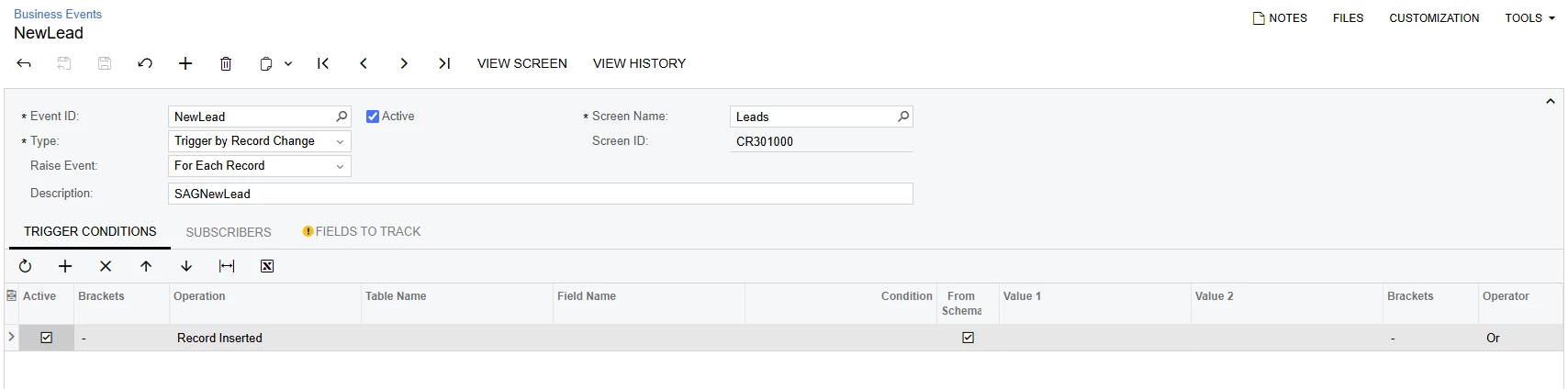
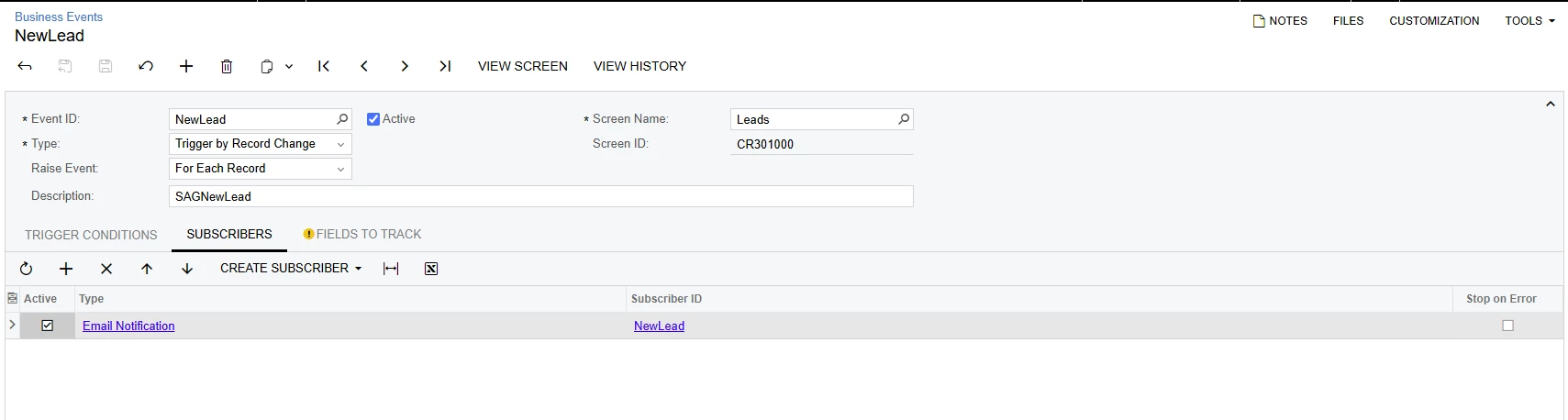
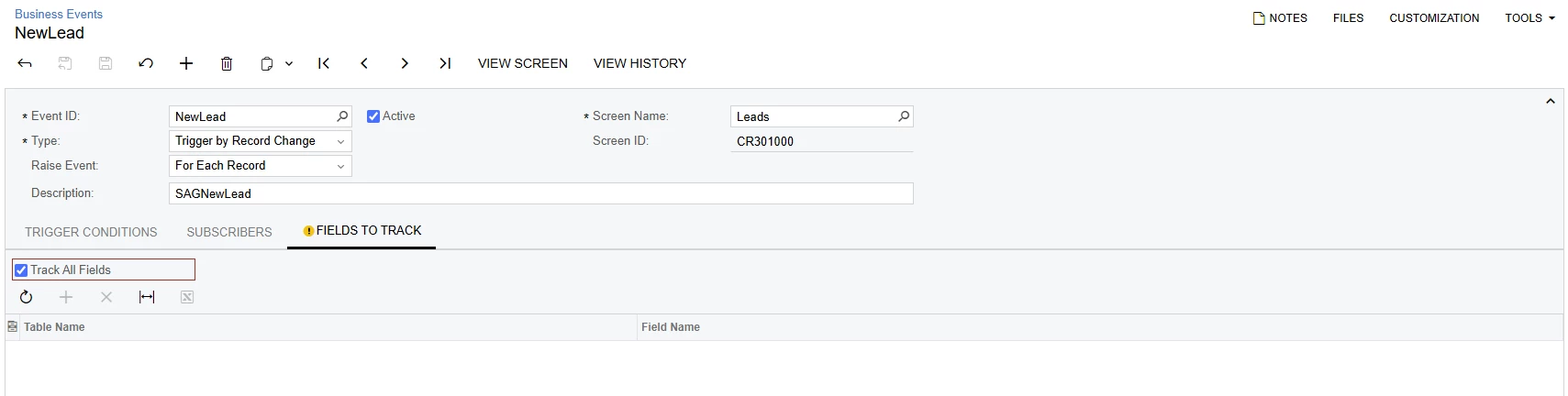
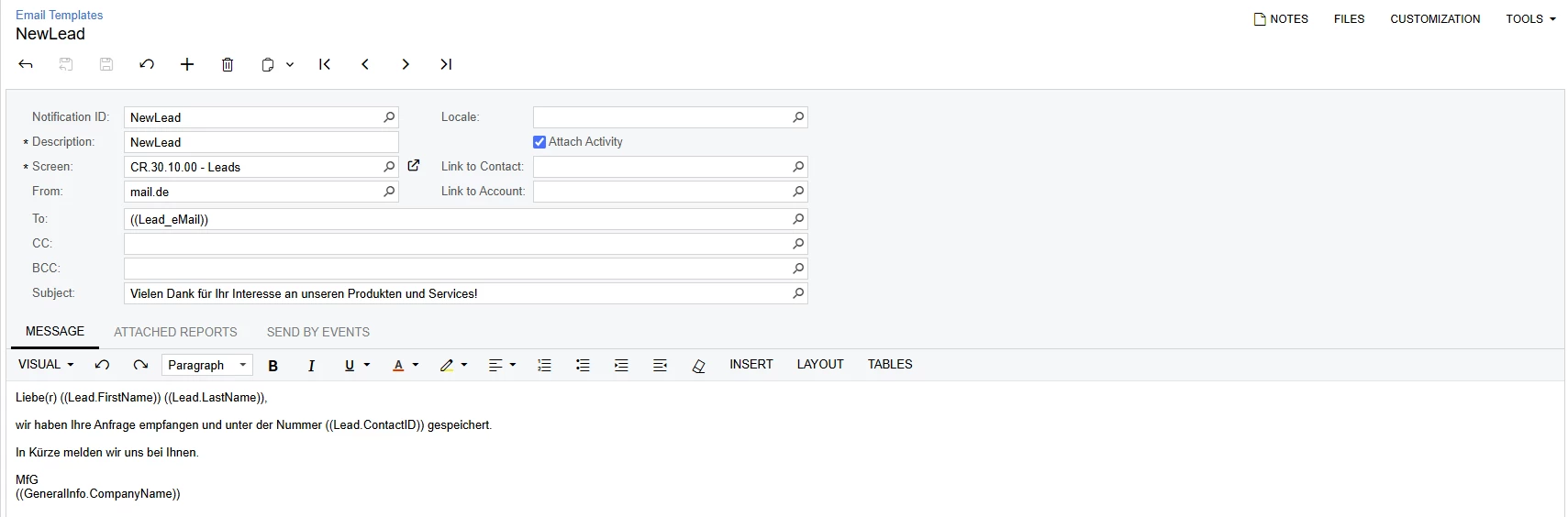
Best answer by mkoch

Thanks to ​@aiwan !!!


This is what worked for me.


Setup Business events - SM302050


Setup Email Templates - SM204003


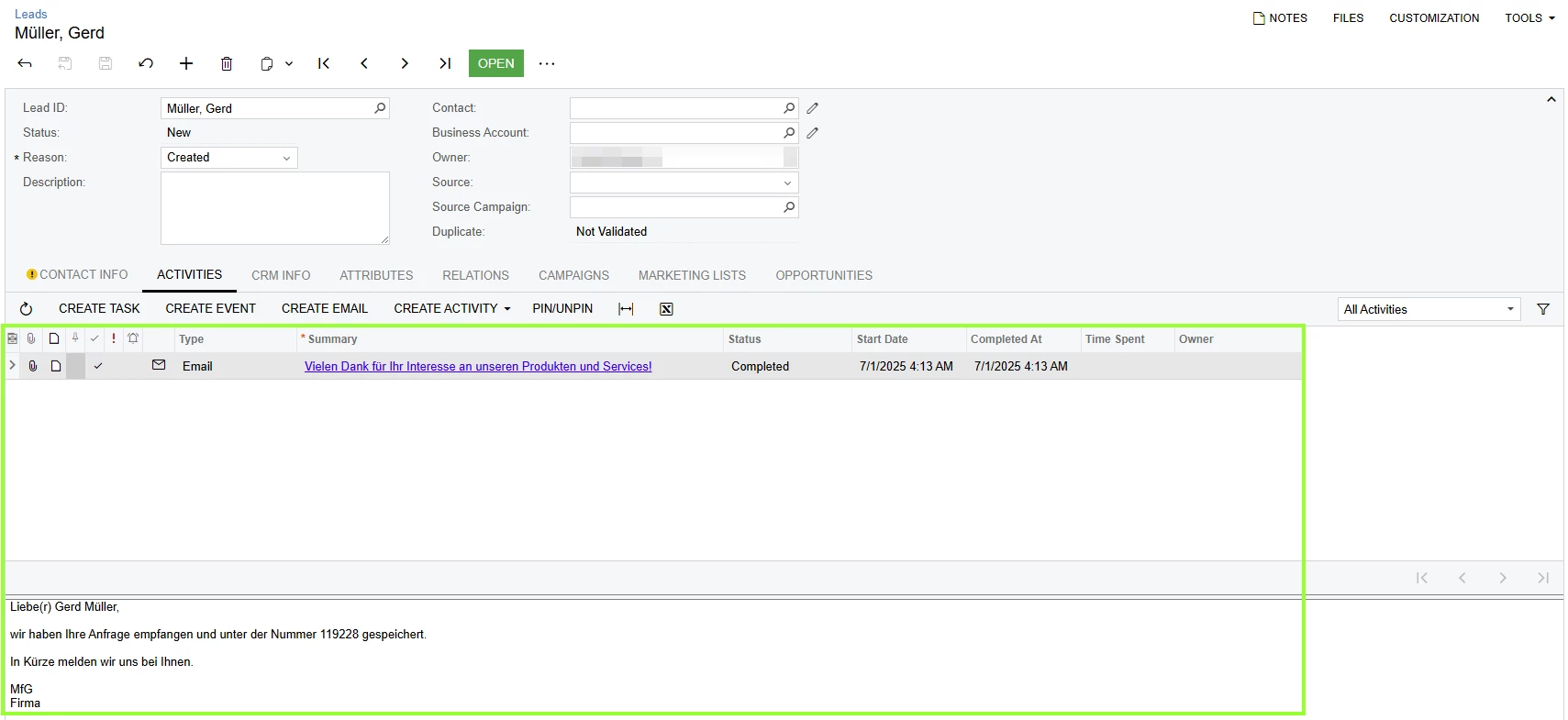
Result


6 replies

Forum|alt.badge.img+8
  • Captain II
  • July 1, 2025

Hi ​@mkoch 


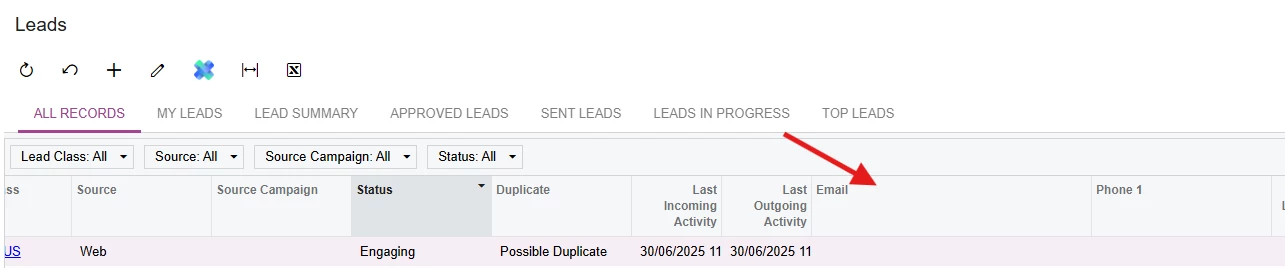
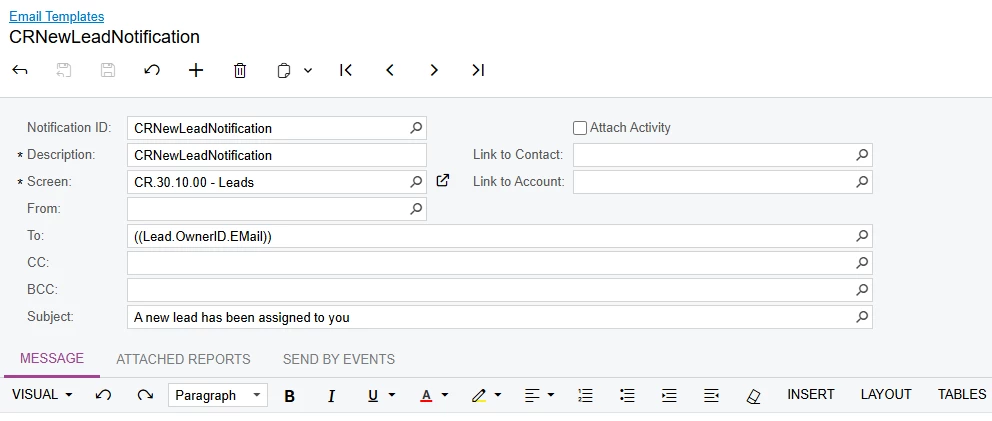
The Lead email you have put there, is the email which you can see on the Generic Inquiry which serves as the entry screen for the Leads form.


Forum|alt.badge.img
  • Author
  • Jr Varsity II
  • July 1, 2025

@aiwan,

Thanks for your reply.

I’m not sure, if I explained well.

I’ll try again 😊


My steps:

  1. Create and save new lead ✅
  2. email is sent to receiver ✅
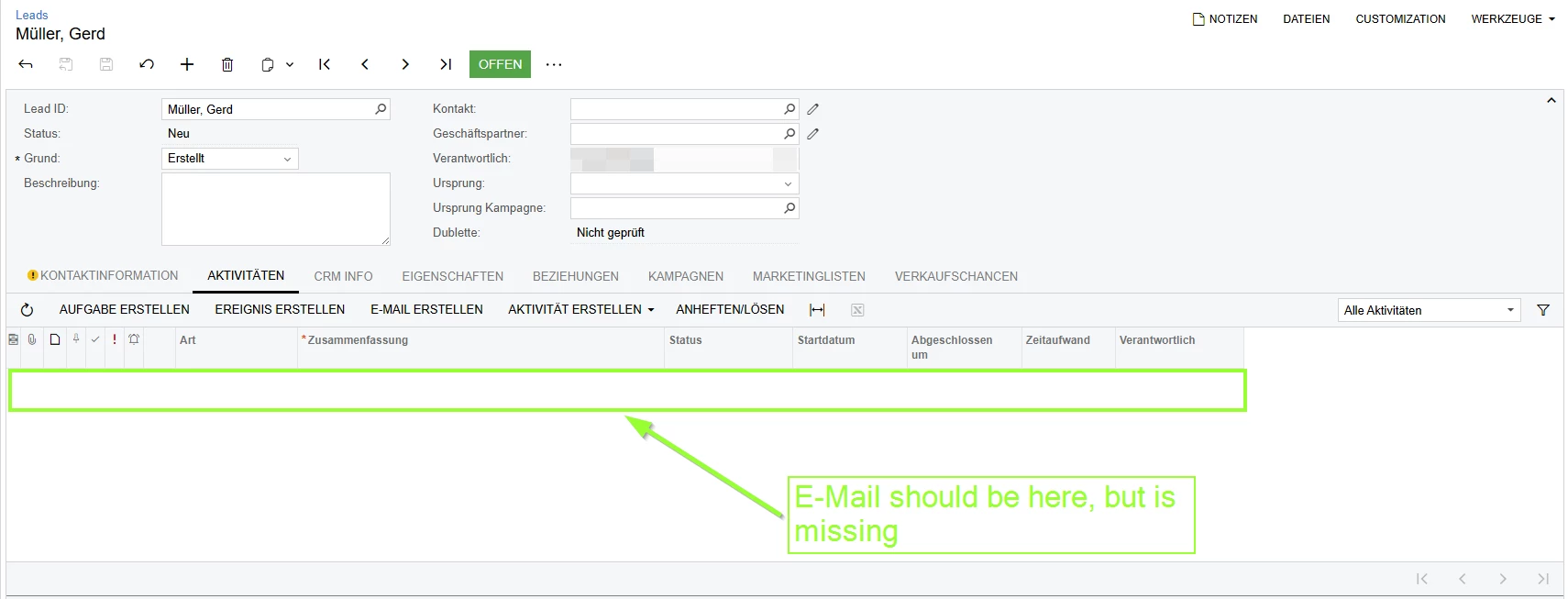
  3. Open lead again → Can’t see the email, which was sent to the receiver ❌
    See Screenshot below.

What do I have to do, that the email is linked to the lead? I want to see the email in the acitivity-section of the lead.


Forum|alt.badge.img+8
  • Captain II
  • July 1, 2025

I can’t read German, but you seem to have 3 fields where I have two?

Could you let me know what other ‘Link to’ you have there?


Forum|alt.badge.img
  • Author
  • Jr Varsity II
  • July 1, 2025

If you add a line to the “send by event”-section, you will get 3 Link to fields. See my screenshot below.

If you don’t add a line to the “send by event”-section, you will see 2 Link fields and the checkbox “attach activity” see your Screenshot.


Forum|alt.badge.img+8
  • Captain II
  • July 1, 2025

Got ya, I believe the difference is the screens we are referring to. 

Could you try to change yours to CR301000 and see if that helps at all?


Forum|alt.badge.img
  • Author
  • Jr Varsity II
  • Answer
  • July 1, 2025

Thanks to ​@aiwan !!!


This is what worked for me.


Setup Business events - SM302050


Setup Email Templates - SM204003


Result