Answer

Is it possible to set a Visibility Condition to a User Defined Field? (not a security role issue)

  • February 17, 2025
  • 4 replies
  • 107 views

miguel80
Semi-Pro III
Forum|alt.badge.img+3

Hi! 

I’m dealing with a requirement that needs some User Defined Fields to appear based o the value of another User Defined Field. The use case is as follows:

  1. In an opportunity, my customer must gather a set of documents, but this documents vary depending on if their customer is a person or a company.
  2. We’ve created a User Defined Fields (Customer Type) combo selector to chose between the customer being a person or a company.
  3. We’ve created the document list checkbox using user defined fields, but it would be great to be able to hide the ones that are not being used, depending on the value of the customer type.

It would be great to be able to do it from a Low-Code/No-Code project.

Thank you for your support.
 

Best answer by Samvel Petrosov

You can do it with Low-Code/No-Code.

You need to create a new customization project.

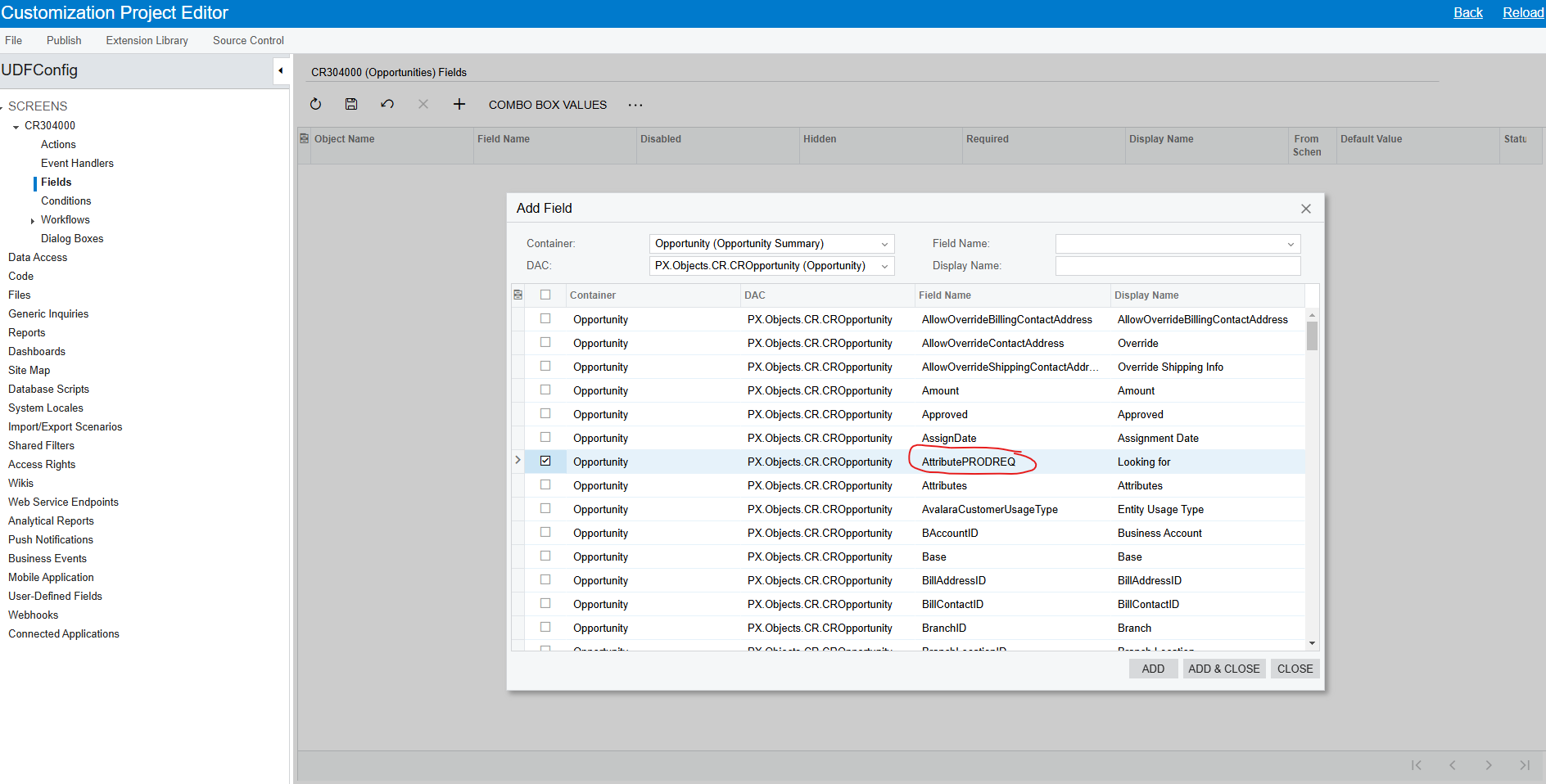
Then, from the customization package, select your screen and configure the Field from the Field’s menu.

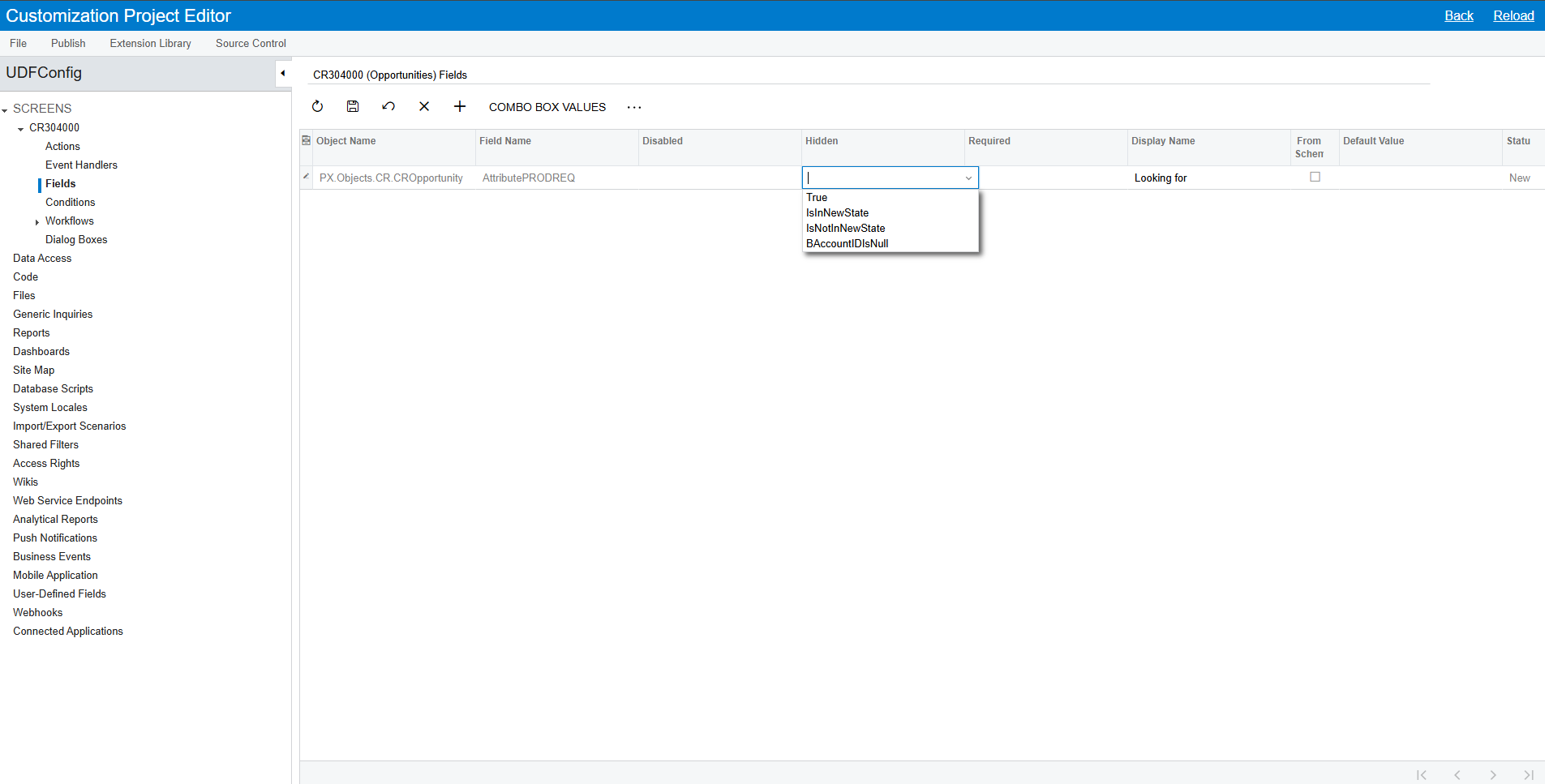
The UDF field will have Attribute prefix in the name and Attribute ID after that. After adding it you can set the condition when the field should be hidden.
 

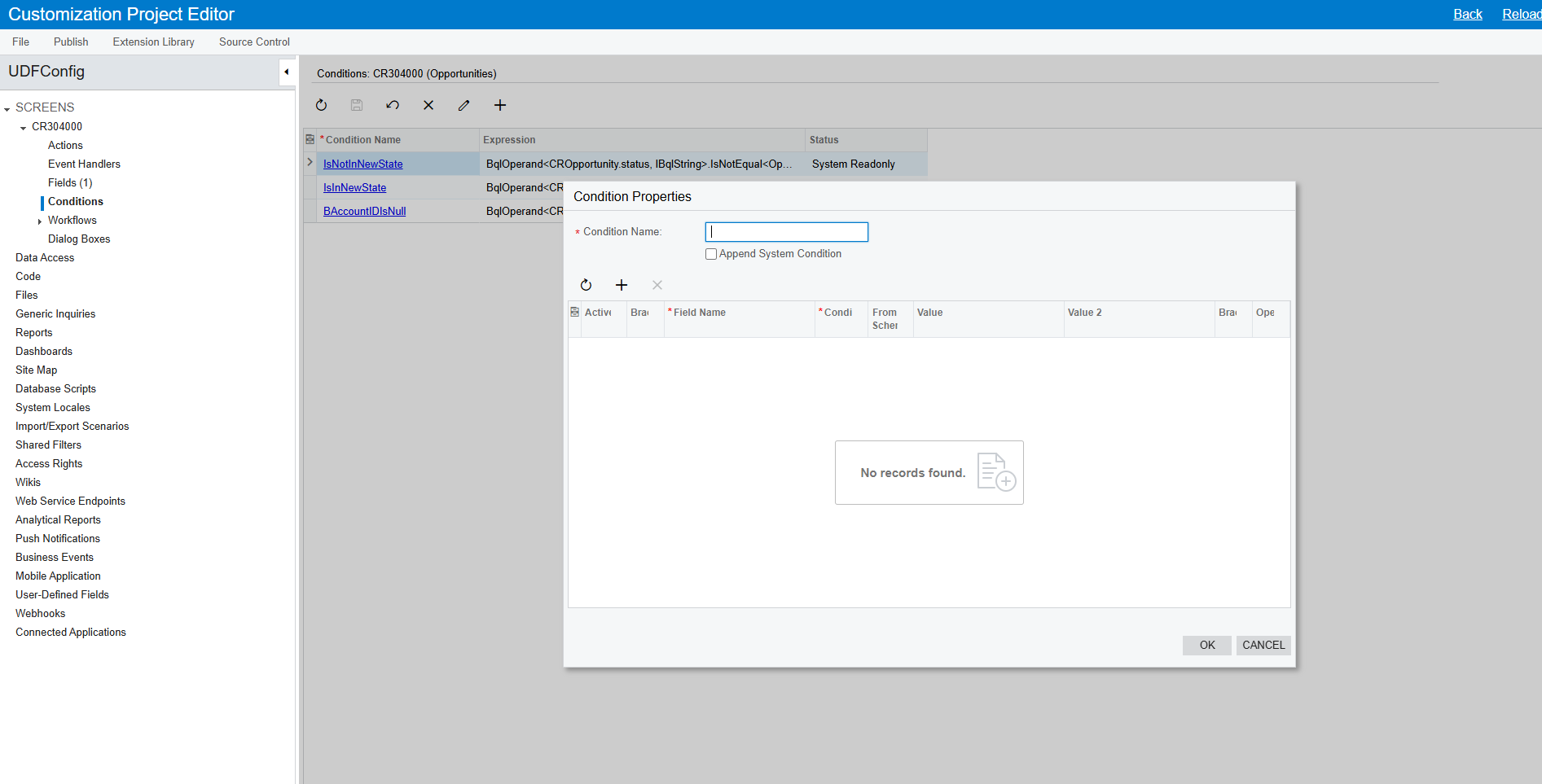
You can add custom conditions as needed from the Conditions page.

Make sure to publish the package before testing the changes.


4 replies

Samvel Petrosov
Jr Varsity II
Forum|alt.badge.img+8
  • Jr Varsity II
  • Answer
  • February 17, 2025

You can do it with Low-Code/No-Code.

You need to create a new customization project.

Then, from the customization package, select your screen and configure the Field from the Field’s menu.

The UDF field will have Attribute prefix in the name and Attribute ID after that. After adding it you can set the condition when the field should be hidden.
 

You can add custom conditions as needed from the Conditions page.

Make sure to publish the package before testing the changes.


DipakNilkanth
Pro III
Forum|alt.badge.img+13

Hi ​@miguel80,

Go through This link. this link will helps you to guide how to add conditions and how those conditions will apply to our field.


Hope, it helps!


miguel80
Semi-Pro III
Forum|alt.badge.img+3
  • Author
  • Semi-Pro III
  • February 25, 2025

Thank you both! That’s exactly what I needed! I works great.


Forum|alt.badge.img
  • Jr Varsity II
  • March 19, 2025

You can do it with Low-Code/No-Code.

You need to create a new customization project.

Then, from the customization package, select your screen and configure the Field from the Field’s menu.

The UDF field will have Attribute prefix in the name and Attribute ID after that. After adding it you can set the condition when the field should be hidden.
 

You can add custom conditions as needed from the Conditions page.

Make sure to publish the package before testing the changes.

Thanks Samvel, just found your solution and I’m replying so I can check this out for future uses!


Hi ​@miguel80,

Go through This link. this link will helps you to guide how to add conditions and how those conditions will apply to our field.


Hope, it helps!

Thank you too Nilkanth!