Question

Inventory ID in GI Does Not Match the Side Panel GI

  • March 3, 2026
  • 3 replies
  • 44 views

Hello everyone,

I’m currently facing an issue with a Generic Inquiry (GI).

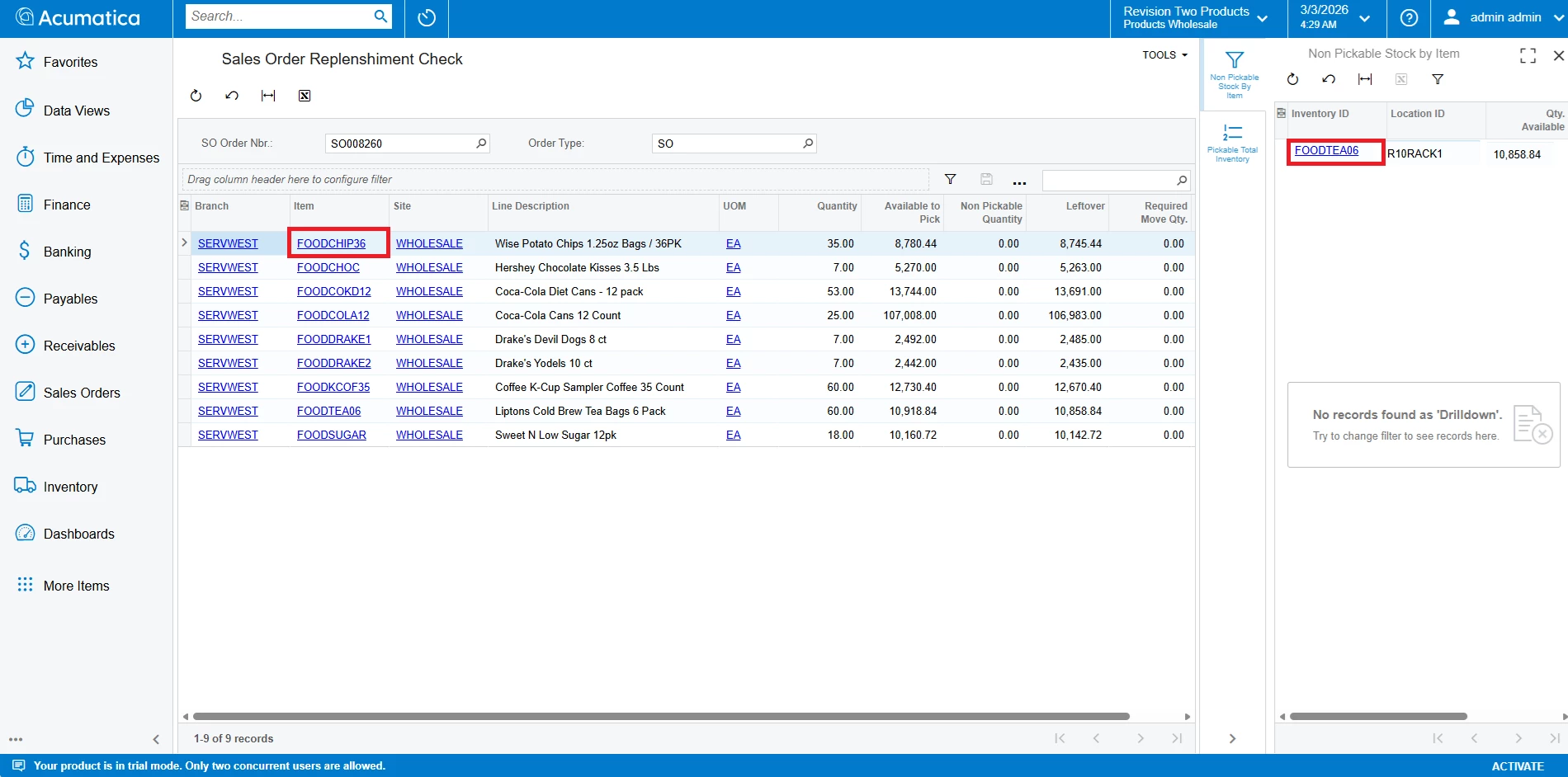
I created a GI that retrieves SOLine records from SOOrder, and my goal is to calculate the Total Available Quantity for each item in non-pickable locations.

However, I’ve noticed that for some records, the Inventory ID displayed in my GI does not match the Inventory ID shown in the Side Panel GI. In other words, when I select a line, the item shown in the side panel appears to be different from the one in the main GI result.

For the side panel link condition, I am currently using: InventoryCD = InventoryCD
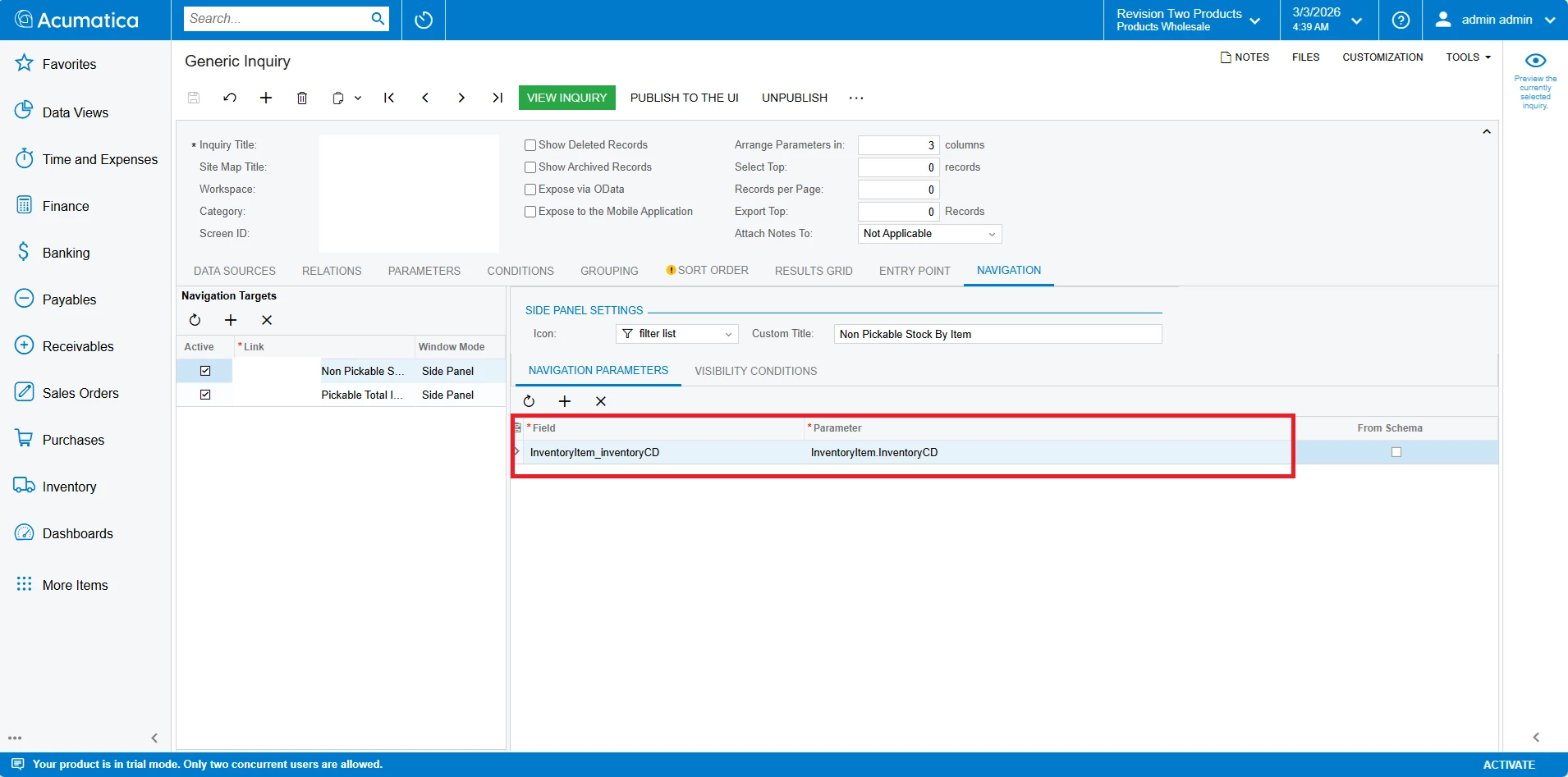


Has anyone experienced a similar issue?
Could this be related to joins, aliases, or the way the side panel is linked?

Any guidance would be greatly appreciated.

Thank you!
3 replies

palbores
Jr Varsity I
Forum|alt.badge.img+1
  • Jr Varsity I
  • March 3, 2026

Hi ​@arsln, please share your GI here.


bwhite49
Captain II
Forum|alt.badge.img+12
  • Captain II
  • March 3, 2026

I am experiencing an issue in 2025 R2 where external links seem to use the wrong row as parameters, but I have not encountered this issue with side panels.

Have you tried resetting caches and restarting the site? That usually fixes system weirdness.


KrunalDoshi
Jr Varsity II
Forum|alt.badge.img
  • Jr Varsity II
  • March 5, 2026

Hi ​@arsln,

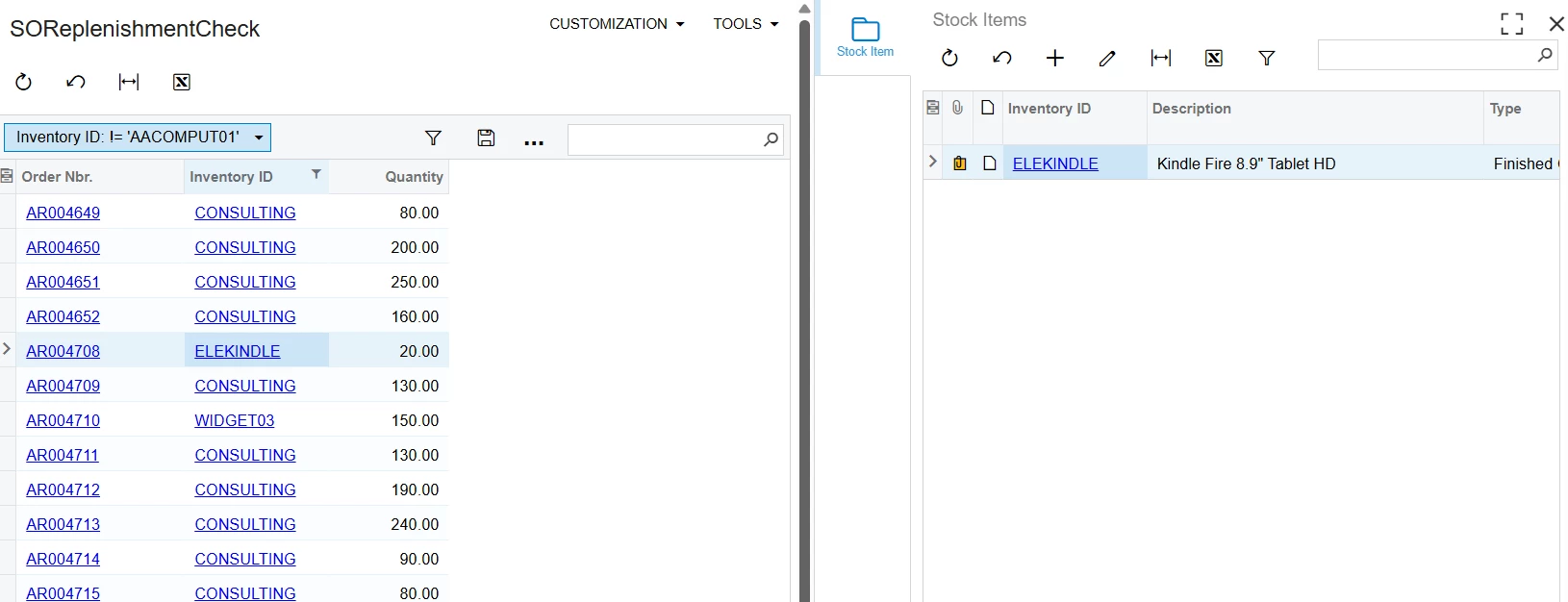
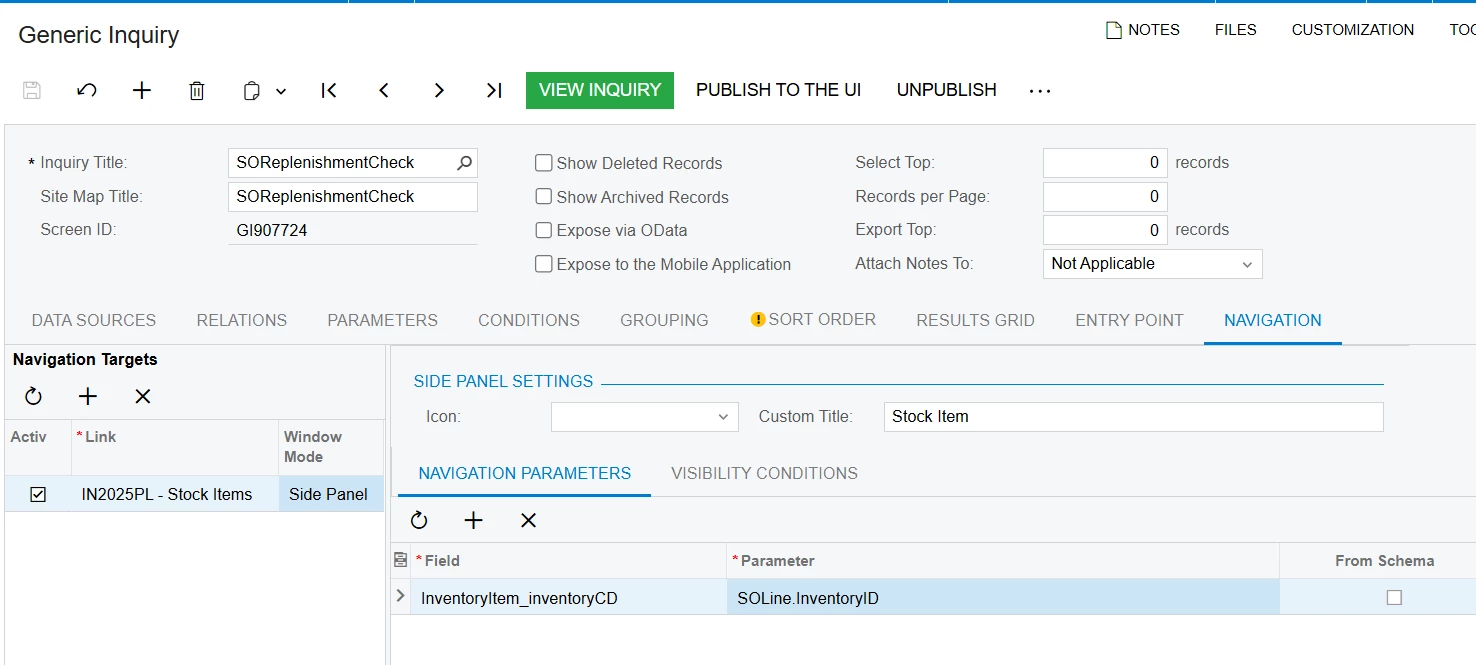
I have created a simple GI with side panel to display Stock Item. I have included the screenshot for your reference.

From your screenshot, it looks like you have a custom GI which you are using as a side panel. I would suggest checking the same and match the correct fields in your Side Panel navigation. Ideally, it is the CD field (InventoryCD) from the base table, but when you refer it from any foreign table then it is ID (InventoryID). 

Hope these helps.