Question

I cant get an email to send when expense receipt is approved/rejected

  • April 17, 2026
  • 3 replies
  • 35 views

I have been trying everything to send a notification out when an expense receipt is approved or rejected. I am using a business event that triggers based off the status field changing however I have read that this does not work since the approval status does not actually save when updated.


At this point I am not sure how else I can approach this. I don't think a schedule would work since I need this to fire off at any time so long as its when an expense receipt is approved/denied.

3 replies

Forum|alt.badge.img+1
  • Pro I
  • April 17, 2026

Hi, you could try creating a generic inquiry where only records with ‘approved’ status show. Then you can trigger the business event based on the record inserted option. So anytime there is a new document with the ‘approved’ status, an email notification would send.

Can you also share a screenshot of what your current business event looks like and we can take a look?

Thanks!


@jzhu 

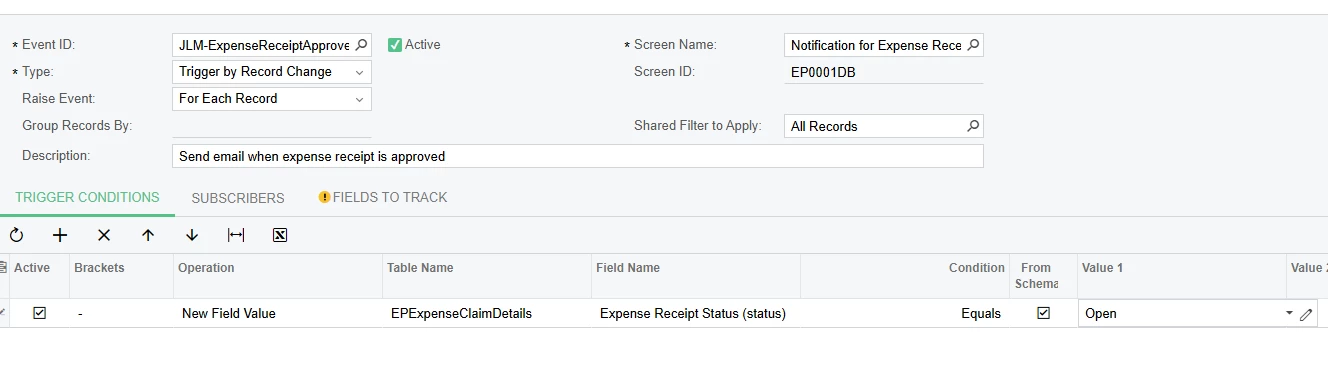
Below is one example of what I have tried. In this case I created a custom GI that has all of the expense receipts and simply watched that for the status change.


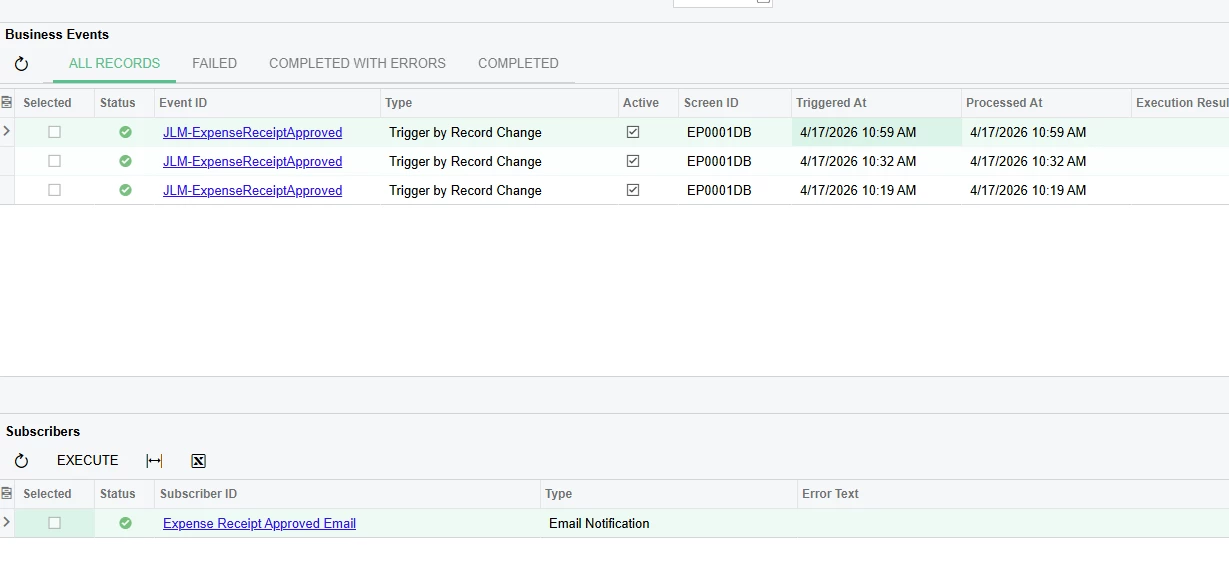
I actually did just try your suggestion which did trigger the business event but the email notification never was sent… which is really strange. For that approach I basically just took my existing custom GI and set conditions to make it only approved receipts and triggered on insert like you said. Below you can see the event did actually trigger and I can see the email subscriber.. but there is no email going out, even when checking the All Emails list.


Forum|alt.badge.img+1
  • Pro I
  • April 28, 2026

Hi ​@CameronSchultz Please make sure you have a valid ‘To’ in your email template. I just tested with the attached business event, it’s another way that you can set up sending approved expense claim notification. 

I was able to reproduce your issue, where business event fires, but email does not go out and doesn’t show in the All Email screen. This was due to me not specifying anything in my ‘To’ field. You can try entering your email address in that field to prove this out. 

I hope this helps!