Answer

How to immediately process Email Notifications raised through Business Event?

  • September 5, 2023
  • 3 replies
  • 304 views

Forum|alt.badge.img

Hi,

We have a Shipment business event that is set to trigger an email notification so the approver can come in and do the necessary approvals. 

What is the best way to ensure this email gets sent immediately, rather than having to periodically go to Process Emails screen and send it out? 

Since the approval needs to be done on short notice so logistics can proceed with the delivery.

Best answer by darylbowman

You can set up an Automation Schedule to process the sending of specific mailboxes (using the filters). This would be a way to prevent all mail from being processed immediately.

3 replies

dcomerford
Captain II
Forum|alt.badge.img+15
  • Captain II
  • September 5, 2023

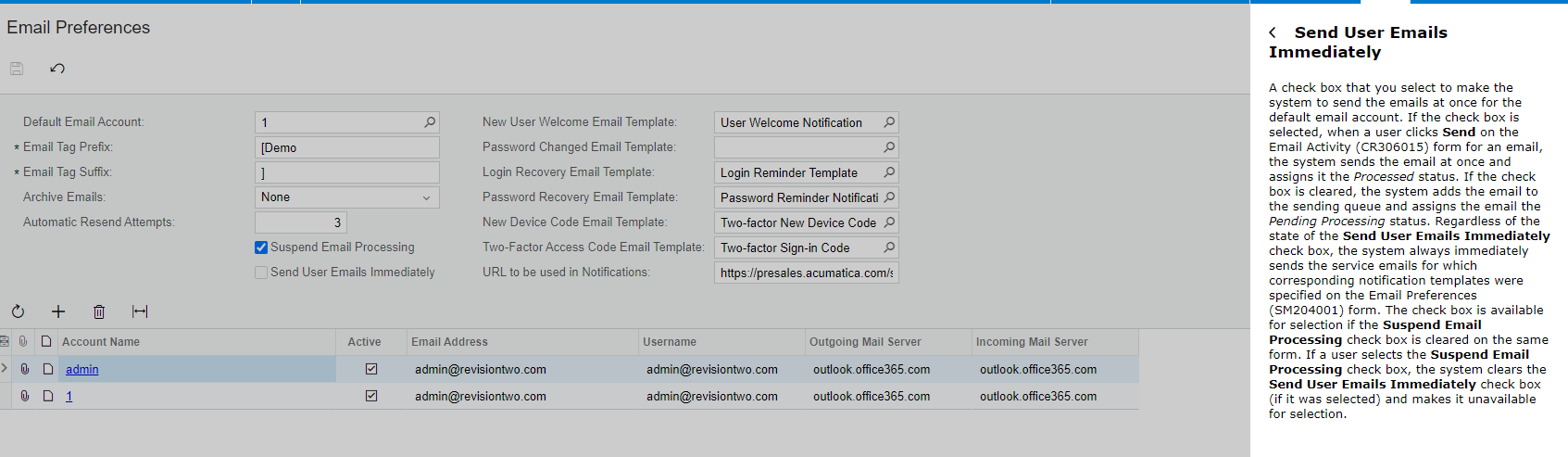
It sounds like the delay on the sending of the email is the issue not the Business event. On your email preferences you can set the system to Send Emails Immediately but believe that will affect all outgoing emails


darylbowman
Captain II
Forum|alt.badge.img+15
  • Answer
  • September 5, 2023

You can set up an Automation Schedule to process the sending of specific mailboxes (using the filters). This would be a way to prevent all mail from being processed immediately.


Forum|alt.badge.img
  • Author
  • Semi-Pro II
  • September 29, 2023

It sounds like the delay on the sending of the email is the issue not the Business event. On your email preferences you can set the system to Send Emails Immediately but believe that will affect all outgoing emails


Regretfully this option only works for mails sent through the CR306015 form, not business-event triggered emails or any other emails (eg. reports ‘Send’).

We have resorted to a very short Automation schedule for sending emails (every 1 minute), though we are uncertain whether this frequency will affect system performance.