Hello,
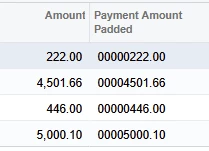
I’m trying to create Payment Amount in a Positive Pay CSV file padded on the left to include 11 total characters like this example:
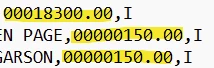
I’ve tried several formulas:
=PadLeft(CStr([APPayment.OrigDocAmt]),10,'0')
=PadLeft(CStr([APPayment.OrigDocAmt]),10.2,'0')
=PadLeft(CStr(Round([APPayment.OrigDocAmt],2)),10,'0')
=PadLeft(CStr([APPayment.OrigDocAmt]),12,'0')
The above formulas produce results that are padded at the left but include 2 extra digits on the right.
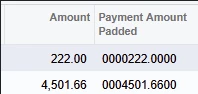
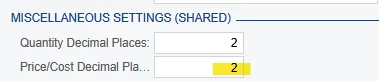
I thought Acumatica might be using Price/Cost Decimal Places field in Miscellaneous Settings section of Companies screen to set Decimal Places to 4…. however when I temporarily changed this setting from 4 to 2, it made no difference in my Positive Pay GI.
Thank you in advance for your help!
Laura