Question

How to add a UDF in Landed cost screen?

  • Nov 16, 2026 7:13 PM UTC
  • 4 replies
  • 35 views
  • Translate All

Forum|alt.badge.img

Hello all,

I have been trying to add a UDF under LC (PO303000) screen, however I’m unable to do so. 
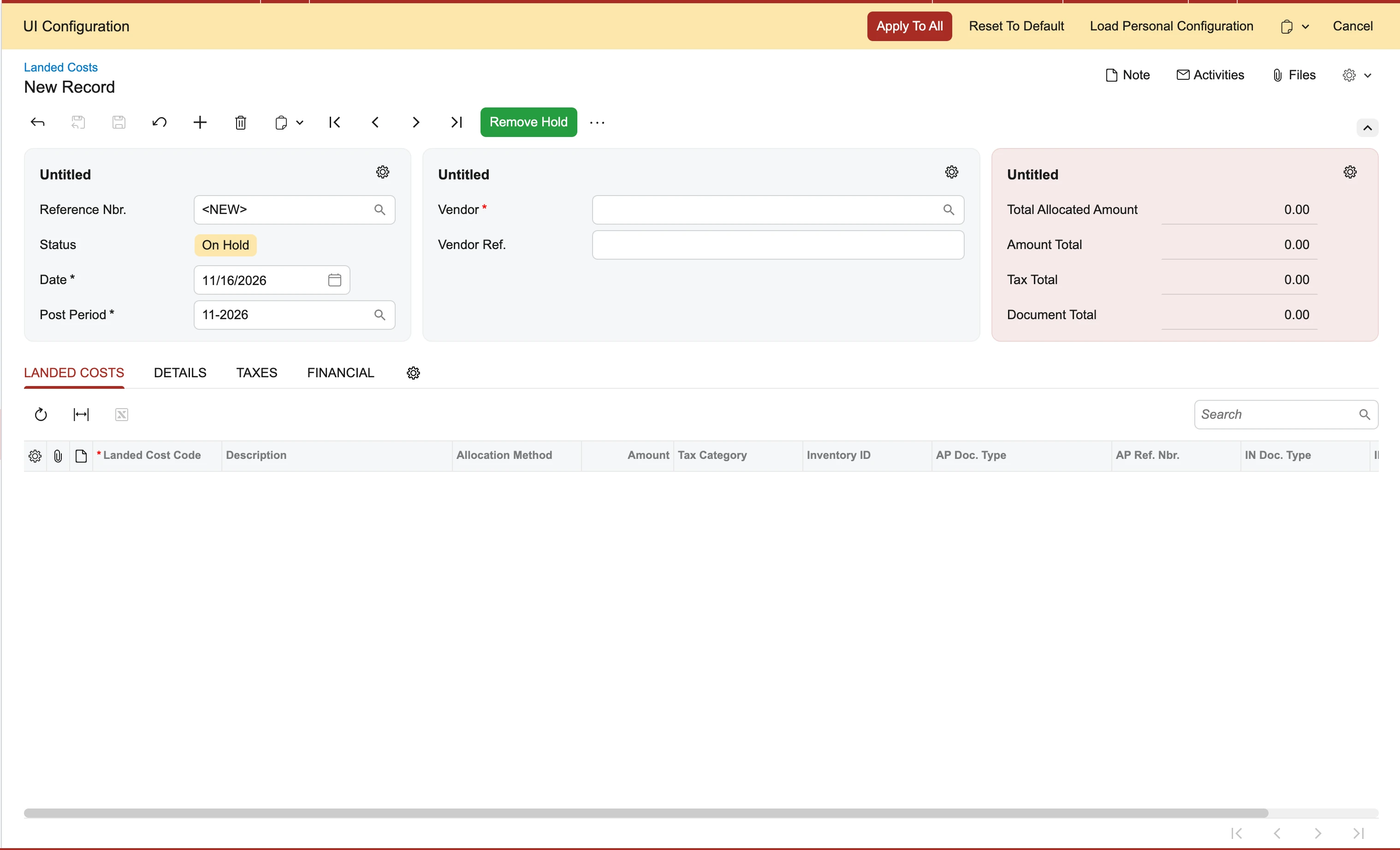
No option to add UDF on this screen like other screens.

4 replies

mohammadnawaz51
Varsity I
Forum|alt.badge.img+8

​@Harry You can create a attribute and add that field using UI configuration in Modern UI.

Translate

Forum|alt.badge.img
  • Author
  • Semi-Pro III
  • Nov 16, 2026 8:00 PM UTC

​@Harry You can create a attribute and add that field using UI configuration in Modern UI.

​@mohammadnawaz51 , And how can I add that on this screen? Can you pls guide me? Would really appreciate.

Translate

mohammadnawaz51
Varsity I
Forum|alt.badge.img+8

​@Harry 


Translate

Dipak Nilkanth
Pro III
Forum|alt.badge.img+14

Hi ​@Harry,

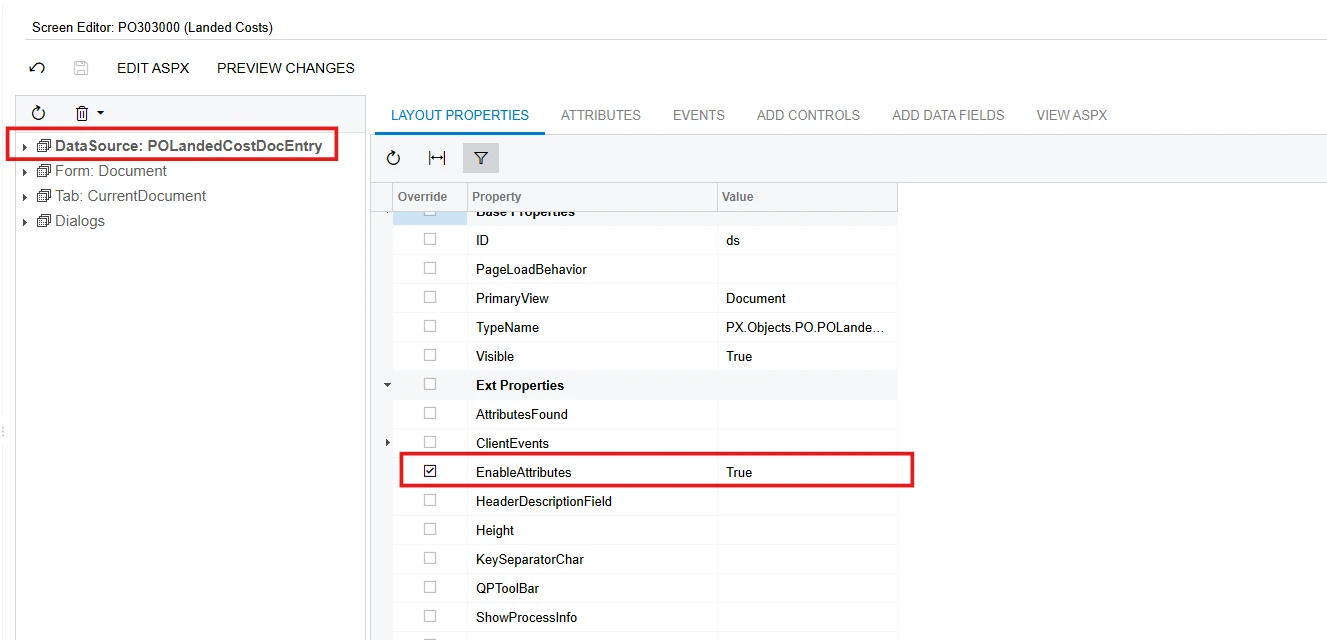
Some screens in Acumatica don't have the built-in Manage User-Defined Fields option. To make this functionality available, you need to customize the screen by setting the EnableAttributes property to True and publish the customization.

Here are the steps to enable it:

  1. Open the screen in the Classic UI and add the required attributes.

  2. Tools→ Switch to Modern UI.

  3.  go to UI Configuration, and click the Settings (gear) icon.

  4. Select Attributes and add the attributes you need.

    Hope, it helps!


Translate