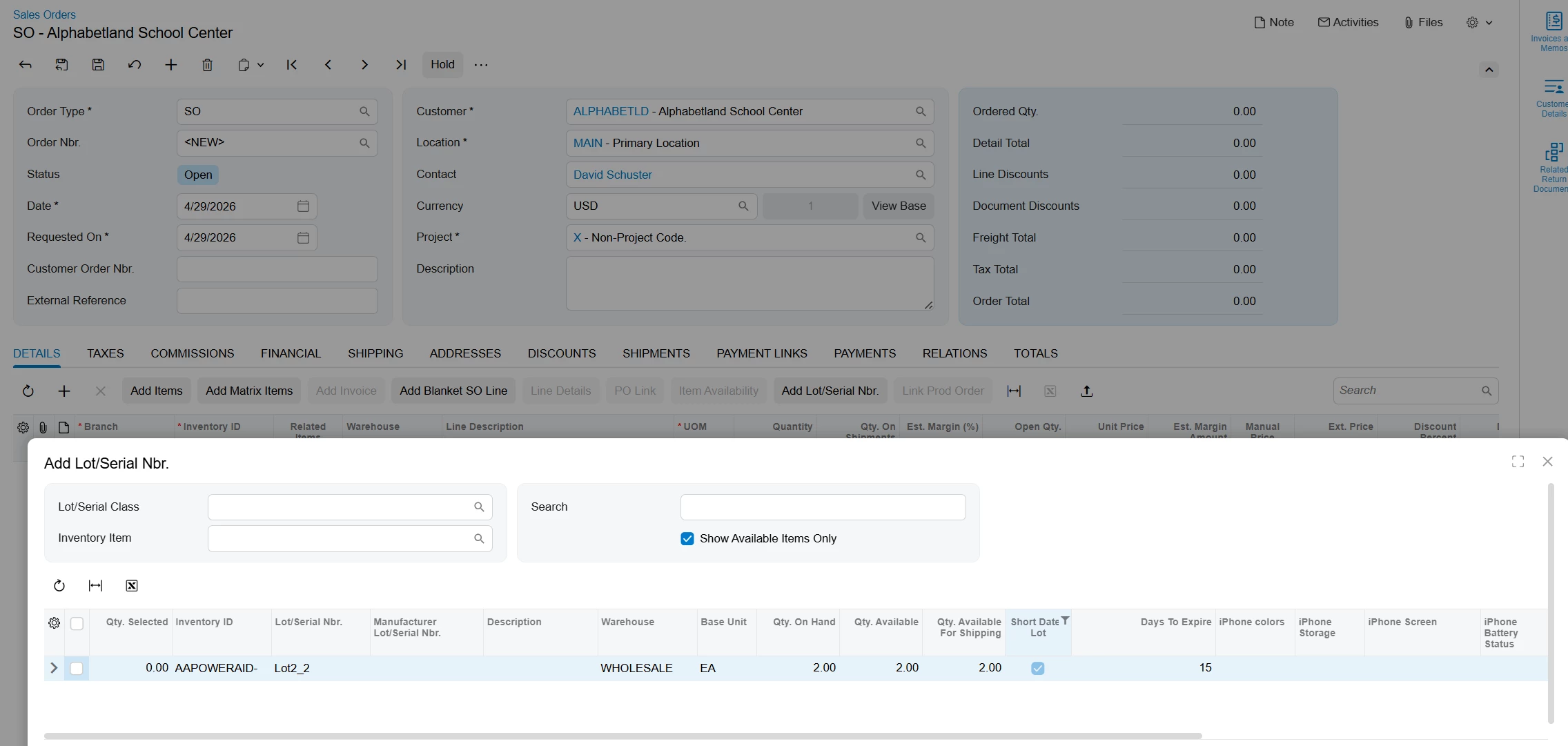

The goal of this example is to show how you can extend the functionality of any screen in Acumatica without writing a single line of code.
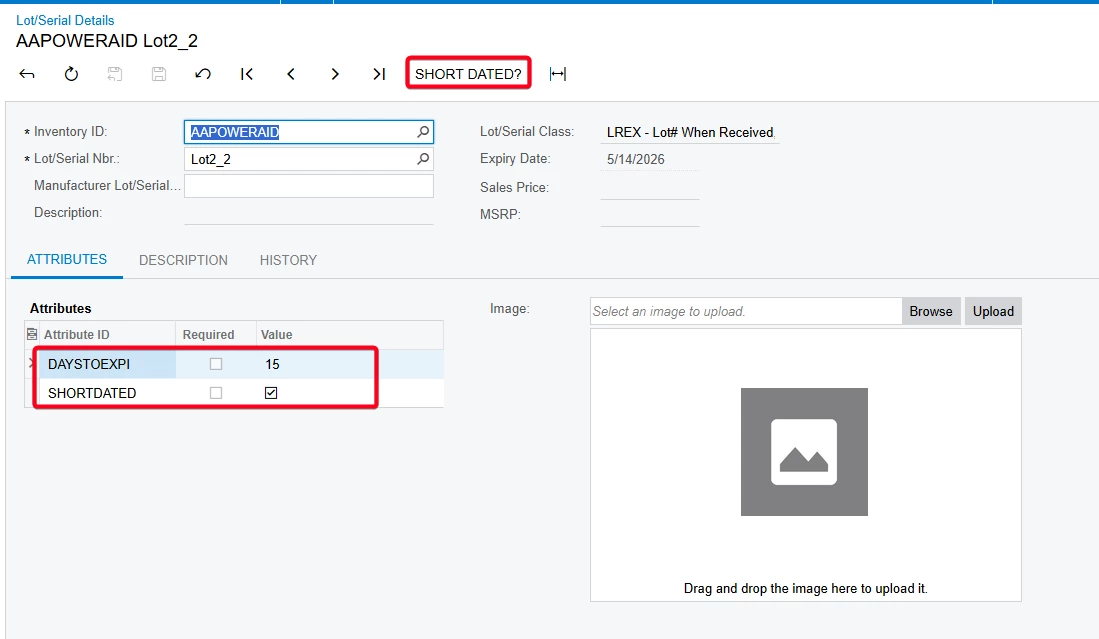
Requirement: Add a button to the Lot/Serial details screen to check if the lot is going to expire in 60 days, and if so, mark it as Short Dated. and calculate number of days left before the lot expires
Prerequisites : Create two attributes
- ShortDated: SHORTDATED → Type Checkbox
- Days to expire: DAYSTOEXPI → Number
Import LLM Prompt: xml attached
This is the prompt used
## Context Instructions
You are an AI assistant working with Acumatica ERP data. You are an inventory expert evaluating inventory lots and deciding which one is short dated
## Instructions with Input Data
-InventoryID: ((ItemLotSerial.InventoryID))
-LotNumber: ((ItemLotSerial.LotSerialNbr))
-Expiration Date: ((History.ExpireDate))
-Todays Date : ((GeneralInfo.BusinessDate))
-Use input data and calculate the following
1-Use Todays date minus expiration date
2-If number of days less than 60 then set Short Dated =True, if greater then set it to False
3-How many days left starting from today for the Lot to expire
## Output Data Field
Save If lot is short dated or not to: @((ItemLotSerial.AttributeSHORTDATED))
Save calculated days to expire in @((ItemLotSerial.AttributeDAYSTOEXPI))
Output Format
## Output Format Example:
{"@((ItemLotSerial.AttributeSHORTDATED))": "True"
"@((ItemLotSerial.AttributeDAYSTOEXPI))"="20"}
## Important Note:
The output must contain only the JSON object, without additional text, explanations, or comments. Make sure that the JSON object is properly formatted: Use double quotes for keys and string values, and place commas and braces correctly.
Benefit of this AI Studio extended functionality, now users can query for short dated lots on sales orders and offer it at a lower price on Sales Orders