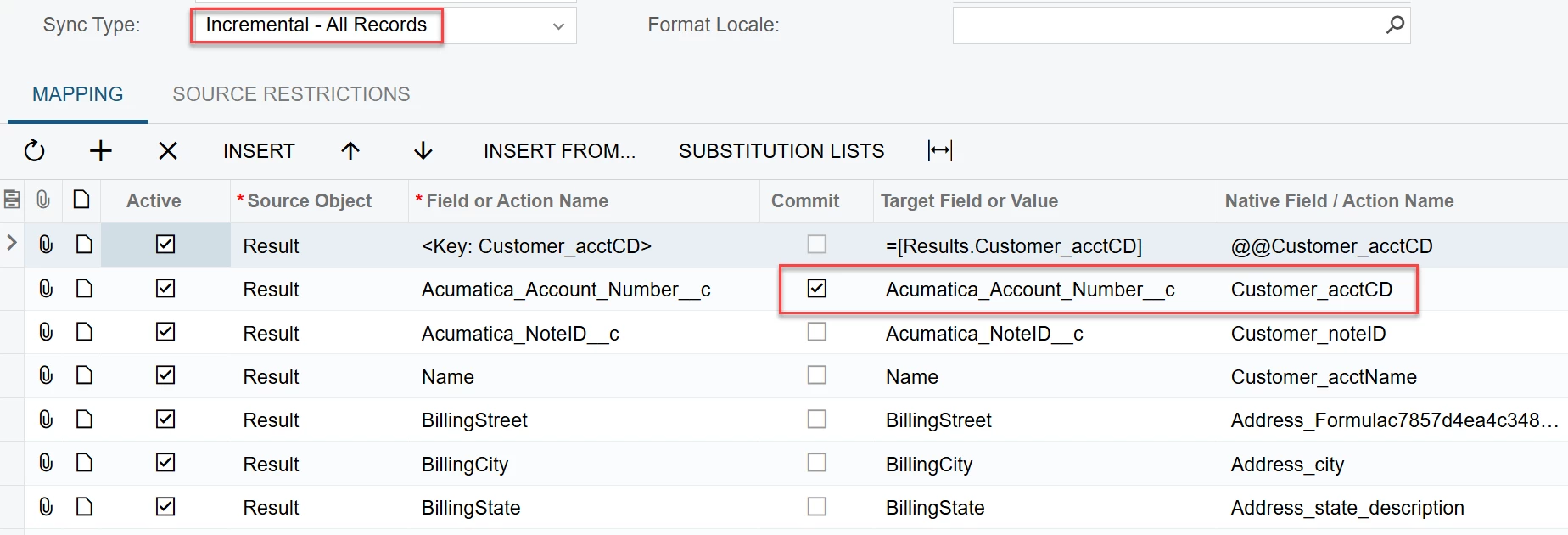
Customer is asking to export various Acumatica entities to Salesforce using the Acumatica Data Provider. Working with Acumatica support, we were led to believe that it was possible and that you could define the Salesforce schema objects in the data provider based on the exposed Salesforce API. I thought we would start their first request. Map Customers to Salesforce Accounts. The Salesforce data provider is connected and the fill schema fields works. The customer is using the modern UI.
I created a new Export Scenario for Customers to Accounts. On most of my initial attempts to update a single account, I kept getting an error that multiple accounts found where account = ‘’. When I added a mapping for the Acumatica customer number to export to the Account ID field, I received the error filter error: select id from account where accountID = ‘0000002’. Then I put the Salesforce account ID in the External Reference field of the customer and now I get The ID field should not be specified in the SObject data.
Here is the mapping that I am testing to just update the Account Name:
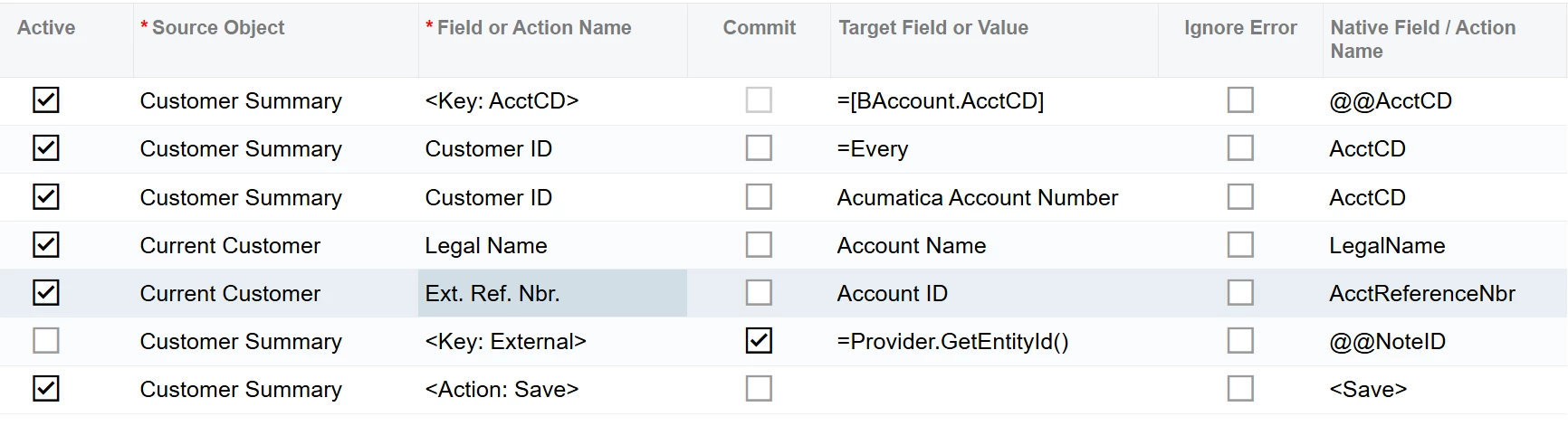
- Does the Salesforce ID field need to be stored in Acumatica to export data?
- The provided export scenarios use the Provider.GetEntityId() function. Is that needed?
- The Modern UI doesn’t expose the NoteID field in the mapping. If you type @@NoteID it gives you the <Key: External> action. How do you push the NoteID to Salesforce or is it not required if you are not going to sync from Salesforce to Acumatica?
- If the Salesforce ID is required, how can you export new customers?
The customer does not have the CRM module and Acumatica said that shouldn’t be a problem. Any help would be greatly appreciated.
Thank you,
John