



Hello! We are looking to create an automation schedule for the create pick list screen. The problem we are running into is “Overall number of totes should be at least as many as number of shipments.”
This error occurs when we specify a value in the Max Tote Per Picker field, and if there are more shipments in the que than the value specified in the field, we would run into this error.
Our issue is that there will ALWAYS be more shipments in the que than what we specify. Our max needs to be 12, is there a way for the automation schedule to only process 12 records at a time? Meaning that only put 12 records on the picking worksheet, and then generate another picking worksheet for the next 12 records?
We tried making the max number of pickers really large, which would solve the error message, but in this case ALL records in the que will be created in the same picking worksheet at the time automation is generated. We only want max of 12 records in one picking worksheet.
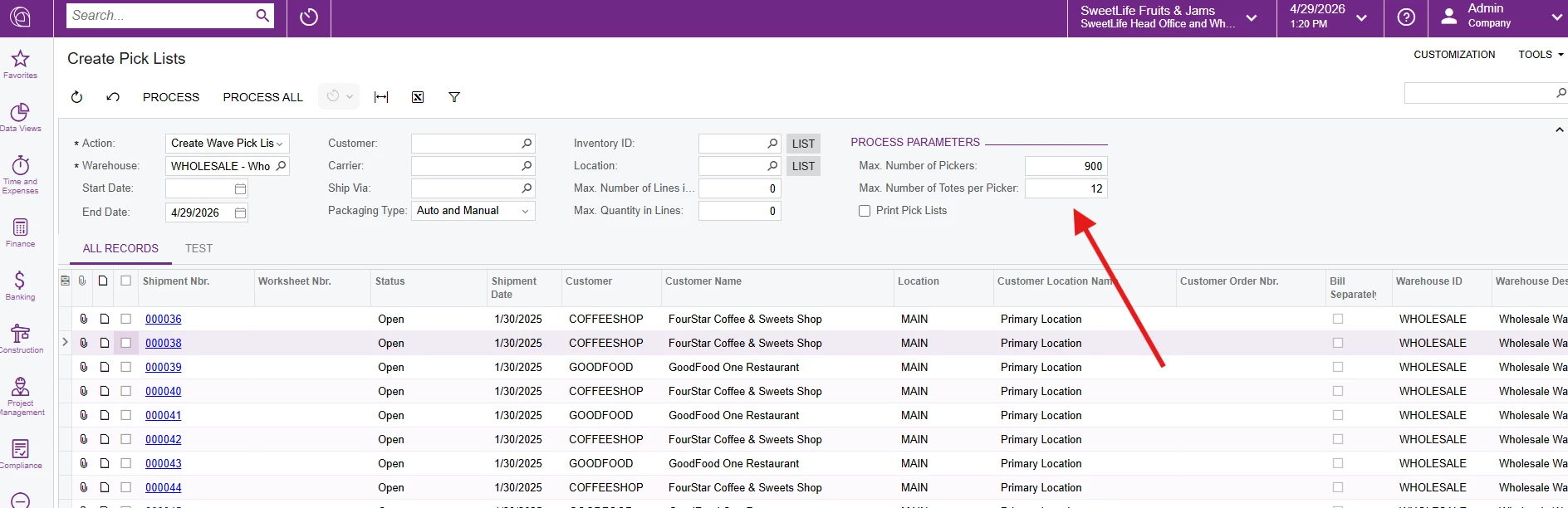
Open to any suggestion! Thanks!