Solved

Color code grid column

  • December 30, 2025
  • 5 replies
  • 74 views

Forum|alt.badge.img

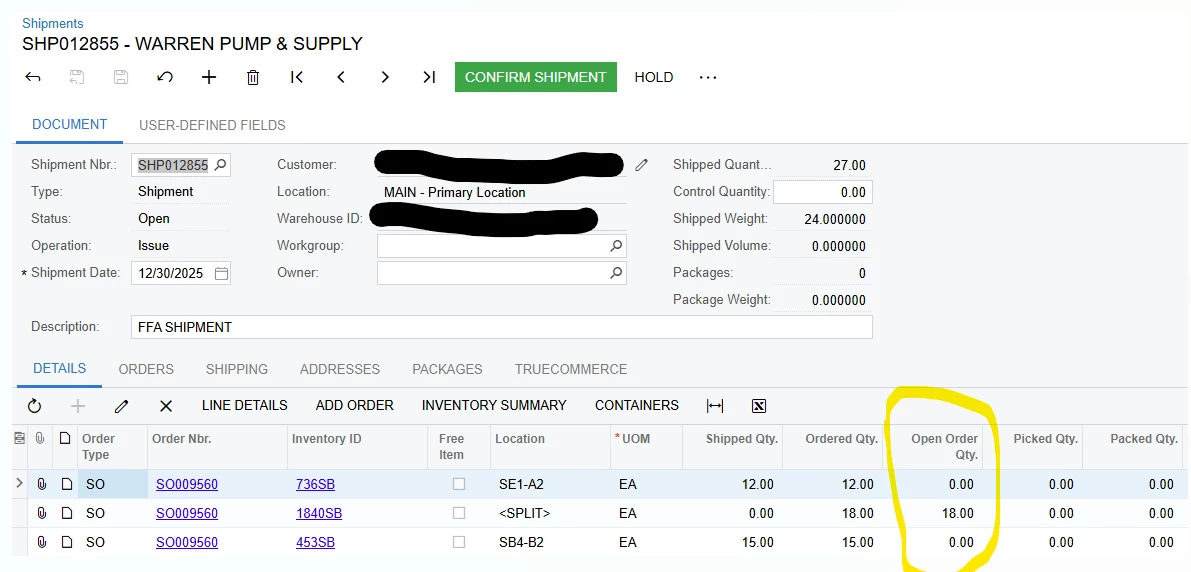
I want to change color code of a grid. I try changing the color of this grid in customization project, but i could not. Can I get help in doing that.

I believe this does not involve code.
 

Best answer by npetrosov31

Hello ​@SandyA,

You can do this using a JS script:

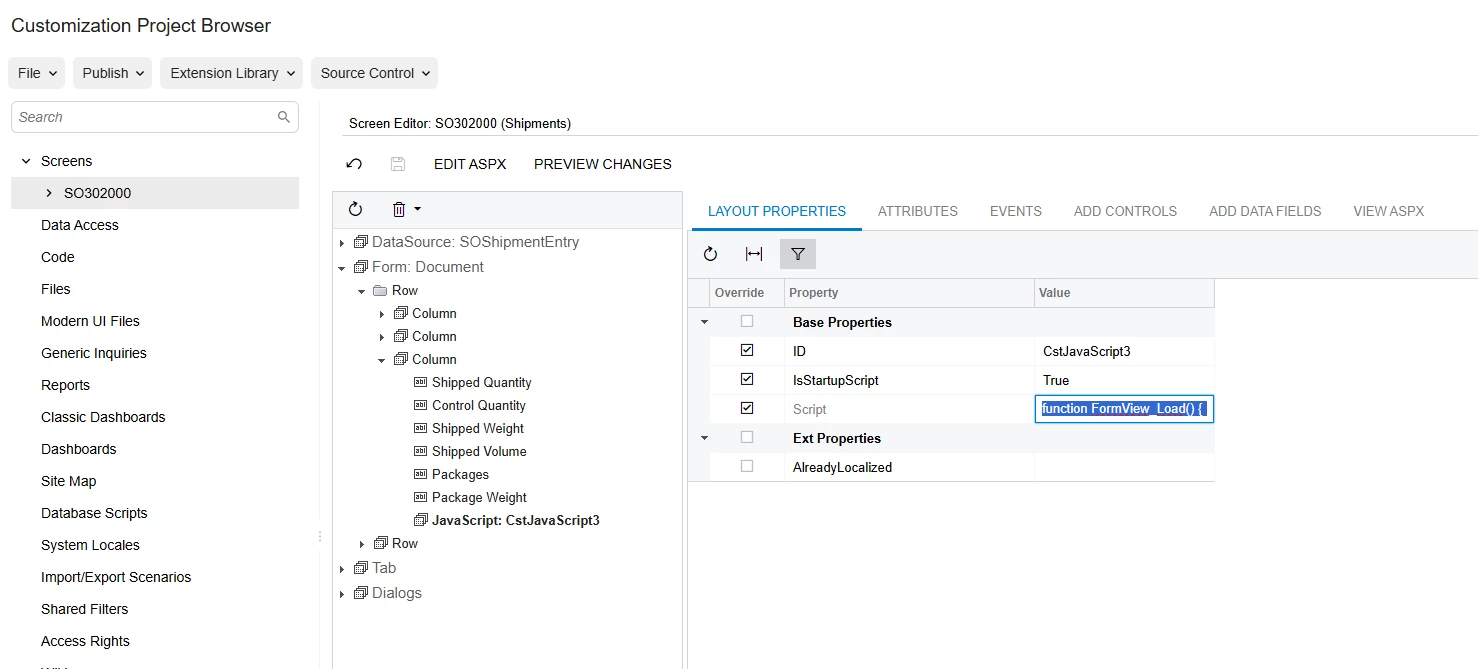
  1. Add a JavaScript in screen editor like this:

    It is available in Add Controls/Other Controls:
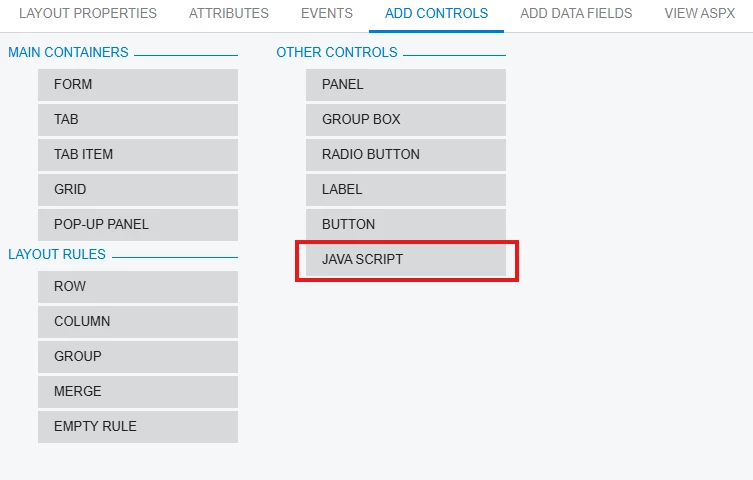
     

  2. Set IsStartupScript = true and the Script = function FormView_Load() {          if (px_all["ctl00_phG_tab_t0_grid"] && px_all["ctl00_phG_tab_t0_grid"].rows) {                  let lines = px_all["ctl00_phG_tab_t0_grid"].rows.items;                  for (let i = 0; i < lines.length; i++) {                          let currentLine = lines[i];                          if(currentLine) {                                  let field = currentLine.getCell("FullOpenQty");                                  if(field !== undefined) {                                          let fieldValue = field.getValue();                  if (fieldValue && fieldValue > 0) {                      field.style = "green";                          field.repaint();                                      }                              }                      }              }      }}
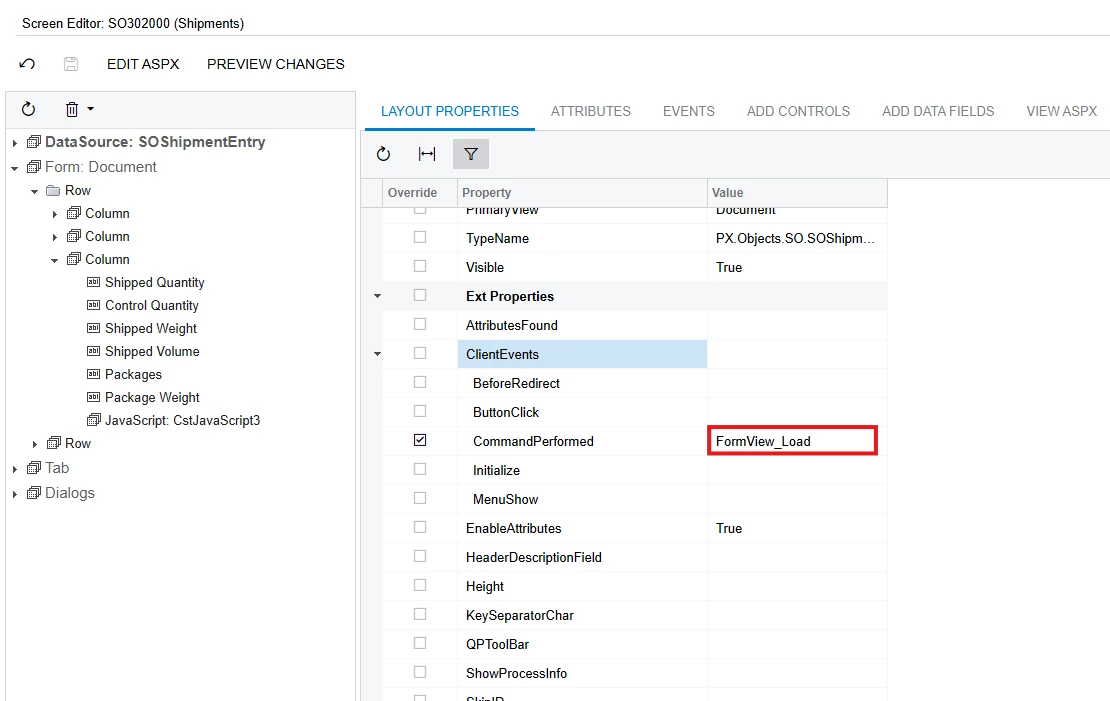
  3. Go to DataSource and set the CommandPerformed under ClientEvents = FormView_Load:


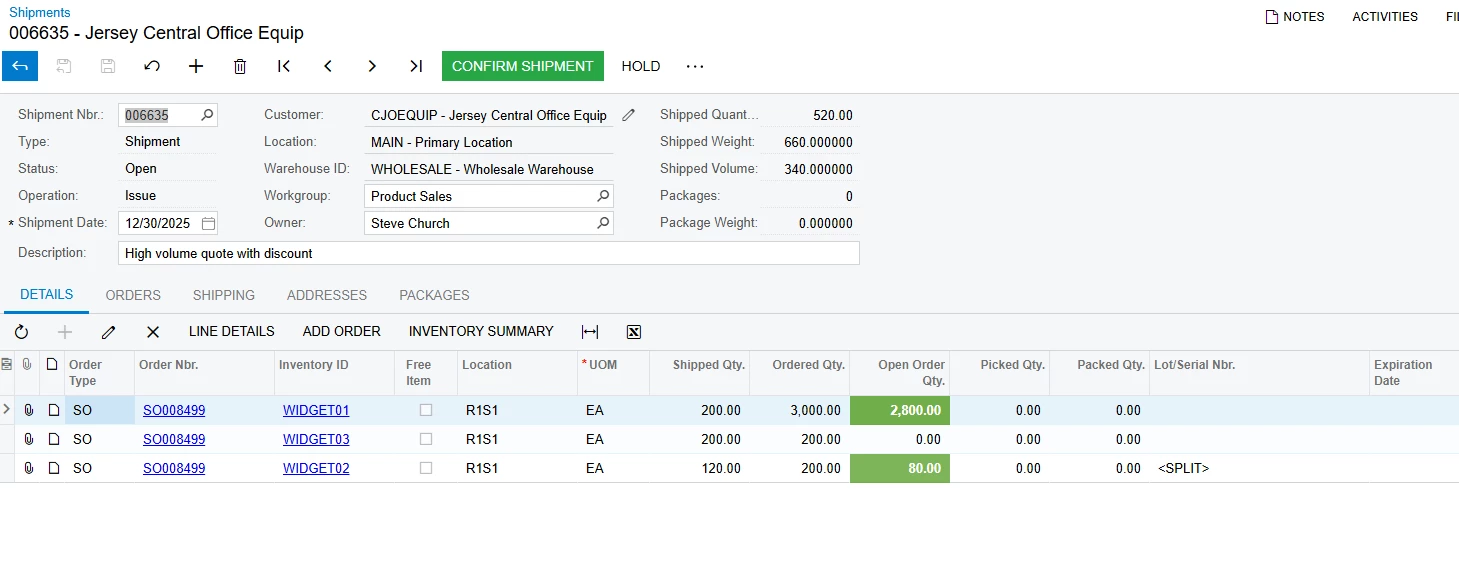
  4. All of this resulted into changing the color in the screen to green:


5 replies

npetrosov31
Jr Varsity I
Forum|alt.badge.img+1
  • Jr Varsity I
  • Answer
  • December 30, 2025

Hello ​@SandyA,

You can do this using a JS script:

  1. Add a JavaScript in screen editor like this:

    It is available in Add Controls/Other Controls:
     

  2. Set IsStartupScript = true and the Script = function FormView_Load() {          if (px_all["ctl00_phG_tab_t0_grid"] && px_all["ctl00_phG_tab_t0_grid"].rows) {                  let lines = px_all["ctl00_phG_tab_t0_grid"].rows.items;                  for (let i = 0; i < lines.length; i++) {                          let currentLine = lines[i];                          if(currentLine) {                                  let field = currentLine.getCell("FullOpenQty");                                  if(field !== undefined) {                                          let fieldValue = field.getValue();                  if (fieldValue && fieldValue > 0) {                      field.style = "green";                          field.repaint();                                      }                              }                      }              }      }}
  3. Go to DataSource and set the CommandPerformed under ClientEvents = FormView_Load:


  4. All of this resulted into changing the color in the screen to green:


Forum|alt.badge.img
  • Author
  • Freshman II
  • December 30, 2025

@npetrosov31 thanks a lot. I see the results


Forum|alt.badge.img
  • Author
  • Freshman II
  • December 30, 2025

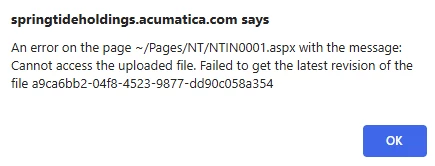
@npetrosov31 , when I try to publish this I got


npetrosov31
Jr Varsity I
Forum|alt.badge.img+1
  • Jr Varsity I
  • December 30, 2025

@SandyA this error does not look like connected to the script, in some package you have screen with NTIN0001 screen id. I think you need to reupload that package


Forum|alt.badge.img
  • Author
  • Freshman II
  • December 30, 2025

@npetrosov31 Ok will do that.