

Answer

Change Sorted Column for Ship Via's on Sales Order Screen

  • October 25, 2023
  • 2 replies
  • 118 views

Forum|alt.badge.img

Hello,

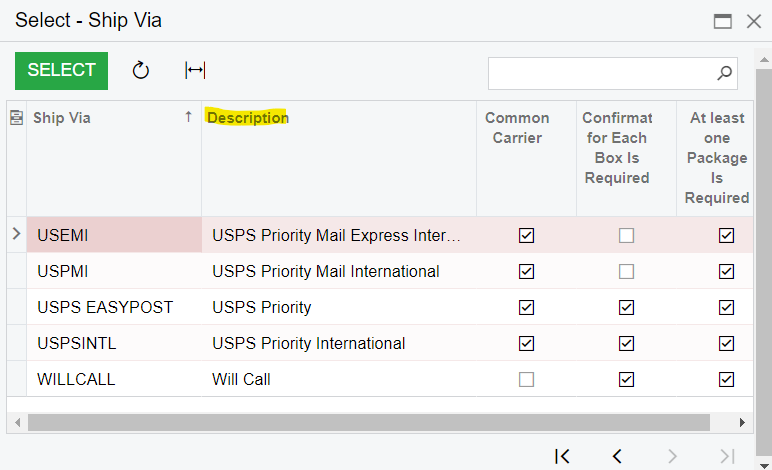
I’m wondering if there is a way to change the default column that gets sorted for ship vias on the sales order screen? It’s currently set as Ascending order by the Ship Via column. I would like to have it sort in Ascending order by the Description column by default. 

Is this possible?

Thanks!
 

Best answer by Robert Sternberg

Sort order is only recorded for the current session.  To modify the default behavior would take a small customization. 


If you are looking to write this customization yourself there is a good discussion on this post. 


Hope this helps!

2 replies

Robert Sternberg
Captain II
Forum|alt.badge.img+7

Sort order is only recorded for the current session.  To modify the default behavior would take a small customization. 


If you are looking to write this customization yourself there is a good discussion on this post. 


Hope this helps!


Vignesh Ponnusamy
Acumatica Moderator
Forum|alt.badge.img+5

Hi @bclark,

In this case, I see you wanted to sort the PXSelector. But in PXSelector you can only sort using by the key or foreign key field. In this case you can use CustomSelector.

You can refer to the example in to create CustomSelector,

Good Luck,


