Question

Business Event -- need Task and Email assistance

  • Nov 2, 2026 11:19 PM UTC
  • 2 replies
  • 16 views
  • Translate All

Forum|alt.badge.img

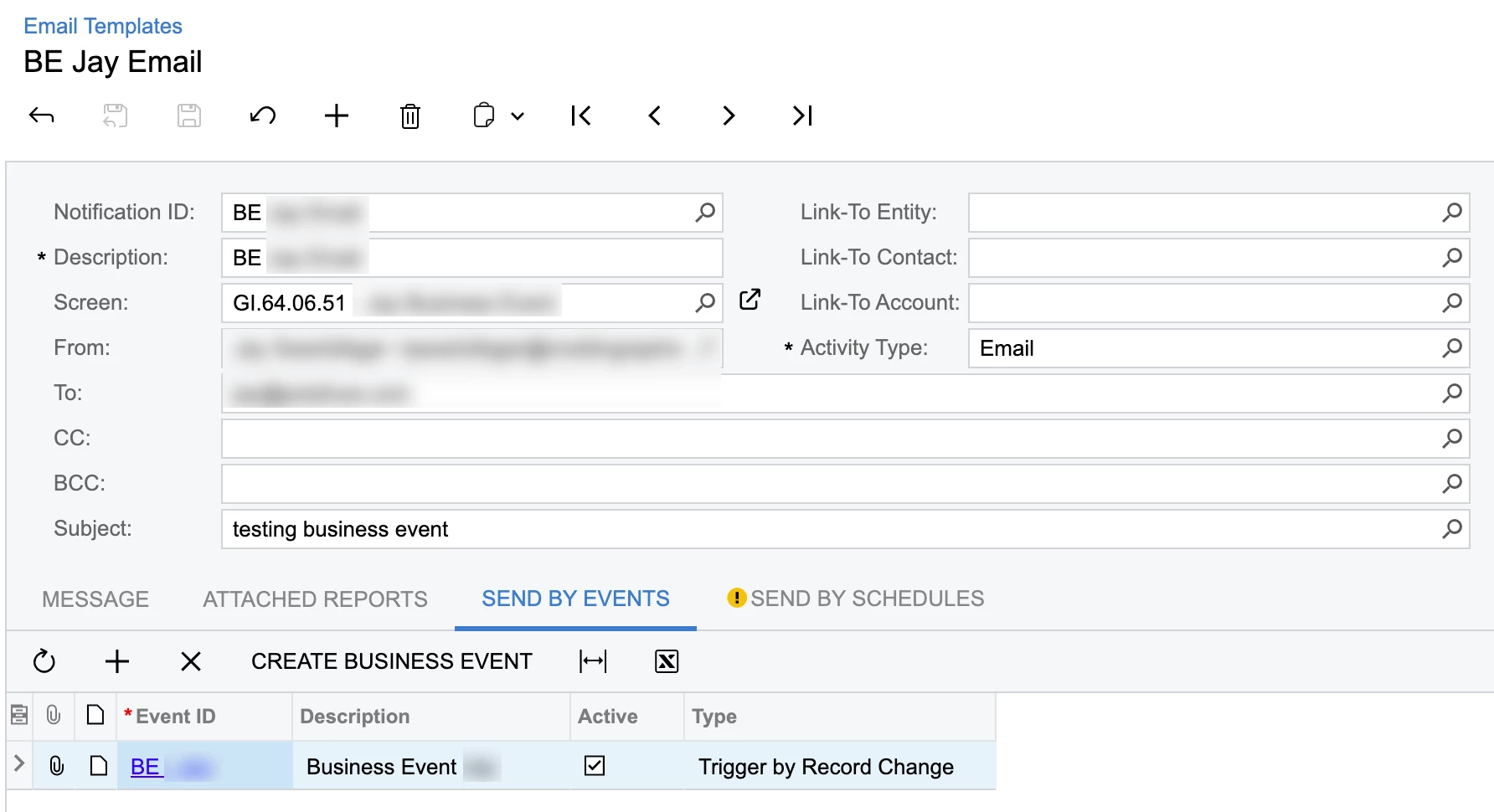
Hello all, I’ve created a GI to drive two separate Business Events (an Email, and a Task). They both work but not nearly as well as I need/would like.

Long story short -- I need to trigger a weekly reminder and email. IE, a change made to a record today, November 2, would trigger an email in +7 (November 9), and create a task with a start date of today with an end date of 11/9, with a reminder notification triggering on 11/9.

When I make a change to a Business Account (picked up by the business event tied to the GI), an email goes out, and a task is created, but I essentially need this to be done “@Today +7”

Any thoughts/ideas? Thanks!
 

2 replies

Steve Milner
Varsity III
Forum|alt.badge.img+6
  • Varsity III
  • Nov 2, 2026 11:44 PM UTC

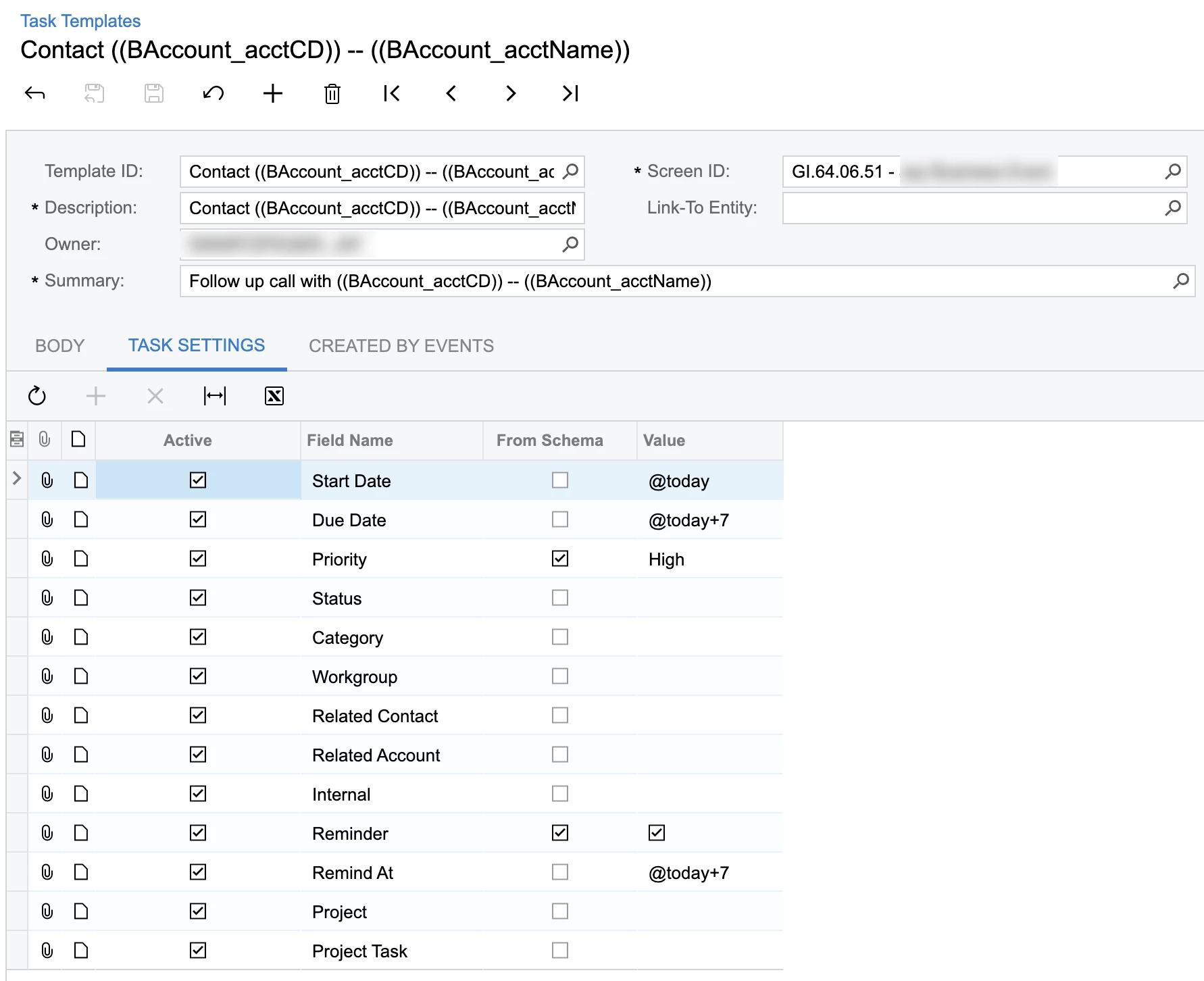
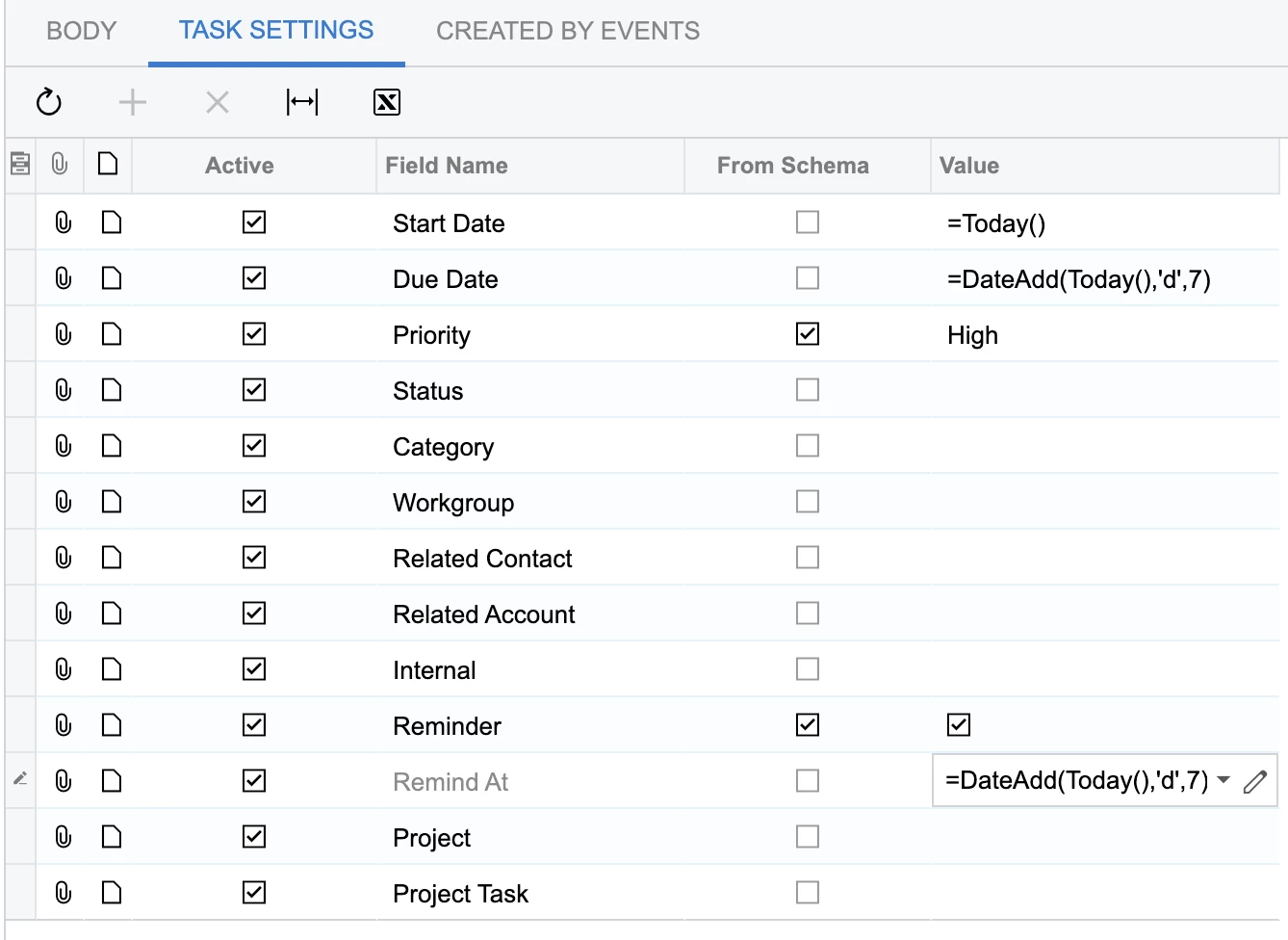
@swartzfeger The task side is close. The catch is the Value column on Task Settings: it wants a formula, not @today. Another user had @today and @today+30 there and the task came out with no dates. Keep From Schema cleared on these rows and change the values to:

Start Date: =Today()
Due Date: =DateAdd(Today(),'d',7)
Remind At: =DateAdd(Today(),'d',7)

Your Reminder row is already right. nhatnghetinh showed the fix working here: https://community.acumatica.com/everything-else-119/setting-dynamic-due-start-dates-for-tasks-26226

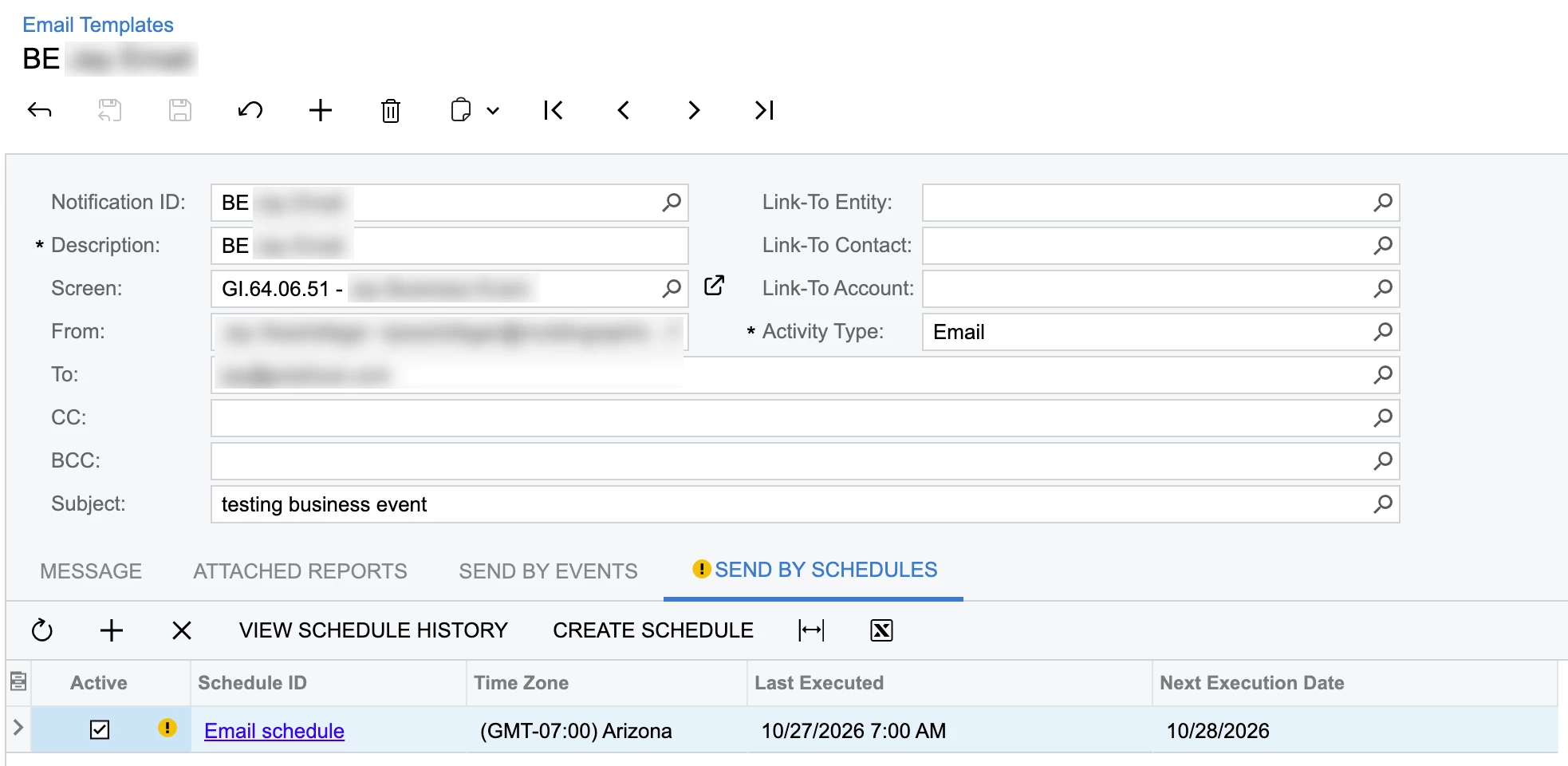
The email is the harder half. A business event has no delay setting, so its email subscriber goes out as soon as the record-change event fires. The schedule on the template's Send By Schedules tab doesn't hold it back either. It sends the template on its own timetable, apart from the event.

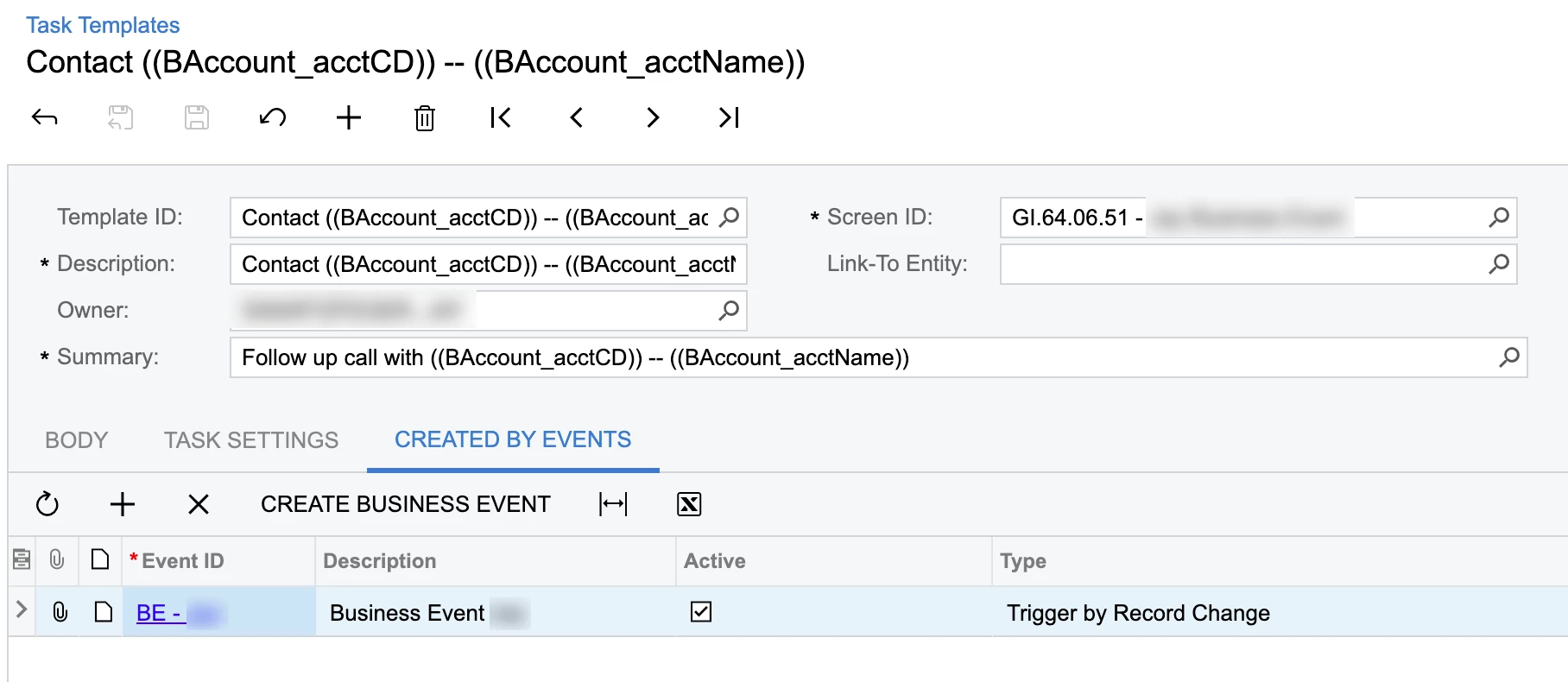
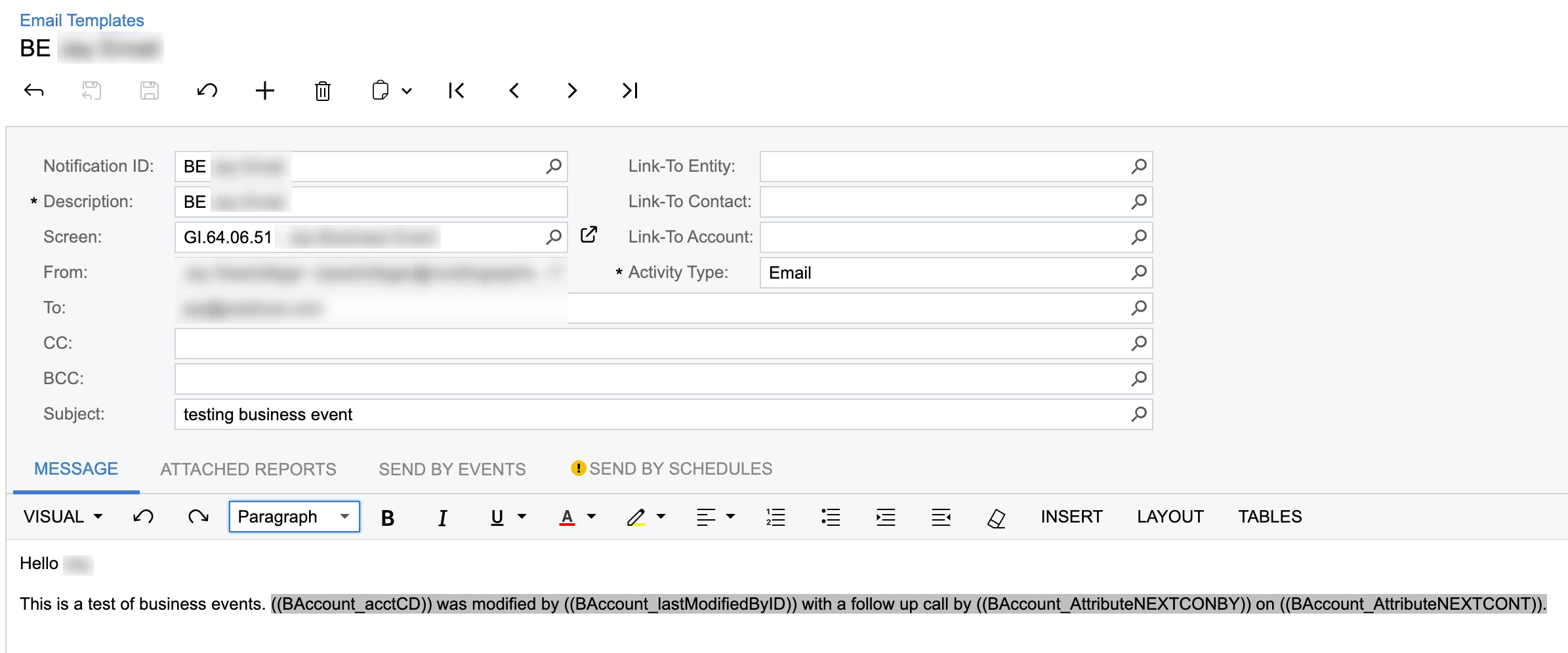
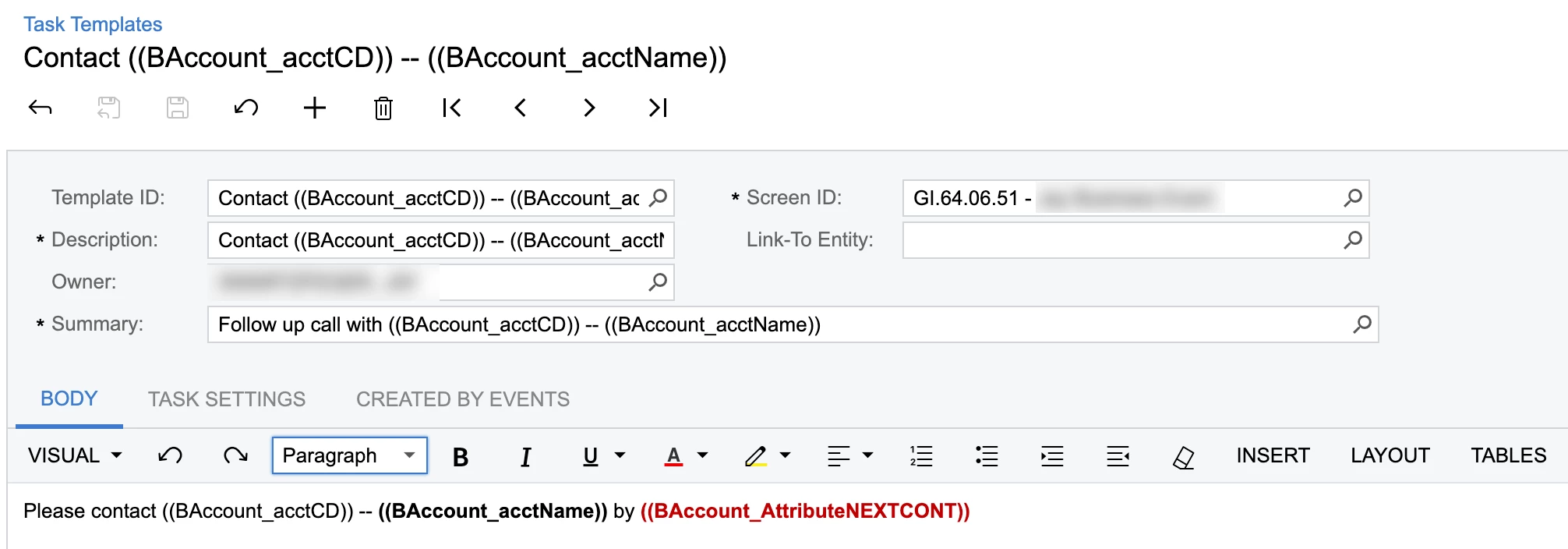
Let the task carry the date instead. Build a GI on tasks and put a second business event on it, Trigger by Schedule, run daily, with conditions for Due Date equals @Today and the task still open, so finishing the task early means no email. Give that event an email subscriber. One catch: your template leaves Related Account blank, so the task isn't tied to the business account. Fill it from your GI so the task GI can reach the account and your NEXTCONT fields.

Translate

Forum|alt.badge.img
  • Author
  • Jr Varsity II
  • Nov 3, 2026 2:32 PM UTC

@swartzfeger The task side is close. The catch is the Value column on Task Settings: it wants a formula, not @today. Another user had @today and @today+30 there and the task came out with no dates. Keep From Schema cleared on these rows and change the values to:

Start Date: =Today()
Due Date: =DateAdd(Today(),'d',7)
Remind At: =DateAdd(Today(),'d',7)

Your Reminder row is already right. nhatnghetinh showed the fix working here: https://community.acumatica.com/everything-else-119/setting-dynamic-due-start-dates-for-tasks-26226


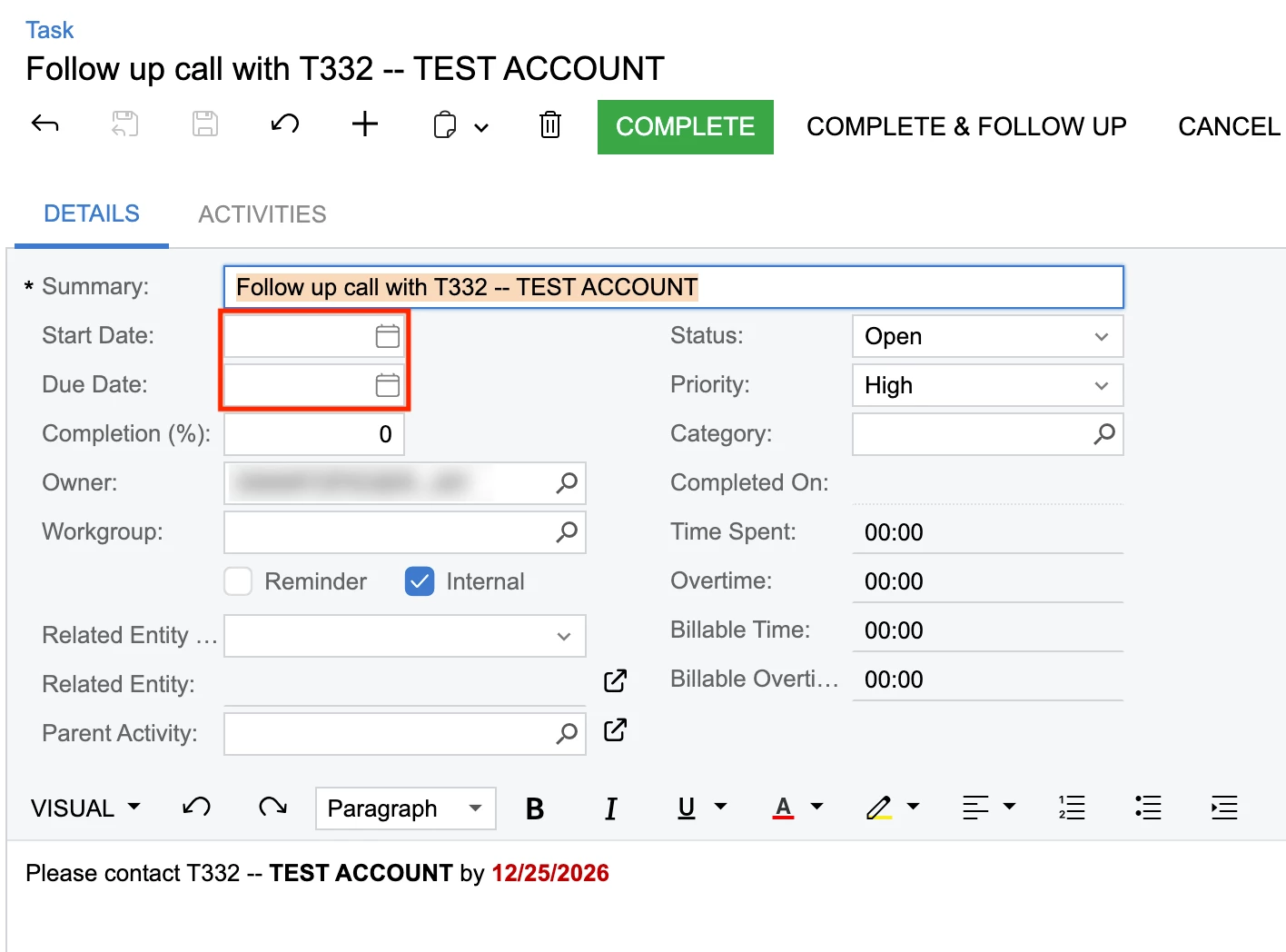
Thanks ​@Steve Milner I tried your suggestion; the task was created but none of the date fields populated properly.


Translate