In Accounts Receivable Preferences, the Require Invoice/Memo Emailing Before Release is checked. This is so that when an SO Invoice is created it is in the Pending Email status so that we can use the Sales Orders Process Invoices and Memos screen to email invoices and then mark them as emailed.
They have an automation schedule that runs each evening to generate invoices from shippers from the Process Shipments screen, then there is an automation schedule that generates the emails for the invoices from the Process Invoices and Memos screen, and then an automation schedule runs to release the invoices using the Process Invoices and Memos screen. All of these run 1 each at the end of the day.
They have some specific invoices that they want to invoice, email, and release immediately. I created a GI that shows Confirmed Shipments with the specific criteria. I created a Business event with this GI that fires an Action from the Shipment screen to Prepare Invoice when SOShipment.Status changes to Confirmed. This works.
I created a GI that shows SO Invoices with a status of Pending. I created a Business Event with this GI that fires an Action from the SO Invoice screen to email the invoice when the SOInvoice.Status changes to Pending Email. This works, it triggers as soon as the one above is completed.
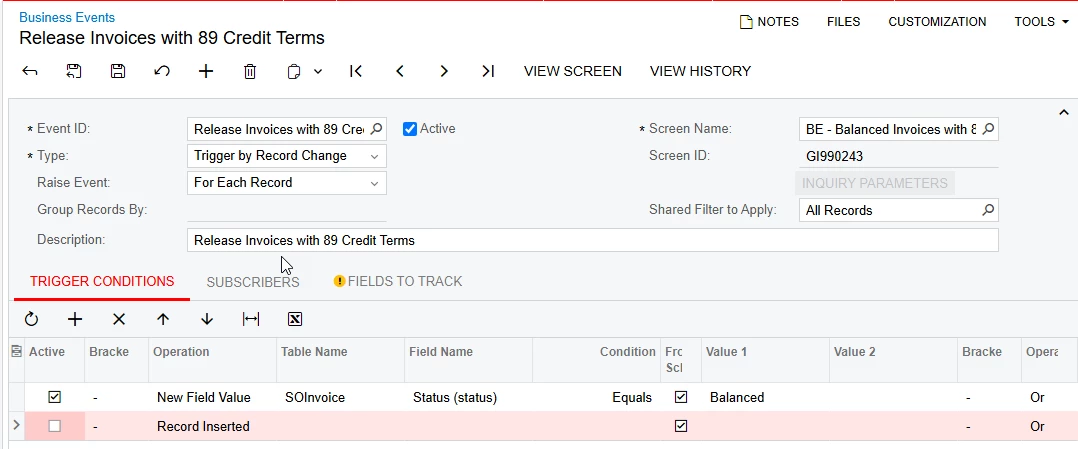
I created a GI that shows SO Invoices with a status of Balanced. I created a Business Event with this GI that fires an Action from the SO Invoice screen to release the invoice when the SOInvoice.Status changes to Balanced. This gives an error: The Release Button is disabled. However, when I go look at the invoice the Release Button is enabled and I am able to release the invoice. I am guessing it is some type of timing issue with the Business Event above since the completion of that would trigger this Business Event.
Is there anything I can do to make this last Business Event work?