
Answer

Bundling up Financial Rpts (ARM rpts, .RPX files) into a Customization Project

  • October 27, 2025
  • 5 replies
  • 65 views

S1AW
Freshman II

Hello all,

Thanks for any advice here. I’m struggling to create an omnibus Financial Reports package that is a standalone Customization Project. I’ve tried a few approaches but I’m not seeing what I want.

Starting with the ARM reports:

I’ve selected a specific ARM report and exported the XML file from Report Definition.
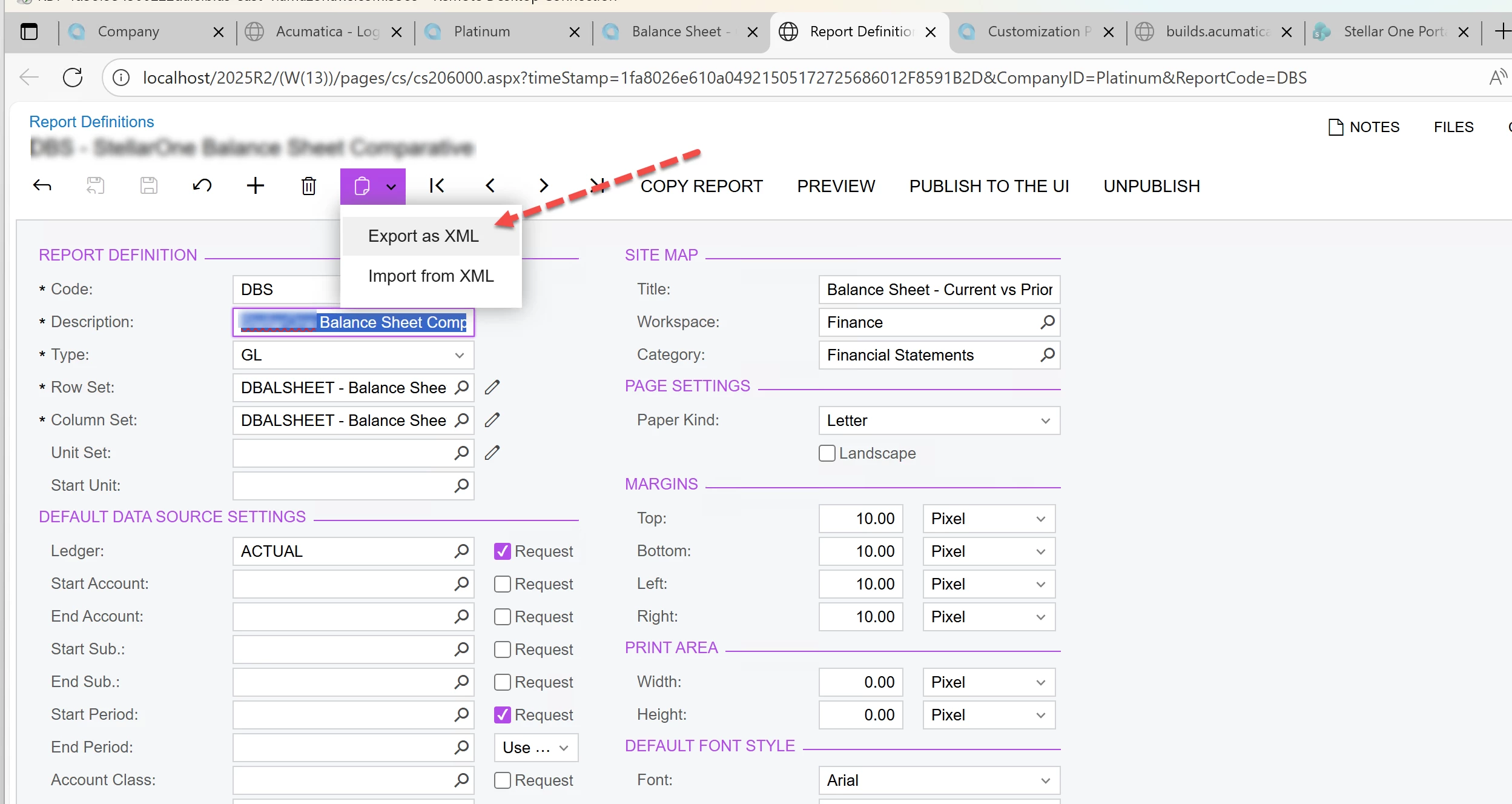
 

Then I’ve tried both preserving the original code (DBS is shown here) and modifying the XML to have a new code (EG MyOrgDBS). I’m getting the same results though- but open to feedback if that is important or not.

Then I take that XML file and add it to the ‘Files’ area of the designated Customization Project.
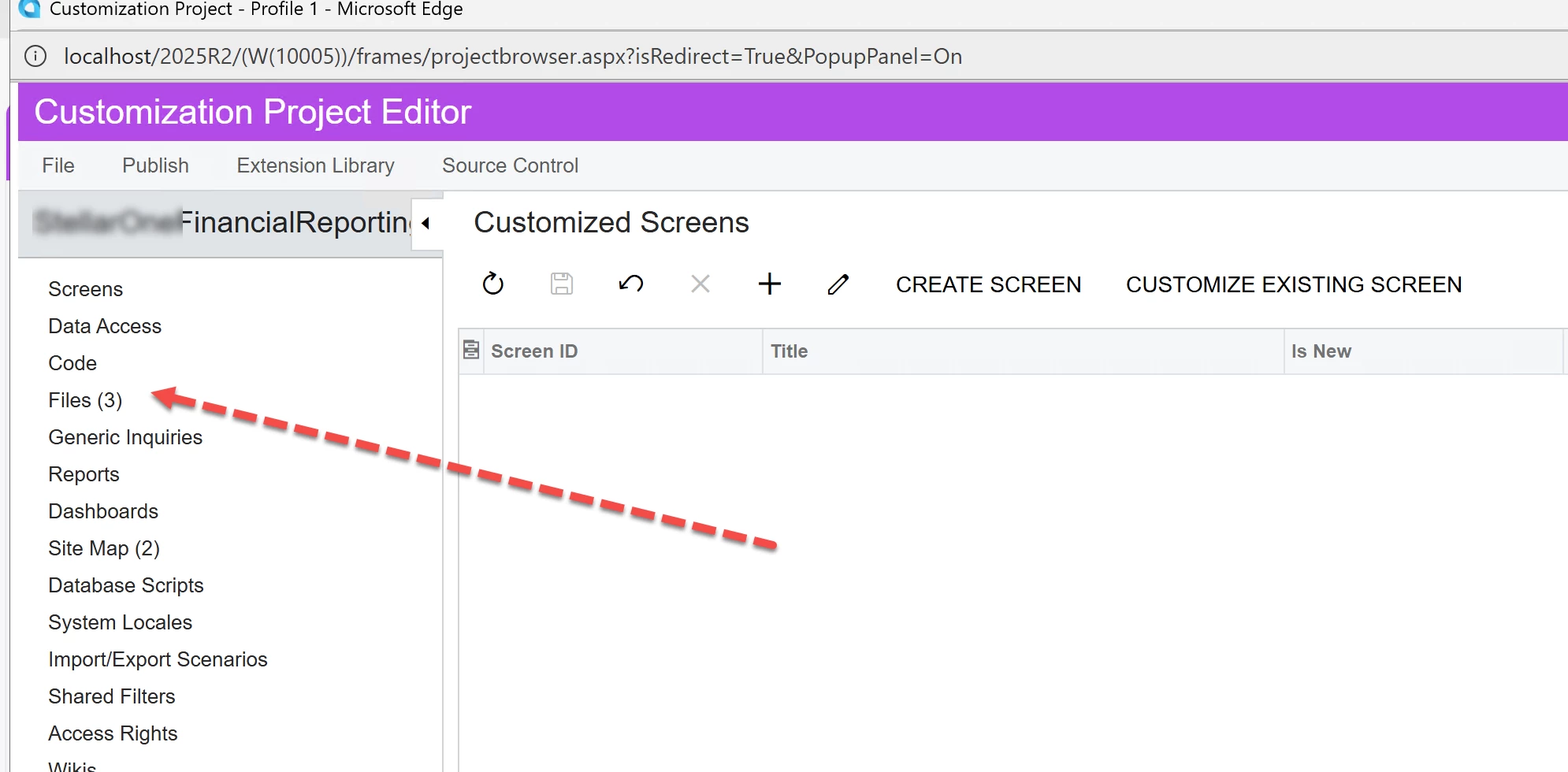
 

Then, I export that project and import the .ZIP to another instance of Acumatica (same version - 2025R1). 

The results I’m getting are that I do not see that the ARM file’s Description field is preserved, which makes me think that the ARM report that I am attempting to import (as part of the Customization project ) is being preserved at all.
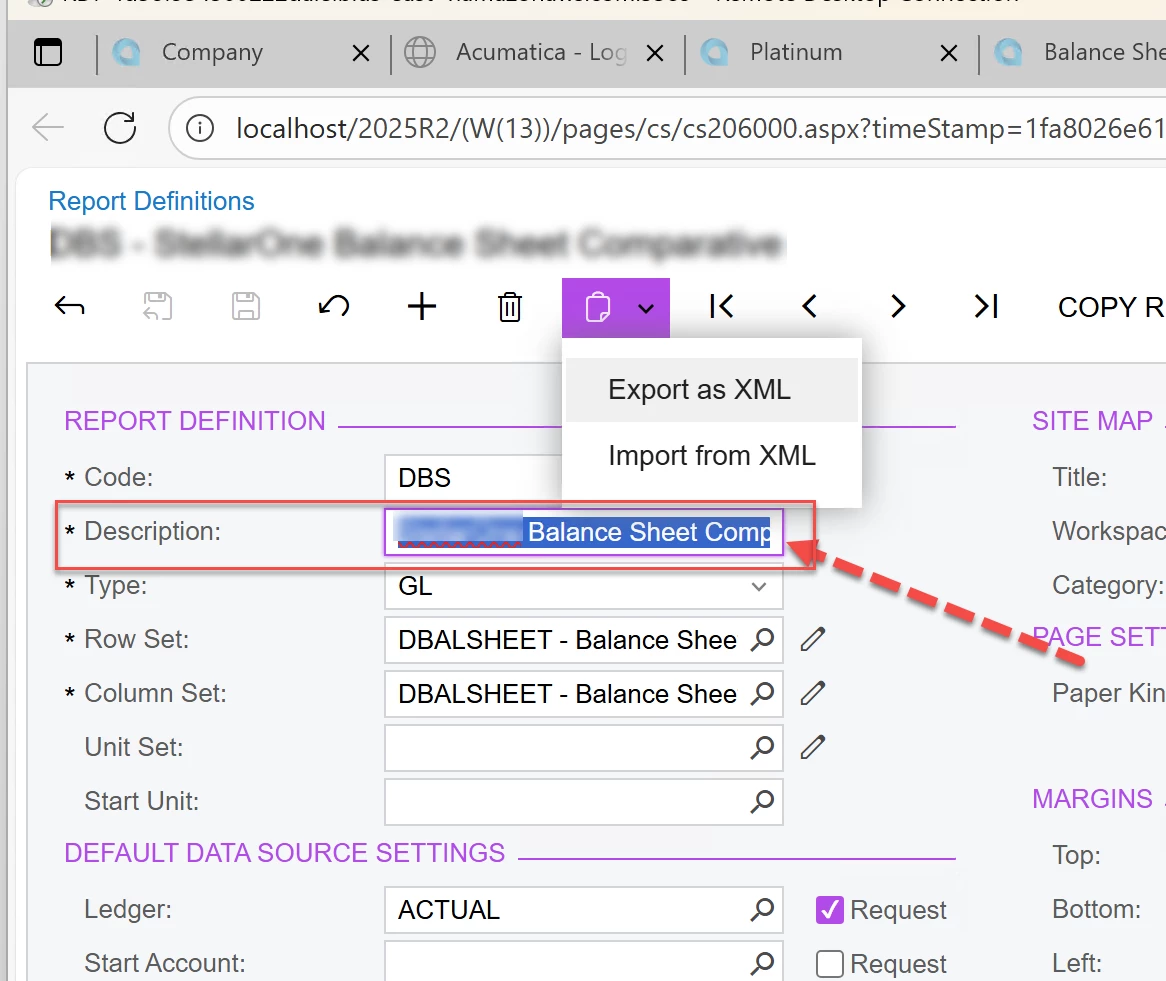
 

Is there a more appropriate way to bundle up ARM reports (and eventually .RPX files) into a Customization project? 

Or- is there something I am missing that would explain why the old data aren’t being overwritten by the new data from the customization project?

Thank you Acumatica folks for any ideas.

Arline
Best answer by S1AW

Hello all,

Just wanted to share what I learned here. 

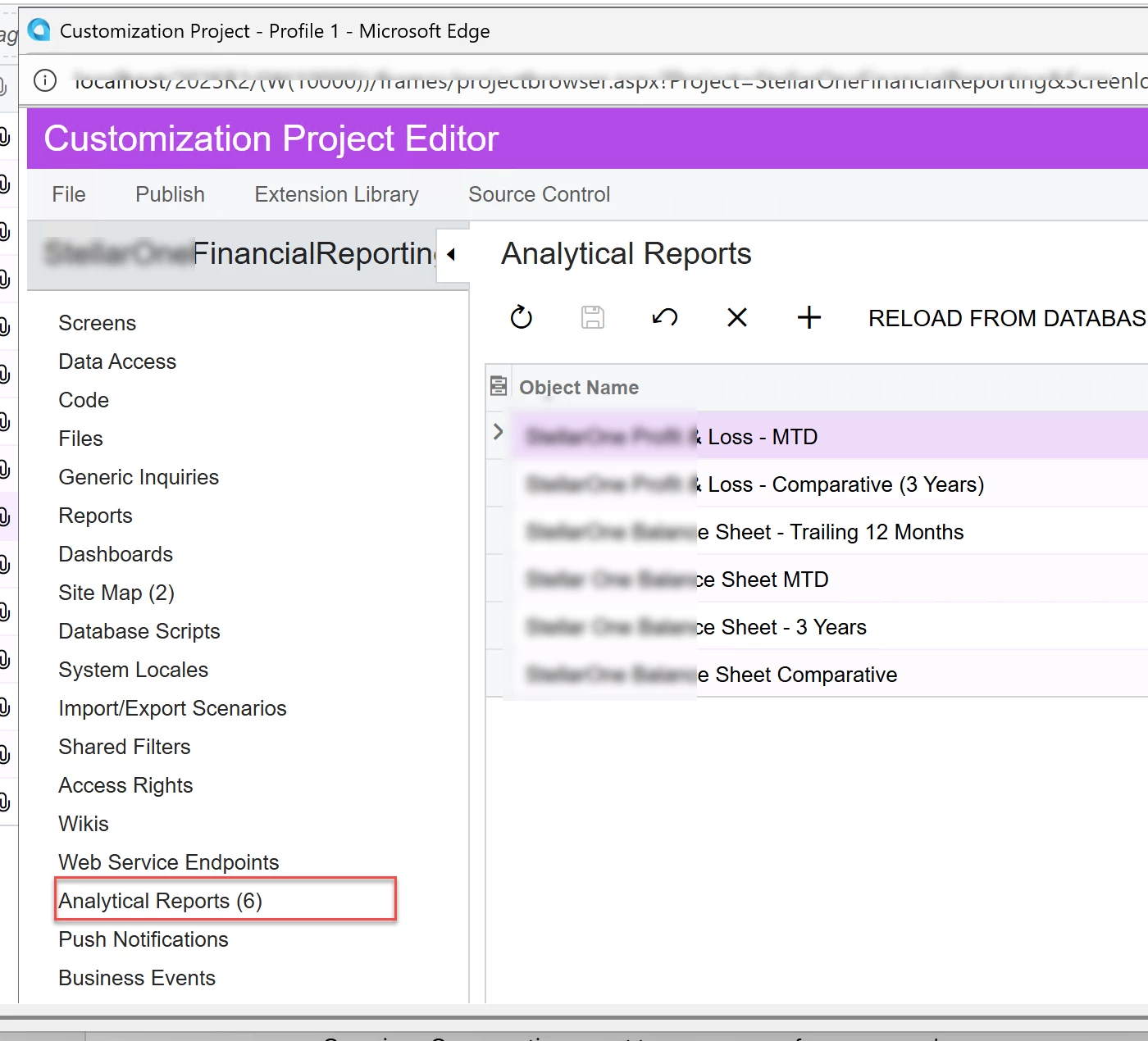
The ARM reports can be bundled into a customization project, but not under Files (as I originally thought) or under Reports (Those are for .rpx files) but in the ‘Analytical Reports’ area.

Once I did this I was able to port them to another tenant and overwrite the changes in that destination tenant. 

Sharing in case it helps for others.
Arline


5 replies

Forum|alt.badge.img
  • Captain I
  • October 27, 2025

I am also running into a similar issue with Financial Reporting and would love any ideas the Community might have. Thanks!


miguel80
Semi-Pro III
Forum|alt.badge.img+3
  • Semi-Pro III
  • October 27, 2025

Add it in the “Reports” section rather than as a file. It should work.


aaghaei
Captain II
Forum|alt.badge.img+10
  • Captain II
  • October 28, 2025

As far as I know the ARM reports live inside the DB in a couple of tables not as standalone file that you can add to customization projects. If you want to add to a customization project I am guessing your only option is to convert the data records of these tables as an script and either insert through a SQL code or read the html content and insert as a plug-in.


S1AW
Freshman II
  • Author
  • Freshman II
  • Answer
  • October 28, 2025

Hello all,

Just wanted to share what I learned here. 

The ARM reports can be bundled into a customization project, but not under Files (as I originally thought) or under Reports (Those are for .rpx files) but in the ‘Analytical Reports’ area.

Once I did this I was able to port them to another tenant and overwrite the changes in that destination tenant. 

Sharing in case it helps for others.
Arline


Chris Hackett
Community Manager
Forum|alt.badge.img
  • Acumatica Community Manager
  • October 29, 2025

Thank you for sharing your solution with the community ​@S1AW!