Answer

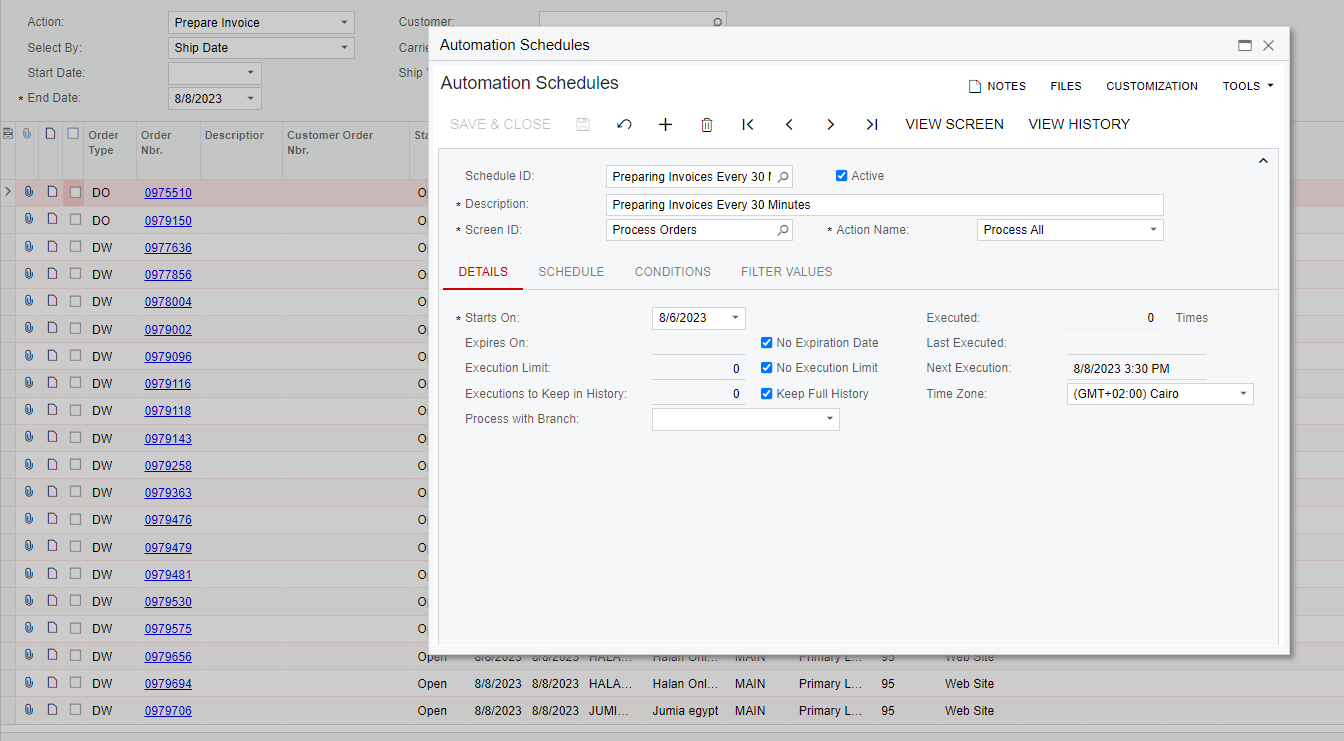
automation schedule on process orders screen

  • August 8, 2023
  • 7 replies
  • 197 views

abdallaahmed61
Varsity III
Forum|alt.badge.img+1

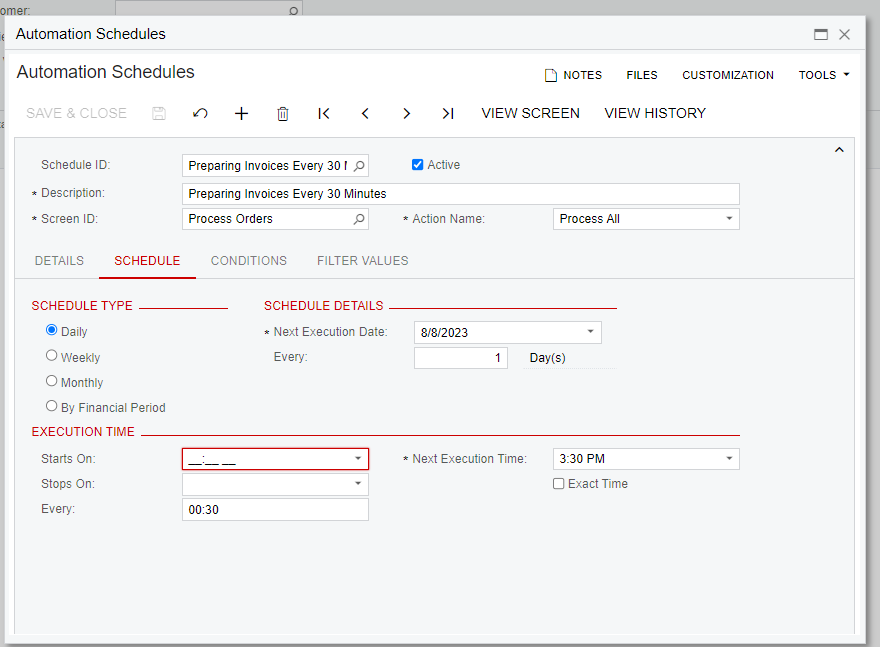
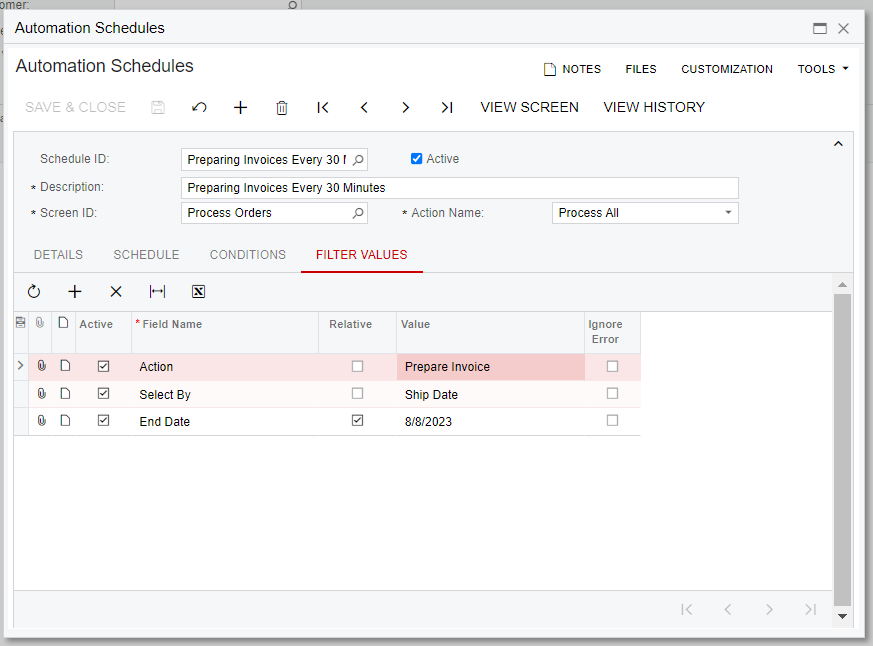
Im using automation schedule on Process orders screen but it dosent want to work 

Am i missing something ?


Best answer by abdallaahmed61

the problem was that i needed to press the initialize scheduler button.

 

7 replies

jinin
Pro I
Forum|alt.badge.img+11
  • Pro I
  • August 8, 2023

Hi @abdallaahmed61 ,

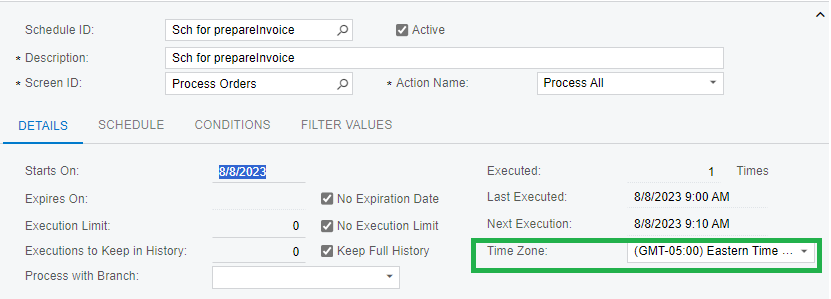
The Scheduler appears to be correct. Please verify the time zone. Compare it with the instance time zone and confirm.


Keith Richardson
Semi-Pro I
Forum|alt.badge.img+2

I have ran into issues where a schedule would not fire. Adding a condition seemed to get it to start kicking off. I would add a condition such as for the status being open and give that a try.


abdallaahmed61
Varsity III
Forum|alt.badge.img+1
  • Author
  • Varsity III
  • August 8, 2023

I have ran into issues where a schedule would not fire. Adding a condition seemed to get it to start kicking off. I would add a condition such as for the status being open and give that a try.

tried and didnt work


abdallaahmed61
Varsity III
Forum|alt.badge.img+1
  • Author
  • Varsity III
  • August 8, 2023

Hi @abdallaahmed61 ,

The Scheduler appears to be correct. Please verify the time zone. Compare it with the instance time zone and confirm.


its the same timezone for my user


cmoreland
Semi-Pro III
Forum|alt.badge.img
  • Semi-Pro III
  • August 8, 2023

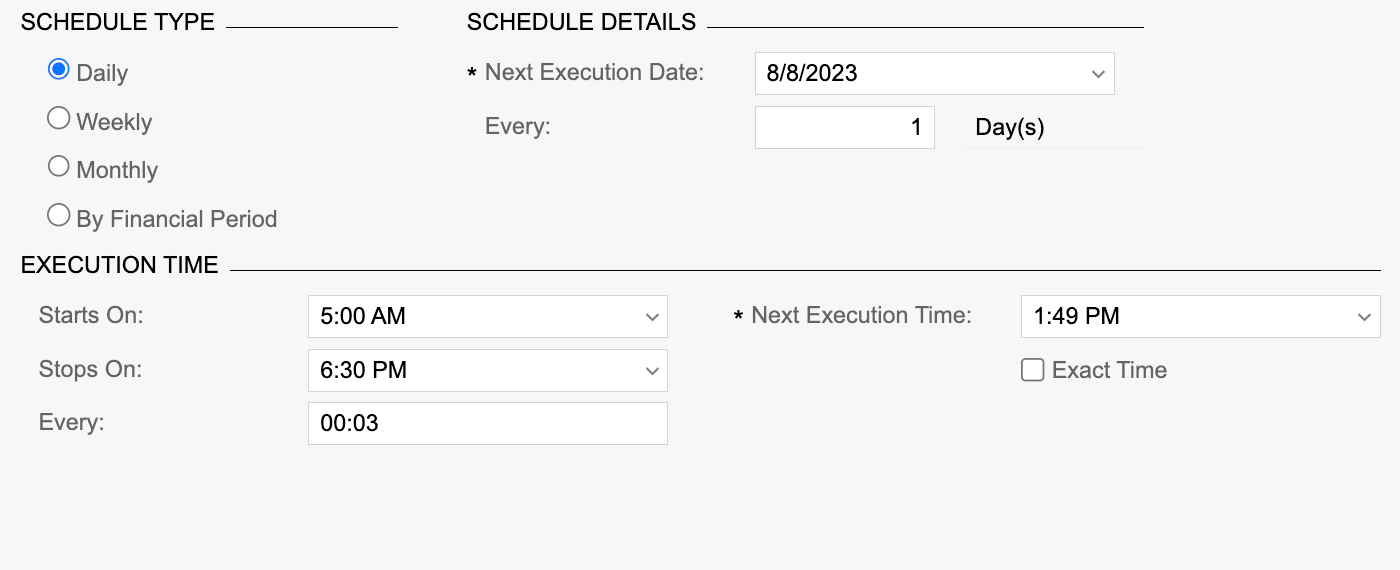
Try adding in a start time and set the next execution at least 10 min ahead of the time you hit save. (something like this below) 


abdallaahmed61
Varsity III
Forum|alt.badge.img+1
  • Author
  • Varsity III
  • Answer
  • August 20, 2023

the problem was that i needed to press the initialize scheduler button.


Chris Hackett
Community Manager
Forum|alt.badge.img
  • Acumatica Community Manager
  • August 21, 2023

Thank you for sharing your solution with the community @abdallaahmed61!