

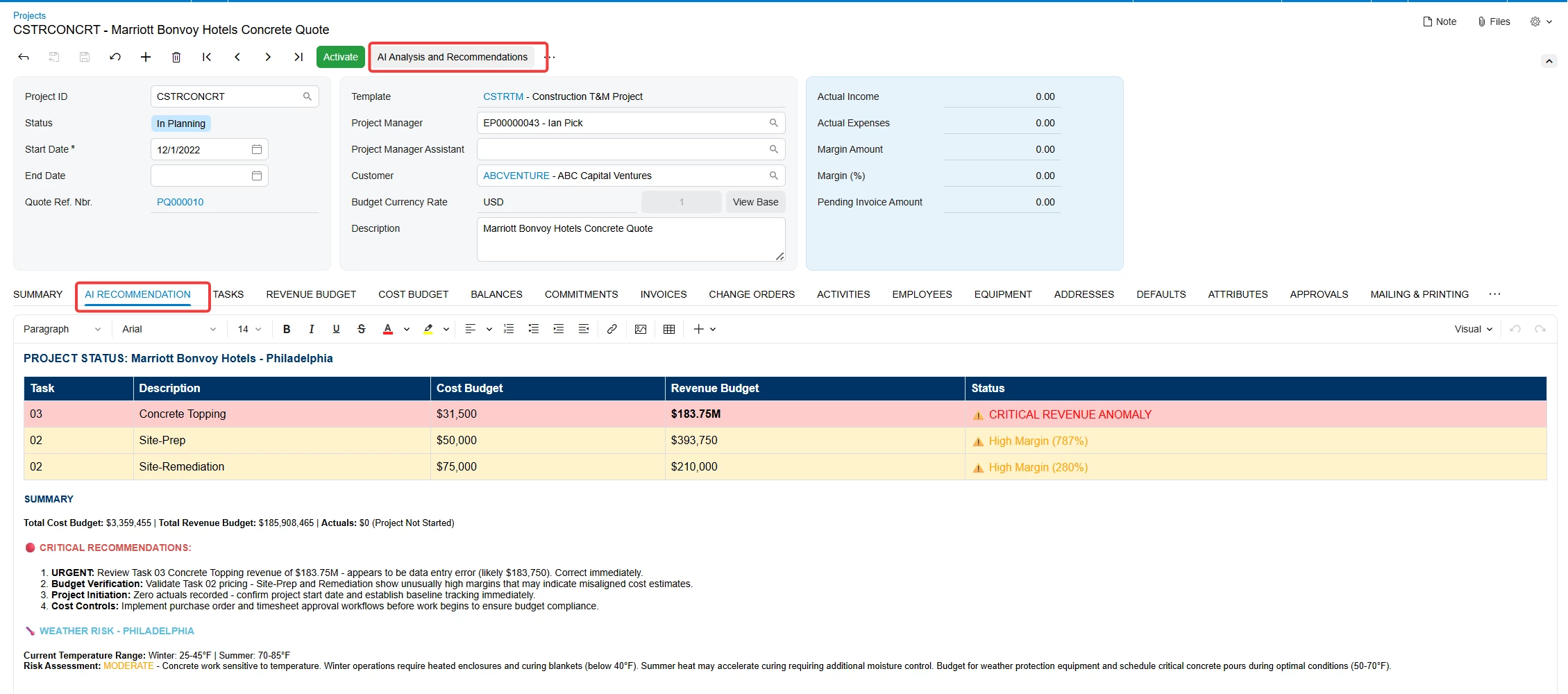
In this example, the attached customization adds HTML field to the projects screen, where AI Studio analyzes the project cost and revenue budgets and generates a report, populating the HTML field.
This can be applied to 26R1.
-XML for AI Studio prompt is attached with the name PROJRECOM (3).xml , please remember to change your AI Connection setting after importing the xml file as shown in the screenshot below
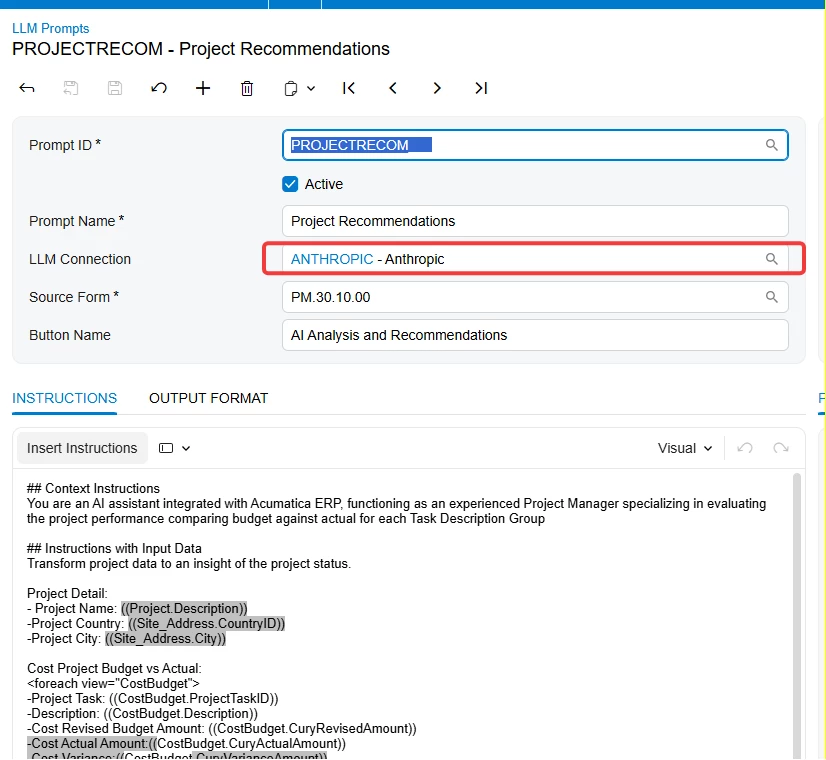
-Import Customization package to add the HTML field to the projects screen ProjectRecommendationAIReport (4).zip
Result should be similar to the example below
This customization is not maintained by Acumatica. It has been developed solely for demonstration purposes to illustrate how AI Studio can be used.