



This example simply demonstrates the potential of AI Agents. If you run into any trouble implementing it, please refrain from opening a support or presales case. Instead, drop your questions directly in this thread, and I will do my best to help you through them
Goal: To create an agent on the generic inquiry screen to allow users to enter a text prompt and allow the agent to create the full GI, works well with simple GIs
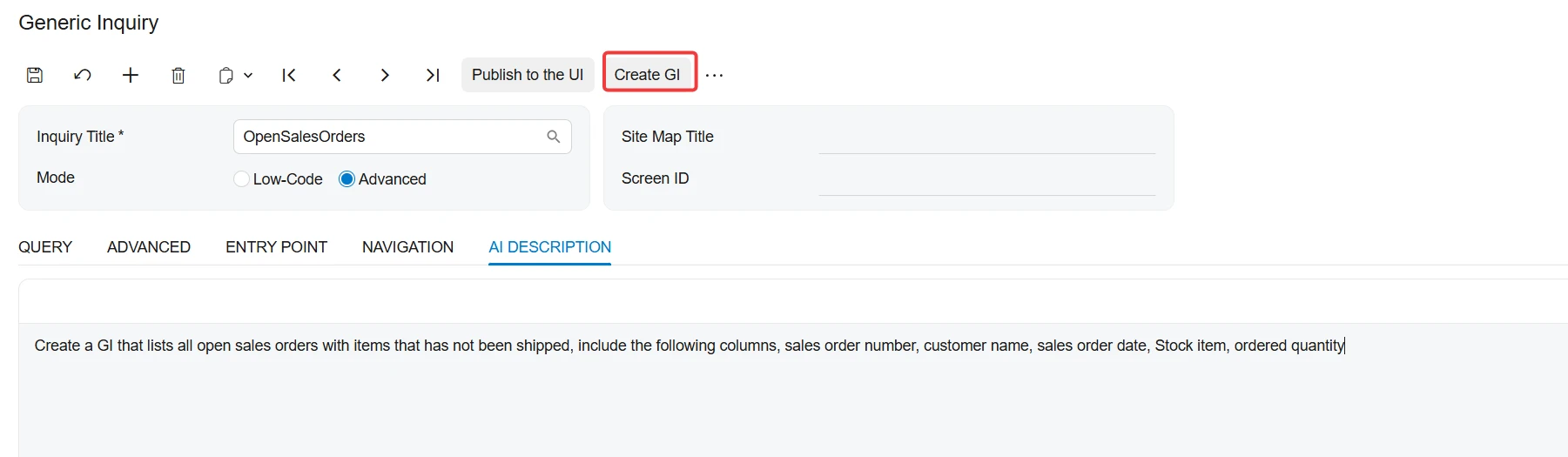
Challenges: Agents requires Access to screens via APIs, “Generic Inquiry” screen does not have an API, so I had to extend the default API to include that screen and expose only two fields in the screenshot below. Customization including the extended APIs is attached
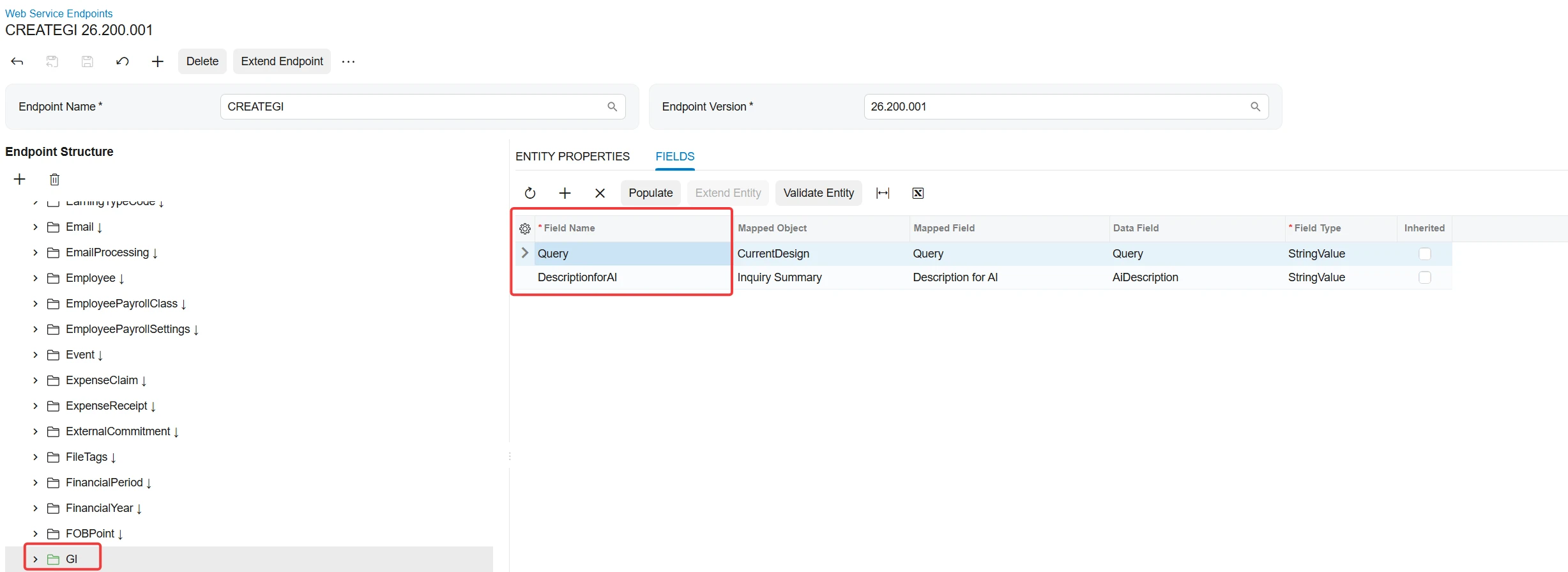
Steps to implement
1-Publish attached customization “CreateGIByAgent.zip”
2-Import Agent “CREATEGI.xml” and please remember to change your “Agent LLM Connection”
How to use the Agent
1-Open the Generic Inquiry form and give a name to your GI, please set the mode to “Low-Code”

2-Go to AI Description tab and write your required GI. something similar to this
“Create a GI that lists all open sales orders with items that has not been shipped, include the following columns, sales order number, customer name, sales order date, Stock item, ordered quantity”
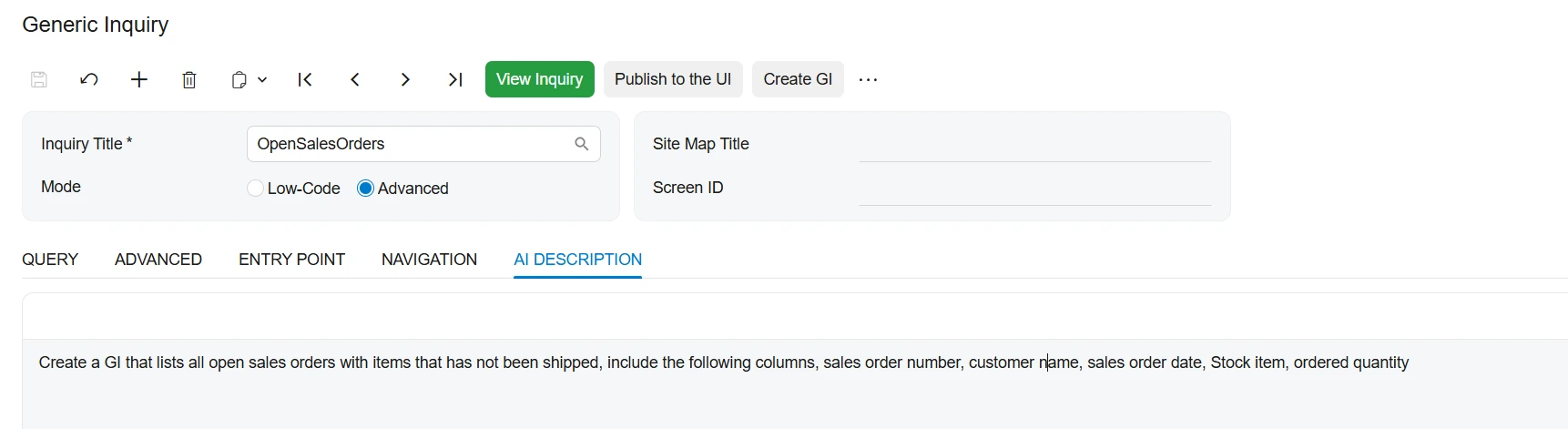
3-Click Save
4-Switch to “Advanced” and click “Create GI”, the Agent will try to create the SQL statement.
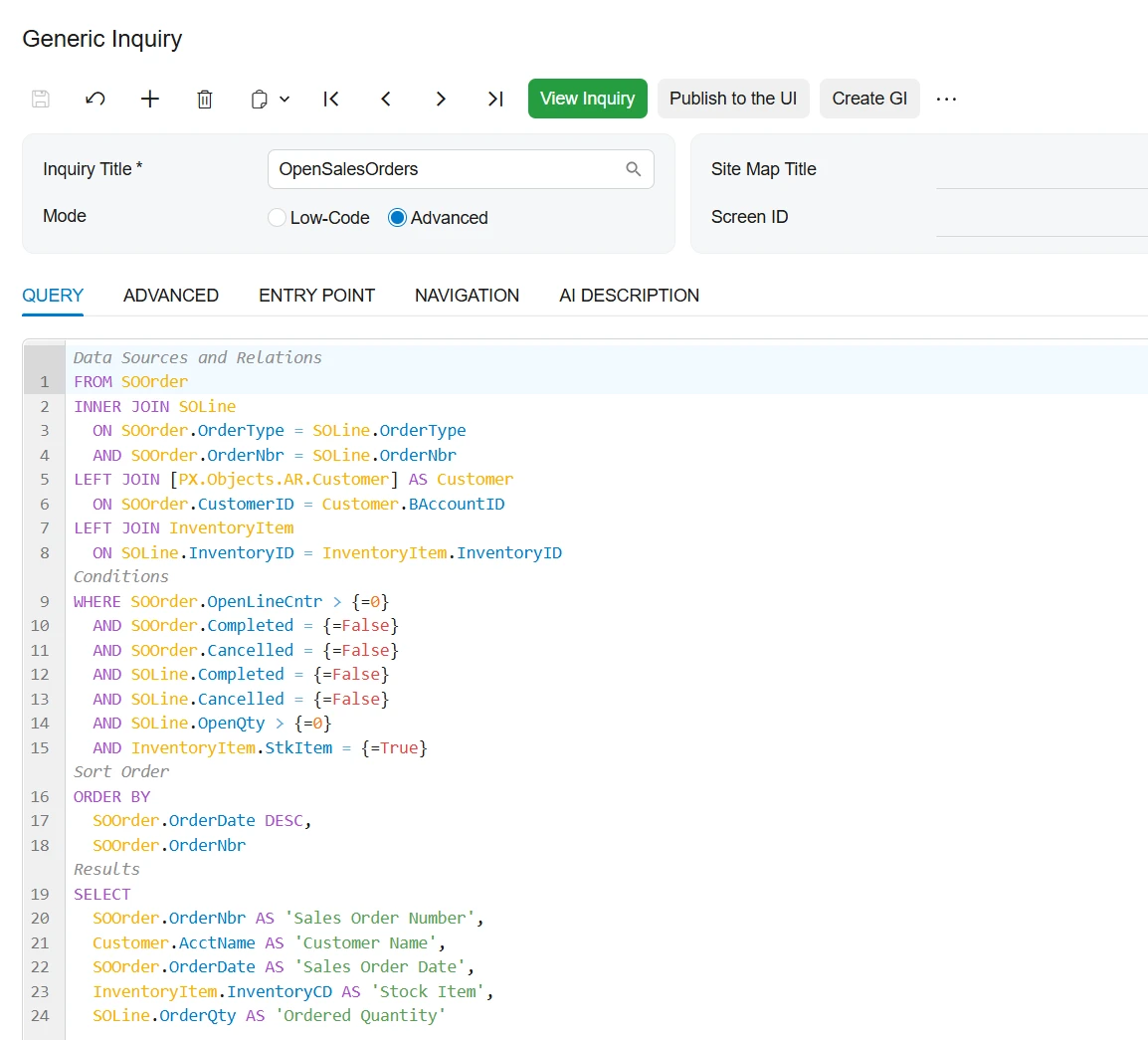
Please note that results may vary depending on the LLM you are using and the model. I am using OpenAI, model gpt-5.4. but I had success working with Claude and other models too. so don’t limit yourself on what I am using.