Question

TimeCardPeriodType error when adding Time Cards in Mobile App after upgrading from 2025 R2 to 2026 R1

  • Nov 6, 2026 12:44 PM UTC
  • 3 replies
  • 17 views
  • Translate All

Hi everyone,

Has anyone faced a "TimeCardPeriodType" error in the Acumatica mobile app?

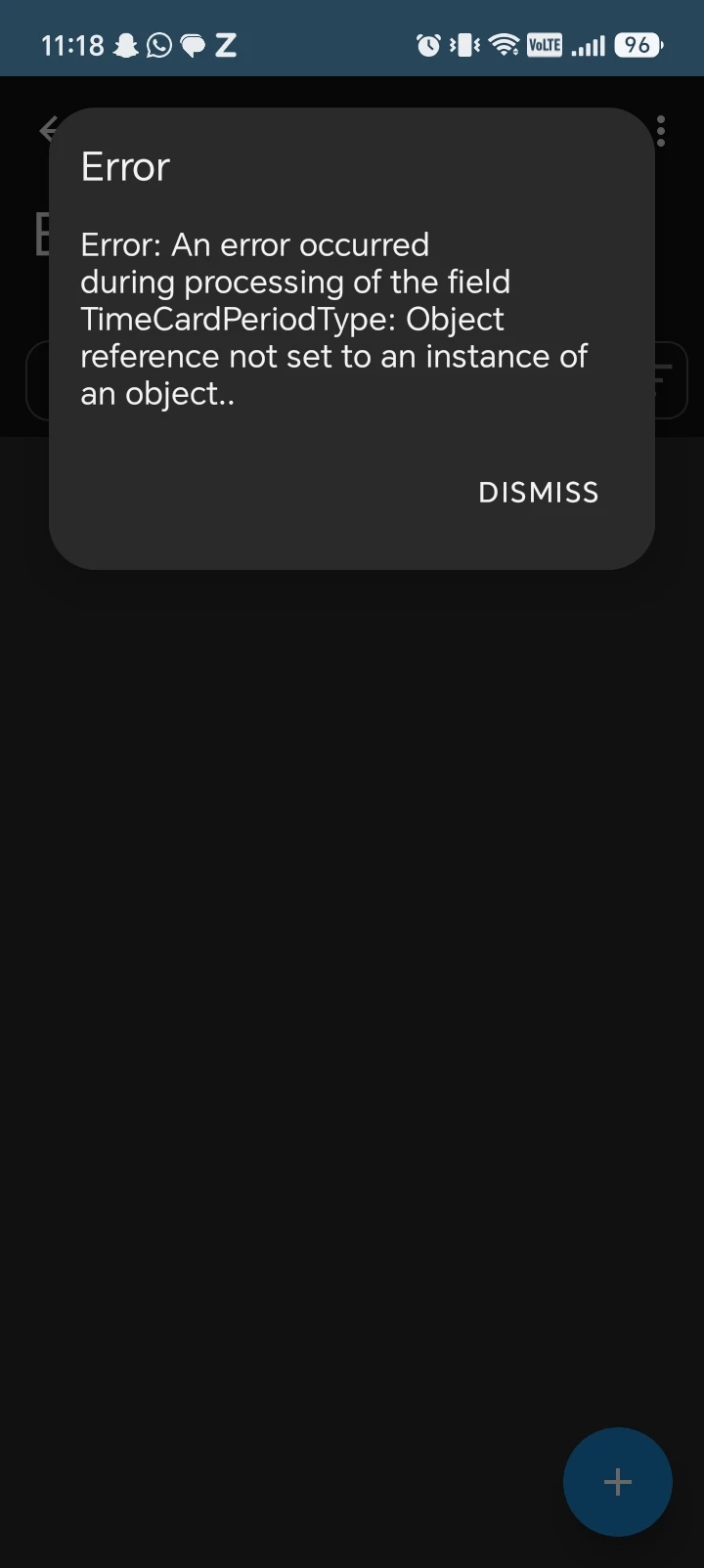
We recently upgraded from 2025 R2 to 2026 R1. Since the upgrade, our users get the following error when they try to add their time cards in Time and Expenses from the mobile app:

"Server returned an error
Error: An error occurred during processing of the field TimeCardPeriodType: Object reference not set to an instance of an object."

The same error appears on both iOS and Android (screenshots attached), so it looks like it's coming from the server side rather than the device.

Steps to reproduce:
1. Open the Acumatica mobile app and sign in as an employee
2. Go to Time and Expenses > Time Cards
3. Tap + to add a new time card
4. The error appears

This was working fine before the upgrade on 2025 R2.

Since 2026 R1 introduced the new Flexible Time Card Periods feature, we suspect it may be related to the new time card period settings, but we're not sure what needs to be configured.

Has anyone else faced this after upgrading to 2026 R1? Is there a setting we need to update in Time and Expenses Preferences (EP101000) or on the Employee record, or is this a known issue with a fix?

Any help would be appreciated. Thanks!


3 replies

Dipak Nilkanth
Pro III
Forum|alt.badge.img+14

Hi ​@AkashTechmatic,

As per release notes of Acumatica 26R1. TimeCardPeriodType column were added in 26 R1, I believe you need to add this column to the screen in mobile app through customization editor. Hope it helps!
https://acumatica-builds.s3.amazonaws.com/builds/26.1/ReleaseNotes/AcumaticaERP_2026R1_ReleaseNotes_for_Developers.pdf  (page no. 40, 52)


Translate

willhowardnz
Freshman I

I’d recommend raising a cases for this to Acumatica Support/your VAR.,  

I’ve got the same thing to happen on one of my demo sites by just trying to open the screen, and I don’t have the screen customized.


​@Dipak Nilkanth  ‘s answer is probably how you can workaround the issue, but Acumatica should update the underlying code.


Last check I’d run is to make sure that the Time Card Frequency under:
Employees form (EP203000) > General Tab > Employee Settings section > “Time Card Frequency” is set for all employees.

That style of error can mean that the default is missing from where the system is expecting to look it up.

Translate

willhowardnz
Freshman I

​@AkashTechmatic -
I got my demo site to stop having this issue by:

  1. Making sure my user was associated to an employee record (so there was a default for the field)
  2. Converting the timecard screen to Modern UI


Check if you have the timecard screen still in Classic UI, try flicking it to Modern UI mode, this may resolve it. (My guess is that the Classic UI WDSL for the page refers to “Frequency” instead of “TimePeriodType” in the schema definition.  
But if updating the screen to Modern UI fixes it, I doubt Acumatica will be making any fixes to the ClassicUI version of that page.

Translate