Solved

“You are not an authorized approver for this document.” Sales Orders (2024 R2) — how to diagnose/resolve?

  • Oct 15, 2025 11:03 PM UTC
  • 8 replies
  • 240 views
  • Translate All

Forum|alt.badge.img+3

HI,

I am trying to approve the document sales order. I have added my self in approval map. But still it says you are not authorized to approve. Can anyone guide me please which permissions I am missing? I am system admin too. i want to approve it using import scenario after this error resolved.

Best answer by tahayabali

Hi everyone,

The issue was related to permissions, as I mentioned in my question earlier. There was no problem with the mapping or other functionalities. I fixed the user permissions and tested it, and it worked successfully.

Thanks for the help. Really appreciated All

View original

8 replies

bwhite49
Captain II
Forum|alt.badge.img+12
  • Captain II
  • Oct 15, 2025 11:11 PM UTC

If you are trying to approve through an import scenario or business event, the “Admin” needs to be an approver and that is the account that will update these the sales orders.

Beyond that, it’s hard to know what the problem is without seeing your approval map.


Translate

Manikanta Dhulipudi
Captain II
Forum|alt.badge.img+16

​@tahayabali 

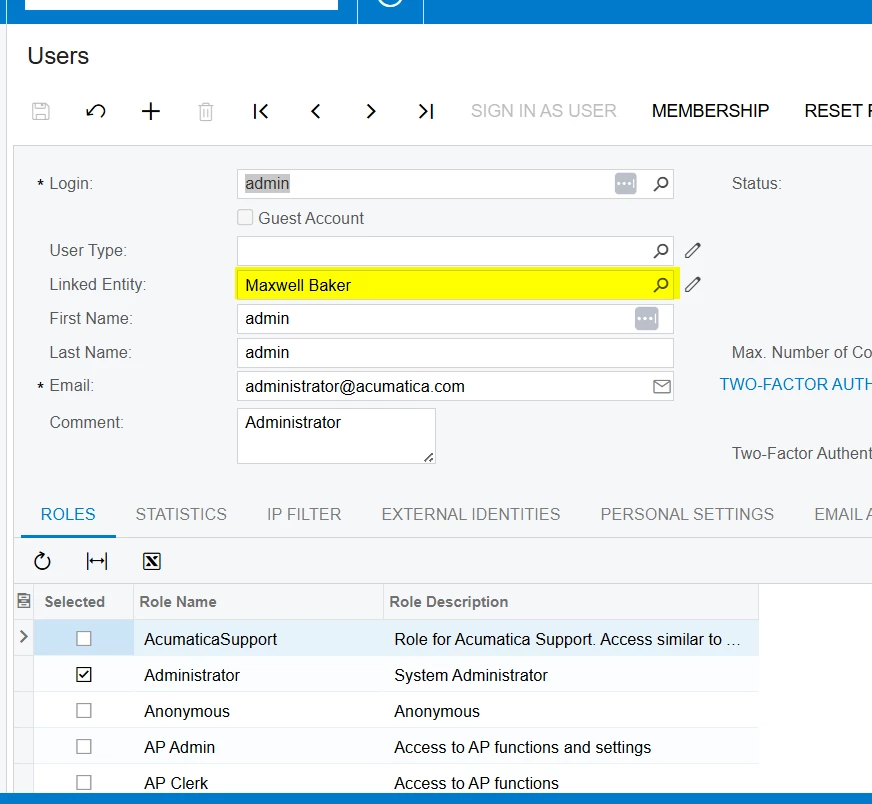
Please make sure the approver should be an employee and entity should be linked as shown below.


Please check if approver has any duplicate account.


Translate

Forum|alt.badge.img

Hello ​@tahayabali ,

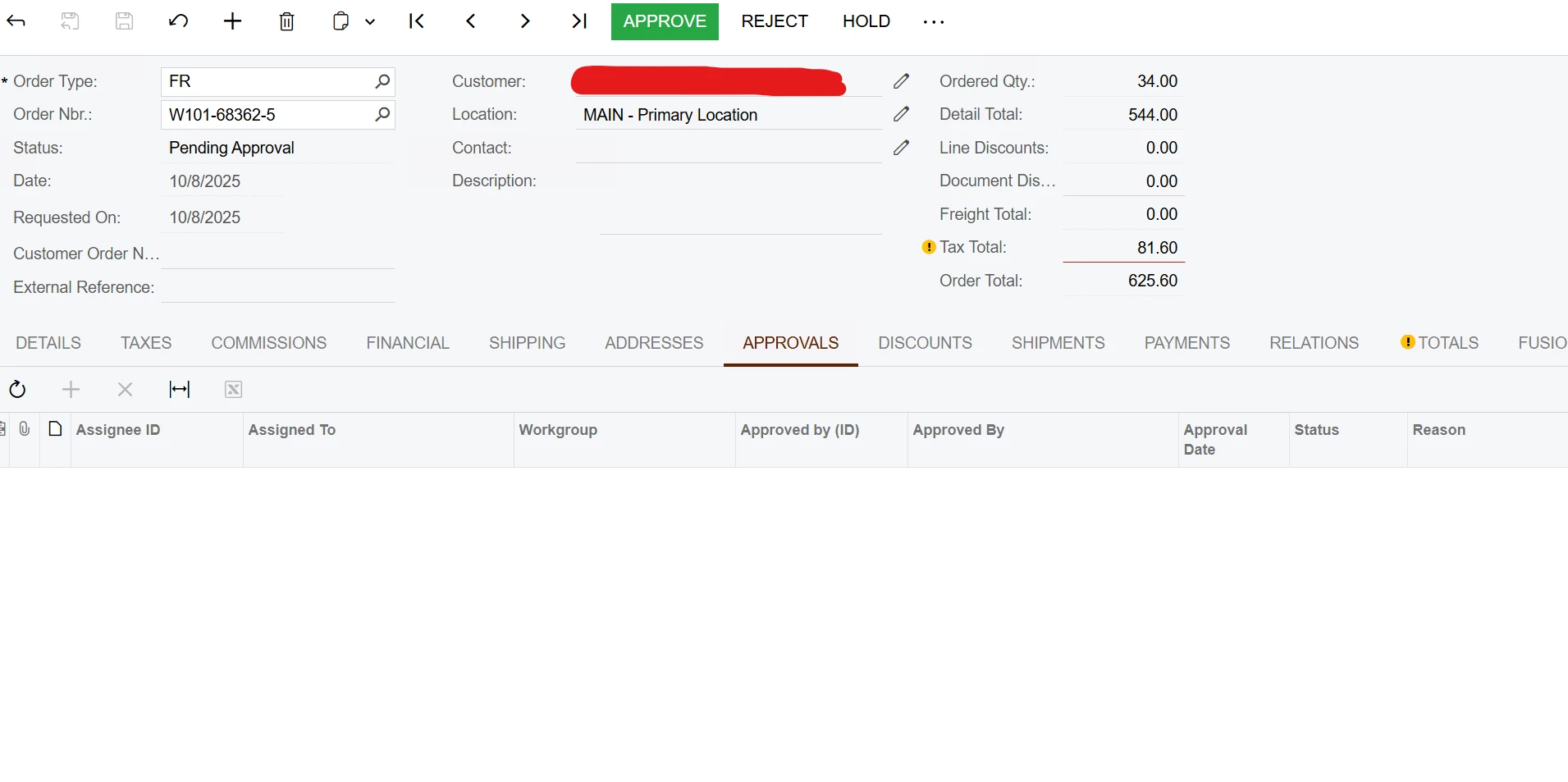
In addition to recommendations from BWhite & Manikanta, can you show us the Approvals tab of the Sales Order you are approving, including approver name and/or Workgroup?

We can only import the approval, if the same User can approve the same order(s) manually in Approvals or Sales Orders screens.

Best regards,


Laura

Translate

Forum|alt.badge.img+3
  • Author
  • Captain I
  • Oct 16, 2025 3:09 PM UTC

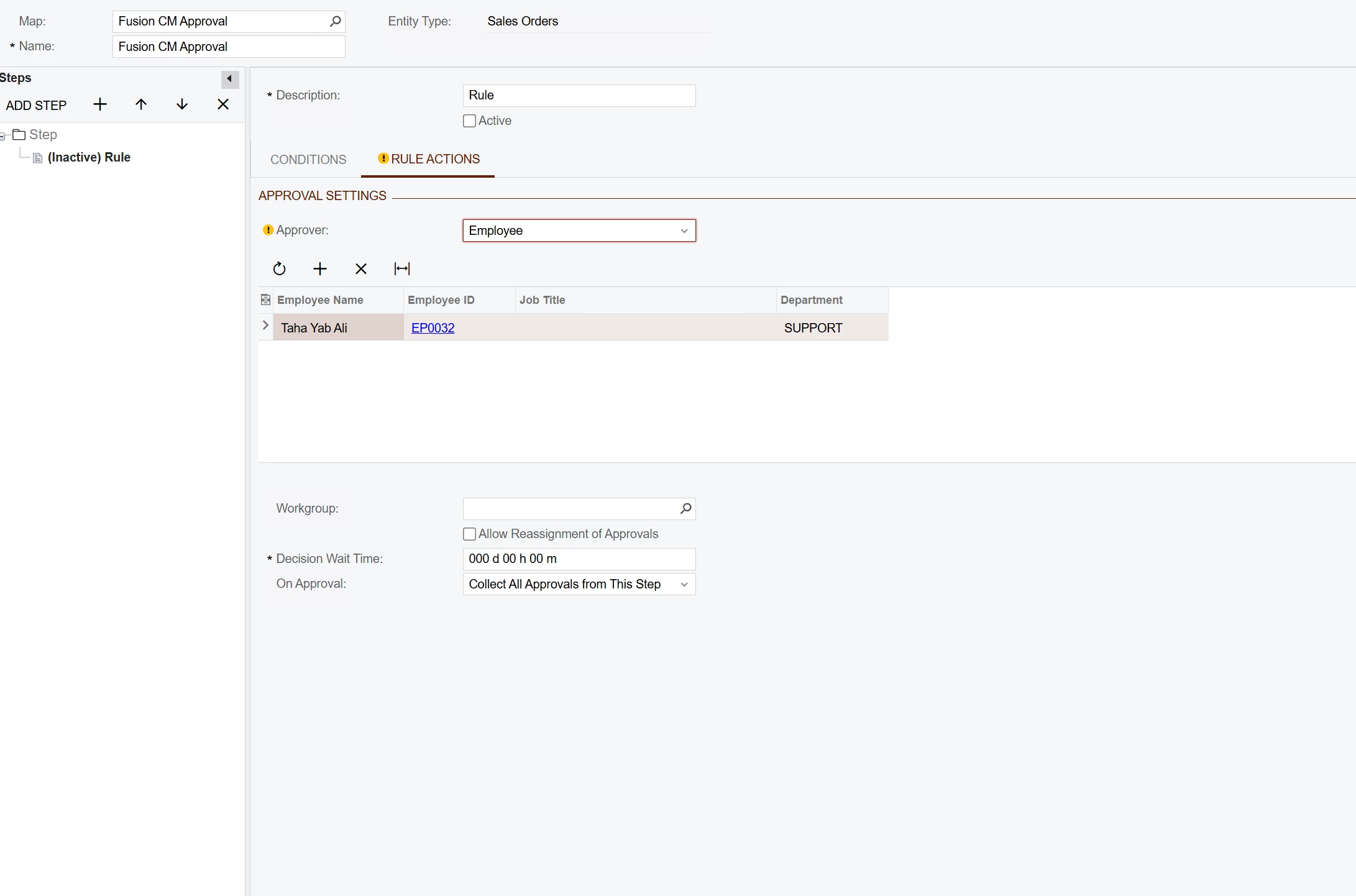
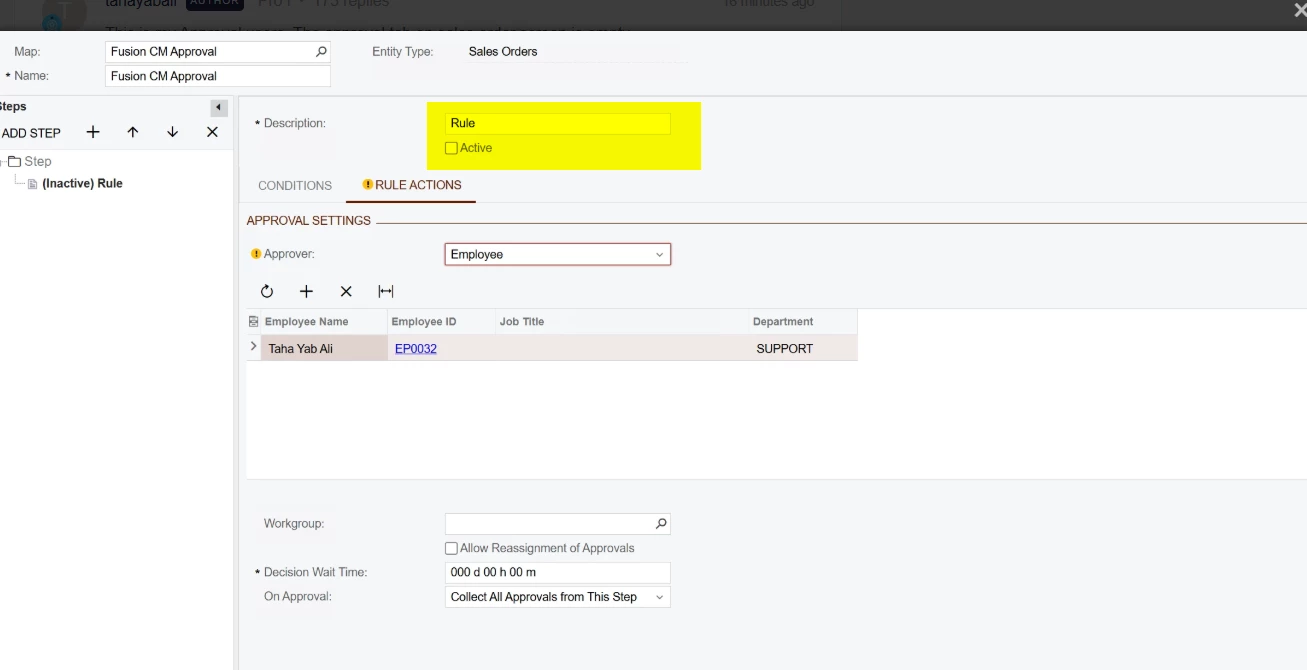
This is my Approval users. The approval tab on sales order screen is empty. 


Translate

Forum|alt.badge.img+3
  • Author
  • Captain I
  • Oct 16, 2025 3:24 PM UTC

Thanks everyone I found the problem.

Translate

Manikanta Dhulipudi
Captain II
Forum|alt.badge.img+16

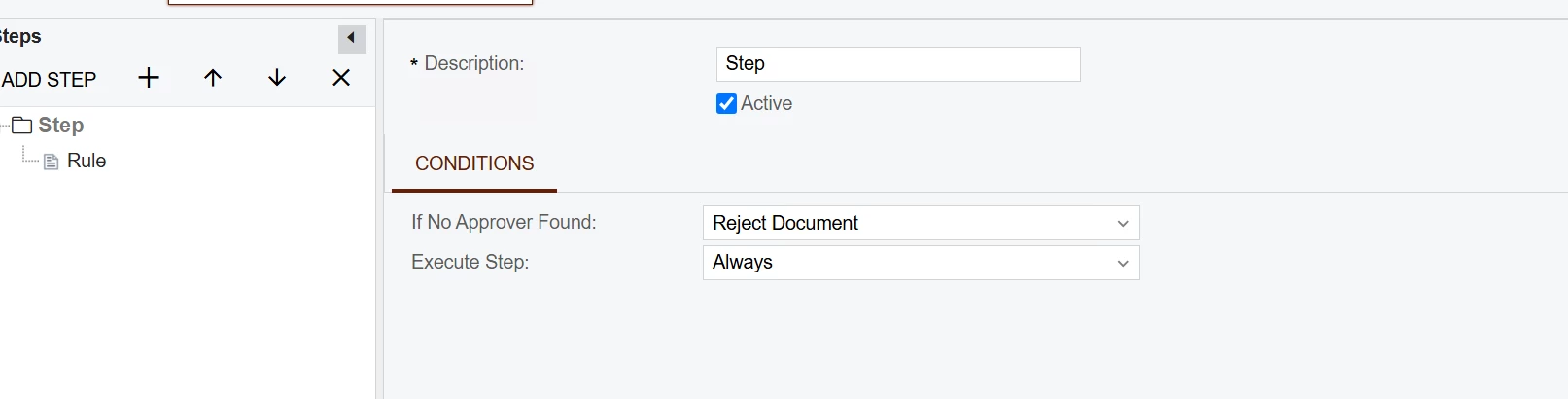
​@tahayabali Is this active?


Translate

Forum|alt.badge.img

Thanks everyone I found the problem.

I expect the Sales Order didn’t meet the conditions of the Approval map? Please post your solution for future community members who have the same problem.  Thank you!


Laura


Translate

Forum|alt.badge.img+3
  • Author
  • Captain I
  • Answer
  • Oct 17, 2025 5:46 PM UTC

Hi everyone,

The issue was related to permissions, as I mentioned in my question earlier. There was no problem with the mapping or other functionalities. I fixed the user permissions and tested it, and it worked successfully.

Thanks for the help. Really appreciated All

Translate