Answer

Use import scenario to update a work center and description on BOM

  • September 12, 2023
  • 4 replies
  • 536 views

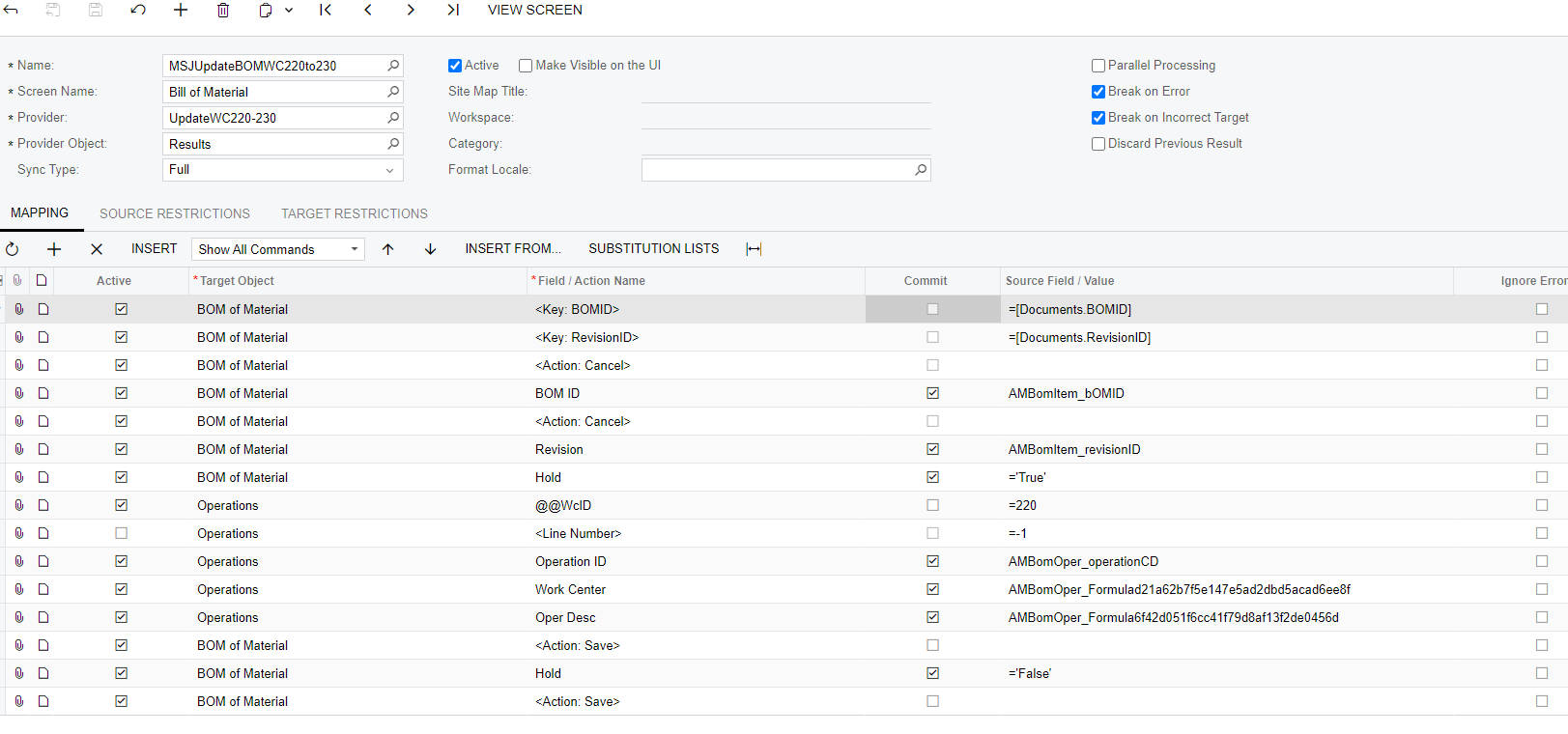
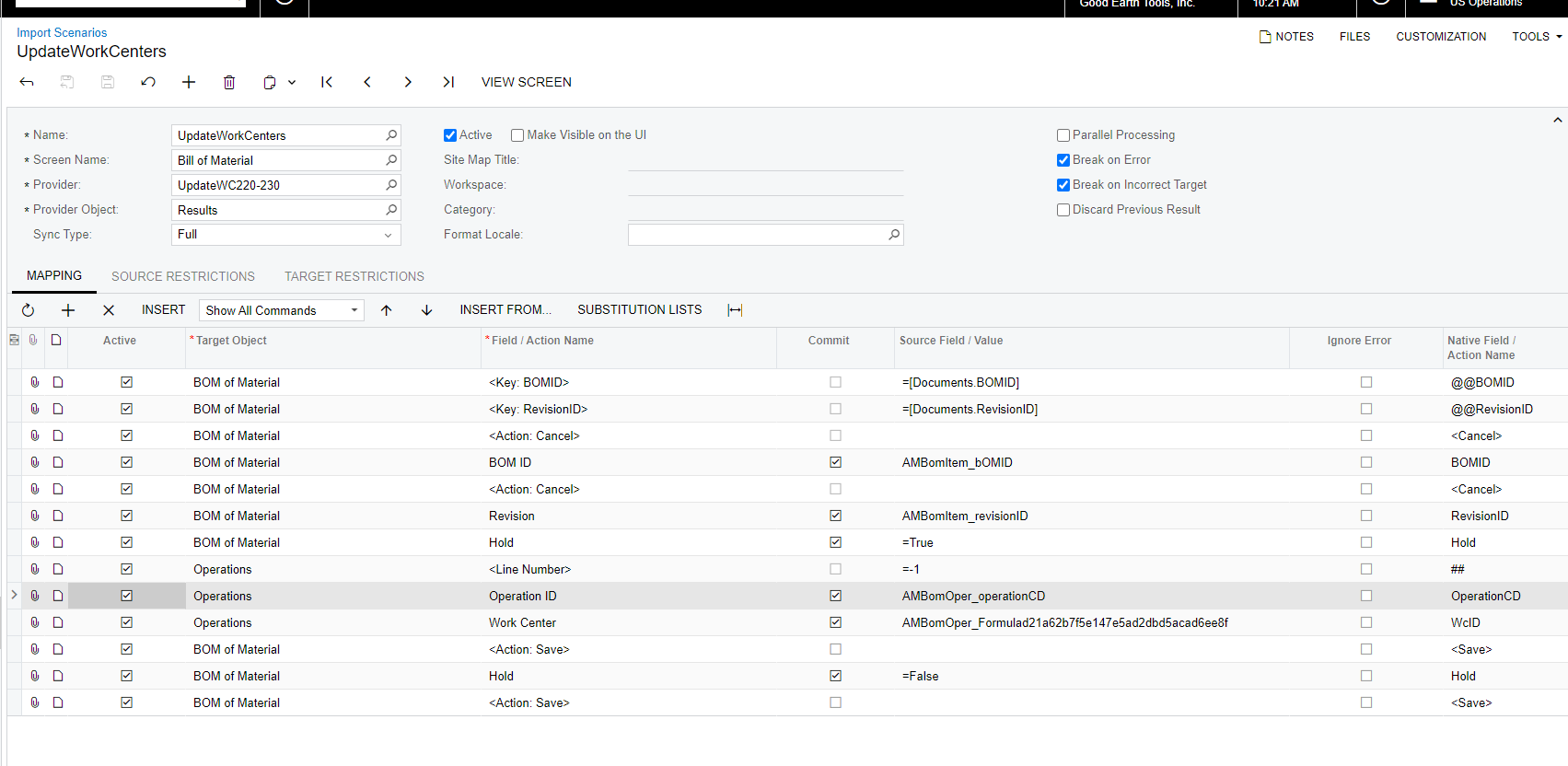
We have a work center that is being replaced by a new one.  They are identical except for the new work center number and description.  

I need to update all BOM’s that have operations with this work center.  I have an existing import that will add a line for the new WC but am looking for a better way to possibly just replace the previous number/description with the new.  

Can someone give me a bit of guidance with the best way to approach this?  
 

Thank you very much.  

Best answer by riglesias

Hello @scottjohnsonhere 

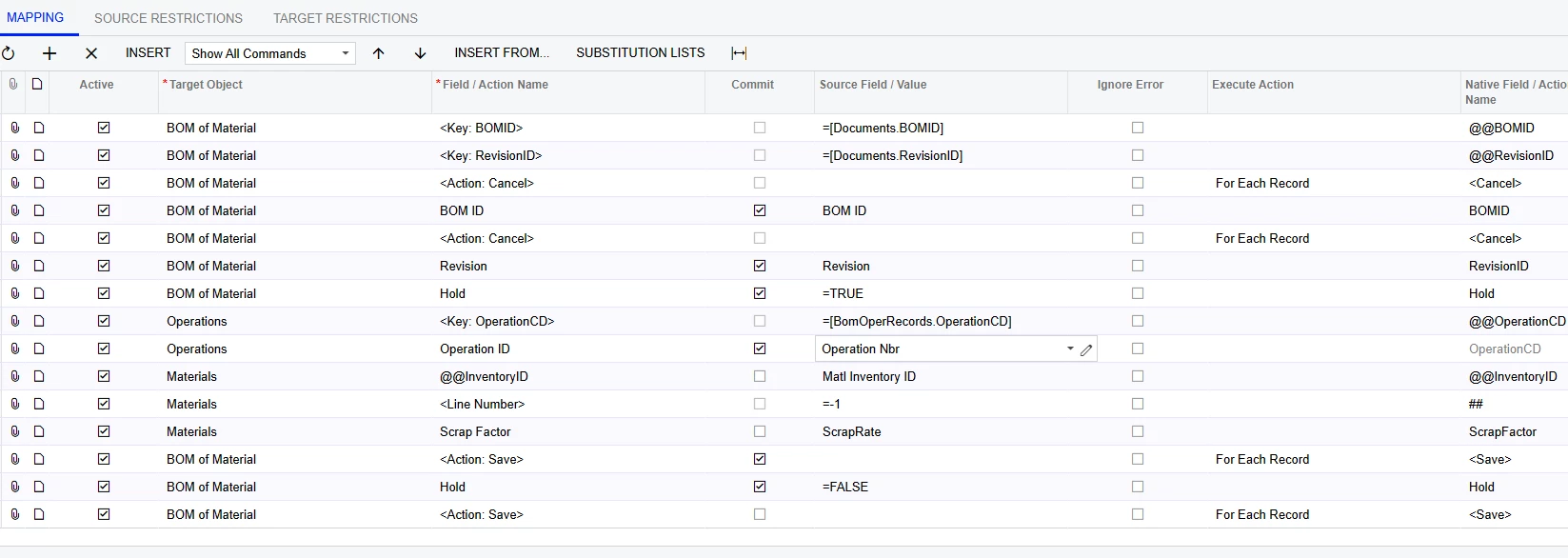
To update an existing line with an import scenario you can setup a custom key using the @@ notation.
Here’s a link where you can find an example on how to set it up (min 44:56): 


Hope this helps.

4 replies

riglesias
Acumatica Employee
Forum|alt.badge.img+2
  • Acumatica Employee
  • Answer
  • September 12, 2023

Hello @scottjohnsonhere 

To update an existing line with an import scenario you can setup a custom key using the @@ notation.
Here’s a link where you can find an example on how to set it up (min 44:56): 


Hope this helps.


Hello @riglesias 

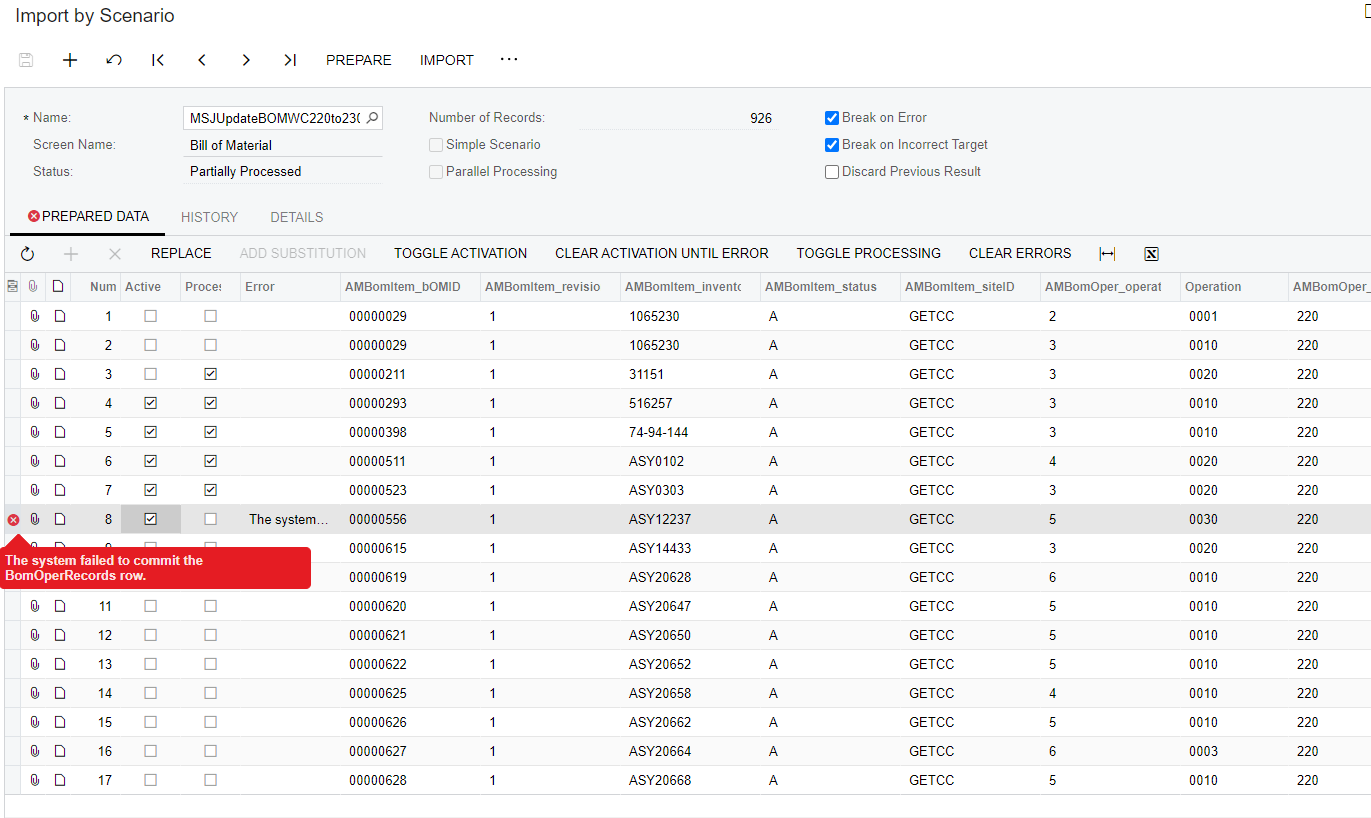
Thank you for your reply and it got me headed the right direction. Right now I am able to process single records with no issue but errors if multiple selected.  Any suggestions on what I may be missing?  


This is the error I receive if I try multiple records. 
 

Thanks!  


gmast
Freshman I
  • Freshman I
  • December 29, 2023

@scottjohnsonhere  did you ever discover an answer to importing multiple lines of updates instead of one at a time?  I am facing the same thing after adjusting my import scenario and am seeking to updated a few thousand records...preferably not 1 at a time.  


Forum|alt.badge.img
  • Freshman II
  • May 7, 2025

I am trying to accomplish the exact same thing and getting a unit conversion error. Can anyone see what is missing/wrong in mine?