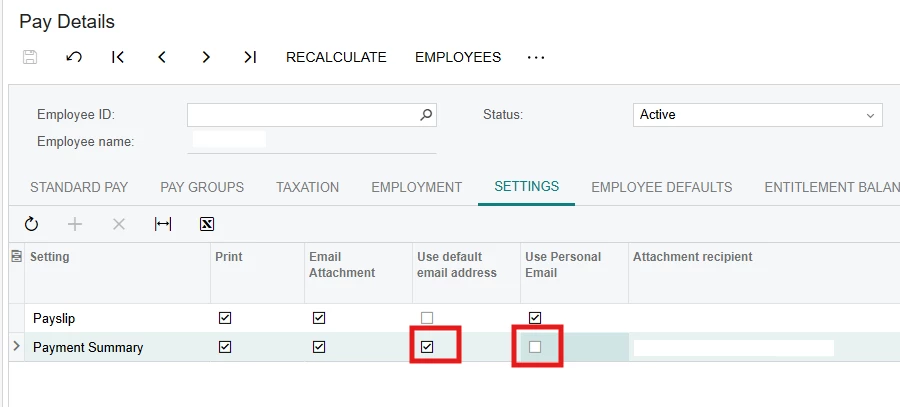
Hi - in MYOB Acumatica Pay Details screen, how do update second line ‘Payment Summary’ to untick the ‘Use default email address’ and tick the ‘Use Personal Email’ in import scenario?
I’ve tried IIf statements without success, so I just updated ‘Payslip’ line in the meantime.
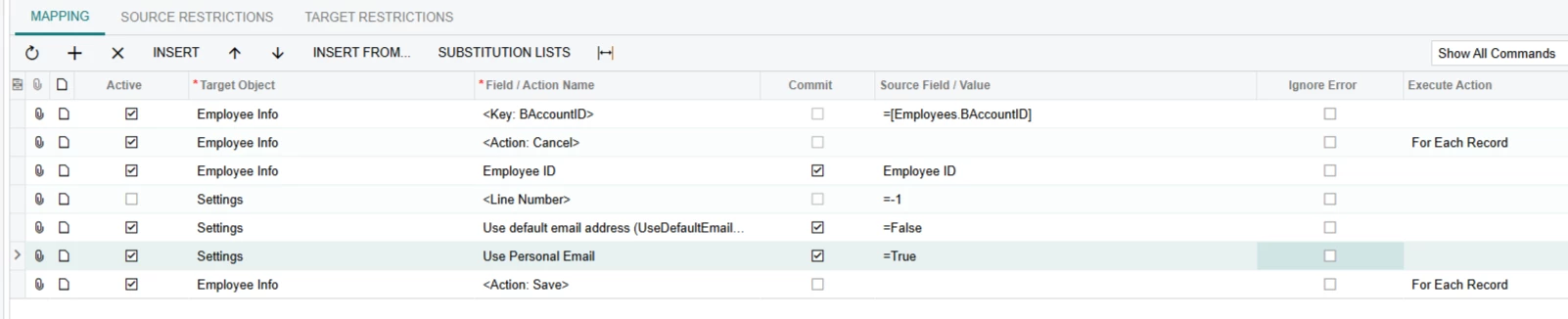
How to untick Use default email address and tick Use Personal Email insteadMy import scenario
Best answer by Naveen Boga
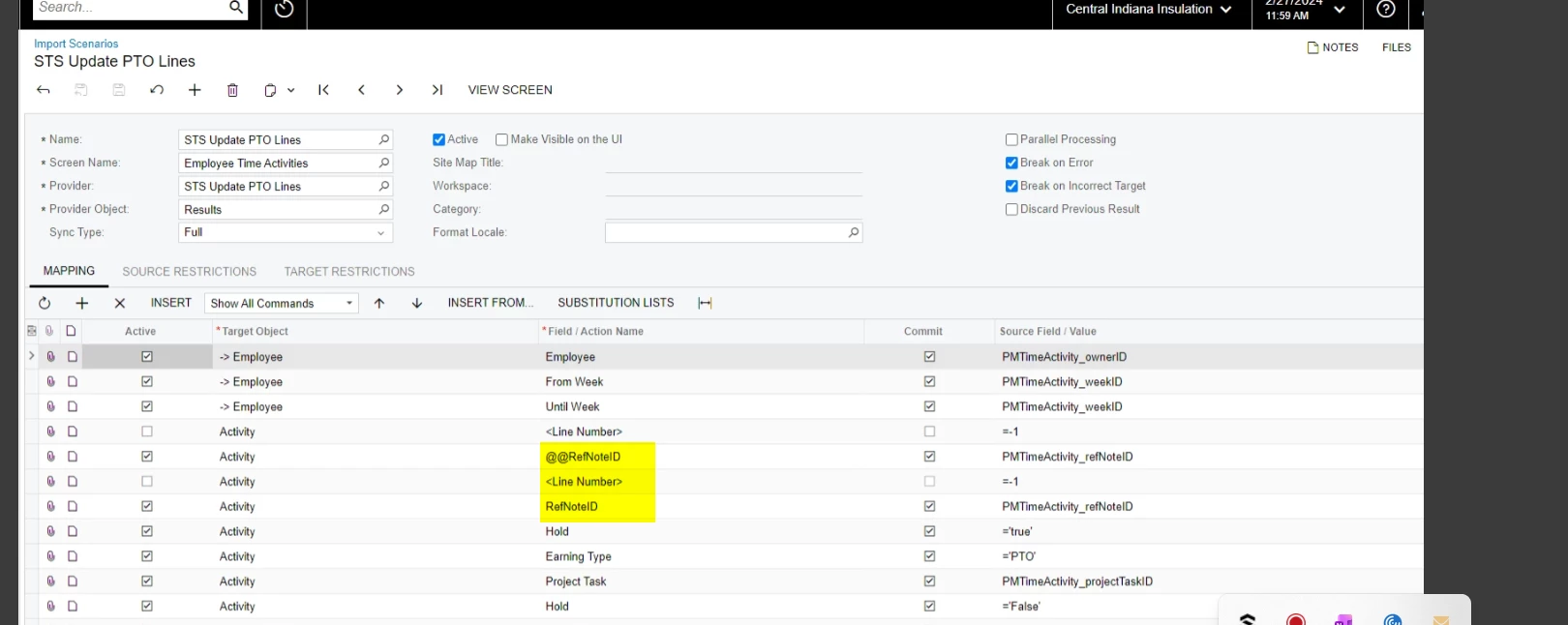
@MarkD You can refer the below article, where you need to find out the KEY field in the grid and mention that @@ to look up the field to update the line.
Please refer to the below article and review the Tip #6 section for your reference.
You may need to use a custom key to affect records with multiple lines.
Have you tried that yet?
I made a really great import scenario webinar that goes over custom key configurations that might help. I do recommend watching the full section for custom keys to understand the concept if this is new to you :)
@MarkD You can refer the below article, where you need to find out the KEY field in the grid and mention that @@ to look up the field to update the line.
Please refer to the below article and review the Tip #6 section for your reference.