


Solved

Update Item Class by Import Scenario - Dialog Answer

  • June 11, 2026
  • 2 replies
  • 16 views

xkylewrightx
Varsity III
Forum|alt.badge.img

Hello,

Attempting to update item classes via Import Scenario.

This requires answering the following dialog:
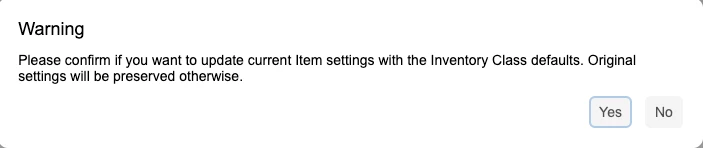
 

The import scenario is having trouble answering the dialog
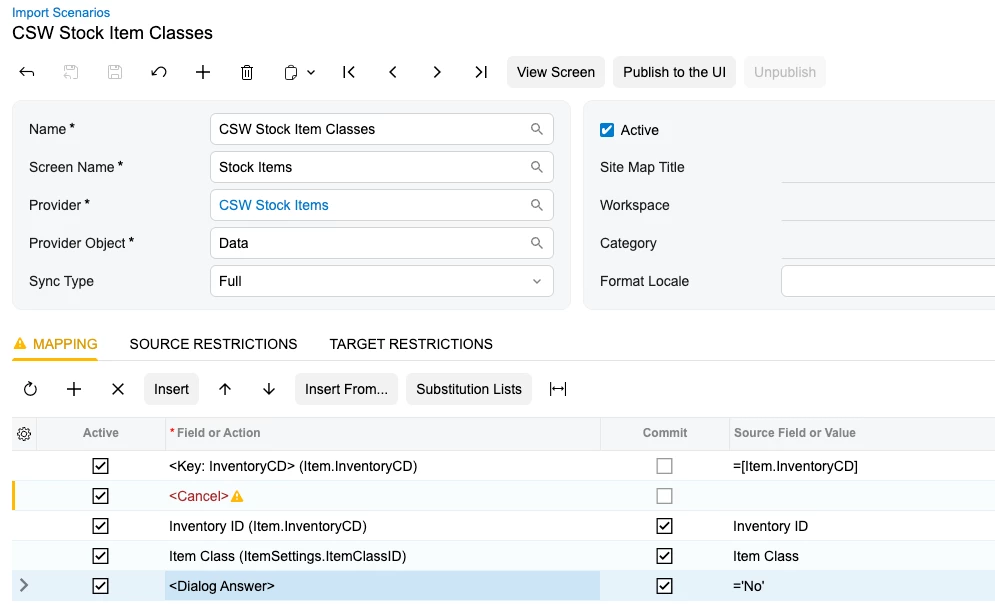


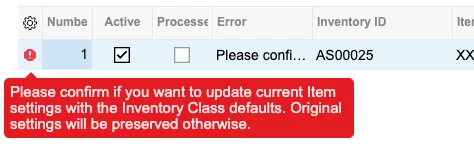
Any of the selected ‘Dialog Answer’ Screen fields results in the same error where the dialog is not being answered successfully.


Does anyone know exactly which ‘Dialog Answer’ to select here:
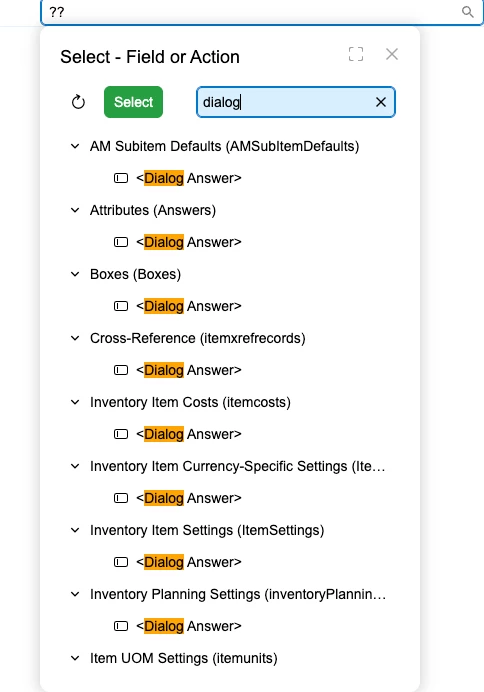
 

I have seen other threads discussing this but not on 2025R2 Modern UI which changes how fields are selected in the Import Scenario.


Thank you!!!

Best answer by bwhite49

The dialog answer needs to be above where the dialog popup occurs. Since this popup occurs when populating the item class field, it needs to be above that. So just move the dialog answer up one and it should work.

Also, regarding which dialog... I believe it’s always best to use the one for the header of the screen in every case.

2 replies

bwhite49
Captain II
Forum|alt.badge.img+12
  • Captain II
  • Answer
  • June 11, 2026

The dialog answer needs to be above where the dialog popup occurs. Since this popup occurs when populating the item class field, it needs to be above that. So just move the dialog answer up one and it should work.

Also, regarding which dialog... I believe it’s always best to use the one for the header of the screen in every case.


xkylewrightx
Varsity III
Forum|alt.badge.img
  • Author
  • Varsity III
  • June 11, 2026

The dialog answer needs to be above where the dialog popup occurs. Since this popup occurs when populating the item class field, it needs to be above that. So just move the dialog answer up one and it should work.

Also, regarding which dialog... I believe it’s always best to use the one for the header of the screen in every case.


This worked, thank you!!!
