Answer

Update backflush flag on production order

  • June 27, 2025
  • 6 replies
  • 95 views

Forum|alt.badge.img

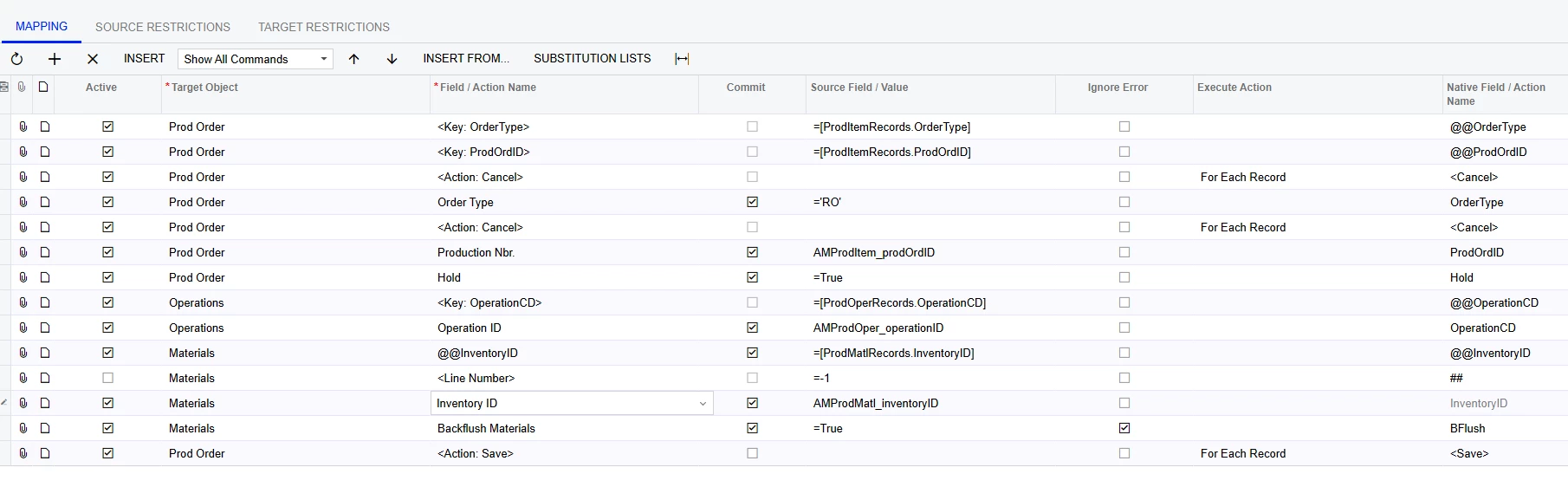
I am trying to update the backflush flag on production detail. I am close but something is off….
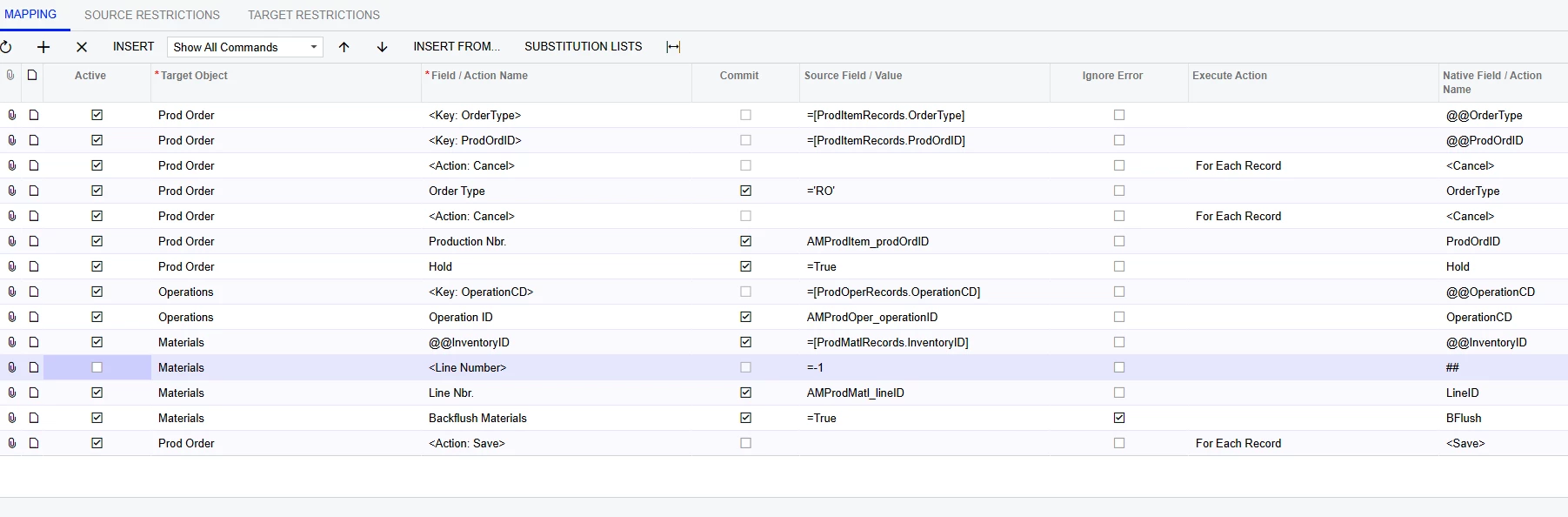
 

 It throws the following errors

any ideas?

Best answer by riglesias

Hello ​@chese79 

Thank you for the XML file.
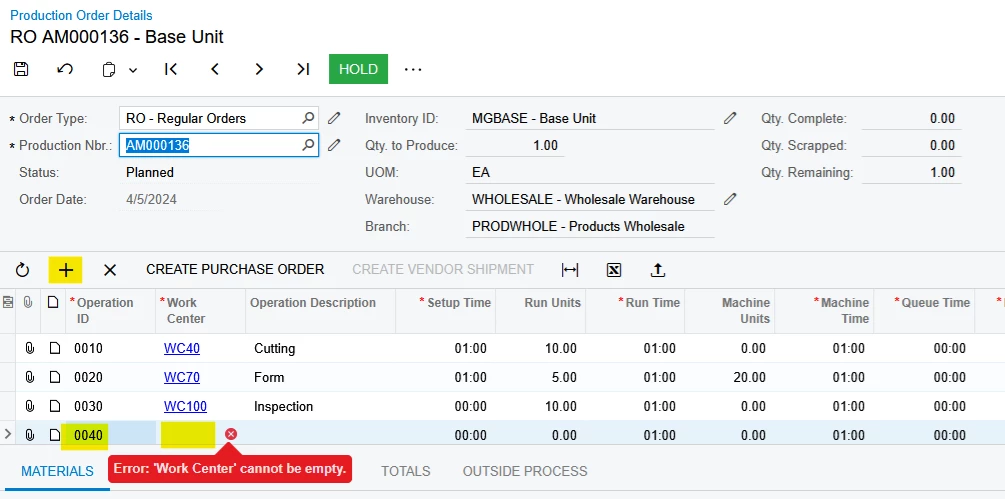
I restored the scenario in my demo, did not modify the mapping and it worked fine. It’s possible the error is caused due to the values within the data provider, specifically Operation ID. If the value within your provider does not exist in the Production order, the system will try to add a new line under operations, since Work Center is a required field you will get an error. If I try this manually I get the same error as the one from your import scenario (see below):


6 replies

riglesias
Acumatica Employee
Forum|alt.badge.img+2
  • Acumatica Employee
  • June 27, 2025

Hi ​@chese79 


Could you please try adding a line for Inventory ID below the custom key (@@InventoryID) mapping the line that has the item you need to update? Like this:


Forum|alt.badge.img
  • Author
  • Freshman II
  • June 30, 2025

It is still not liking me


riglesias
Acumatica Employee
Forum|alt.badge.img+2
  • Acumatica Employee
  • June 30, 2025

Hello ​@chese79 

Could you export the scenario to XML and provide the file so I can restore it in my demo and test? 


Forum|alt.badge.img
  • Author
  • Freshman II
  • June 30, 2025

here it is


riglesias
Acumatica Employee
Forum|alt.badge.img+2
  • Acumatica Employee
  • Answer
  • July 2, 2025

Hello ​@chese79 

Thank you for the XML file.
I restored the scenario in my demo, did not modify the mapping and it worked fine. It’s possible the error is caused due to the values within the data provider, specifically Operation ID. If the value within your provider does not exist in the Production order, the system will try to add a new line under operations, since Work Center is a required field you will get an error. If I try this manually I get the same error as the one from your import scenario (see below):


Forum|alt.badge.img
  • Author
  • Freshman II
  • July 9, 2025

thank you, after checking, I had mismapped operation code and ID