Question

Unable to Automate FTP File Import Synchronization

  • May 10, 2026
  • 1 reply
  • 14 views

Hi everyone,

I'm trying to automate the synchronization process for importing files from an FTP server in Acumatica, but it is not working even though I followed the guidelines from this documentation:
To Set Up Automatic File Synchronization

The manual synchronization works correctly, and I am able to retrieve the file without any issue. However, the automatic synchronization does not seem to detect or import new files automatically.

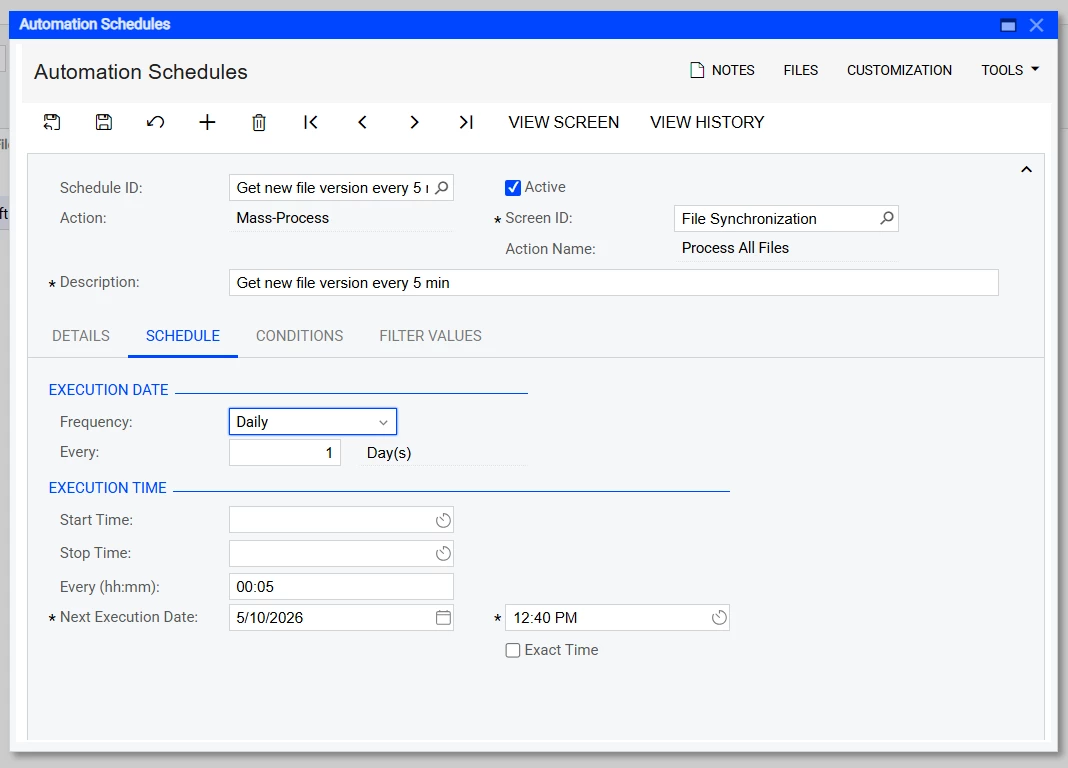
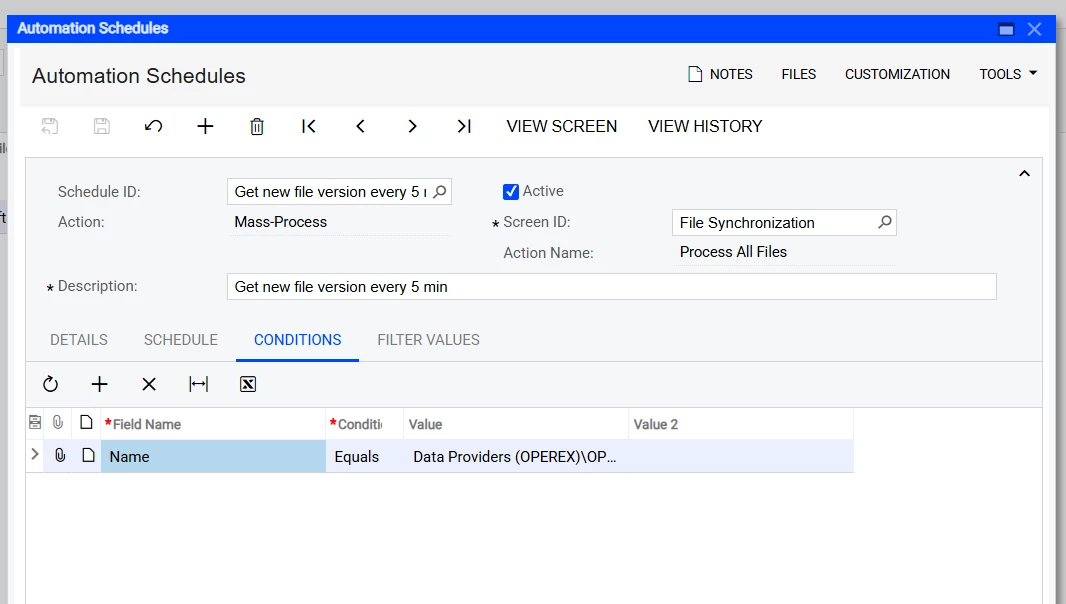
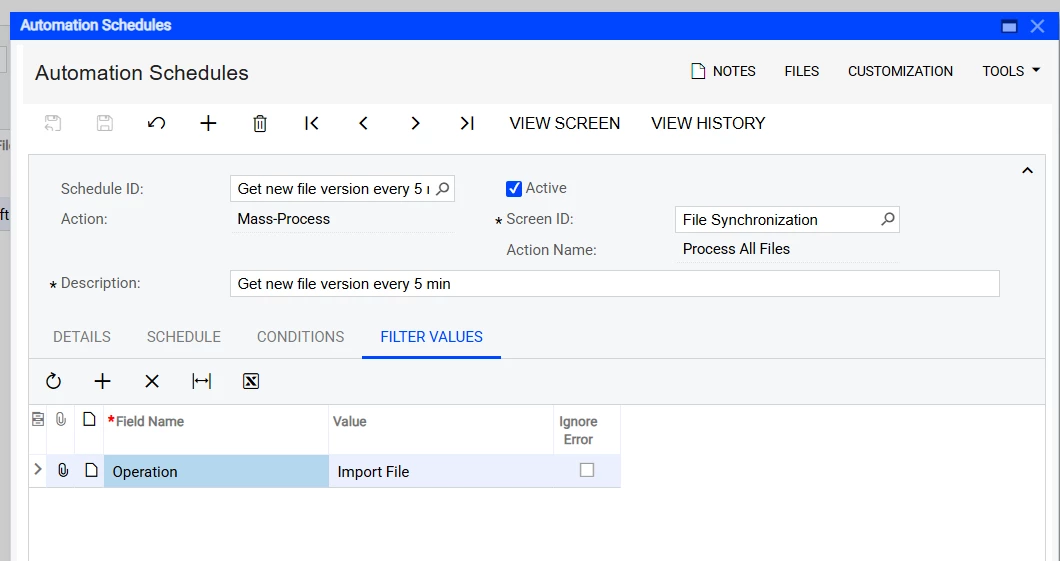
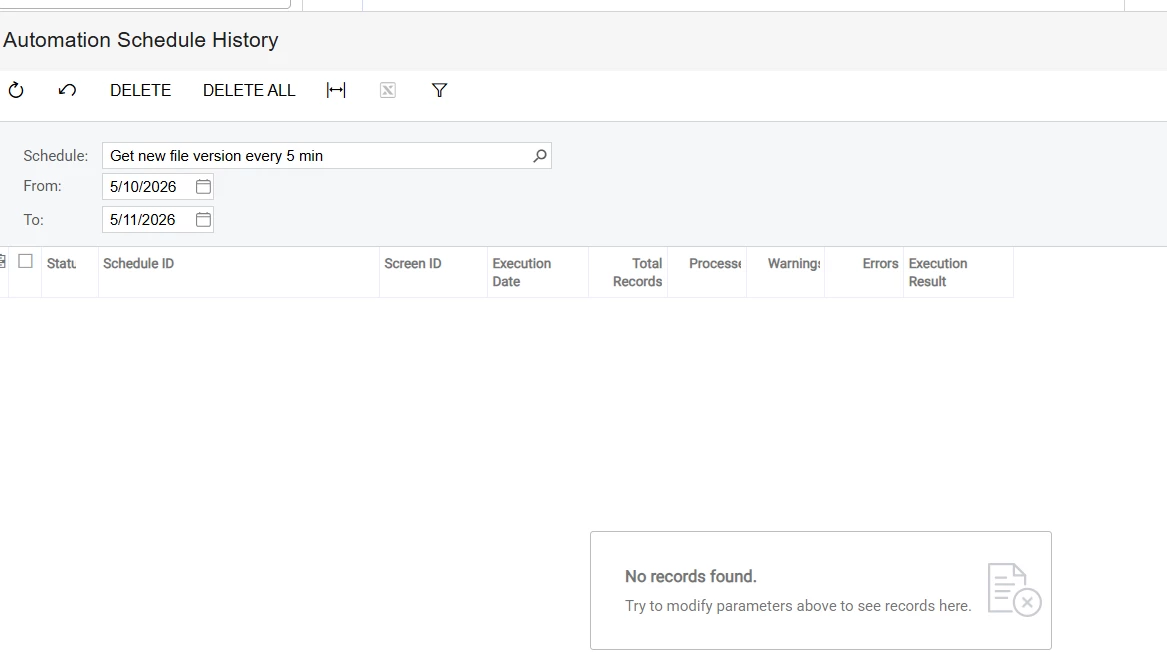
Please see the screenshots below for reference:
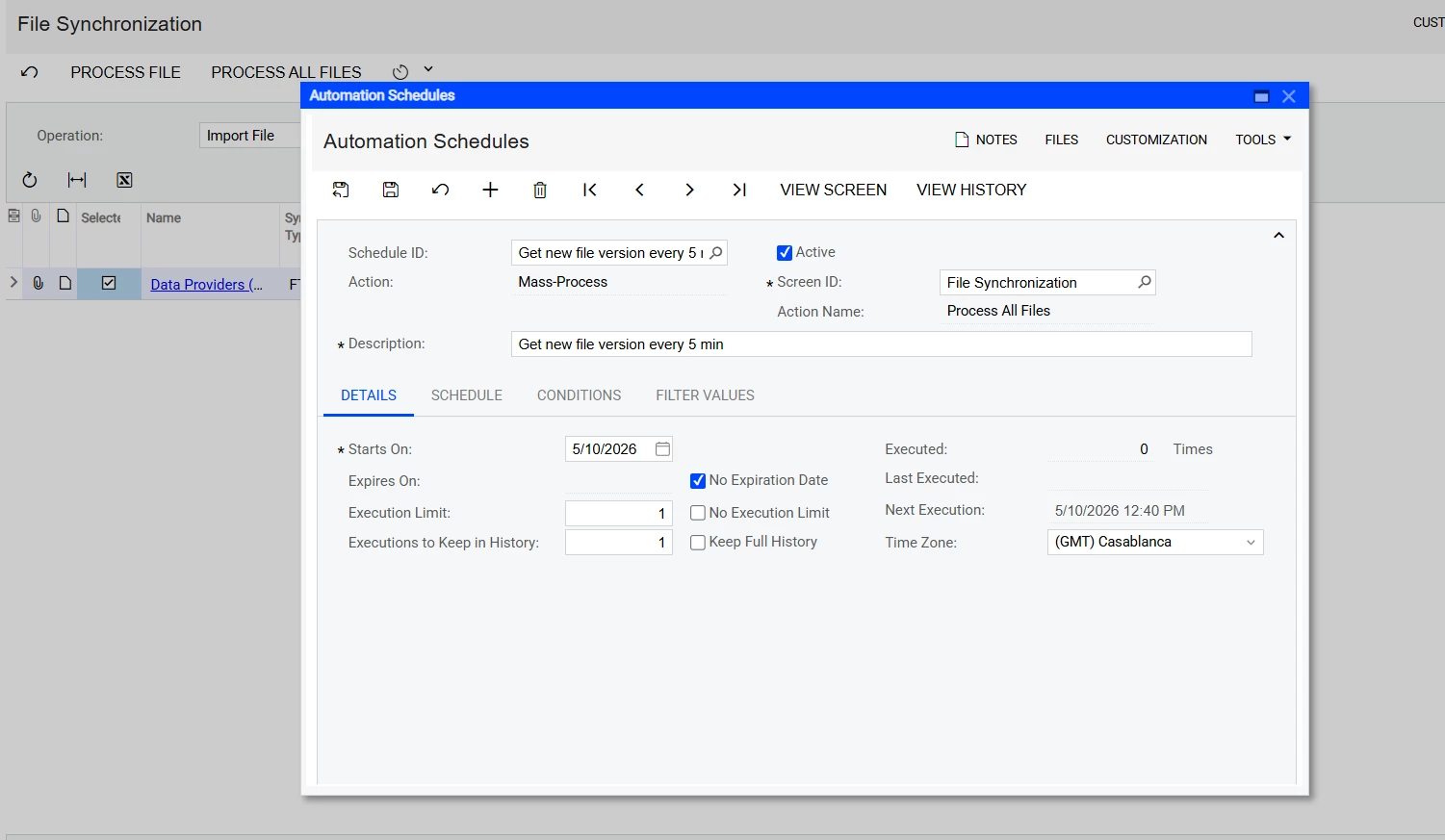
 

My goal is to have Acumatica automatically retrieve the latest files from the FTP server every 5 minutes.

I would really appreciate any help or suggestions from the community.

Thank you!

1 reply

KrunalDoshi
Varsity III
Forum|alt.badge.img+1
  • Varsity III
  • May 11, 2026

Hi ​@Mido97,

As you confirmed that manually when you run the file synchronization, it is working, so there should not be anything wrong with the configuration. Now, it could be due to Automation Schedule. Try checking the same and see if you have all parameters set correctly for Automation Schedule you have setup. Check the status and history of the Automation Schedule, whether it has run as per the scheduled time.

Also, I would suggest checking No Execution Limit. I have observed it triggers Automation Schedule correctly. And, set the start time and stop time so it is not overloaded when you run for every 5 mins.

Hope this is helpful!