

Answer

"The key cannot be updated at this time. Try to save your previous changes first." Error on import

  • January 12, 2023
  • 3 replies
  • 399 views

Forum|alt.badge.img

Hello, I am trying to update Vendors. When I try to import it, it pops up with an error saying “

The key cannot be updated at this time. Try to save your previous changes first.”.

Here in my map
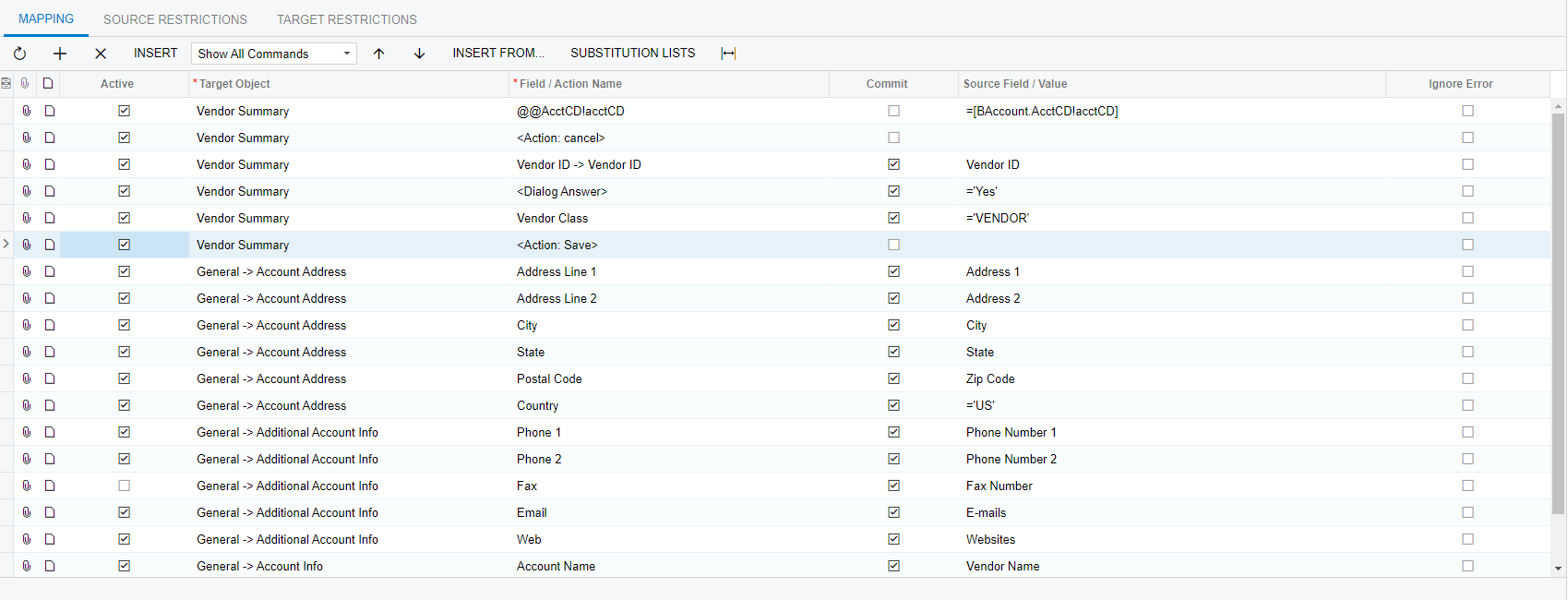
And the error
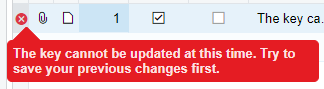
There are no errors showing up on the lines of the import.

What could be causing this?


Thanks!

Best answer by Manikanta Dhulipudi

HI @aidenwills15 

Adding vendor Import scenario for your review and compare with your Import scenario,

If not resolved share the xml file with us to check once.

Thanks

3 replies

Manikanta Dhulipudi
Captain II
Forum|alt.badge.img+15

HI @aidenwills15 

Adding vendor Import scenario for your review and compare with your Import scenario,

If not resolved share the xml file with us to check once.

Thanks


Forum|alt.badge.img
  • Author
  • Jr Varsity II
  • January 12, 2023

HI @aidenwills15 

Adding vendor Import scenario for your review and compare with your Import scenario,

If not resolved share the xml file with us to check once.

Thanks

I made some edits to my map and it has worked now. Thanks!


  • Freshman I
  • October 26, 2024

I had the same issue but I just restarted the application from the Apply Updates screen and this resolved my issue.

