Question

Text/CSV Export: Add Trailer Record

  • May 11, 2026
  • 3 replies
  • 35 views

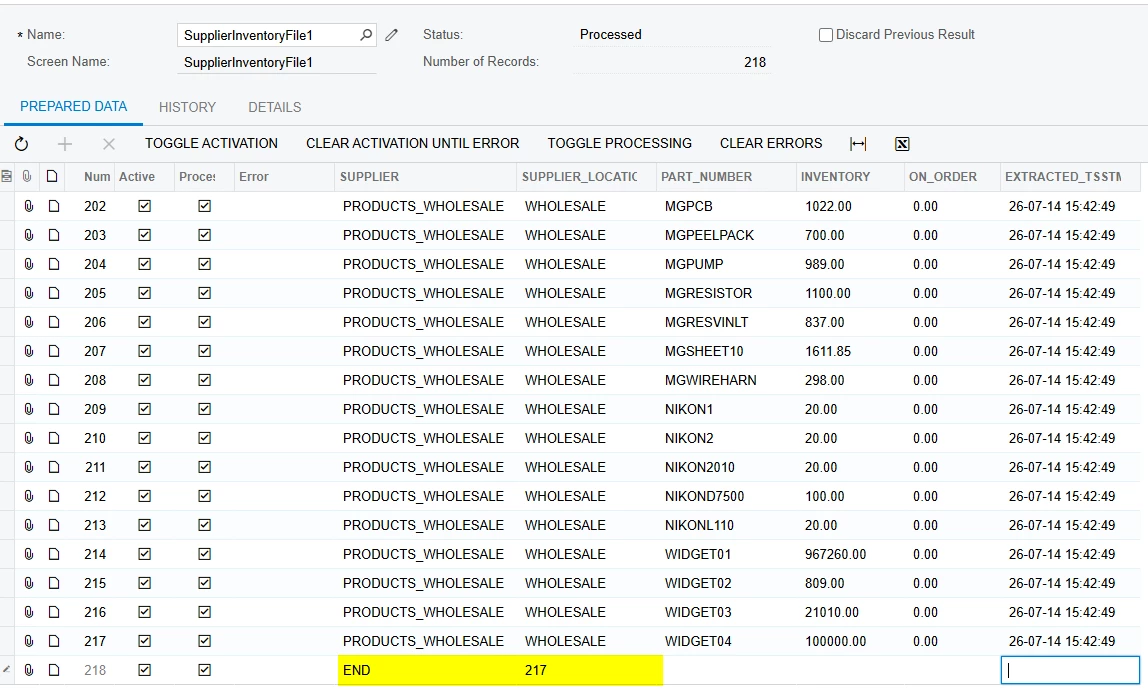
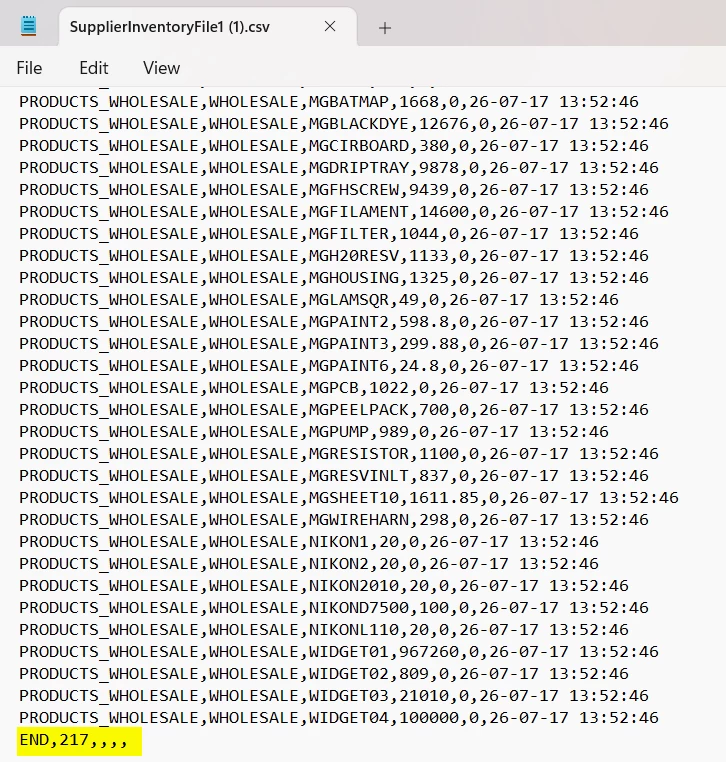
We’ve created an export scenario using a GI as the source. We need to add a trailer record to the end to sum up the number of payments and the total payment amount. Does anyone know how to do this?

3 replies

MissyMain41
Jr Varsity II
Forum|alt.badge.img
  • Jr Varsity II
  • May 11, 2026

Hey there, 
I will be intrigued if others have an option for this.
Here is another post on community that confirms my suspicion, the export can’t include the sum of records as an additional “trailing” record 
How to include the Aggregate Field like Sum in GI Export to Excel? | Community 

As a workaround for the time being however, perhaps try exporting to excel, then have excel do the summation of records, then convert excel to CSV when saving. 

It’s not an all in one workaround, but it would get the job done in the meantime while waiting for others to confirm if possible to have an export sum those records itself. 


  • Author
  • Freshman I
  • May 11, 2026

@MissyMain41, thank you for the input! Unfortunately, I don’t think that will work even temporarily in this scenario. We are setting up an API with the bank so that they can pick up this file. It is a GI that is filtering into an export scenario to create a comma-delimited text file. That file would then be picked up by the bank in an automation schedule. 

I was able to map everything out in the export scenario to the file except the trailing record. I can’t figure out how to map in a final line (if at all possible). 


KrunalDoshi
Varsity III
Forum|alt.badge.img+1
  • Varsity III
  • May 13, 2026

Hi ​@rjarrell81,

I do not think there is any OOB solution to include the footer line in GI or export scenario. Maybe you can create a custom Data Provider to add that trailing record and use that to export.