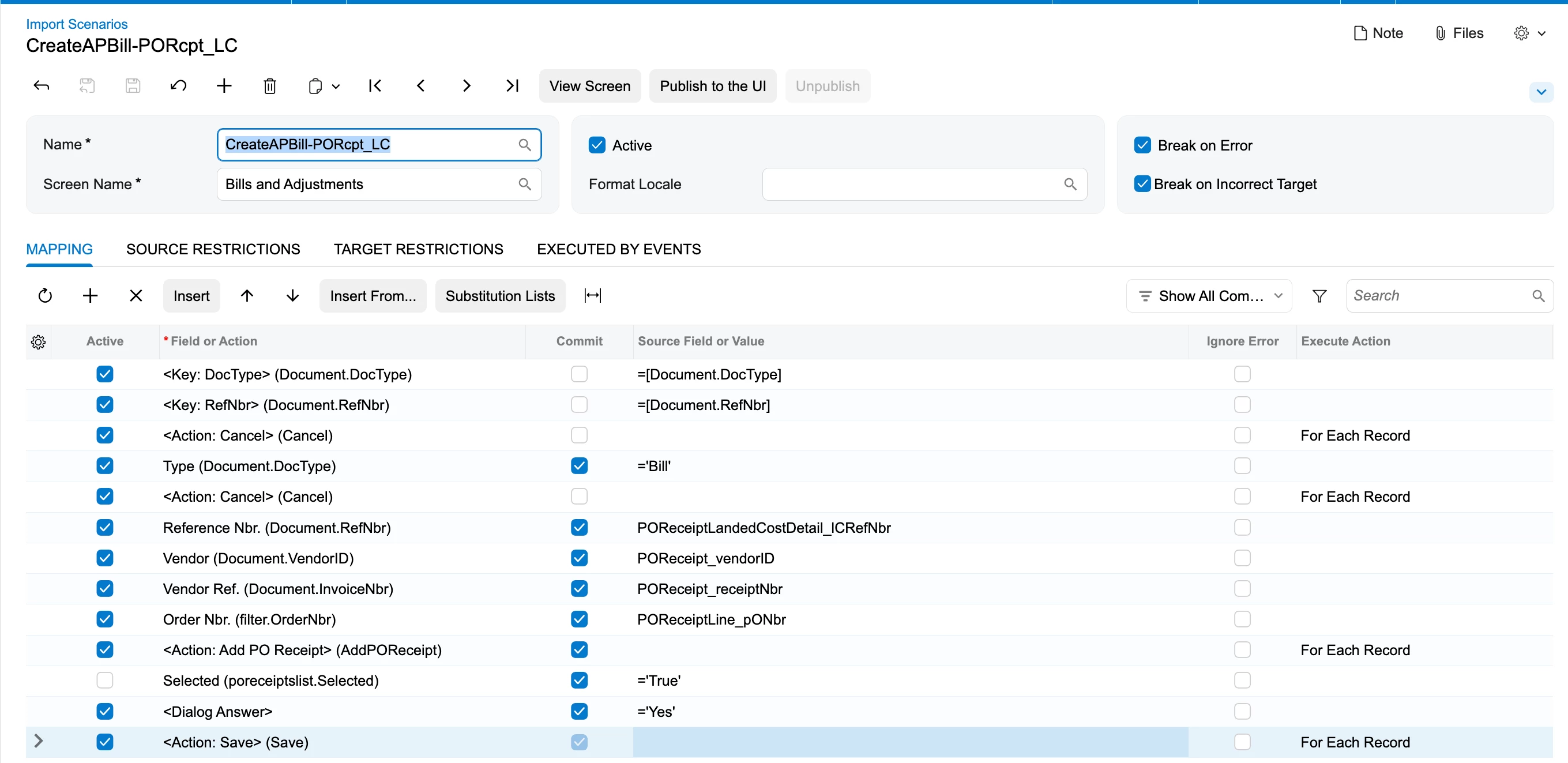
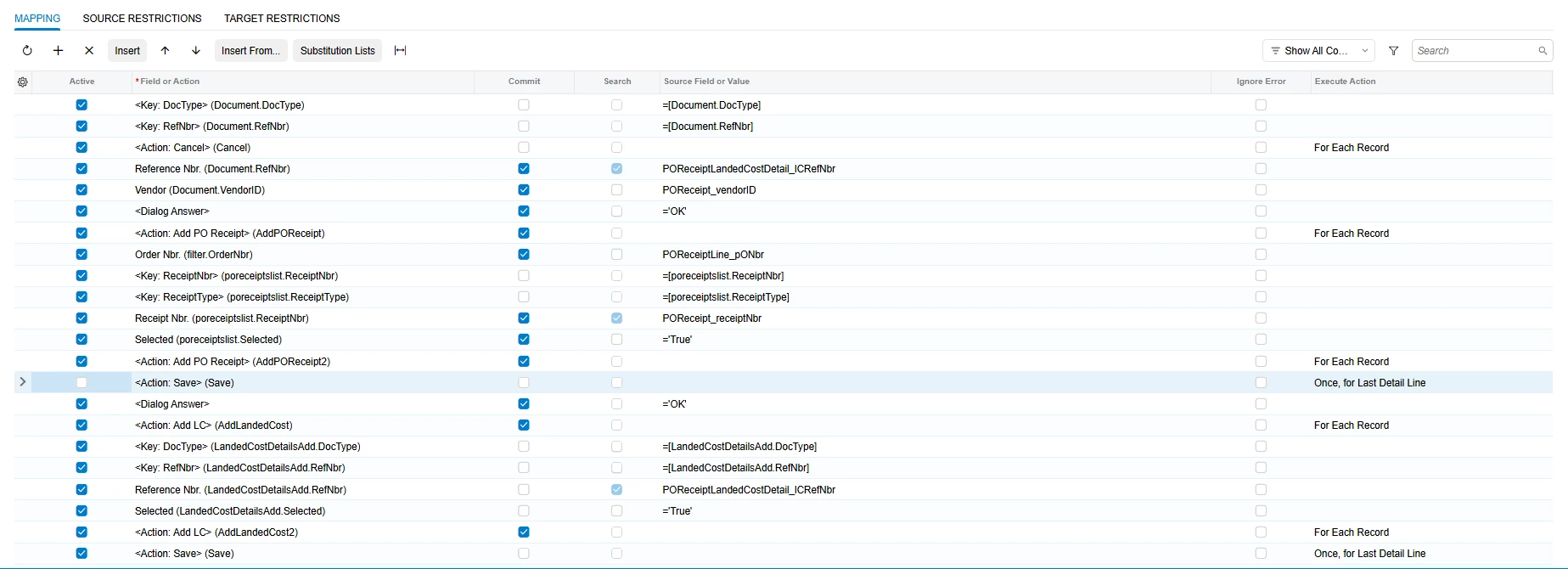
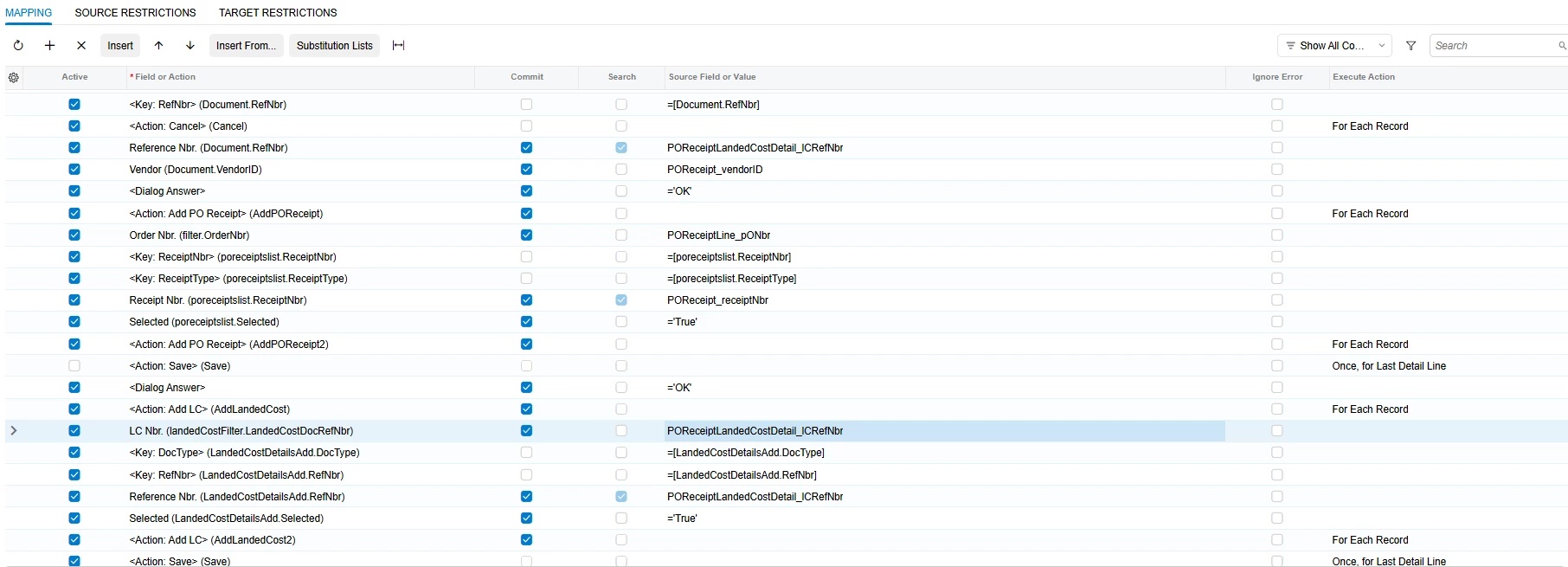
@Harry, your first mapping has the Active box cleared on the Selected row, so no receipt ever gets selected. Two other things differ from the order that worked when I rebuilt this on 2026 R1. The Order Nbr. filter comes before the action that opens the dialog, and nothing runs the dialog's add step after the selection. That add step is the second Add PO Receipt in the Field or Action lookup (AddPOReceipt2). It's the same pattern as the Import Shipments example in Acumatica's I100 course.
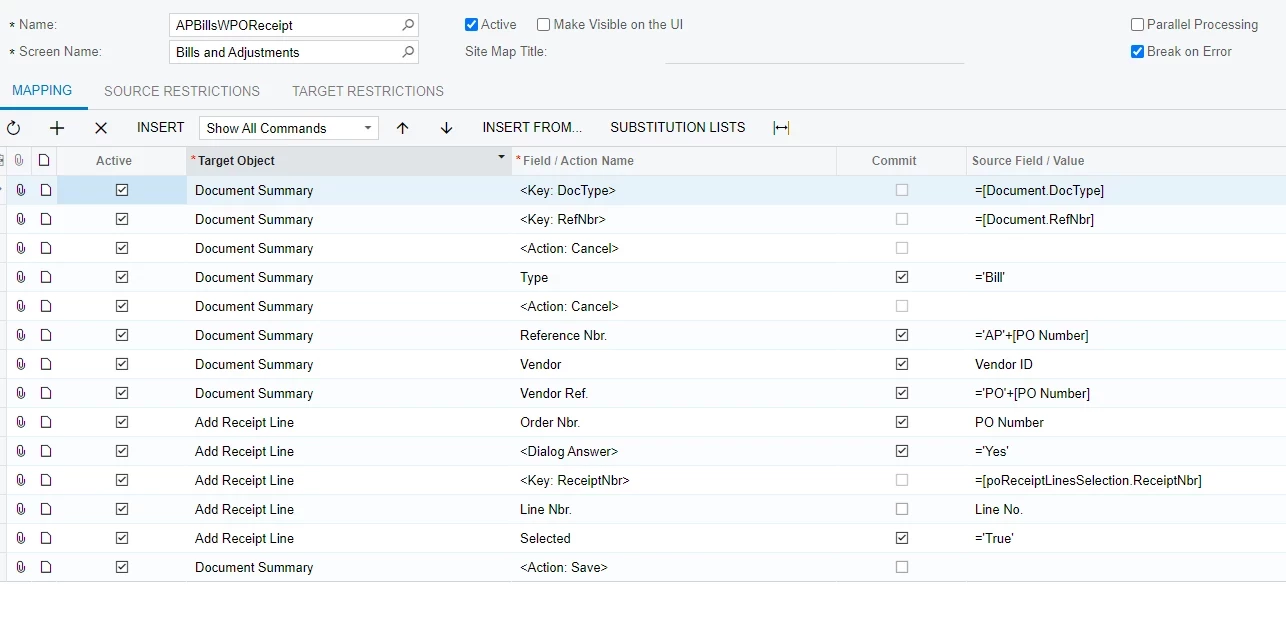
Mohammad's sample uses the Add PO Receipt Line dialog, which picks individual receipt lines. That's the one to use when a bill covers only part of a receipt.
These rows go after your Type, Reference Nbr., Vendor and Vendor Ref. rows. They created the bill with all the receipt's lines:
<Dialog Answer> = 'OK'
<Action: Add PO Receipt> (AddPOReceipt)
Order Nbr. (filter.OrderNbr) = POReceiptLine_pONbr
Receipt Nbr. (poreceiptslist.ReceiptNbr) = POReceipt_receiptNbr
Selected (poreceiptslist.Selected) = 'True'
<Action: Add PO Receipt> (AddPOReceipt2)
<Action: Save>
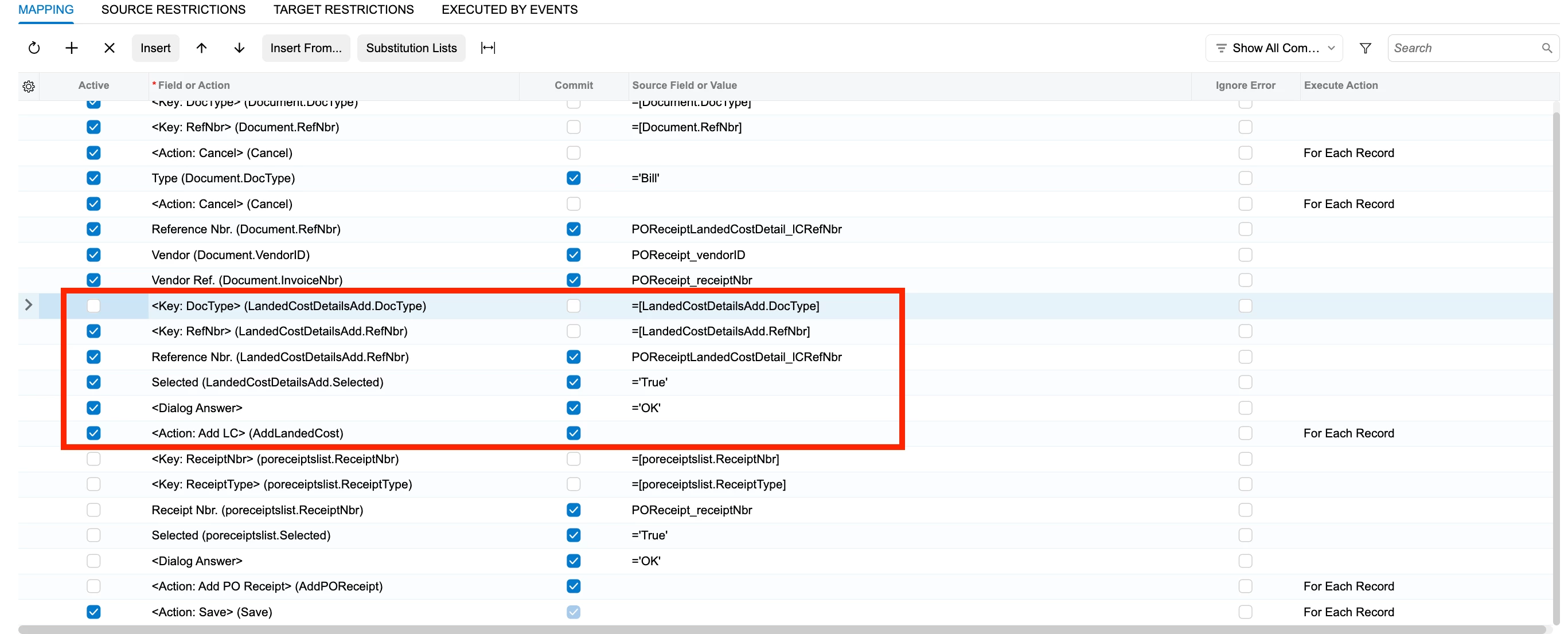
Add LC works the same way:
<Dialog Answer> = 'OK'
<Action: Add LC> (AddLandedCost)
Reference Nbr. (LandedCostDetailsAdd.RefNbr) = landed cost document number
Selected (LandedCostDetailsAdd.Selected) = 'True'
<Action: Add LC> (AddLandedCost2)
<Action: Save>
Keep the <Key> rows the system inserts above Receipt Nbr. and Reference Nbr. active. In the LC dialog, Reference Nbr. is the number of the landed cost document itself, from Landed Costs (PO303000). The dialog only lists released landed cost documents that aren't billed yet, in the bill's currency, for the bill's vendor (the pay-to vendor if you use Vendor Relations). With Vendor coming from the receipt, landed costs from a freight or customs vendor won't show up on that bill.