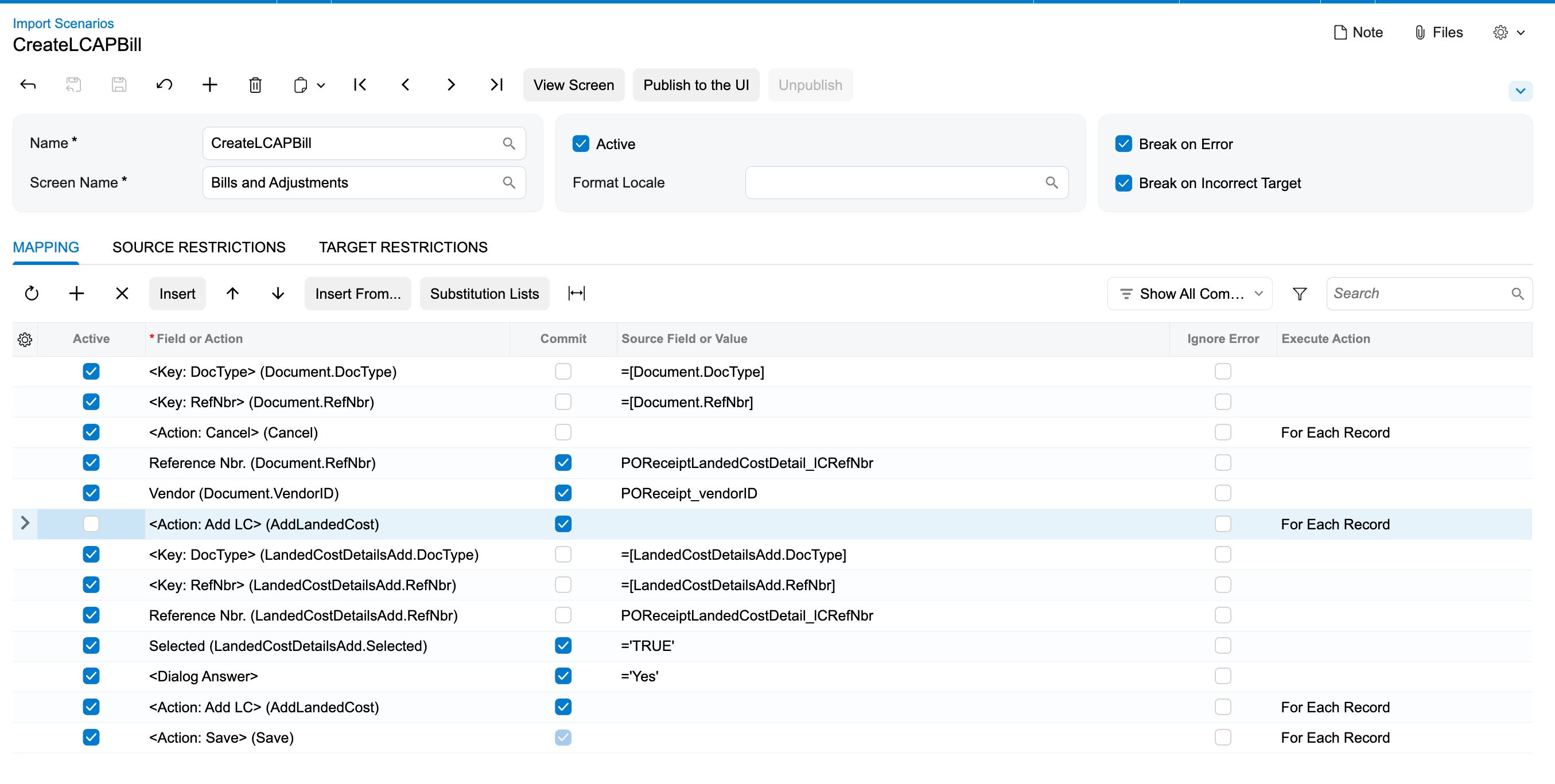
@Harry, the dialog has to be answered before the action that opens it, and this one only acts on OK. To RJ's question: a GI works fine as the source. I rebuilt a copy of your rows on a 26.101 test tenant from a GI. Your version finished with no error and left an empty bill on hold. This order brought the LC line onto the bill and linked it:
1. <Dialog Answer> = 'OK', Commit
2. <Action: Add LC> (AddLandedCost), active, Commit
3. landedCostFilter.LandedCostDocRefNbr = your LC number, Commit
4. Reference Nbr. (LandedCostDetailsAdd.RefNbr) = your LC number, Commit and Search
5. Selected (LandedCostDetailsAdd.Selected) = 'True', Commit
6. <Action: Add LC> (AddLandedCost2), Commit
7. <Action: Save>
Two catches. The Search check box is a hidden column, so add it through the mapping grid's column configuration. Two actions are also captioned Add LC, and the name in parentheses is the only difference. AddLandedCost opens the dialog. AddLandedCost2 is the dialog's Add button, and it adds whatever rows are selected.
Since you want the receipt on the same bill, check the vendor first. Vendor Relations aside, Add LC stays disabled unless the bill's vendor has Landed Cost Vendor checked. The dialog also only lists released LC documents for that vendor, location and currency that aren't on a bill yet. So the LC has to be entered against the receipt's vendor.
Run it in a test tenant first. Every run creates a bill, even when the dialog rows miss.