Answer

Stock item > Item Class and Posting Class updates

  • March 23, 2023
  • 5 replies
  • 626 views

AndrewBGL
Pro I
Forum|alt.badge.img

Hello,

I am trying to update 8000 stock item’s posting class and item class.
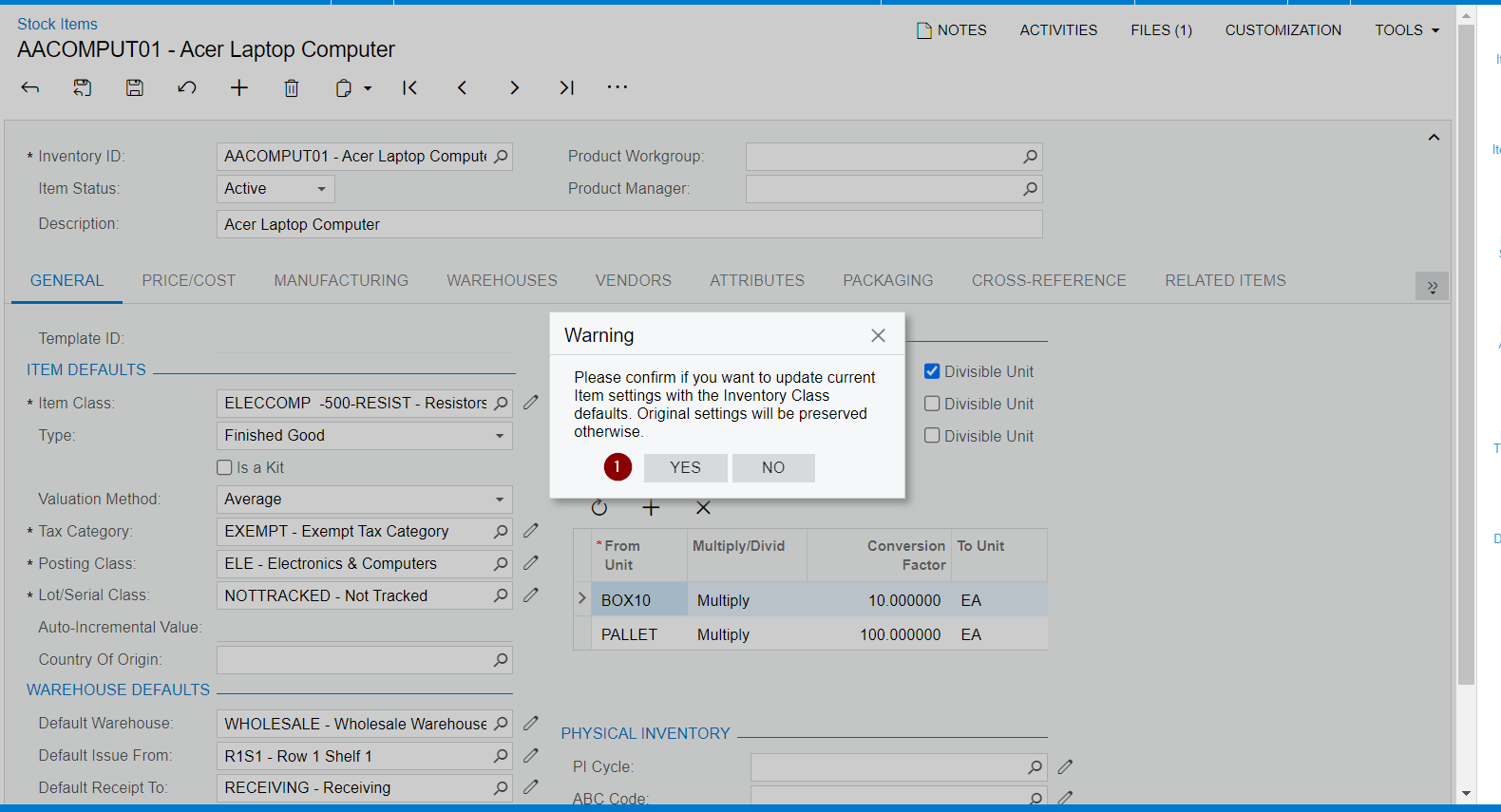
I am getting this error message.

Please confirm if you want to update current Item settings with the Inventory Class defaults. Original settings will be preserved otherwise.

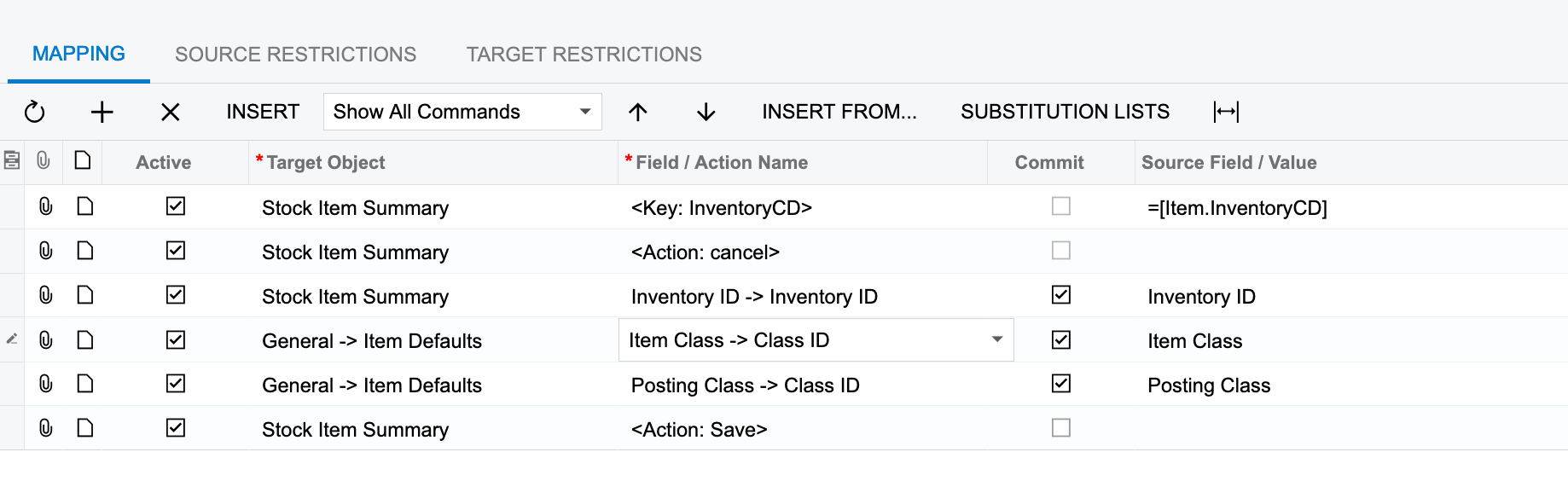
Based on the error message I think I need to add an action after the inventory ID.
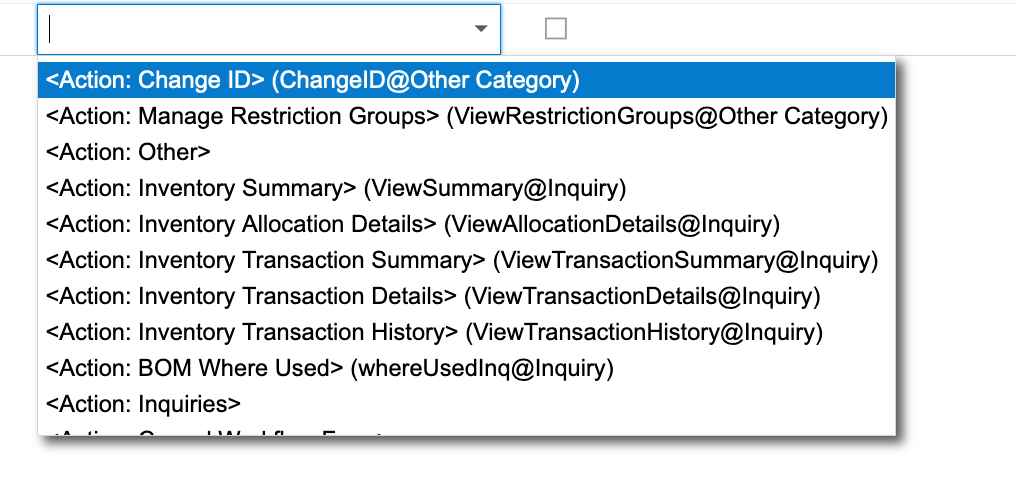
Screen shot of <Actions: >


Best answer by Manikanta Dhulipudi

hI @AndrewBGL 

I just prepared the IMPORT

5 replies

AndrewBGL
Pro I
Forum|alt.badge.img
  • Author
  • Pro I
  • March 23, 2023

Here is an .xml export of my mapping. Any help would be greatly appreciated.


Manikanta Dhulipudi
Captain II
Forum|alt.badge.img+15

Hi @AndrewBGL 

Please share a xml file to provide the necessary action Items in the Import scenario,

Basically the system will open a dialog box when you tried to change the Item or Post classes to confirm 


You need set this action in the Import scenario.https://www.augforums.com/forums/everything-else/using-an-import-scenario-to-change-the-item-class-on-a-stock-item/

Thanks


AndrewBGL
Pro I
Forum|alt.badge.img
  • Author
  • Pro I
  • March 23, 2023

@manikantad18 Thanks for the quick reply. I just barely beat you with the xml file before you asked for it.


Manikanta Dhulipudi
Captain II
Forum|alt.badge.img+15

hI @AndrewBGL 

I just prepared the IMPORT


AndrewBGL
Pro I
Forum|alt.badge.img
  • Author
  • Pro I
  • March 23, 2023

Hello @manikantad18,

I loaded it into a new import scenario and and used it to correct my mapping.

Thanks for your help.