Answer

SO Import Scenario will stop after 1 sucessful record imported.

  • May 1, 2022
  • 5 replies
  • 883 views

martingaxiola
Varsity I
Forum|alt.badge.img

Good day team,


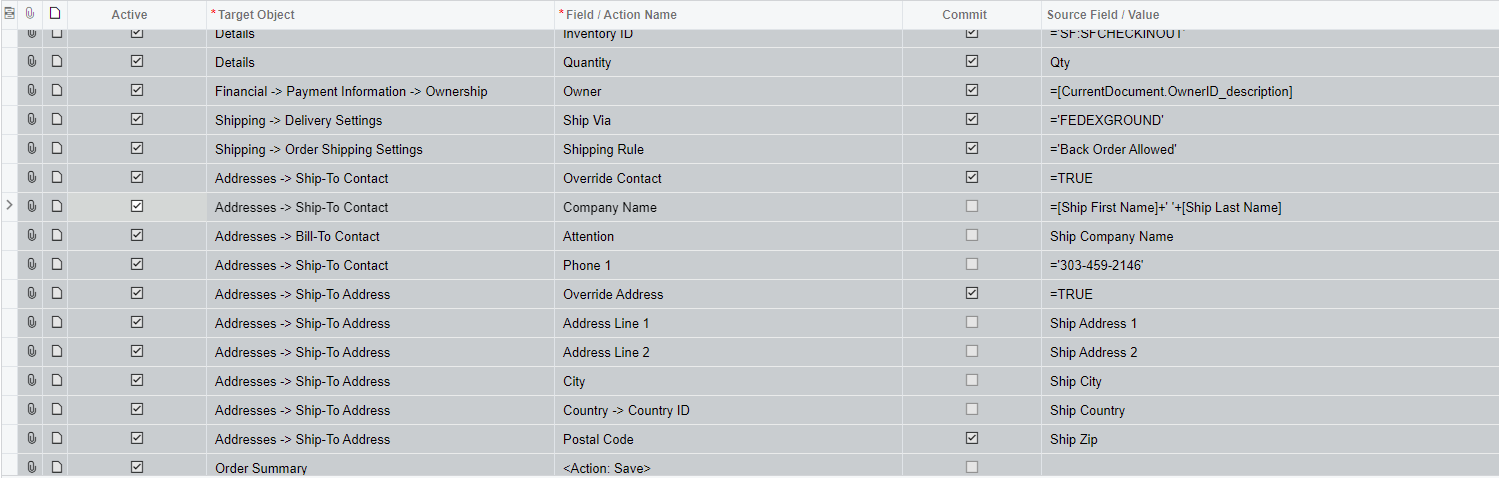
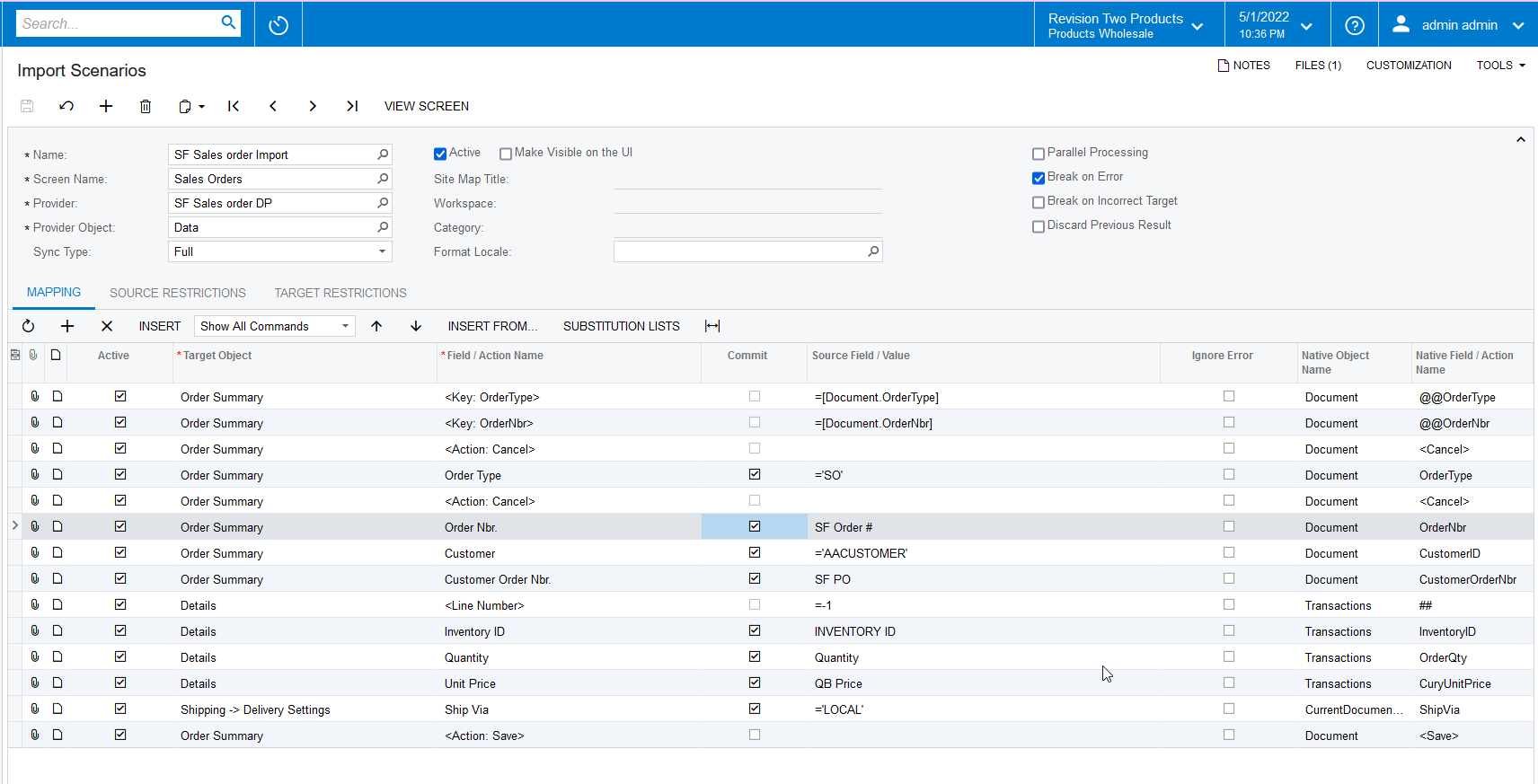
I have a import scenario that is working correctly, but it will give the error “

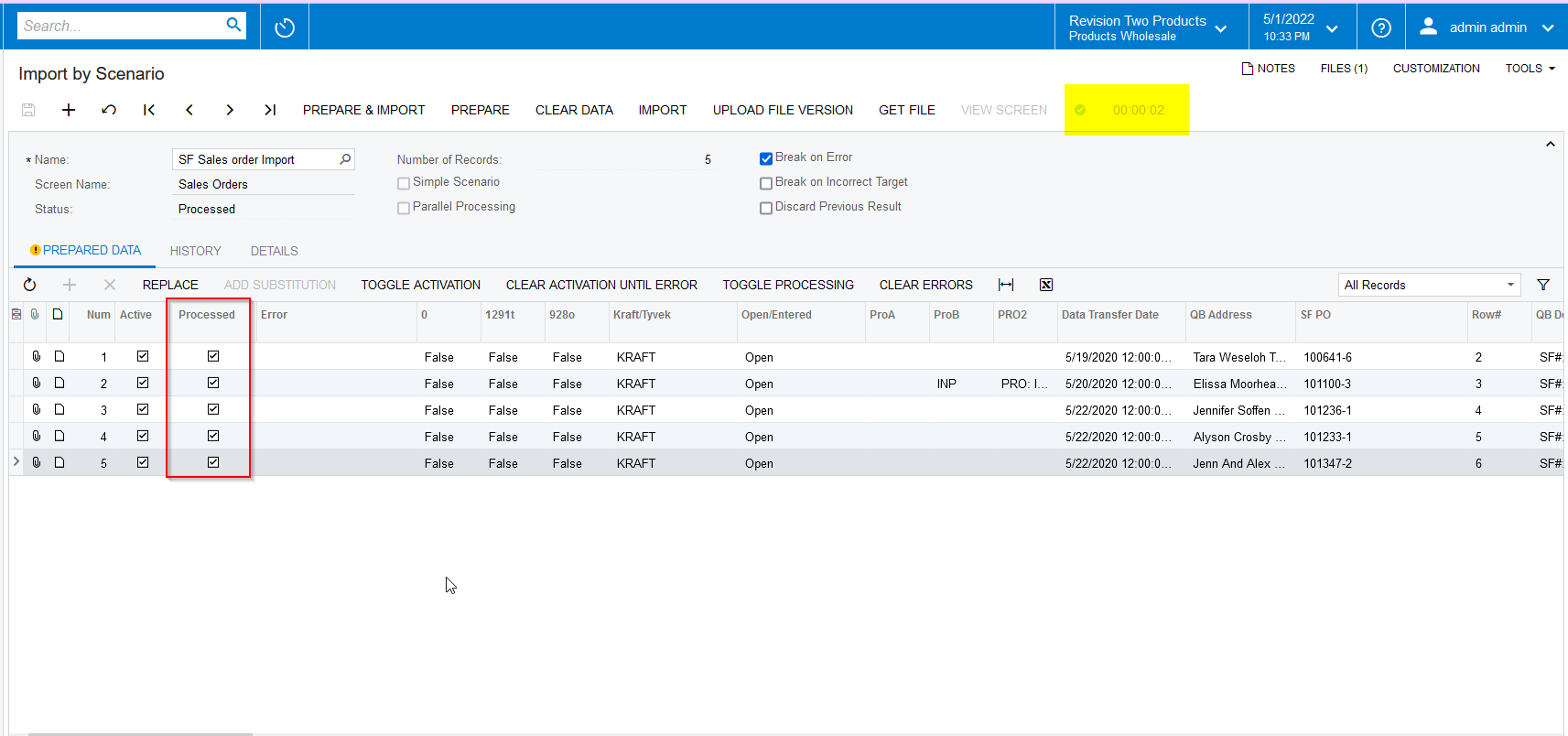
4 items have not been processed successfully. View name: Document.” after the first record is imported sucesfully (I am testing with 5 Sales Order to import). On the Trace is giving the error “Failed to find record in TaxZoneZip for the given zip code: 43537” but if I add the Tax Category code for No Tax it will error out and not give any information. 
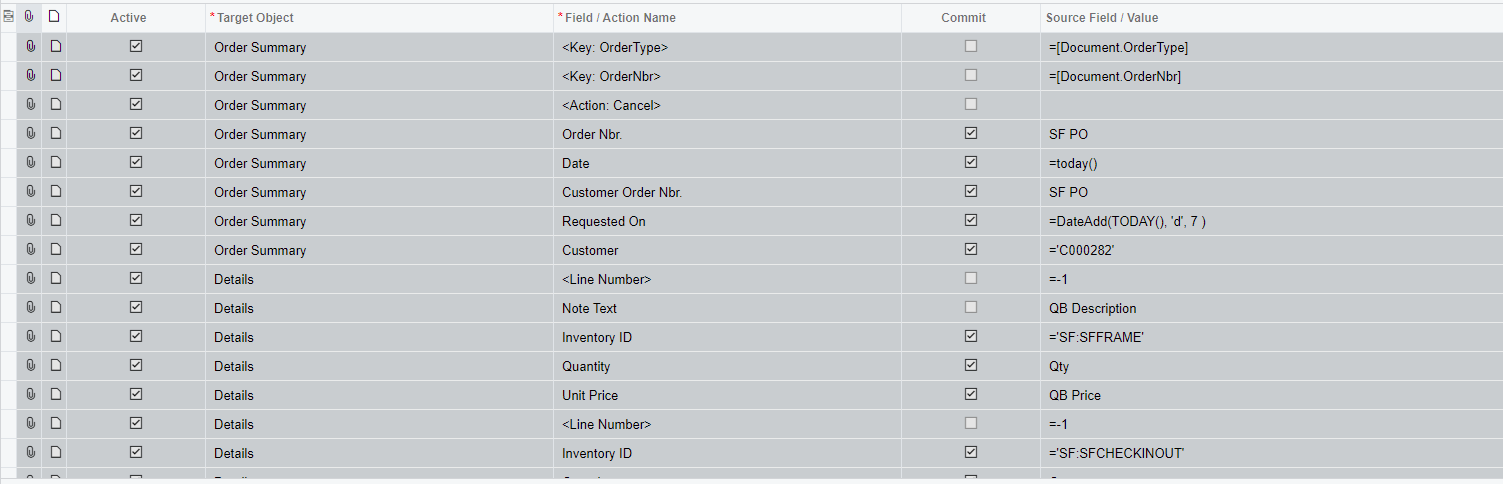
Part1


I hope maybe somebody can help me with this issue, as I see nothing wrong, and the testing with the Tax Category only made things worst.

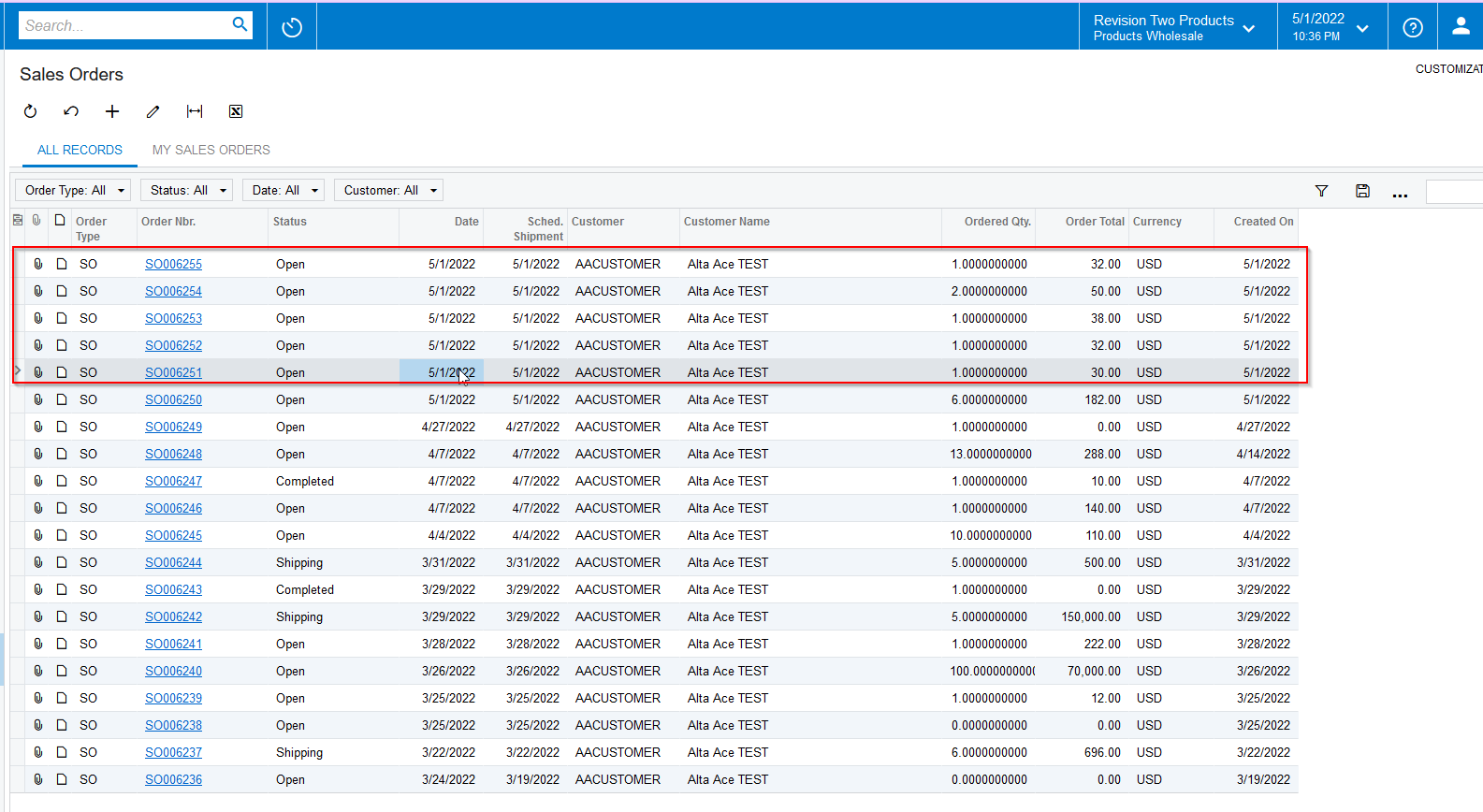
Note: If I import the scenario 5 times it will complete sucessfully, as it only does one line per import process, not the five.


Thank you.
Best answer by vkumar

Hi @martingaxiola 


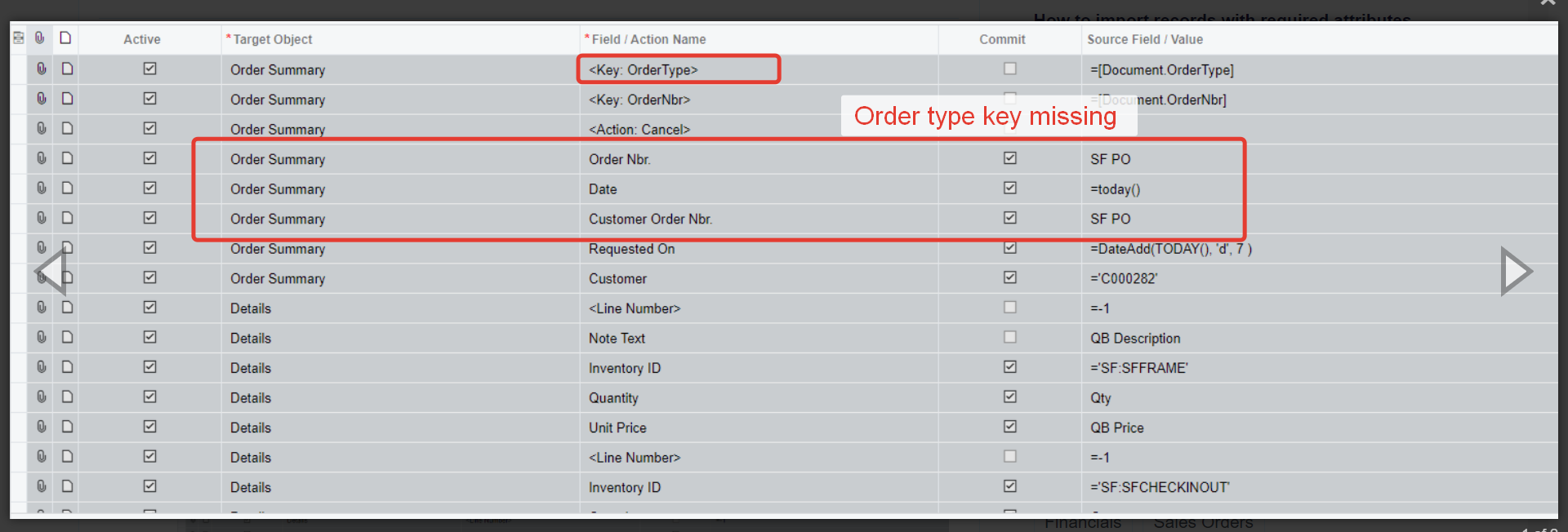
Adding to @Naveen Boga, note the Order type is missing on your import which is part of the primary key. 

Regards,

5 replies

Naveen Boga
Captain II
Forum|alt.badge.img+19
  • Captain II
  • May 2, 2022

@martingaxiola Could you please share the XML format of above import scenario?


martingaxiola
Varsity I
Forum|alt.badge.img

Hola @Naveen Boga thank you for the promt response, attached are the xlm files as requested.


Naveen Boga
Captain II
Forum|alt.badge.img+19
  • Captain II
  • May 2, 2022

Hi, @martingaxiola  Thanks for sharing the files.

It seems there is an issue with KEY fields with the above-attached import scenario.

So, I have created a simple Sales Order import scenario and verified it. Working as expected!!


For the remaining fields, you can add and verify and let me know if you get any errors.


Forum|alt.badge.img+12
  • Acumatica Support Team
  • Answer
  • May 2, 2022

Hi @martingaxiola 


Adding to @Naveen Boga, note the Order type is missing on your import which is part of the primary key. 

Regards,


martingaxiola
Varsity I
Forum|alt.badge.img

Team,


This has been fixed and working as expected. Thank you so much!