Answer

Project Task cannot be empty

  • December 3, 2024
  • 7 replies
  • 202 views

Forum|alt.badge.img

Hello all,

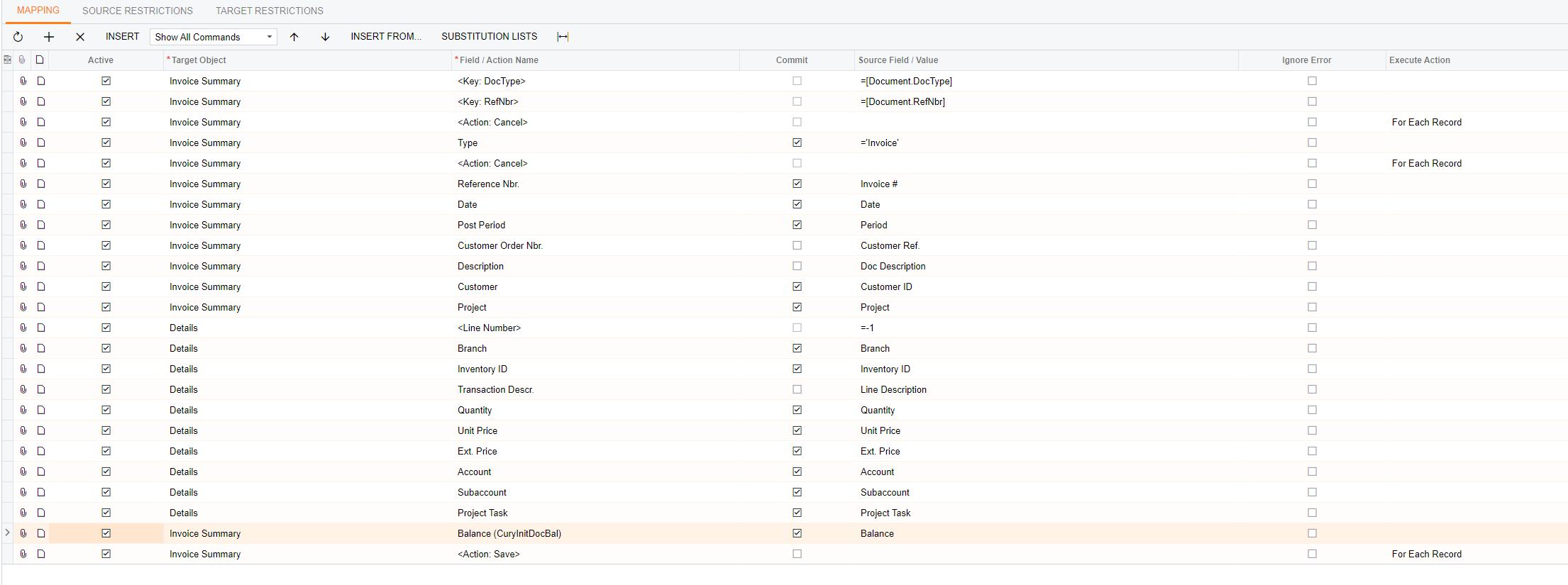
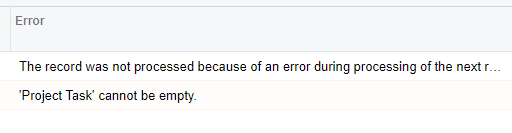
I’m running into an odd issue with AR Invoice imports. I have tried to use the base scenario as well as created my own and I’m still getting an error stating ‘Project Task’ cannot be empty.

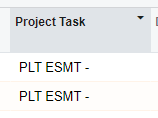
I have confirmed, the project and task is active and that the formating is correct on the import file. I’ve even copied and pasted the project task from the task window.

I can enter this sample invoice directly and it doesn’t give me any errors.

Any help is greatly appreciated. 
 

Best answer by jamest62

@jamest62 ,

Are you importing Open Invoices with Migration Mode On (not posting to GL)?

If Migration Mode is OFF then DeActivate the second-to-last line, “Balance (CurInitDocBal).

Laura

Yes, migration mode is on. 

As a side note, I’m investigating an issue with a customization that may be affecting this import. I’ll reopen this thread if that doesn’t end up being the problem. 

7 replies

Laura03
Captain II
Forum|alt.badge.img+19
  • Captain II
  • December 3, 2024

Hello,

I don’t know the answer yet and would like to ask some related questions:

  • Does the AR account have an Account Group linked in the Chart of Accounts?  If so, does it help to remove the link?
  • Does the same error occur when testing import to another project? 
  • Does the same error occur when using Project X?
  • Is there any additional detail in Tools → Trace that may help us?

It may help us to answer, if you show one line of your Excel so we can visually match the values to the above import.

Thank you.

Laura


Forum|alt.badge.img
  • Author
  • Jr Varsity II
  • December 3, 2024

Hello,

I don’t know the answer yet and would like to ask some related questions:

  • Does the AR account have an Account Group linked in the Chart of Accounts?  If so, does it help to remove the link?
  • Does the same error occur when testing import to another project? 
  • Does the same error occur when using Project X?
  • Is there any additional detail in Tools → Trace that may help us?

It may help us to answer, if you show one line of your Excel so we can visually match the values to the above import.

Thank you.

Laura


Hi ​@Laura02 

  • Yes, removing it did not fix it. 
  • Yes, I’ve tried 2-3 projects
  • No. Project X gives no errors
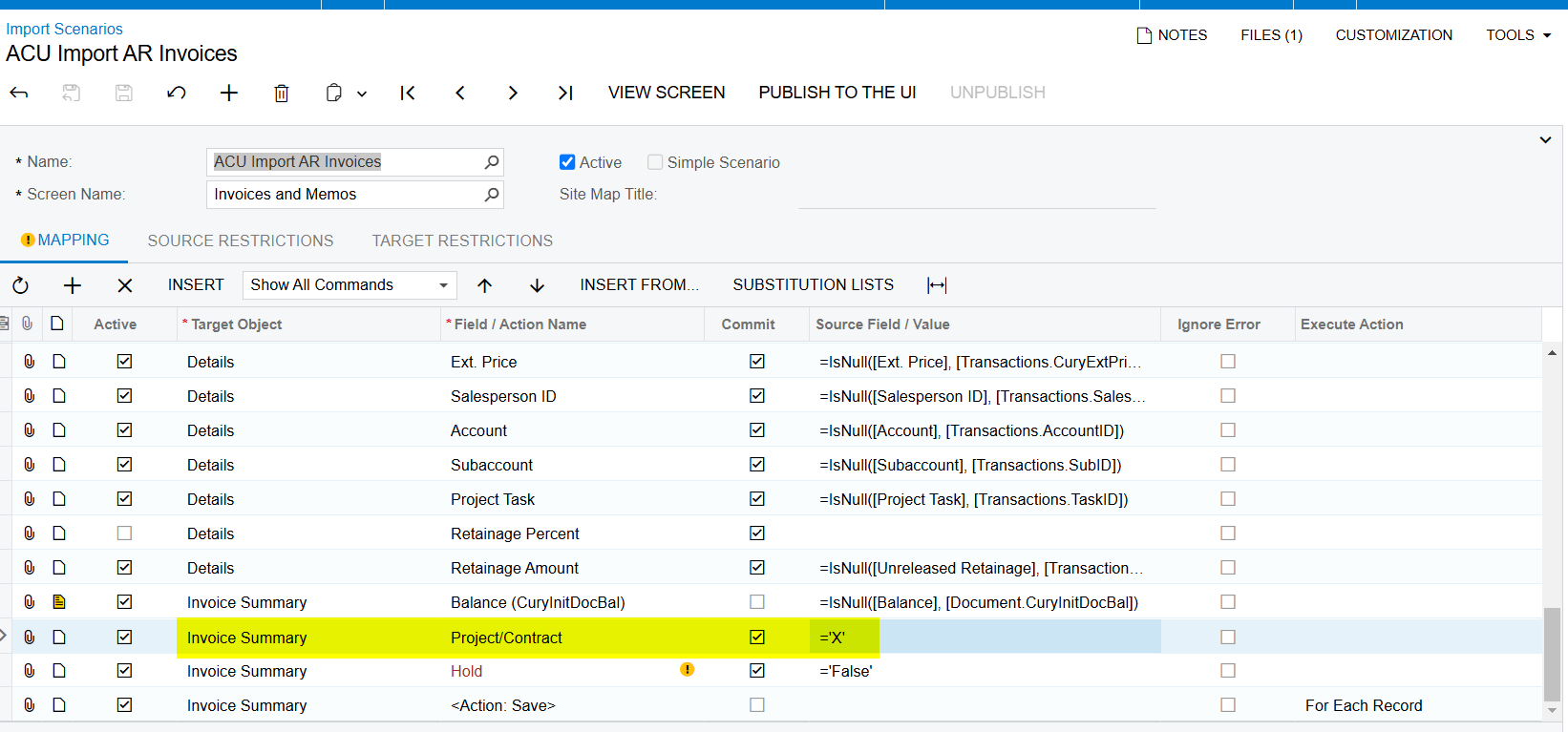
  • See below. I just noticed something. Could the line I’m pointing to in Save request type be causing the issue? 
  • I’ve been looking into the Trace since this issue started and think I see something. I’ll keep you posted.


Manikanta Dhulipudi
Captain II
Forum|alt.badge.img+15

@jamest62 Can you share the Import scenario xml file?


Laura03
Captain II
Forum|alt.badge.img+19
  • Captain II
  • December 3, 2024

Hi ​@Laura02 

  • See below. I just noticed something. Could the line I’m pointing to in Save request type be causing the issue? 
  • I’ve been looking into the Trace since this issue started and think I see something. I’ll keep you posted.

Hello, James,

I don’t understand what line you are pointing to and what you mean by “Save Request Type” -  confusing part highlighted.

Thank you,

Laura


Manikanta Dhulipudi
Captain II
Forum|alt.badge.img+15

Hello all,

I’m running into an odd issue with AR Invoice imports. I have tried to use the base scenario as well as created my own and I’m still getting an error stating ‘Project Task’ cannot be empty.

I have confirmed, the project and task is active and that the formating is correct on the import file. I’ve even copied and pasted the project task from the task window.

I can enter this sample invoice directly and it doesn’t give me any errors.

Any help is greatly appreciated. 
 

@jamest62 I used below mapping and able to import it 


Laura03
Captain II
Forum|alt.badge.img+19
  • Captain II
  • December 3, 2024

@jamest62 ,

Are you importing Open Invoices with Migration Mode On (not posting to GL)?

If Migration Mode is OFF then DeActivate the second-to-last line, “Balance (CurInitDocBal).

Laura


Forum|alt.badge.img
  • Author
  • Jr Varsity II
  • Answer
  • December 7, 2024

@jamest62 ,

Are you importing Open Invoices with Migration Mode On (not posting to GL)?

If Migration Mode is OFF then DeActivate the second-to-last line, “Balance (CurInitDocBal).

Laura

Yes, migration mode is on. 

As a side note, I’m investigating an issue with a customization that may be affecting this import. I’ll reopen this thread if that doesn’t end up being the problem.