

Solved

Process Timed Out but Screen Still Shows Executing

  • January 13, 2025
  • 2 replies
  • 53 views

Forum|alt.badge.img

Hi! I am trying to import a list of prices using the import from file function on the Sales Price Worksheet screen. I received a timed out error but the screen still shows that it is executing. 

I checked in System Monitoring, and it says task finished, and there is no running process or request, but the Sales Prices Worksheet screen seems to suggest that it is not done yet. 

Can someone help clarify for me what this means? Should I cancel this or refresh the browser? 
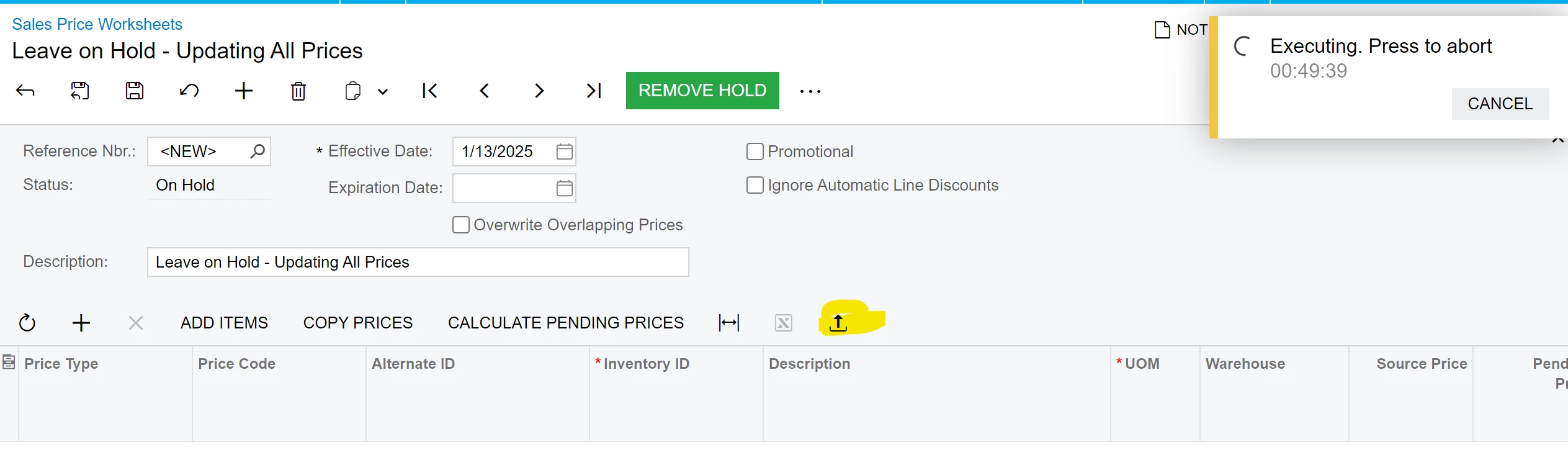
Thanks!

Best answer by nhatnghetinh

Hi ​@jzhu 

It seems the import was not successful. How many lines does your Excel file have? Try re-importing with about 20 lines in the Excel file.


Best Regards,

NNT

2 replies

nhatnghetinh
Captain II
Forum|alt.badge.img+11
  • Captain II
  • Answer
  • January 14, 2025

Hi ​@jzhu 

It seems the import was not successful. How many lines does your Excel file have? Try re-importing with about 20 lines in the Excel file.


Best Regards,

NNT


Forum|alt.badge.img
  • Author
  • Semi-Pro III
  • January 16, 2025

Hi ​@nhatnghetinh The problem was I was trying to import too many lines at one. I ended up importing by price class instead of doing all prices at once. Thank you for your suggestion!
