

Solved

Process Timed Out but Screen Still Shows Executing

  • Jan 13, 2025 6:07 PM UTC
  • 2 replies
  • 103 views
  • Translate All

Forum|alt.badge.img+4

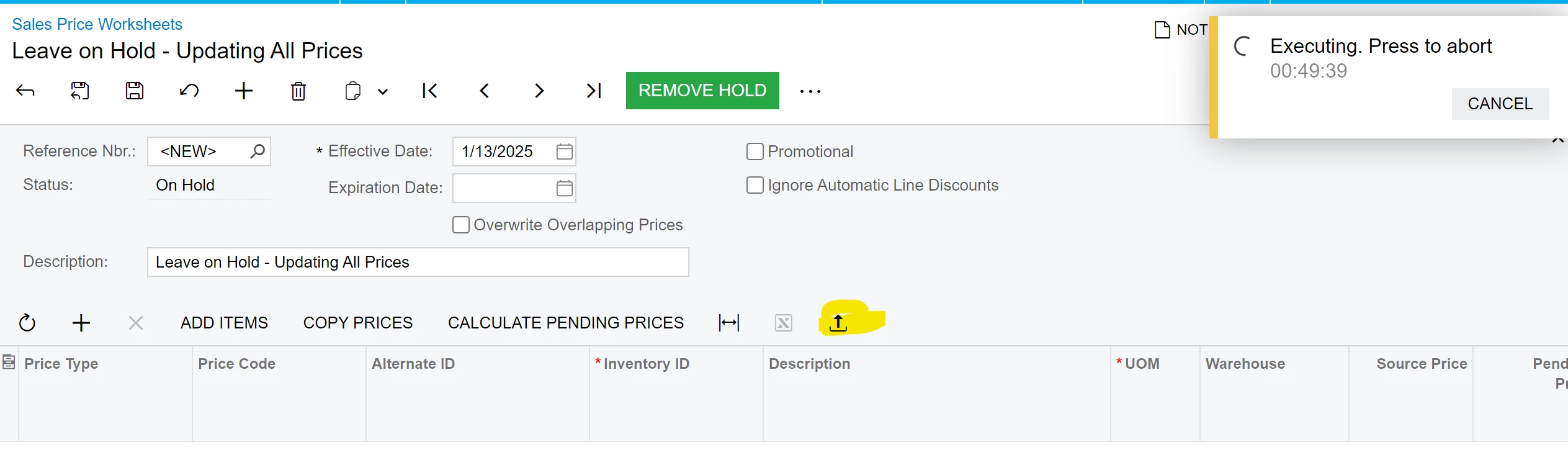
Hi! I am trying to import a list of prices using the import from file function on the Sales Price Worksheet screen. I received a timed out error but the screen still shows that it is executing. 

I checked in System Monitoring, and it says task finished, and there is no running process or request, but the Sales Prices Worksheet screen seems to suggest that it is not done yet. 

Can someone help clarify for me what this means? Should I cancel this or refresh the browser? 
Thanks!

Best answer by nhatnghetinh

Hi ​@jzhu 

It seems the import was not successful. How many lines does your Excel file have? Try re-importing with about 20 lines in the Excel file.


Best Regards,

NNT

View original

2 replies

nhatnghetinh
Captain II
Forum|alt.badge.img+15
  • Captain II
  • Answer
  • Jan 14, 2025 4:09 AM UTC

Hi ​@jzhu 

It seems the import was not successful. How many lines does your Excel file have? Try re-importing with about 20 lines in the Excel file.


Best Regards,

NNT

Translate

Forum|alt.badge.img+4
  • Author
  • Captain II
  • Jan 16, 2025 3:34 PM UTC

Hi ​@nhatnghetinh The problem was I was trying to import too many lines at one. I ended up importing by price class instead of doing all prices at once. Thank you for your suggestion!

Translate
