Answer

Problem exporting Transfer Receipts "details"

  • August 15, 2022
  • 10 replies
  • 159 views

Hello All,

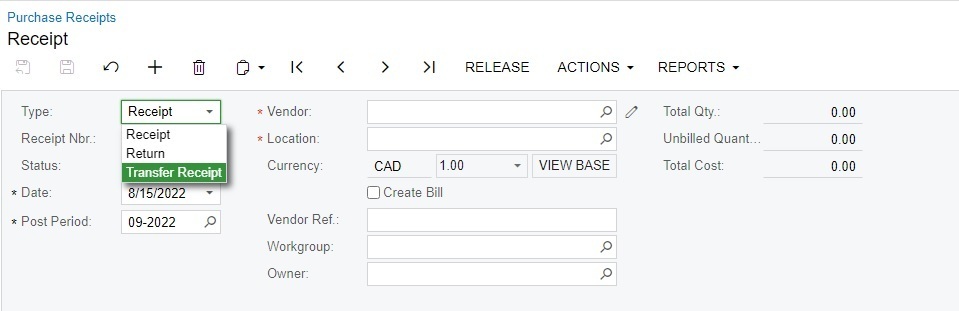
Screen ID CST.PO.30.20.00 is for Purchase Receipts but when you change the “Type” from “Receipt” to “Transfer Receipt” the screens visibly change but the Screen ID does not.

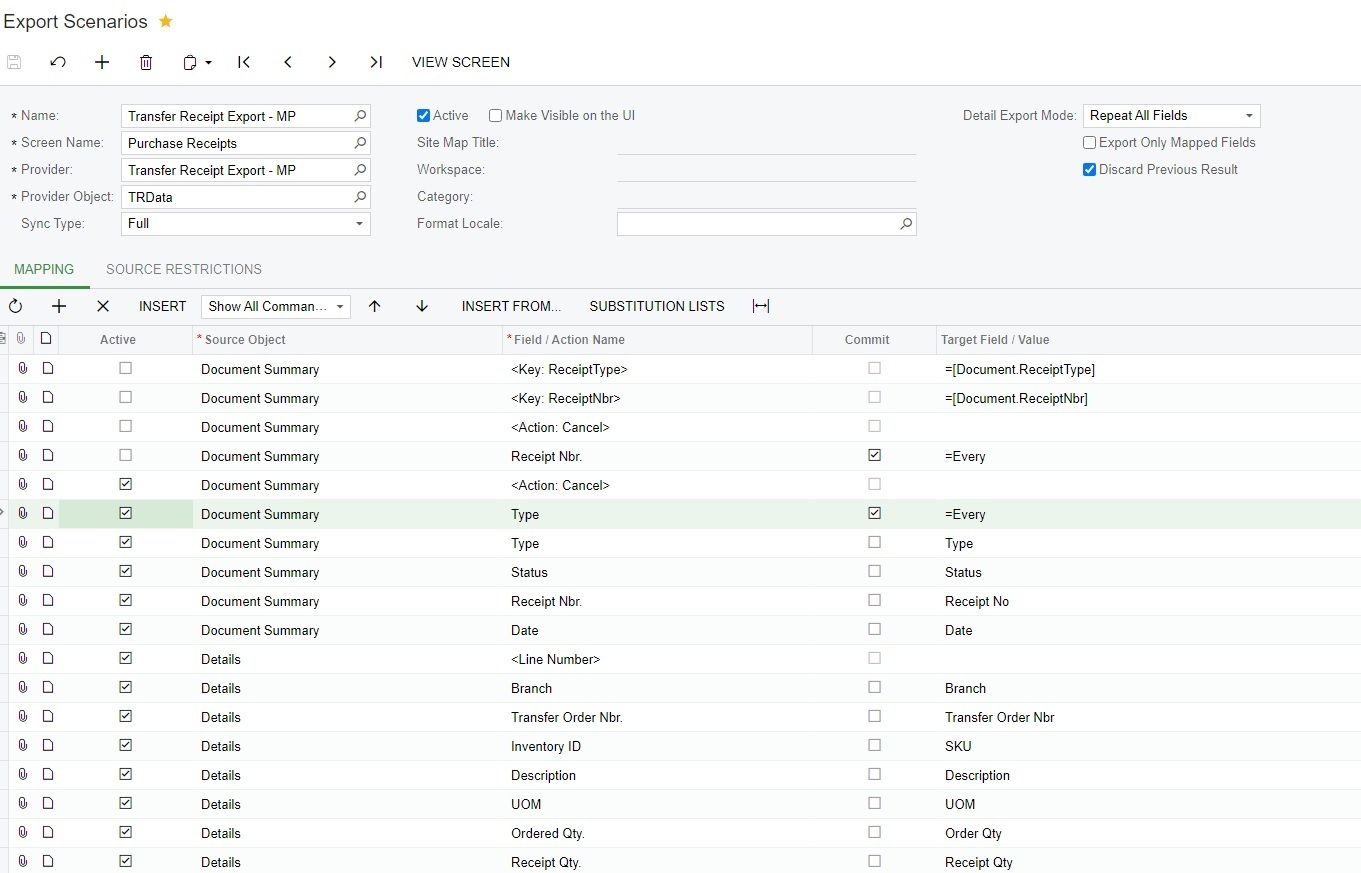
I have created an Export Scenario and I am able to export details from the “Summary” section but info from the “Details” section are not being pulled.

Any ideas why the “Details” are not being exported?


Best answer by Laura03

Hello, I think I got it!

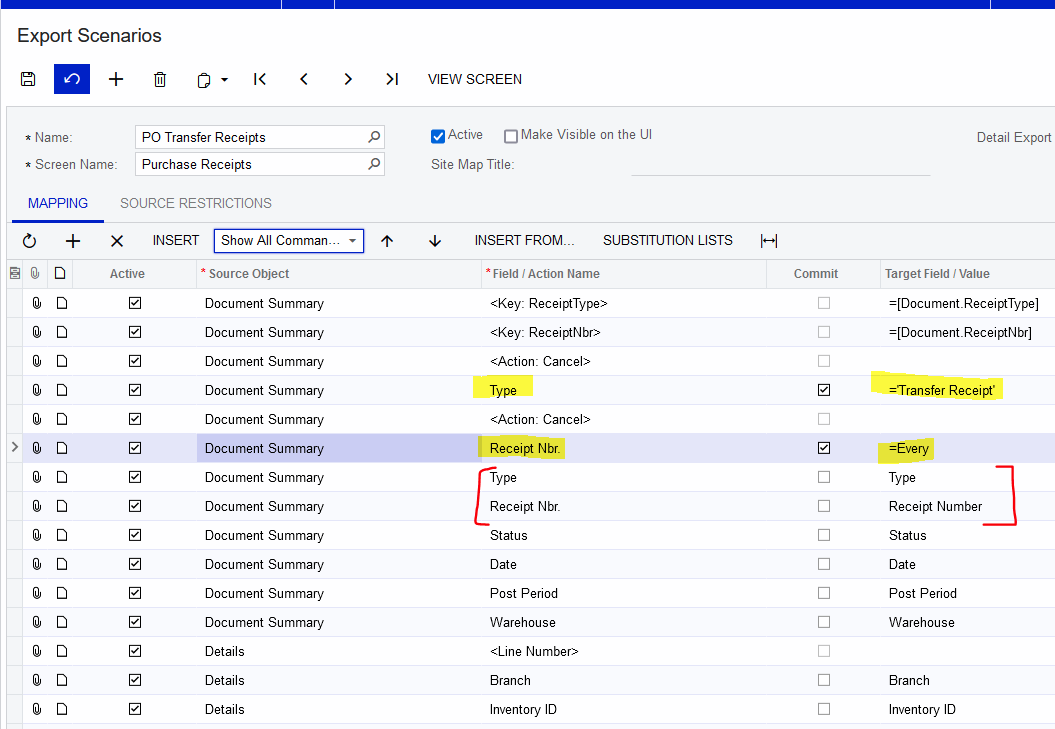
I added = Every on the Receipt Numbers, and I think the line with =Every Receipt Nbr needs to be listed  before lines to export Type and Receipt Number.


10 replies

Laura03
Captain II
Forum|alt.badge.img+19
  • Captain II
  • August 15, 2022

Hello,

I’m not sure I can identify a problem in your export scenario. I did work up a quick Export of the same kind of records from the same screen to Excel. My export worked, and it’s attached. Perhaps if you import mine and compare side-by-side, an idea will appear that helps you to modify your import.

I added source restrictions that you’ll need to remove if you use my example. Without the restrictions, my test database had too many transfer receipts and it was taking too long to test!

Good luck.


  • Author
  • Freshman I
  • August 15, 2022

Hi Laura,

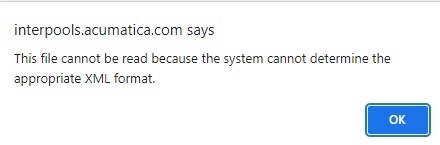
Thanks for your response but I keep getting the following error message when trying to Fill Schema Fields.

I probably should have mentioned that I used an Excel provider, not XML.


Laura03
Captain II
Forum|alt.badge.img+19
  • Captain II
  • August 15, 2022

Hello,

I also used an Excel provider. If you import the XML that I attached to your Export Scenarios screen, my data provider with Excel example attached, as well as my export scenario details will import to your system for comparison.

I hope this helps you.


  • Author
  • Freshman I
  • August 15, 2022

Hello Again,

I was able to get your Export Scenario imported and working but unfortunately it leaves me back where I started as the only “Type” that is being retrieved is “Receipt”, no data for “Transfer Receipts”


Laura03
Captain II
Forum|alt.badge.img+19
  • Captain II
  • August 15, 2022

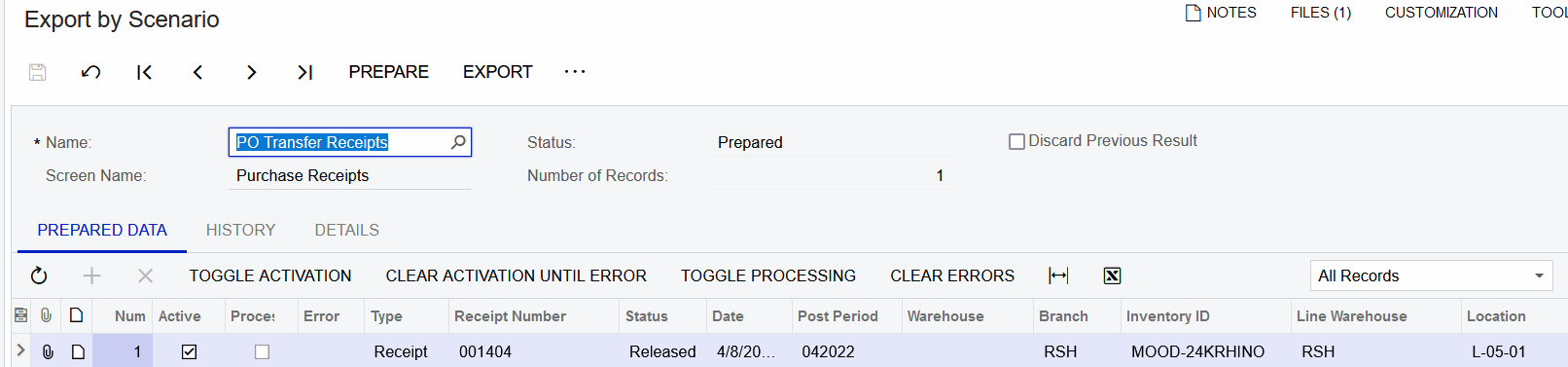
Hi, Did you remove the Source restrictions (I selected only 1 date, 4/8/2022)?

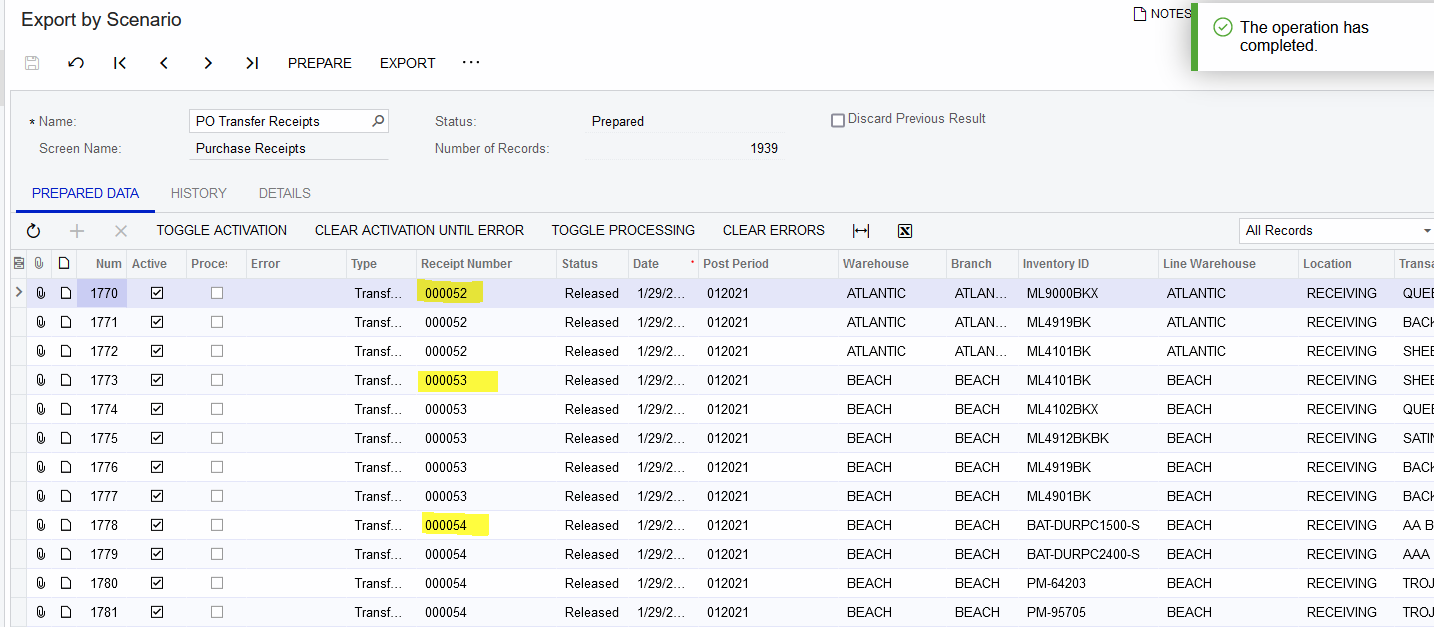
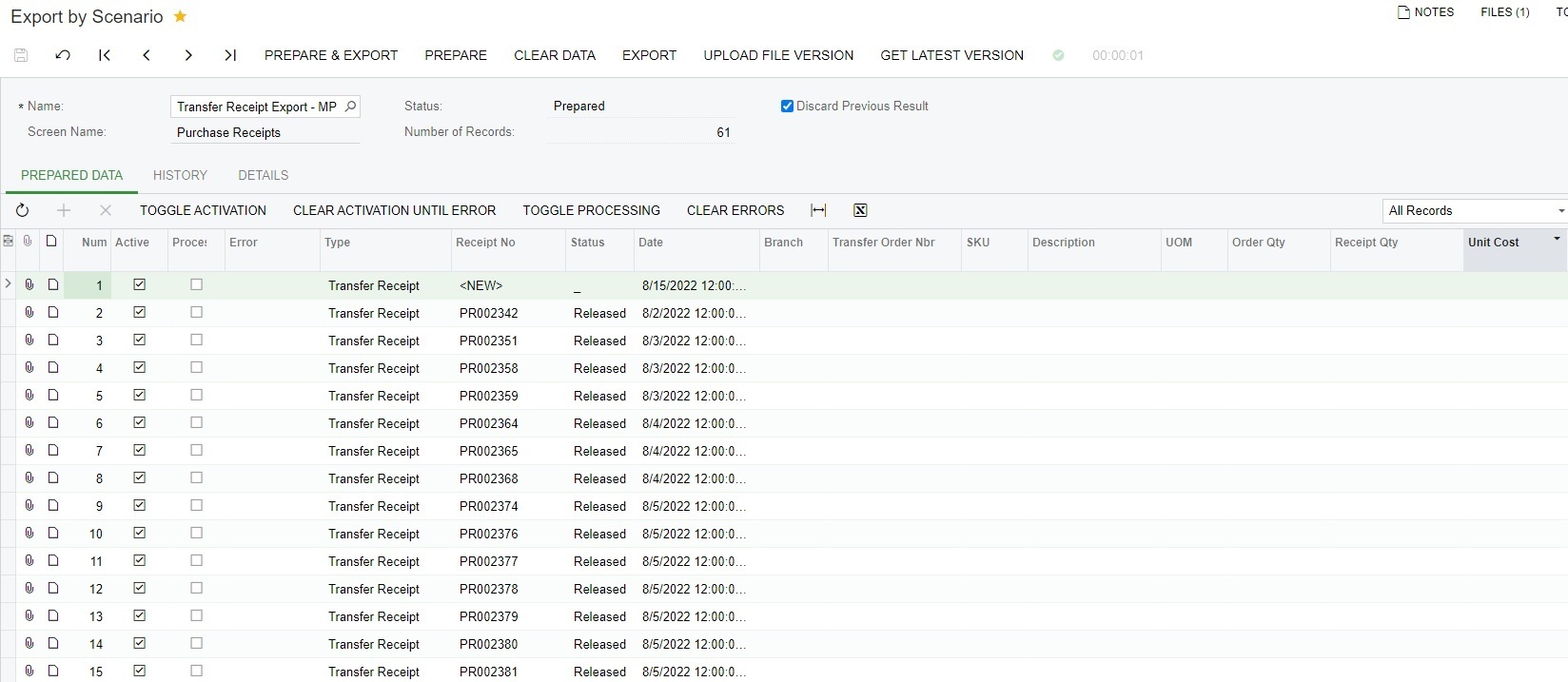
I was able to ‘prepare’ the export and the Export by Scenario screen did populate all the fields in my demo (see below). Maybe someone will come along and point out why the export works for me and yet does not work when Prepared on your site. 


  • Author
  • Freshman I
  • August 16, 2022

I did remove the Source Restriction of a single date and set it to any date greater than June 30th, 2022

You mention that your scenario “did populate all the fields in my demo” but I have to disagree with that.

If you can show me an export where the “type” = “Transfer Receipt” and fields  Xfer Order type, Xfer Order Nbr, Xfer Line Nbr, & Xfer shipment nbr are all populated with data than I would agree that it “did populate all the fields in my demo” but I have yet to see that.

Again only data for type = “Receipt” is being populated.


Laura03
Captain II
Forum|alt.badge.img+19
  • Captain II
  • August 16, 2022

You are correct!  I didn’t pay close attention to my results yesterday. 

Today, I added a condition for Transfer receipts only and… I think I confirmed your ‘bug,’ possibly.  My results are blank even though we have hundreds of Transfer Receipts in my testing environment. I’m testing in 2021 R2.  Maybe a ticket with support is the next step?

Good luck.


  • Author
  • Freshman I
  • August 17, 2022

Hi Laura,

Thanks for all of your efforts thus far.

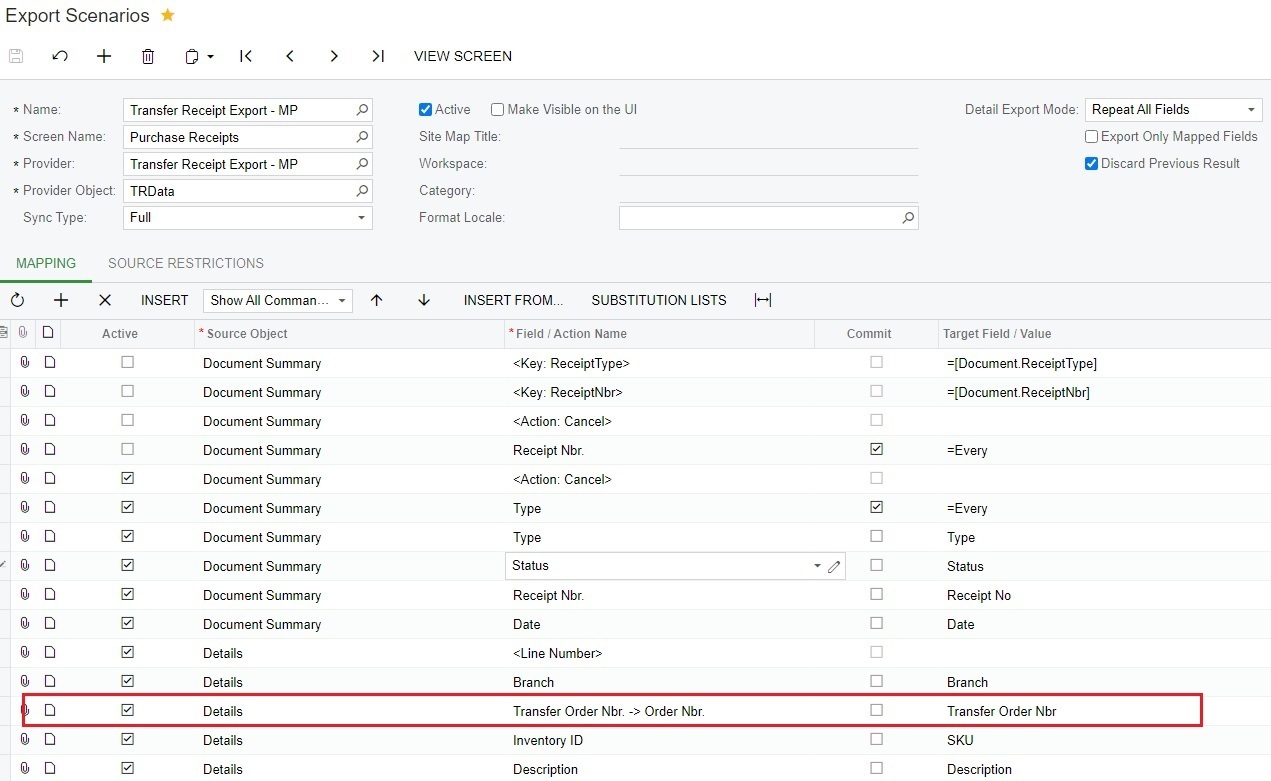
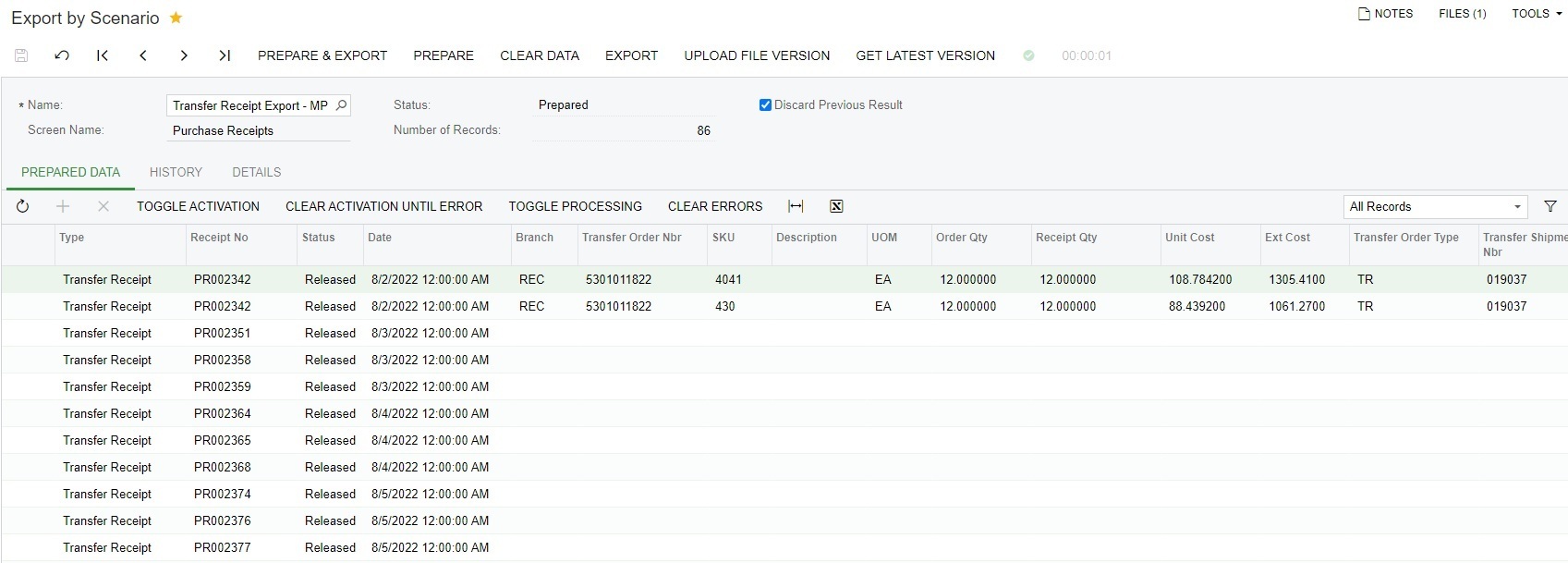
I altered my Export Scenario where I changed the Field “Transfer Order Nbr.” to “Transfer Order Nbr. → Order Nbr.” and I was able to get results for the first Transfer Receipt but not the rest.


Any idea why the data won’t repeat for the other Transfer Receipts?


Laura03
Captain II
Forum|alt.badge.img+19
  • Captain II
  • Answer
  • August 17, 2022

Hello, I think I got it!

I added = Every on the Receipt Numbers, and I think the line with =Every Receipt Nbr needs to be listed  before lines to export Type and Receipt Number.


  • Author
  • Freshman I
  • August 17, 2022

Your Export Scenario appears to be working!

Thanks so much for your help!